
5X Magnifying Glass with Clip
3.6Editor score
10×6 inch viewing area
Flexible 360-degree neck
Lightweight detachable design
Finding the right magnifying glasses for computer monitors can transform your daily digital experience. Whether you need help reading small text or reducing eye strain during long work sessions, the right tool makes a significant difference in comfort and productivity.
We have carefully evaluated ten leading products to bring you this comprehensive roundup. Our comparison covers desktop clip-on options, screen amplifiers, and wearable headsets designed to enhance visibility on laptops and desktop displays without compromising clarity.
Each pick highlights key features, pros, and cons to guide your decision. Keep in mind that availability and pricing may fluctuate over time, so checking the latest details before purchasing ensures you get the best value for your specific needs.
3.6Editor score

3.2Editor score
3.4Editor score
As an Amazon Associate we earn from qualifying purchases.
The following table provides a side-by-side comparison of all ten products featured in this guide. Use this overview to quickly identify key specifications and features that match your specific viewing requirements.


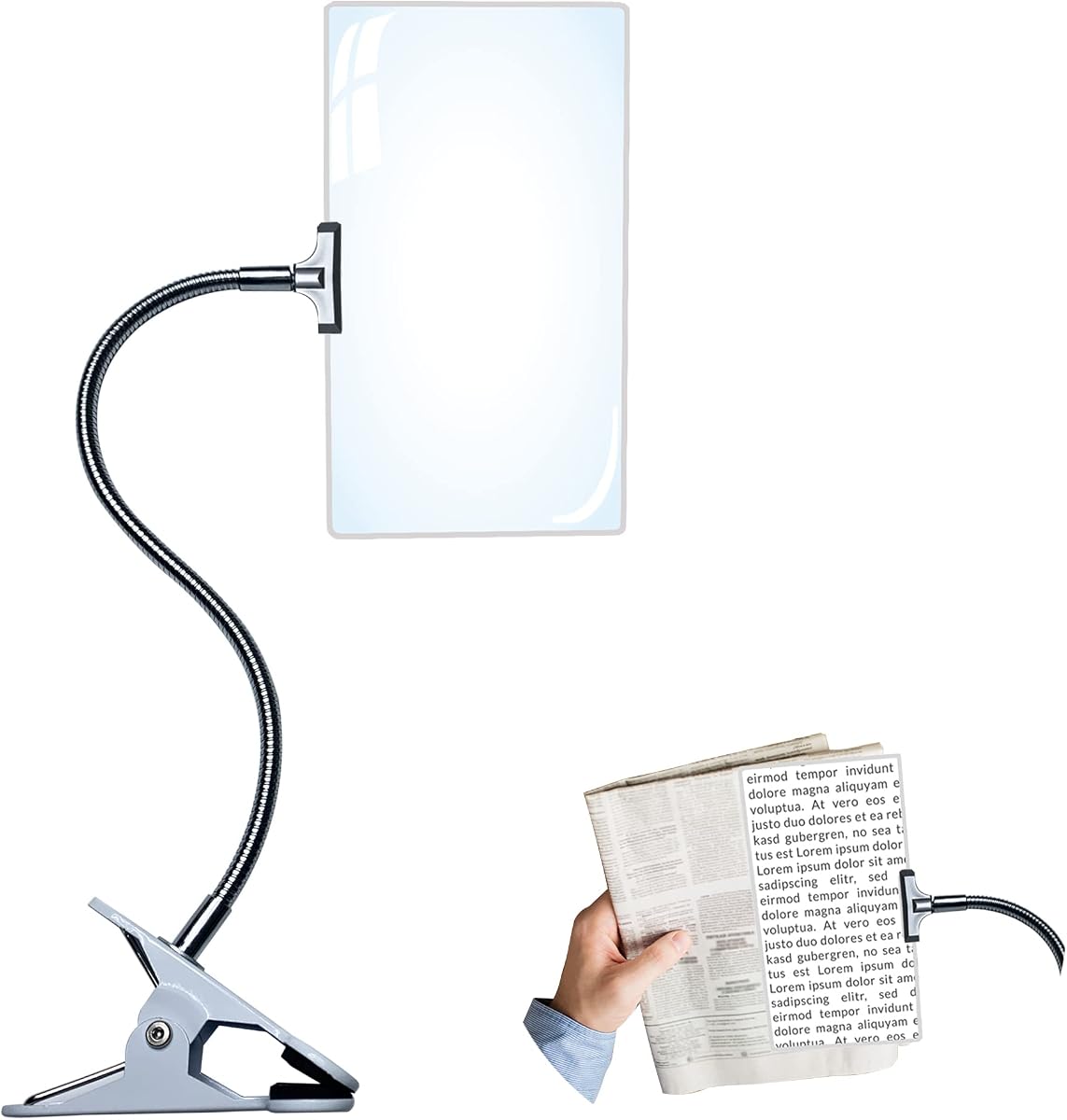
This clip-on magnifier offers a solid entry point for those seeking magnified views without a hefty investment. It features a 5X optical lens made of PVC rather than standard Fresnel materials to provide clearer image quality.
We may earn a commission when you buy through this link, at no additional cost to you.
The standout feature is the 10×6 inch viewing area which covers a large portion of text or crafts. The flexible 14 inch gooseneck allows you to bend the lens into any position needed for comfortable viewing over a desk or lap.
While designed primarily for reading and crafting it can assist with monitor tasks where a larger lens is placed close to the screen. However the clamp mechanism may not secure tightly on all monitor bezels limiting its use as a dedicated screen aid.
This product is best suited for hobbyists or seniors who need a versatile magnifier for multiple tasks around the house. If you need a dedicated screen amplifier look elsewhere but for general close work this is a reliable budget choice.
The optical grade PVC lens reduces distortion common in cheaper Fresnel models ensuring text remains sharp and easy to read.
A 360-degree adjustable gooseneck lets you angle the lens precisely without holding it manually reducing hand fatigue.
We may earn a commission when you buy through this link, at no additional cost to you.
This device is specifically built to sit in front of laptop screens to amplify content for better visibility. It uses a curved 3D design to match the human eye and reduce strain during extended use for movies or reading.
We may earn a commission when you buy through this link, at no additional cost to you.
The HD acrylic Fresnel lens provides clear magnification up to 5x and fits standard 21 inch laptops. It folds flat for easy transport and does not require any power source making it convenient for travel or office settings.
To get the best results it works best in low light environments to avoid glare. While it can obstruct keys slightly the design allows for keyboard operation underneath so it remains functional for daily tasks.
If you frequently struggle with small laptop text or want to watch videos with greater comfort this is a strong choice. It is an excellent gift for seniors or anyone who needs a simple non-electronic solution for screen enlargement.
The curvature of the lens matches the natural eye shape reducing the need to focus closely and minimizing eye fatigue.
Lightweight and collapsible structure allows you to pack it easily in a laptop bag for use anywhere.
We may earn a commission when you buy through this link, at no additional cost to you.
This amplifier offers a versatile solution for magnifying screens on both laptops and mobile phones. The high definition optical lens and wooden frame give it a premium look while maintaining functionality for various devices.
We may earn a commission when you buy through this link, at no additional cost to you.
With 6 branch points and 4 pivot points it can be rotated and adjusted to fit different screen sizes and viewing needs. It claims to reduce mobile phone radiation exposure providing an added layer of protection for close viewing.
The lack of user ratings makes it a bit of a gamble compared to established options but the specifications suggest strong build quality. It is a good choice for those who want a stylish and functional magnifier for mixed media use.
Consider this product if you switch between laptop and phone screens frequently and want a single stand for both. The wooden design adds a touch of elegance to your desk setup while offering practical magnification.
Adjustable pivot points allow the lens to conform to laptop and phone screens seamlessly ensuring a snug fit.
The environmentally friendly wooden frame bracket offers a unique aesthetic that stands out from standard plastic amplifiers.
We may earn a commission when you buy through this link, at no additional cost to you.
This wearable magnifier is perfect for those who need to keep their hands free while working on detailed tasks. It offers five interchangeable lenses ranging from 0.75X to 4.0X allowing you to pick the right power for the job.
We may earn a commission when you buy through this link, at no additional cost to you.
Three LED lights with adjustable brightness illuminate the workspace ensuring visibility in dim conditions. The rechargeable battery lasts for several hours and charges via USB-C making it convenient for daily use without buying disposable batteries.
The ergonomic frame and rubber nose bridge distribute pressure evenly preventing discomfort during long sessions. It is designed for hobbies like sewing or repair work rather than medical vision correction.
If you work on computer monitors or crafts for extended periods this headset provides a comfortable and practical way to see details clearly. It is an excellent tool for anyone who values hands-free efficiency and good lighting.
Switch between lenses easily with a click system to adapt to different magnification needs instantly.
Built-in LEDs provide consistent illumination reducing shadows that can occur with external lighting sources.
We may earn a commission when you buy through this link, at no additional cost to you.
This hands-free magnifier provides a broad magnification range from 1.5X to 5.0X making it suitable for various close work tasks. The detachable lenses are made of durable acrylic resin that resists scratches and maintains clarity over time.
We may earn a commission when you buy through this link, at no additional cost to you.
The LED headlight allows you to adjust the direction of illumination for precise lighting angles. A battery indicator light shows charge levels so you never get caught with a dead battery during important work.
Comfort is emphasized with a silicone-coated nose bracket and elastic headband that fits different head sizes securely. The lenses have fixed focal lengths requiring slight adjustments but this ensures sharp focus at the intended distance.
Ideal for sewing repair or modeling work this headset frees your hands to manipulate objects while you see clearly. It is a robust choice for hobbyists who need reliable magnification and lighting in one device.
Silicone nose brackets and elastic bands prevent slippage and reduce pressure on the nose and temples.
Acrylic resin lenses are wear-resistant and less likely to crack compared to glass options.
We may earn a commission when you buy through this link, at no additional cost to you.
These hands-free glasses combine magnification with blue light protection making them ideal for screen work. The polycarbonate lens offers 200% magnification which is sufficient for reading small text or inspecting fine details without excessive distortion.
We may earn a commission when you buy through this link, at no additional cost to you.
Bright LED lights built into the frame sides improve visibility and reduce eye strain during long sessions. The USB rechargeable battery is efficient and charges quickly within about 1.5 hours for extended use.
Blue light blocking technology helps reduce headaches and disrupted sleep patterns common with prolonged screen use. This makes the glasses particularly suitable for those who spend significant time on computers or under artificial lighting.
If you need a lightweight and comfortable option that protects your eyes from harmful light these glasses are a practical choice. They are well suited for reading crafts or computer monitor tasks where eye comfort is a priority.
Built-in blue light filters mitigate exposure to harmful wavelengths emitted by digital screens and artificial lights.
Secure lightweight fit allows uninterrupted work without holding a traditional magnifying glass.
We may earn a commission when you buy through this link, at no additional cost to you.
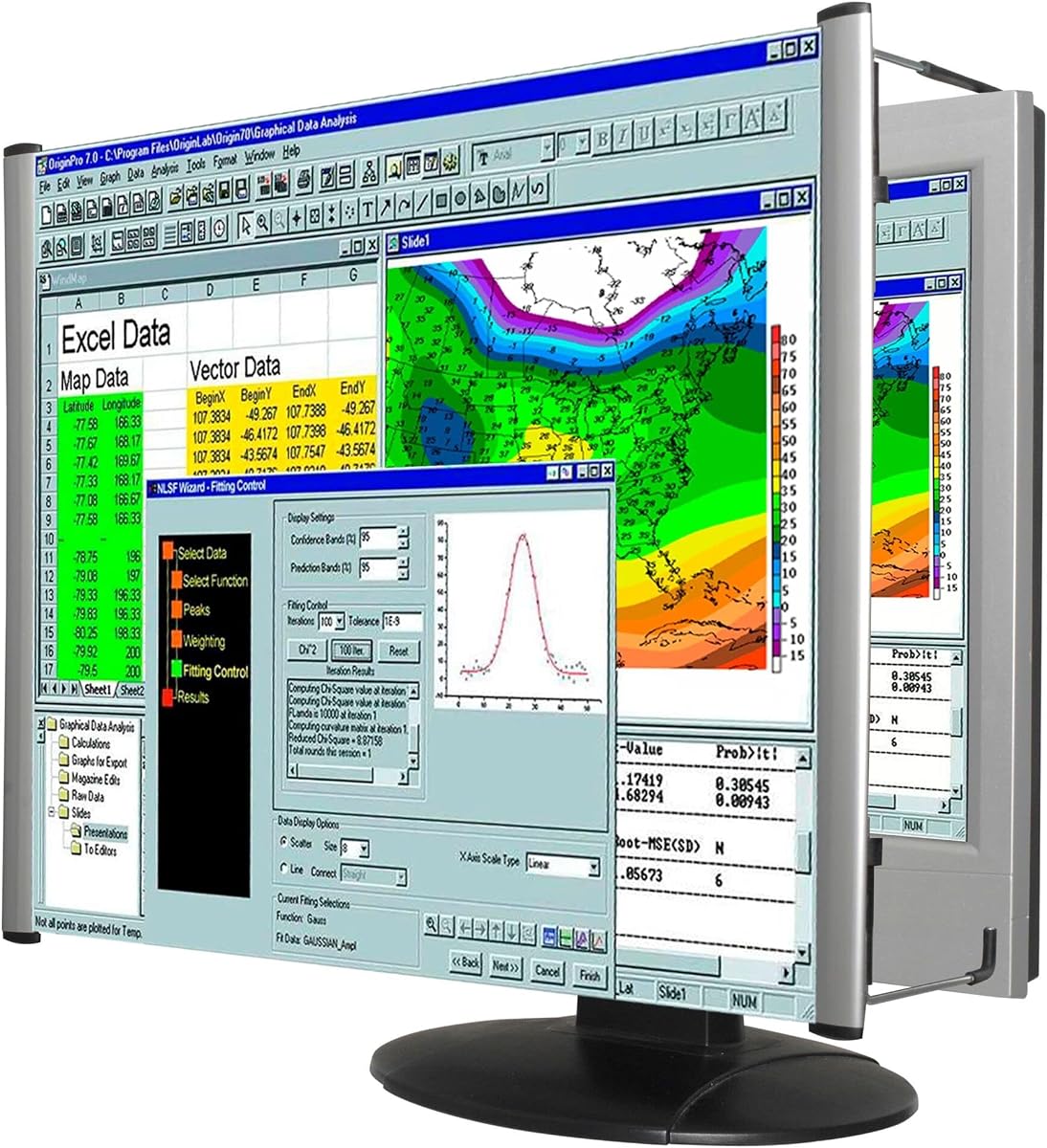
This monitor filter is a dedicated accessory for 22 inch widescreen monitors. It uses a Fresnel lens with antiglare coating to enhance readability and reduce reflections on the screen for a clearer view.
We may earn a commission when you buy through this link, at no additional cost to you.
The magnification level is adjustable allowing you to customize the viewing size based on your comfort needs. It is fully assembled and installs quickly without requiring tools making it convenient for office setups.
While the lens is lightweight it is less durable than glass and requires careful handling to avoid scratches. The price point is higher but it offers a specialized solution for desktop users needing consistent magnification.
For office environments where monitor text size is a daily concern this filter provides a reliable and permanent solution. It is best for users who prefer a stationary device over portable or wearable options.
Special coating reduces screen glare improving contrast and making text easier to read for longer periods.
Adjustable magnification allows users to find the optimal level for their visual needs.
We may earn a commission when you buy through this link, at no additional cost to you.
This clip-on magnifier uses a sturdy alloy spring clamp to secure itself to desks or monitors. The high-definition lens provides 5x magnification making it useful for reading books or inspecting small parts on a desk.
We may earn a commission when you buy through this link, at no additional cost to you.
A bendable hose design lets you adjust the lens angle and height to fit different viewing scenarios. It sits stably on the desktop taking up minimal space while offering a hands-free magnifying experience.
The secure clamp ensures the lens stays in place during use which is ideal for seniors or repair work. It is a simple and effective tool for those who need a reliable magnifier without complex setup.
If you need a quick and stable magnifying solution for desk tasks this product delivers good value. It is particularly helpful for users who need a steady view without holding the lens manually.
Alloy spring clamp provides a strong grip ensuring the magnifier stays firmly in place during use.
Bendable hose allows flexible positioning to achieve the best viewing angle for any task.
We may earn a commission when you buy through this link, at no additional cost to you.
This large clip-on magnifier is designed to cover full pages of books or documents making it ideal for reading. The 4X magnification provides a 400% enlargement without distortion ensuring the whole text remains visible.
We may earn a commission when you buy through this link, at no additional cost to you.
A flexible 360-degree gooseneck allows you to position the lens exactly where you need it. The clip stays stable on desks or beds and the lightweight design means it won't tire your hand if held occasionally.
Fresnel lenses are used which are durable and less likely to break but they can introduce some optical distortion at edges. However for reading tasks this trade-off is generally acceptable given the large viewing area.
Seniors and those with low vision will appreciate the ease of use and stability this device offers. It is a practical tool for long reading sessions where holding a traditional magnifier is not feasible.
10×6 inch lens allows users to see entire paragraphs or pages at once reducing eye movement.
360-degree adjustability ensures optimal positioning for any desk or bed setup.
We may earn a commission when you buy through this link, at no additional cost to you.
This premium monitor magnifier is engineered for 21.5 to 22 inch LCD screens. It uses an optical grade acrylic Fresnel lens with light tint to enhance contrast and increase readability by up to double.
We may earn a commission when you buy through this link, at no additional cost to you.
The patented design allows you to adjust magnification by moving the device closer or farther from the screen. It is fully assembled and lightweight making it easy to place and remove from your monitor bezel.
While it is not designed for severely visually impaired users it serves general office users needing better text clarity. The design minimizes distraction and reflection if used in standard ambient light environments.
If you seek a high-quality dedicated screen solution for daily office work this magnifier offers a refined and effective experience. It is a solid investment for professionals who need consistent visual clarity.
Light tinted lens improves contrast making text more readable without altering color balance.
Adjustable distance from screen lets users control magnification level manually for comfort.
We may earn a commission when you buy through this link, at no additional cost to you.
Choosing the right magnifying solution depends on your specific needs and setup. This guide outlines the critical factors to consider when selecting a product.
Magnification power determines how much larger text or objects appear. Options range from 2x to 5x or more. Higher magnification makes details clearer but reduces the field of view.
Choose a level that matches your visual needs. For reading screen text 3x to 5x is often sufficient.
Lens material affects clarity and durability. Acrylic and optical PVC offer lighter weight and scratch resistance compared to glass. Fresnel lenses are thin but may show some distortion.
Opt for optical grade materials for the best image quality especially if you use the magnifier daily.
Form factor refers to how the magnifier sits on or near your screen. Clip-on options attach to desks while screen amplifiers stand in front of laptops. Wearable headsets free your hands completely.
Select a form that matches your work style. Headsets are best for multi-tasking while desktop stands suit focused reading.
Adjustable features allow you to position the lens at the perfect angle. Look for flexible goosenecks or swivel joints that support different viewing positions.
Ensure the product allows easy adjustments to reduce neck strain during long sessions.
Integrated lighting helps in dim environments. LED lights should be adjustable to avoid glare. Rechargeable batteries are preferable to disposable ones for convenience.
Check the brightness settings and battery life to ensure consistent illumination.
Durability matters if you use the magnifier frequently. Look for robust clamps and scratch-resistant coatings. Metal clamps tend to last longer than plastic ones.
Invest in sturdy materials to ensure your tool remains functional over time.
Ensure the magnifier fits your monitor size. Some are designed for laptops while others target desktop screens. Verify the dimensions before purchasing.
Choose a product that matches your screen size to avoid obstruction or poor fit.
Prices vary from affordable clip-ons to premium filters. Determine how much you are willing to spend based on how often you will use the device.
Balance cost with features. Higher-priced models often offer better build quality and optical performance.
Position the magnifier so the lens is parallel to the screen or document. Adjust the distance until the text comes into sharp focus. For clip-on models ensure the clamp grips the edge securely to prevent slipping.
Clean the lenses with a soft microfiber cloth to avoid scratches. Use mild soap if needed but avoid harsh chemicals. If your product has lights keep the lenses clear of dust to maintain brightness.
Store the magnifier in a safe dry place when not in use. For flexible necks bend them gently to their neutral shape. If using rechargeable models keep the battery charged for best performance.
Yes many models are designed specifically for laptop screens. Screen amplifiers fit over laptops while clip-ons can attach to nearby desks. Ensure the size matches your laptop dimensions to avoid blocking the keyboard.
Magnifiers help by reducing the need to squint or lean in. They make text larger and clearer which can ease eye fatigue during long sessions. Look for anti-glare coatings for best results.
Use a microfiber cloth to wipe dust gently. For smudges use a small drop of mild soap and water then dry thoroughly. Avoid paper towels or rough fabrics that can scratch the surface.
Most clip-ons and amplifiers work fine with touch screens as they sit in front without obstructing touch. However verify the thickness to ensure it does not interfere with screen responsiveness.
Yes many products are marketed for seniors with large lenses and simple designs. Features like bright lighting and easy clamps make them ideal for elderly users needing assistance with reading.
Some models allow adjustment by moving the lens closer or farther. Others use interchangeable lenses. Check the product specs to see if level adjustability is supported.
Only models with built-in lights require power. Many come with rechargeable batteries for convenience. Traditional glass or Fresnel lenses without lights do not need any power source.
Quality designs use soft clamps to prevent scratching. Still use caution when attaching and removing the device. A protective screen cover can also help avoid accidental marks.
We have explored ten distinct options ranging from budget clip-ons to premium screen filters. Each product offers unique benefits depending on whether you prioritize affordability versatility or dedicated screen performance.
When choosing consider your primary use case. If you need hands-free operation a headset may be best. For dedicated monitor help a screen amplifier or filter provides stable support.
Always check current availability and prices before buying. The best choice is the one that fits your screen size budget and daily work habits comfortably.