
Generic USB 3.0 Ethernet Adapter
4.5Editor score
Affordable Price
Plug and Play
Stable Connection
This guide compares the top Ethernet adapters for Nintendo Switch to help you find reliable wired connections for stable online gaming and faster downloads.
Getting a stable internet connection is crucial for online gaming on your Nintendo Switch. An Ethernet adapter turns your dock into a wired hub, reducing lag and ensuring smoother multiplayer sessions without Wi-Fi interference.
We compared ten highly rated adapters based on compatibility, speed, build quality, and ease of use. Each option supports the Switch dock and delivers reliable gigabit speeds for seamless gameplay and quick downloads.
Every pick highlights key features and real-world performance traits to help you choose the right adapter. Remember that prices and availability change, so check current listings before purchasing your new wired connection.
4.5Editor score

4.6Editor score

4.6Editor score
Here is a side-by-side comparison of the top ten Ethernet adapters for Nintendo Switch. Each entry lists essential specs to help you quickly find the model that fits your gaming needs.






The TP-Link UE306 is a high-speed USB 3.0 to Ethernet adapter that delivers reliable gigabit connections for your Nintendo Switch. It requires no drivers and connects easily to your dock for seamless online gaming.
We may earn a commission when you buy through this link, at no additional cost to you.
This adapter provides fast and stable 10/100/1000 Mbps wired connections. Its compact design includes a foldable connector, making it ideal for travel while ensuring consistent performance for downloads and multiplayer.
While it offers excellent stability and speed, the LED indicator might be bright in dark rooms. The foldable design is convenient, but some users may find the plastic housing less durable than metal alternatives.
This adapter is perfect for gamers who need consistent speeds and plug-and-play simplicity. Choose it if you value reliable connectivity and want to avoid driver hassles on your Switch or PC.
It delivers gigabit speeds that ensure smooth downloads and low latency for competitive gaming sessions on your Nintendo Switch dock.
TP-Link follows cybersecurity best practices to build adapters that are secure from the ground up for peace of mind.
We may earn a commission when you buy through this link, at no additional cost to you.
The HORI Wired Internet LAN Adapter is officially licensed by Nintendo, ensuring perfect compatibility with your Switch dock. It provides a fast, stable wired connection right out of the box.
We may earn a commission when you buy through this link, at no additional cost to you.
Designed specifically for the Switch, this adapter plugs directly into the dock and delivers reliable internet speeds for online multiplayer. It comes with a protective case to keep it safe during transport.
The main trade-off is the higher price compared to generic alternatives. However, the official licensing gives you confidence in long-term compatibility and support from a trusted Nintendo partner.
This adapter is ideal for Switch owners who want guaranteed compatibility and a branded accessory. Choose it if you value official support and don't mind paying a premium for peace of mind.
Being officially licensed ensures this adapter meets Nintendo's standards for performance and compatibility with all Switch models.
The included case protects your adapter from damage and keeps it organized in your travel bag or drawer.
We may earn a commission when you buy through this link, at no additional cost to you.
The UGREEN USB to Ethernet Adapter delivers gigabit speeds for fast downloads and stable gaming on your Nintendo Switch. It is plug-and-play compatible with Windows, macOS, Chrome OS, and the Switch.
We may earn a commission when you buy through this link, at no additional cost to you.
Its compact size makes it easy to carry in your bag or pocket. This adapter connects directly to your Switch dock and ensures smooth online gaming without high latency or slow download speeds.
The build quality is functional but mostly plastic, which might not be as durable as metal options. Also, there is no LED indicator to confirm connection status, which some users might miss.
This adapter is a great value for those seeking reliable performance and portability. Choose it if you need a simple, effective solution for wired internet on your Switch or laptop.
It provides full gigabit speeds that maximize your network performance for streaming, gaming, and file transfers.
Works seamlessly with Switch and Switch OLED for smooth online gaming without driver installation or configuration.
We may earn a commission when you buy through this link, at no additional cost to you.
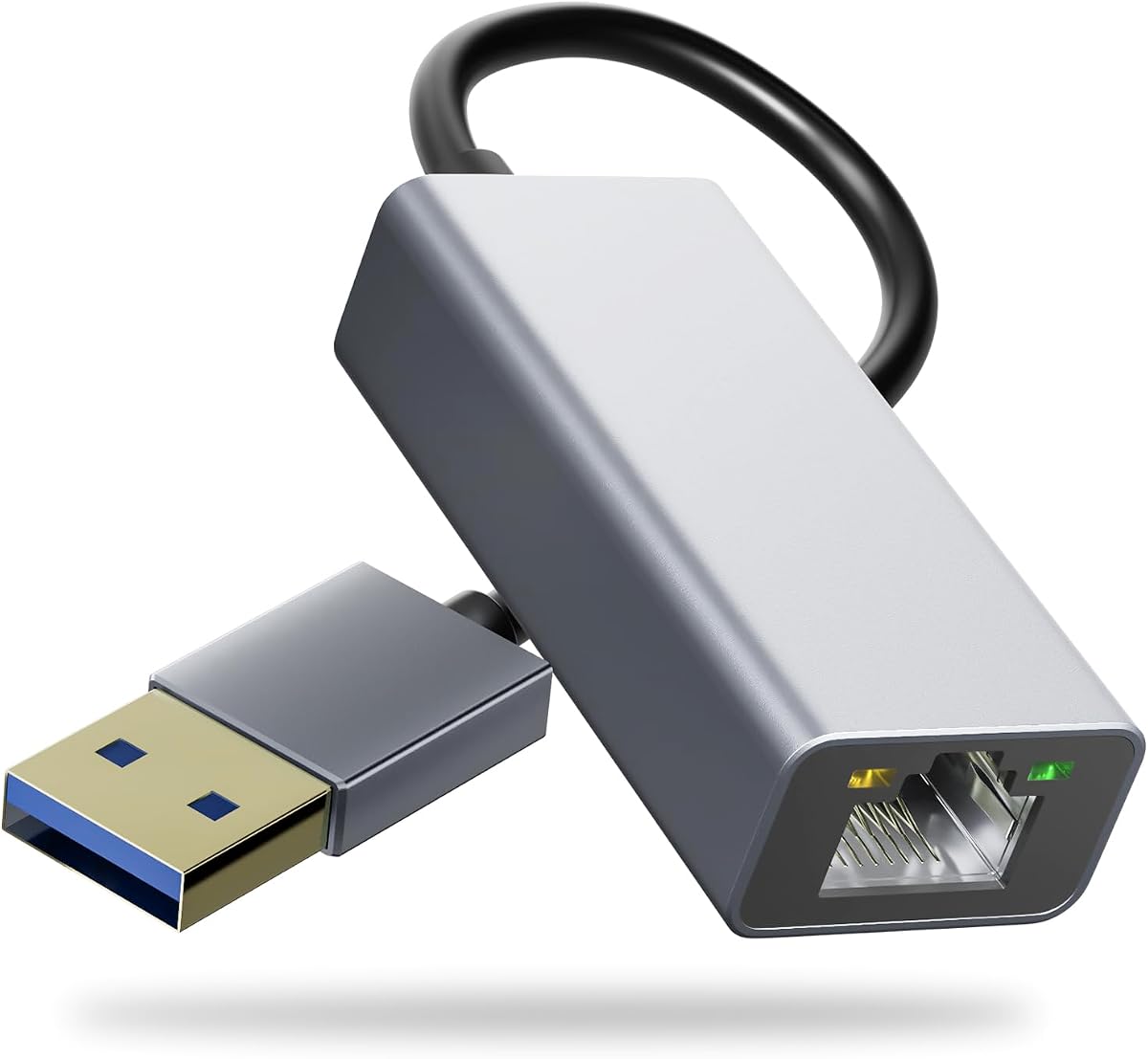
This generic USB 3.0 to Ethernet adapter offers full gigabit performance at a budget-friendly price. It provides a stable wired connection for your Nintendo Switch and other USB devices without needing drivers.
We may earn a commission when you buy through this link, at no additional cost to you.
Ideal for lag-free gaming and HD streaming, this adapter connects easily to your router and Switch dock. Its compact design makes it portable and easy to carry for travel or daily use.
While the plastic build is not as premium as aluminum options, it withstands daily wear well. The lack of an LED indicator means you rely on your device's connection status to confirm it is working.
This adapter is perfect for budget-conscious gamers who still want reliable gigabit speeds. Choose it if you need an affordable, functional solution for wired internet on your Switch or PC.
Wired connections eliminate signal drops and wall penetration issues common with Wi-Fi for uninterrupted gaming.
Lightweight ABS plastic housing is built to withstand daily wear and tear without adding bulk.
We may earn a commission when you buy through this link, at no additional cost to you.
The UGREEN Aluminum USB to Ethernet Adapter combines ultra-fast 1000Mbps speeds with a sturdy aluminum shell for better heat dissipation. It provides rock-solid stability and security for gaming and browsing.
We may earn a commission when you buy through this link, at no additional cost to you.
Designed for seamless Switch compatibility, it connects to your dock effortlessly. The LED indicator lets you instantly see if your connection is active, and the reinforced cable ensures long-lasting durability.
The aluminum build adds to the price, but it enhances durability and cooling during heavy use. Some users might prefer detachable cables, but the fixed design reduces points of failure.
This adapter is ideal for users who value premium build quality and reliable performance. Choose it if you want a durable, high-speed connection that can handle intensive daily gaming sessions.
The aluminum shell dissipates heat efficiently and the reinforced cable point resists wear and tear.
A yellow-green LED light keeps you instantly informed of the adapter's working status at a glance.
We may earn a commission when you buy through this link, at no additional cost to you.
The UGREEN USB C to Ethernet Adapter supports fast speeds up to 1000Mbps and is perfect for modern devices like the Switch, laptops, and tablets. It adds a stable Gigabit RJ45 port to your setup.
We may earn a commission when you buy through this link, at no additional cost to you.
With a durable aluminum alloy case, it dissipates heat better than plastic adapters. The LED indicator shows connection status clearly, and its compact size makes it easy to carry everywhere.
This adapter only works with USB-C devices, so ensure your Switch dock has the right port. The cable is not detachable, which is a minor limitation but reduces connection points for stability.
It is perfect for users with USB-C laptops or newer devices needing wired internet. Choose it if you want a reliable, portable solution with modern connectivity standards.
This adapter brings gigabit wired speeds to devices that lack a built-in Ethernet port or need more reliable connections.
Aluminum alloy construction ensures faster heat dissipation and better longevity than typical plastic adapters.
We may earn a commission when you buy through this link, at no additional cost to you.
The JEMDO Ethernet Adapter features a unique 2-in-1 USB Type-C and Type-A plug design, making it versatile for various devices. It delivers stable 1000Mbps speeds for gaming, streaming, and file transfers.
We may earn a commission when you buy through this link, at no additional cost to you.
Its compact and lightweight design makes it easy to carry in your bag. The high-quality PVC cable and ABS shell ensure durability, and it works seamlessly with Switch, laptops, and smartphones.
The shorter cable length can be a limitation if your router is far from the dock. The plastic build is functional but lacks the premium feel of aluminum alternatives found in higher-end models.
This adapter is great for users who need flexibility across different ports. Choose it if you want a portable solution that works with both USB-C and USB-A devices.
Designed with both Type-C and Type-A plugs to connect easily to different interfaces without extra adapters.
Lightweight design ensures you can enjoy efficient network connection anywhere for work or gaming.
We may earn a commission when you buy through this link, at no additional cost to you.
The Plugable USB to Ethernet Adapter ensures smooth video calls and gaming with its ASIX AX88179B-powered chip. It supports Windows, macOS, Chrome OS, and Nintendo Switch docked mode with ease.
We may earn a commission when you buy through this link, at no additional cost to you.
Automatic driver installation via Windows Update makes setup effortless. The device includes lifetime support from a North American team, which is invaluable for troubleshooting and long-term reliability.
It is not compatible with Smart TVs, which limits use cases compared to universal adapters. The higher price is offset by the robust support and reliable performance for professional users.
This adapter is ideal for those who value customer support and reliable hardware. Choose it if you need a trusted brand with excellent after-sales service for your wired internet needs.
Automatic driver installation via Windows Update ensures quick and hassle-free setup for most users.
Includes lifetime support from a dedicated connectivity expert team for reliable assistance anytime.
We may earn a commission when you buy through this link, at no additional cost to you.
The Cyberguys USB 3.0 to Ethernet Adapter instantly upgrades your device with 1000Mbps wired internet. It is ideal for online gaming and streaming with a sleek, lightweight design that fits in any bag.
We may earn a commission when you buy through this link, at no additional cost to you.
No drivers are required for Windows, macOS, or Switch, making it incredibly user-friendly. The advanced IC chip ensures smooth, uninterrupted data transfers that are far more reliable than typical Wi-Fi connections.
The housing is plastic and minimalistic, which reduces durability perception but keeps weight down. This makes it a good choice for travel where every gram counts in your backpack.
This adapter is perfect for frequent travelers or users needing quick, reliable connections. Choose it if you prioritize portability and speed without wanting complex setups.
Advanced IC chip and USB 3.0 interface deliver smooth data transfers far more reliable than wireless options.
Sleek and lightweight design fits easily in any bag or pocket for on-the-go use.
We may earn a commission when you buy through this link, at no additional cost to you.
The UGREEN USB to Ethernet Adapter features a durable braided cable and aluminum shell for stylish and reliable performance. It provides faster speeds than Wi-Fi and ensures stable networking for gaming.
We may earn a commission when you buy through this link, at no additional cost to you.
Its braided cable design greatly improves lifespan compared to standard rubber cables. The aluminum shell is anti-fingerprint and anti-corrosion, maintaining a sleek look over time.
The price is higher than generic options due to premium features. The cable is fixed, which limits customization but reduces wear points at the connection port for stability.
This adapter is ideal for users who value build quality and aesthetics. Choose it if you want a durable, stylish connection that stands up to heavy daily use on your Switch.
The aluminum shell is stylish and anti-fingerprint, while the braided cable improves overall usage life.
Delivers network speeds up to 1000Mbps ensuring stable performance for gaming and streaming.
We may earn a commission when you buy through this link, at no additional cost to you.
Choosing the right Ethernet adapter for your Nintendo Switch involves considering speed, build quality, and compatibility. Here are the key factors to evaluate before you buy.
Look for adapters that support gigabit speeds (1000Mbps) to ensure you get the fastest possible connection your internet plan allows. Higher speeds reduce download times and improve in-game performance.
Prioritize USB 3.0 adapters to maximize data transfer rates and avoid bottlenecks that could limit your connection.
Ensure the adapter is driver-free and compatible with your Nintendo Switch without requiring extra software. Plug-and-play adapters simplify setup and work immediately when you connect them.
Check that the device explicitly supports Nintendo Switch in docked mode for guaranteed functionality.
Aluminum shells offer better heat dissipation and durability than plastic, making them ideal for long gaming sessions. Reinforced cable points also prevent wear and tear over time.
Choose a model with sturdy construction if you plan to travel with it frequently or use it daily.
Braided cables are more resistant to tangling and wear, extending the adapter's lifespan. Some adapters feature foldable or compact connectors to save space in your travel bag.
Consider the length of the cable if your router is far from your console to avoid using extension cords.
An LED light can help you confirm connection status quickly, which is useful for troubleshooting. However, bright LEDs can be distracting in dark rooms if not controlled.
Decide if visual feedback is worth it based on your setup and lighting conditions.
Most Nintendo Switch docks use USB-A ports, so ensure your adapter matches this connector. USB-C adapters are useful for laptops but may not fit older Switch models directly.
Double-check your device's available ports before purchasing to avoid compatibility issues.
Budget adapters often offer good performance, but premium models may provide better materials and support. Assess your needs to decide if higher cost is justified by extra features.
Compare features like build quality and warranty support against the price to find the best value.
Reputable brands often include technical support or warranty services, which can be crucial if issues arise. Lifetime support policies are valuable for long-term reliability and peace of mind.
Research the brand's reputation for customer service before making your final decision.
To use your Ethernet adapter, simply plug one end into your router or modem and the other into your Nintendo Switch dock's USB port. Ensure the Switch is powered off during connection to avoid any issues.
Once connected, your Switch should recognize the wired internet automatically. Check your network settings in the console menu to confirm the connection status and test your internet speed.
To care for your adapter, avoid bending the cable sharply and store it in a dry place when not in use. Clean the connectors periodically with a dry cloth to prevent dust buildup.
No, most quality Ethernet adapters are designed to be plug-and-play for the Nintendo Switch. They require no additional software or driver installation to establish a connection.
Yes, a wired connection typically reduces latency and packet loss compared to Wi-Fi. This helps eliminate lag spikes and makes online multiplayer sessions smoother.
Yes, but you need to connect it to the dock which uses USB-A ports. Some hubs or docks may require USB-C to USB-A adapters to make this work.
If you experience frequent disconnections or lag, upgrading to Ethernet is highly recommended. Wired connections provide more stable speeds and better performance for competitive games.
Most modern adapters work with both the original Switch and the OLED model. Just ensure the product explicitly states compatibility with Switch OLED to be safe.
Aim for gigabit speeds of 1000Mbps to ensure your adapter can handle high-speed internet plans. This avoids bottlenecks and maximizes your connection potential.
Yes, many adapters support Windows and Mac systems as well as the Switch. Check the product description for multi-platform compatibility if you plan to use it elsewhere.
Using reputable brands reduces risks significantly. Third-party adapters from trusted manufacturers are generally safe and perform well without voiding warranties.
The TP-Link USB to Ethernet Adapter stands out for its balance of performance and reliability. For budget shoppers, the generic USB 3.0 options offer excellent value without sacrificing essential features.
When choosing, prioritize speed, compatibility with your Switch dock, and build quality. Consider how you will use the adapter daily and whether durability or portability matters more to you.
Remember that prices and availability change over time. Always check the current listings and customer reviews before buying to ensure you get the best deal for your wired gaming setup.