
15.6 Inch Privacy Screen Filter
4.2Editor score
Blocks side viewing up to 60 degrees
Reduces harmful blue light by 30%
Includes slide-on or mounted installation options
In today’s connected world, protecting sensitive information while working on the go is more critical than ever. A laptop privacy screen filter offers a practical solution by limiting the viewing angle of your display, ensuring that only you can see what is on your screen. Whether you are working from a crowded coffee shop or a busy airport lounge, these filters provide essential security against prying eyes.
We have evaluated ten top-rated laptop privacy screen filters to help you find the perfect match for your device. Our comparison considers factors such as screen size compatibility, attachment methods, glare reduction capabilities, and blue light filtering features. Each product has been assessed based on user feedback, technical specifications, and overall build quality to ensure a reliable recommendation.
Each selection in this guide highlights unique strengths, from budget-friendly options to premium models with advanced features like magnetic attachments or four-way privacy protection. Please note that product availability and pricing may change over time, so verify compatibility and current details before making a purchase decision. Our goal is to provide clear, actionable insights to simplify your buying process.
4.2Editor score
4.4Editor score

4.4Editor score
As an Amazon Associate we earn from qualifying purchases.
The following table provides a side-by-side comparison of all ten laptop privacy screen filters included in this guide. It outlines key specifications, viewing angles, and notable features to help you quickly identify the model that best suits your specific needs and device requirements.


The 15.6 Inch Privacy Screen Filter is a top choice for those seeking an affordable yet effective privacy solution. With a strong rating from users, this filter delivers on its promise of blocking side views while maintaining clarity for the front user. It is specifically designed for 16:9 aspect ratio screens, making it a reliable option for many standard laptops.
We may earn a commission when you buy through this link, at no additional cost to you.
This filter uses a micro-louver technology to black out the screen when viewed from the side, protecting sensitive data from prying eyes. Additionally, it blocks 30 percent of blue light between 380 and 495 nanometers, which can help reduce eye strain during long work sessions. The package supports both slide-on and mounted installation methods, offering flexibility for different usage scenarios.
While the filter is effective, it is important to note that it is not compatible with touchscreens. Users must measure their screen dimensions carefully, relying on width and height rather than just the diagonal size, to ensure a perfect fit. These trade-offs are acceptable given the competitive price and the level of privacy protection it provides.
For budget-conscious users who prioritize data security and eye health, this privacy screen filter is a strong recommendation. It is ideal for those working in public spaces who need a dependable barrier against shoulder surfing without investing in premium features. Always verify your laptop specifications before ordering to avoid compatibility issues.
The filter effectively blacks out the screen when viewed outside a 60-degree angle, ensuring that only you can see your content clearly.
By filtering harmful blue light, this screen protector helps reduce eye strain and discomfort during extended periods of screen time.
We may earn a commission when you buy through this link, at no additional cost to you.
The SightPro Magnetic Laptop Privacy Screen stands out due to its patented magnetic attachment system, which eliminates the need for messy adhesives. This makes it incredibly easy to attach and remove as needed, perfect for users who frequently switch between private and shared work environments. It is designed for 14-inch 16:10 screens and is compatible with major brands like Lenovo and Dell.
We may earn a commission when you buy through this link, at no additional cost to you.
Its multi-layered film filter ensures superior privacy by blacking out the screen from side views while maintaining crystal clarity from the front. The package also includes a webcam cover and cleaning cloth, adding value to the purchase. As a US-based solution, it meets Section 889 and TAA compliance standards, making it suitable for government and corporate use.
The magnetic system relies on stickers placed on the laptop frame, which may not be ideal for all users who prefer a completely non-invasive approach. Additionally, it does not block visibility directly behind you, which is a limitation of most privacy filters. Despite these points, the ease of use and build quality make it a compelling option.
This magnetic privacy screen is ideal for mobile workers and travelers who value convenience and reliability. It is a great fit for anyone who wants to avoid permanent adhesive on their device while still gaining robust privacy protection. Verify your screen dimensions to ensure the magnetic aligns correctly with your laptop frame.
The patented magnetic system allows for instant snap-on attachment without tape, making it easy to use and reattach whenever needed.
Meeting Section 889 and TAA compliance ensures that this filter is suitable for use in government and regulated corporate environments.
We may earn a commission when you buy through this link, at no additional cost to you.
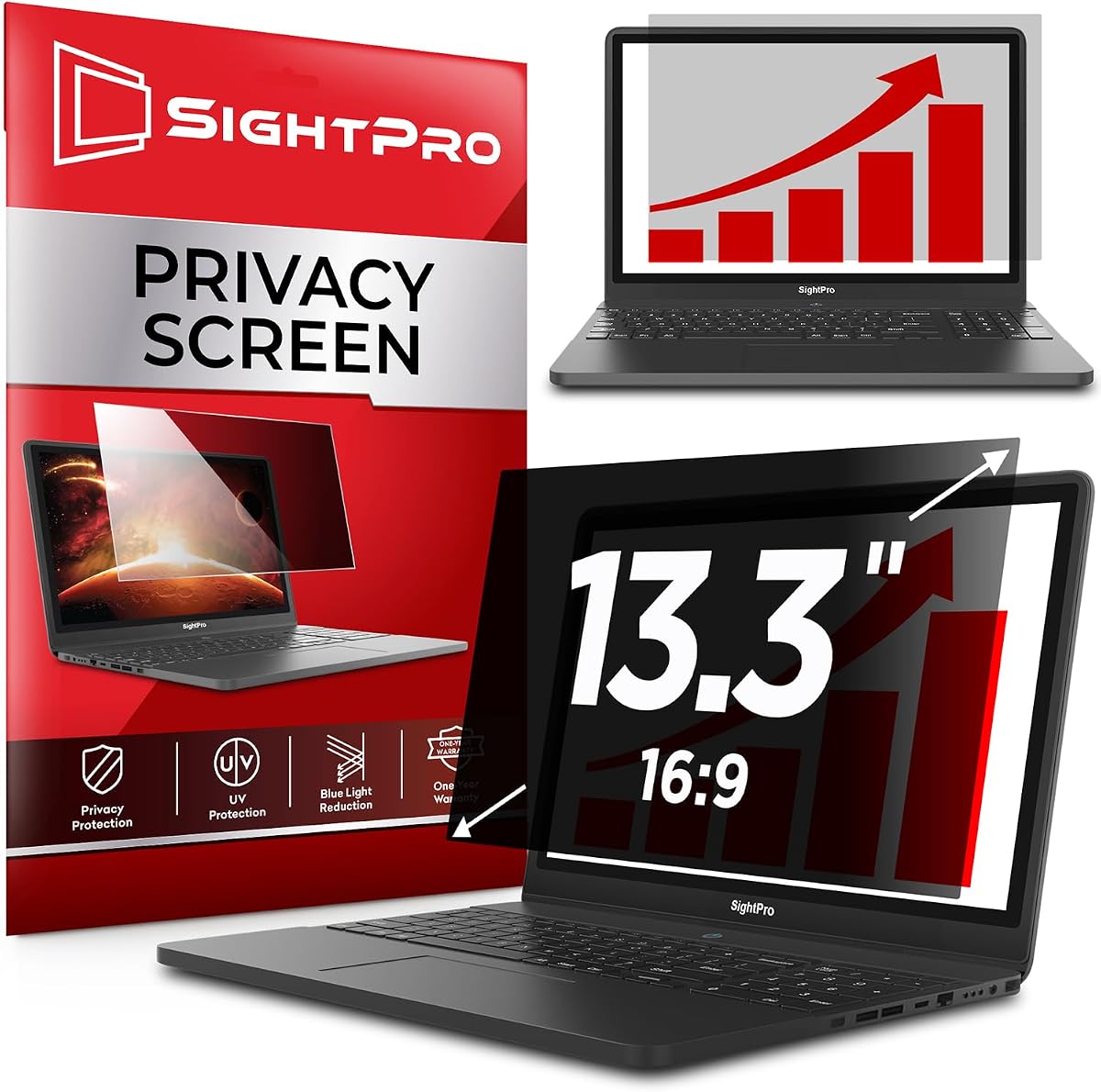
The SightPro 13.3 Inch 16:9 Privacy Screen Filter earns the Editor's Choice badge for its excellent balance of privacy, clarity, and ease of use. With a high user rating, it is a trusted option for those working on standard 13.3-inch laptops. The multi-layered film ensures that your screen remains clear from the front while blocking side views effectively.
We may earn a commission when you buy through this link, at no additional cost to you.
This filter includes both adhesive strips and slide mount tabs, giving you the flexibility to choose between a permanent or removable installation. It also reduces glare and protects against harmful UV and blue light, which is beneficial for eye health during long workdays. The package comes with a cleaning cloth to help maintain the screen's clarity.
Users should be aware that this filter is not optimized for touchscreens and is not compatible with MacBooks, so verify your device before purchasing. Additionally, it does not block visibility directly behind you, which is a standard limitation for privacy screens. These considerations are minor compared to the overall value and performance it delivers.
For those seeking a reliable, well-rounded privacy solution for a 13.3-inch laptop, this filter is an excellent choice. It is particularly suitable for professionals who need a combination of privacy, eye protection, and versatile installation methods. Always measure your screen to ensure compatibility before ordering.
Choose between clear adhesive strips for permanent setup or slide mount tabs for removable installation based on your preference.
The filter reduces glare and blocks harmful UV and blue light to help protect your eyes during extended screen usage.
We may earn a commission when you buy through this link, at no additional cost to you.
The ZOEGAA 4-way 360 Laptop Privacy Screen offers a unique advantage with its comprehensive protection in all directions. Unlike standard filters that only block side views, this model shields your screen from up, down, left, and right angles, making it ideal for highly sensitive environments. It is designed for 14-inch 16:10 screens from major brands.
We may earn a commission when you buy through this link, at no additional cost to you.
Users can choose between a glossy finish for better privacy protection or a matte finish to prevent glare, depending on their needs. The filter also blocks blue light and UV rays, helping to reduce eye fatigue during long work sessions. Installation options include slide mount tabs or double-sided adhesive, allowing for flexible setup.
This filter is not compatible with MacBook or Surface computers, so it is essential to check your laptop model before purchasing. The 360-degree protection may be overkill for some users but is invaluable for those handling confidential data in public settings. Verify the exact dimensions to ensure the film fits your screen properly.
For users who need maximum privacy coverage, this filter is an outstanding choice. It is best suited for professionals or students who work in high-traffic areas and want to eliminate visibility from all angles. Ensure your device matches the specifications to avoid installation issues.
The filter provides privacy in all four directions, offering a significant upgrade over standard horizontal-only privacy screens.
Choose a glossy surface for better privacy or a matte finish to reduce glare based on your specific usage needs.
We may earn a commission when you buy through this link, at no additional cost to you.
The SightPro 15.6 Inch 16:9 Privacy Screen Filter is a reliable solution for users with larger 15.6-inch laptops. It features a multi-layered film that provides superior privacy by blacking out the screen from side views while maintaining clarity for the front user. The filter is compatible with major laptop brands, ensuring broad usability.
We may earn a commission when you buy through this link, at no additional cost to you.
This model includes both adhesive strips and slide mount tabs, offering flexibility in how you choose to install the filter. It also reduces glare and protects against harmful UV and blue light, which helps in reducing eye strain. The package includes a microfiber cleaning cloth to keep your screen clear and free of smudges.
Users should note that the filter is not optimized for touchscreens, so it may not work on devices with touch functionality. Additionally, verifying your screen dimensions is crucial to ensure a proper fit. These limitations are standard for privacy screens and do not detract from the overall quality of the product.
For those with 15.6-inch laptops looking for a trusted privacy solution, this filter is a strong recommendation. It is particularly useful for professionals who need to balance privacy with visual clarity and eye protection. Always measure your screen to avoid compatibility issues.
The filter reduces glare to improve visibility in bright environments, making it easier to work in various lighting conditions.
Advanced film technology ensures that the screen remains clear from the front while blocking side views effectively.
We may earn a commission when you buy through this link, at no additional cost to you.
The Laptop Privacy Screen 14 Inch is a versatile option that uses micro-louver technology to limit viewing angles effectively. It is designed to fit 14-inch laptops with a 16:10 aspect ratio from major brands like HP, Dell, and Lenovo. The filter is highly rated for its ability to reduce blue light and glare, making it comfortable for prolonged use.
We may earn a commission when you buy through this link, at no additional cost to you.
One of its key features is the reversible design, allowing you to choose between a matte surface for anti-glare or a glossy surface for better privacy. The package includes adhesive strips, slide mount tabs, alcohol wipes, and a cleaning cloth, providing everything needed for installation. It also comes with a lifetime free support policy for added peace of mind.
While the adhesive installation is permanent, the slide mount option offers a removable alternative for users who prefer flexibility. It is crucial to verify screen dimensions carefully, as the filter is designed for specific aspect ratios. These considerations are minor given the comprehensive support and value provided with the purchase.
For users seeking a budget-friendly yet feature-rich privacy screen, this model is a strong contender. It is best suited for those who need extensive blue light reduction and the flexibility to switch finishes based on their environment. Always check your laptop specifications before ordering to ensure a perfect fit.
The reversible filter allows you to choose between matte for glare reduction or glossy for enhanced privacy depending on your needs.
Imported filtering materials reduce 92 percent of blue light to help protect your eyes from harmful emissions during long work sessions.
We may earn a commission when you buy through this link, at no additional cost to you.
The 3M Bright Screen Privacy Filter for 13.3-inch laptops stands out as a premium option with its Advanced Nanolouver technology. This technology ensures that the screen transmits up to 85 percent of the light, making it up to 25 percent brighter than other privacy filters. It is designed for 16:10 aspect ratio screens and offers a perfect balance of privacy and clarity.
We may earn a commission when you buy through this link, at no additional cost to you.
One of its key strengths is its ability to reduce blue light without distorting the natural color of the display, which is essential for professionals who work with visual content. The filter includes the 3M COMPLY Flip Attach system for easy switching between privacy and screen sharing. It also features reversible glossy and matte options to reduce glare and fingerprints.
While it is more expensive than other options, the build quality and technology justify the price for those who prioritize performance. Users should note that the filter is not optimized for touchscreens, so verify your device before purchasing. These trade-offs are acceptable given the superior visual experience and privacy protection it offers.
For professionals seeking the best in privacy and display quality, this filter is an ideal choice. It is particularly suited for those who need a brighter screen and easy sharing capabilities. Always ensure your laptop dimensions match the filter specifications for a seamless installation.
The Advanced Nanolouver technology makes the screen up to 25 percent brighter than standard privacy filters, improving visibility in various conditions.
The included Flip Attach system allows you to quickly switch between privacy mode and screen sharing with a simple flip.
We may earn a commission when you buy through this link, at no additional cost to you.
The 3M Bright Screen Privacy Filter for 14-inch Full Screen laptops offers top-tier privacy and display quality. It uses Advanced Nanolouver technology to transmit up to 85 percent of light, making it significantly brighter than many other filters. This ensures that you get privacy without sacrificing the clarity and brightness of your display.
We may earn a commission when you buy through this link, at no additional cost to you.
This filter reduces blue light without affecting color accuracy, which is ideal for creative professionals who work with graphics or video. The included COMPLY Flip Attach system makes it easy to switch between privacy mode and screen sharing when needed. It also features reversible glossy and matte options to help reduce glare and fingerprints on the screen.
While the price is higher than standard options, the technology and features justify the investment for those who need a premium experience. Users should verify their screen dimensions before ordering to ensure compatibility. These trade-offs are minor compared to the level of protection and visual performance provided.
For those seeking a high-quality privacy solution for a 14-inch Full Screen laptop, this filter is an excellent choice. It is best suited for users who value brightness, color accuracy, and easy sharing capabilities. Always check your laptop specifications to ensure a perfect fit.
Blue light is reduced without distorting the natural color of your display, ensuring accurate visuals for professional work.
The Flip Attach system enables quick switching between privacy and screen sharing modes with a simple flip of the filter.
We may earn a commission when you buy through this link, at no additional cost to you.
The 3M Privacy Filter for 13.3-inch laptops is a reliable choice for those who value easy switching between privacy and screen sharing. It features the COMPLY attachment system, which uses a proprietary hinge design to withstand daily use and allow for quick flipping. The filter is designed for 16:9 aspect ratio screens and offers effective privacy protection.
We may earn a commission when you buy through this link, at no additional cost to you.
It reduces 35 percent of blue light transmission, helping to minimize eye strain during long work sessions. The reversible design allows you to choose between a glossy side for better privacy or a matte side for glare reduction. The filter includes adhesive strips to keep it securely in place on your laptop screen.
Users should note that the filter is not optimized for touchscreens, so it may not work on devices with touch functionality. Verifying your screen dimensions is essential to ensure a proper fit. These limitations are standard for privacy screens and do not detract from the overall quality of the product.
For users who need a durable privacy solution with easy sharing capabilities, this filter is a strong recommendation. It is particularly useful for professionals who frequently switch between private and collaborative work environments. Always measure your screen to avoid compatibility issues.
The COMPLY hinge design allows for quick and easy switching from privacy to screen sharing with a simple flip of the filter.
Reduces 35 percent of blue light transmission to help protect your eyes from harmful emissions during long screen usage.
We may earn a commission when you buy through this link, at no additional cost to you.
The 3M Bright Screen Privacy Filter for 13.3-inch 16:9 laptops is a top-rated option for those seeking premium privacy. It uses Advanced Nanolouver technology to transmit up to 85 percent of light, making it up to 25 percent brighter than standard filters. This ensures a clear and vibrant display while maintaining effective privacy.
We may earn a commission when you buy through this link, at no additional cost to you.
This filter reduces blue light without distorting colors, which is ideal for users who work with visual content. The COMPLY Flip Attach system makes it easy to switch between privacy mode and screen sharing. It also includes reversible glossy and matte options to reduce glare and fingerprints on the screen.
While it is more expensive than other options, the build quality and technology justify the price for those who prioritize performance. Users should note that the filter is not optimized for touchscreens, so verify your device before purchasing. These trade-offs are acceptable given the superior visual experience and privacy protection it offers.
For professionals seeking the best in privacy and display quality, this filter is an ideal choice. It is particularly suited for those who need a brighter screen and easy sharing capabilities. Always ensure your laptop dimensions match the filter specifications for a seamless installation.
Advanced Nanolouver technology ensures up to 85 percent light transmission for a brighter and clearer display compared to standard filters.
The included COMPLY Flip Attach system allows you to quickly switch between privacy mode and screen sharing with ease.
We may earn a commission when you buy through this link, at no additional cost to you.
Selecting the right laptop privacy screen filter requires careful consideration of several factors to ensure compatibility and performance. This guide outlines the key elements you should evaluate to make an informed decision that meets your privacy and visual needs.
The most critical factor is ensuring the filter matches your laptop's exact screen dimensions and aspect ratio. Most laptops come in 16:9 or 16:10 ratios, and a mismatch can lead to poor fit or ineffective privacy. Always measure the visible area of your screen in millimeters or inches before ordering.
Verify your screen dimensions carefully using a ruler to avoid compatibility issues.
Filters typically come with adhesive strips for permanent installation or slide mount tabs for removable options. Choose the method that suits your usage pattern, such as frequent travel or shared device use. Magnetic attachments are also available on some models for quick on and off switching.
Select an attachment method that aligns with your need for permanence or flexibility.
Standard filters block side views beyond a 60-degree angle, while some models offer 360-degree protection. Consider your environment and the level of sensitivity of the data you handle. Higher protection levels may be necessary for public spaces or confidential work.
Choose a privacy level that matches the sensitivity of your work and typical environments.
Many filters include features to reduce blue light and glare, which can help protect your eyes during long work sessions. Look for specifications on the percentage of blue light blocked and whether the filter has a matte or glossy finish. These features can improve comfort and productivity.
Prioritize filters with blue light blocking if you spend extended time on your laptop.
Most privacy filters are not optimized for touchscreens and may interfere with touch functionality. If your laptop has a touchscreen, verify that the filter is compatible or consider alternative privacy solutions. This is especially important for hybrid devices that rely on touch input.
Check touchscreen compatibility carefully if your device supports touch input features.
High-quality filters use multi-layered or nanolouver technology to maintain clarity while providing privacy. Look for reputable brands that offer durability and resistance to scratches or peeling. Build quality can significantly impact the longevity and performance of the filter.
Opt for well-established brands known for durability and clear privacy performance.
Some packages include useful accessories like cleaning cloths, alcohol wipes, or webcam covers. These extras can enhance the user experience and help maintain the filter's effectiveness. Consider the value of these included items when comparing different models.
Look for kits that include cleaning tools for easier installation and maintenance.
A good warranty or support policy can provide peace of mind in case of compatibility issues or defects. Some manufacturers offer lifetime support or free replacements if the filter does not fit your device. This can save you from the hassle of returning a product.
Choose a product with reliable customer support for a smoother purchase experience.
Before installing the privacy filter, ensure your laptop screen is clean and free of dust or debris. Use a microfiber cloth to wipe the screen gently, avoiding harsh chemicals that could damage the display. This step helps the adhesive or mount tabs to stick securely without trapping particles underneath.
Follow the manufacturer's instructions for attachment, whether using adhesive strips, slide tabs, or magnetic systems. Align the filter carefully with your screen edges to ensure a precise fit. If using adhesive, press firmly around the edges to avoid air bubbles or peeling over time.
To maintain the filter's clarity and effectiveness, clean it regularly with a soft, lint-free cloth. Avoid using abrasive materials or strong cleaners that could scratch or degrade the film. Store the filter in a protective case when not in use to prevent damage from dust or handling.
A laptop privacy screen filter is a thin film that attaches to your display to block side views, ensuring only you can see the screen from the front. It typically uses micro-louver technology to black out the screen at specific angles, providing essential data security in public spaces.
Most standard privacy screen filters are not optimized for touchscreens and may interfere with touch functionality. Always verify compatibility before purchasing if your laptop has a touchscreen, as some models are designed specifically for non-touch displays.
Measure the visible area of your screen excluding the bezels using a ruler, noting the width, height, and diagonal size in millimeters or inches. Do not rely solely on the diagonal size, as aspect ratios vary between different laptop models.
Yes, some filters come with slide mount tabs or magnetic attachments for easy removal. Permanent adhesive installations may be harder to remove without leaving residue, so choose your method based on your need for flexibility.
Many privacy filters include features to reduce blue light and glare, which can help protect your eyes during long work sessions. Check the product specifications to see the percentage of blue light blocked by the specific filter.
Privacy filters can be permanent if installed with adhesive strips, but removable options are available using slide tabs or magnets. Consider your usage needs when selecting between permanent and removable installation methods.
We have reviewed ten top-rated laptop privacy screen filters that balance privacy, clarity, and ease of use. From budget-friendly options to premium models with advanced features, each product offers unique strengths for different user needs.
When selecting a filter, prioritize screen compatibility, attachment method, and additional features like blue light reduction. Your specific work environment and device requirements will determine which model is the best fit for your situation.
Please note that product availability and pricing may change over time, so verify current details before purchasing. We hope this guide simplifies your decision and helps you protect your sensitive information effectively.