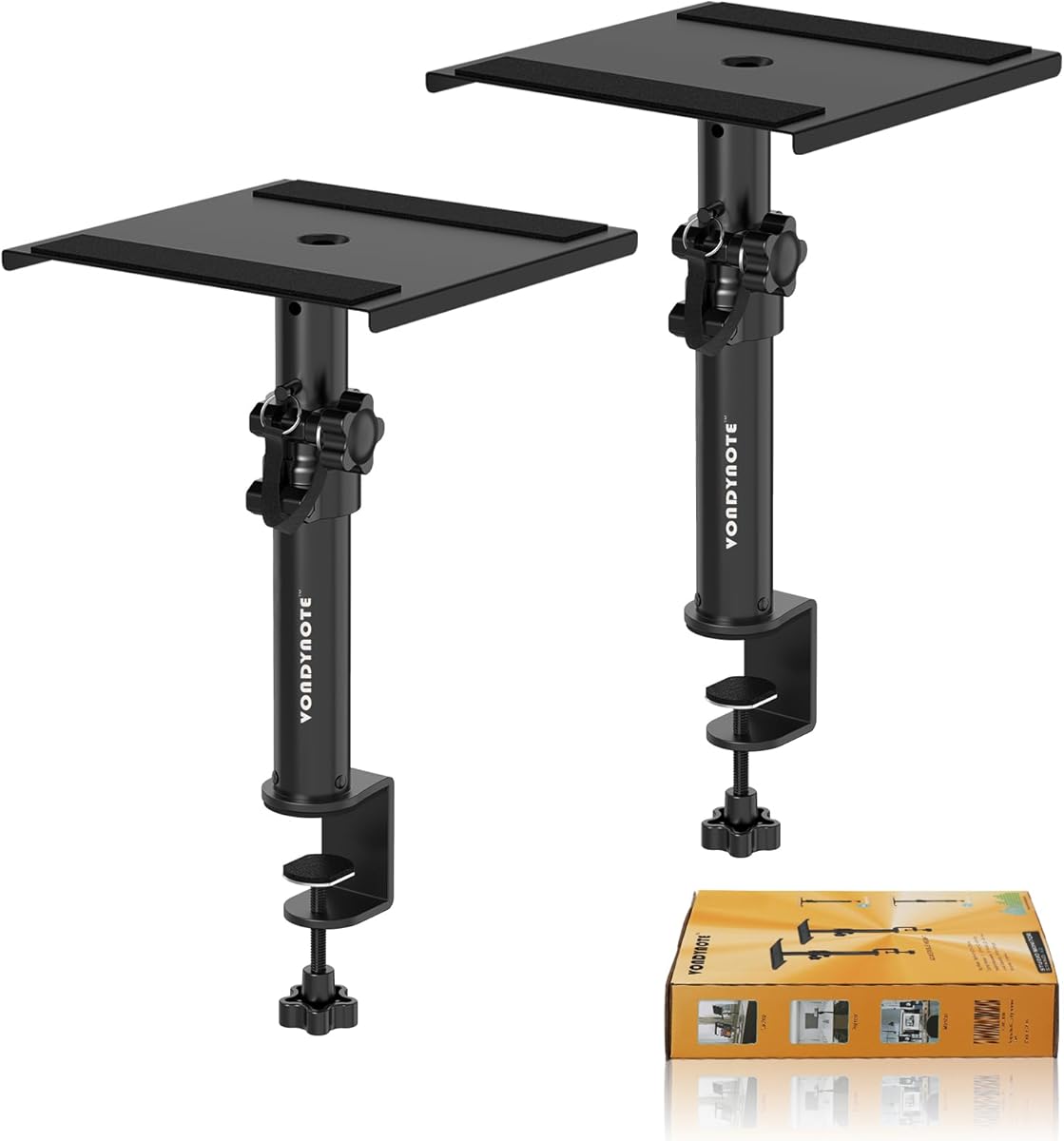
Vondynote Set of 2 Desktop Clamp Speaker Stands
4.6Editor score
Short height adjustment range
Compact clamp footprint
Supports up to 50 lbs
Finding the right desk speaker stands can transform your audio experience by elevating monitors to ear level. Good stands reduce resonance, improve clarity, and save valuable desktop space for your workflow.
We compared ten leading models based on stability, adjustability, material quality, and compatibility. Our analysis focuses on how each stand handles different speaker weights and desktop thicknesses.
Each pick below shows key specs, pros, and cons to help you decide quickly. Note that prices and availability change frequently, so verify current details before purchasing your setup.
4.6Editor score

4.8Editor score

4.7Editor score
As an Amazon Associate we earn from qualifying purchases.
The following table offers a side-by-side comparison of all ten models reviewed in this guide. It highlights key specifications like weight capacity, adjustment options, and unique features for quick reference.


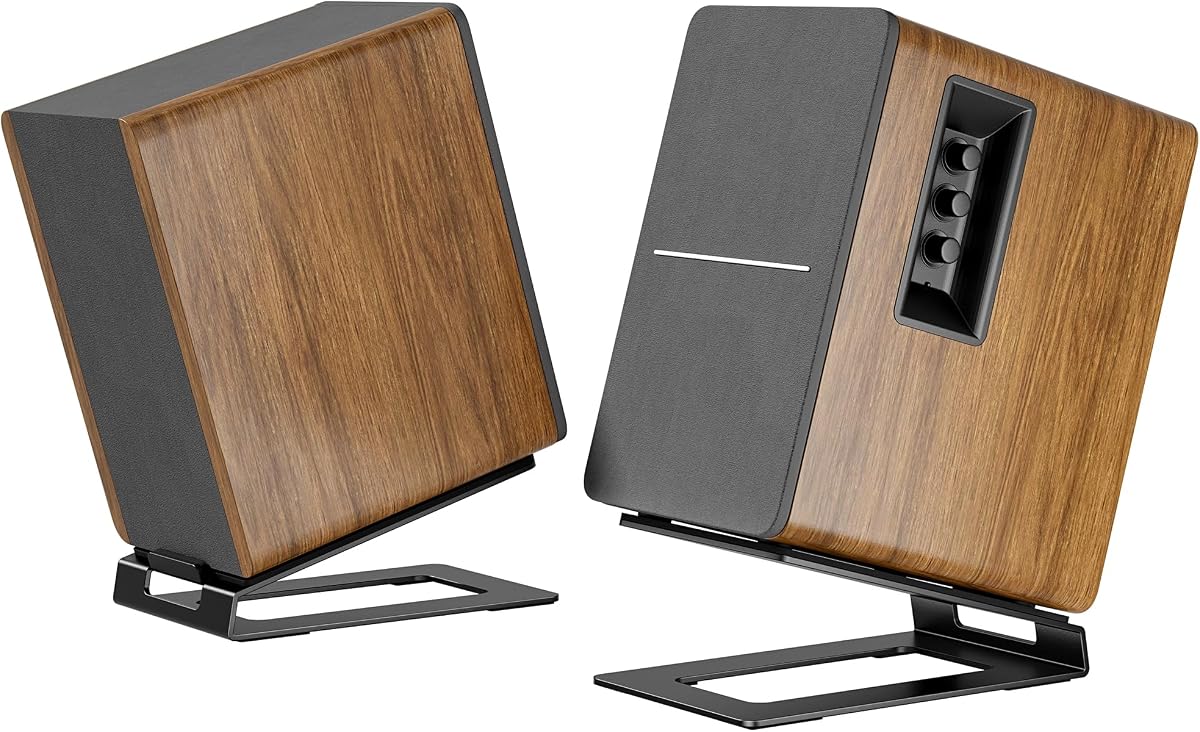


The Vondynote Set of 2 Desktop Clamp Speaker Stands offers a cost effective solution for positioning monitors on your workspace. With a solid 4.6 rating from users, it delivers reliable stability without breaking the bank for home studios.
We may earn a commission when you buy through this link, at no additional cost to you.
Its standout feature is the compact clamp design which saves valuable desk surface area. The 5mm thickened clamps paired with grade 8.8 steel screws ensure the stand stays firm and resists loosening over time even with heavy speakers.
However, the height adjustment is limited to four specific settings ranging from 9 to 14 inches. If you need fine-tuned positioning or a taller lift, you may find the range restrictive compared to telescopic models.
This stand is ideal for budget-conscious users who prioritize desk space and basic stability. It fits most standard monitors up to 50 lbs and provides a straightforward way to elevate your audio setup.
The stand takes up only 32.5 cm square of surface to clamp, leaving more room for your keyboard or documents.
Grade 8.8 reinforced steel screws and 3mm EVA pads protect your desktop while ensuring a tight grip on various thicknesses.
We may earn a commission when you buy through this link, at no additional cost to you.
The Vondynote Pair of Studio Monitor Stands builds on the basic clamp design by adding tilt adjustment for better audio alignment. Its 4.6 rating reflects consistent performance in holding monitors securely while offering more flexibility than the standard model.
We may earn a commission when you buy through this link, at no additional cost to you.
The top plate can be adjusted from 0 to 12 degrees to direct sound towards your ears. This feature helps improve clarity and imaging without needing to move the entire desk or stand position for optimal listening.
The height range extends slightly higher than the previous model up to 15.4 inches with four fixed positions. While this gives more room for tall setups, it still lacks the smooth telescoping action found in premium stands.
Choose this if you need a bit more height and tilt control without spending extra. It remains a solid value option for desktop setups requiring moderate elevation and decent weight support.
The adjustable tilt allows you to angle speakers precisely towards your listening position for improved frequency response.
Locking knobs and security pins ensure the height stays fixed once set, preventing unwanted shifts during use.
We may earn a commission when you buy through this link, at no additional cost to you.
Liquid Stands Studio Monitor Stands stand out for their robust construction and unique horizontal or vertical adjustability. With an impressive 4.8 rating and over 250,000 units sold, they prove reliable for demanding music production environments.
We may earn a commission when you buy through this link, at no additional cost to you.
Unlike typical stands, you can flip the plates to fit different speaker orientations. The tilt range extends to 20 degrees, giving precise control over sound projection. The heavy duty steel base holds up to 65 lbs, supporting even large monitors safely.
The main trade-off is the higher cost compared to basic clamp options. However, the decade long warranty and proven track record justify the investment for users who need long-term durability and flexible mounting options.
This is the top recommendation for professionals or enthusiasts who need serious stability and adaptability. It transforms any desk into a reliable monitoring station with minimal compromise on build quality.
Adjust the plates horizontally or vertically by adding or removing lips to fit different speaker shapes and mounting needs.
Liquid Stands offers a full ten year warranty, reflecting confidence in their design and support for long-term use.
We may earn a commission when you buy through this link, at no additional cost to you.
The PUTORSEN Cantilevered Speaker Stand Pair introduces a unique C-shaped design that leaves significant space underneath your monitors. This is perfect for users who need to place items under speakers while maintaining clear audio pathways.
We may earn a commission when you buy through this link, at no additional cost to you.
Each stand tilts 6 degrees to align speakers with your ears. The extendable ledge stopper allows depth adjustment between 5.5 and 7.5 inches to accommodate various bookshelf or computer speaker sizes safely.
The 12 lbs weight capacity limits these to smaller monitors. If your speakers are heavy, you may need a sturdier option. However, the anti-slip pads and vibration absorption help maintain sound quality on lightweight setups.
Opt for this if freeing up desk surface is your priority. It brings a clean aesthetic to small desks while ensuring your monitors stay secure and angled correctly for listening.
The C-shaped design leaves 5.9 inches of clearance underneath, allowing you to store keyboards or accessories under the stands.
Soft anti-slip EVA pads absorb unwanted resonance during use, delivering better audio quality by reducing surface noise.
We may earn a commission when you buy through this link, at no additional cost to you.
The Suptek Free-Standing Speaker Stand Desktop Set offers a traditional base design that does not clamp to your desk. This is useful for desks that cannot be clamped or where you want to move speakers around easily.
We may earn a commission when you buy through this link, at no additional cost to you.
The height adjusts via a 4-level locking pole ranging from 8.7 to 14.2 inches. You can tilt the tray plus or minus 12 degrees to position speakers towards you. The base holds up to 33 lbs, handling most mid-size speakers.
The main downside is that it occupies more surface area than clamped stands. If your desk is crowded, this might crowd your workspace. However, for larger desks, it provides a stable and adjustable solution without permanent attachment.
This works well for users who dislike clamping or want flexibility in speaker placement. It is easy to assemble and provides solid stability for general listening and casual studio work.
Because it stands freely, there is no need to worry about desk thickness or edge compatibility, making setup simpler.
High-grade steel construction supports up to 33 lbs each, ensuring safe support for heavier bookshelf or studio monitors.
We may earn a commission when you buy through this link, at no additional cost to you.
These bookshelf speaker stands earned an outstanding 4.9 rating for their simplicity and effectiveness. They feature a 16 degree upward tilt to direct sound towards your ears, optimizing the listening experience without complex adjustments.
We may earn a commission when you buy through this link, at no additional cost to you.
You can use them freestanding straight out of the box or secure speakers with screws for extra stability. The metal base measures 7.1 by 4.8 inches and holds up to 22 lbs, providing reliable support for small to medium speakers.
The fixed tilt is both a pro and con. It ensures optimal angles without tuning but offers no flexibility if you need different positioning. For standard setups, this design is practical and reduces vibration through protective pads.
Ideal for users seeking a no-fuss stand that improves audio quality immediately. It is particularly suited for gaming or casual listening where quick setup and stability are key priorities.
Choose between freestanding use for quick setup or screw mounting for enhanced security during active use or movement.
Anti-vibration pads on the base and support surface reduce unwanted resonance for clearer sound reproduction.
We may earn a commission when you buy through this link, at no additional cost to you.
This Pair of Desktop Speaker Stands delivers sturdy performance for standard monitors using a robust clamp system. The 4.5 rating confirms user satisfaction with its stability and ease of use on various desktops.
We may earn a commission when you buy through this link, at no additional cost to you.
It offers four locking heights between 9 and 14 inches to suit different desk heights. The 5mm thick C-clamp with grade 8.8 steel screws ensures no bending or loosening, supporting up to 50 lbs safely.
Lack of tilt adjustment means you rely on speaker placement rather than stand angle for positioning. This may limit fine-tuning for some users. However, the design is straightforward and works well for static setups.
Buy this if you want a reliable no-frills stand that gets the job done. It saves space and provides solid support for most budget to mid-range monitoring scenarios without complexity.
The 5mm thick C-clamp resists deformation and bends, ensuring long-term reliability for your speaker mounting needs.
Takes up only 32.5 cm square of clamp space, freeing up your desktop for other essential workspace items.
We may earn a commission when you buy through this link, at no additional cost to you.
The Kanto SP9 Rising Desktop Speaker Stands focus on sound quality through premium materials. With a 4.7 rating, they are engineered to reduce surface vibrations that muddy audio, making them a top choice for audiophiles.
We may earn a commission when you buy through this link, at no additional cost to you.
Heavy steel construction and closed cell foam padding absorb resonance effectively. The hollow support column allows you to route cables neatly, keeping your desk tidy. Top plates rotate up to 15 degrees for directional control.
The stands measure 8.3 inches tall, which suits smaller bookshelf speakers. They lack height adjustment, so you need to ensure this fits your setup. The included mounting holes offer secure attachment options for compatible speakers.
This model is best for those who prioritize audio fidelity and clean aesthetics. It is a premium investment that pays off in clearer sound and organized cable management for professional setups.
Closed cell foam padding and heavy steel prevent surface vibrations that cause muddy sound, capturing every frequency clearly.
The hollow support column lets you hide cables inside the stand, maintaining a clean and clutter-free desk appearance.
We may earn a commission when you buy through this link, at no additional cost to you.
The VIVO Black Clamp-on Speaker Stands provide a versatile platform with adjustable height and tilt. Their 4.6 rating highlights consistent performance and ease of use for users upgrading their desktop audio setups quickly.
We may earn a commission when you buy through this link, at no additional cost to you.
The 9.5 by 8.8 inch platform accommodates most speaker and surround sound setups. Four height settings let you raise speakers to ear level while the tray tilts plus or minus 10 degrees to direct sound accurately.
Installation takes four quick steps with all hardware included. The low profile clamps save space but support up to 33 lbs. If your desk is very thick, check compatibility as it maxes out at 2.5 inches.
Choose this if you need a reliable stand with decent adjustability. It balances features and simplicity well for general desktop use and offers good value for the included accessories.
Adjust the tray to the projection angle with plus or minus 10 degree capability for better sound direction.
All hardware and instructions are provided for simple assembly in four quick steps with protective padding included.
We may earn a commission when you buy through this link, at no additional cost to you.
The Suptek Clamp-on Speaker Stand Desk Mount Set features a robust clamp that fits thicker desks up to 3.93 inches. With a 4.6 rating, it offers solid stability and standard adjustability for elevating monitors effectively.
We may earn a commission when you buy through this link, at no additional cost to you.
It raises speakers to eye level with a 4-level locking pole ranging from 8.9 to 13.9 inches. The tray tilts plus or minus 12 degrees to optimize listening angles. The platform holds up to 33 lbs of equipment.
While it shares similarities with other Suptek models, the extended clamp depth is a key advantage for heavy or deep desks. This ensures compatibility where other clamps might fail to grip securely.
This is a practical choice for users with thicker desks needing reliable support. It delivers consistent performance for elevating audio devices and saving space in busy office environments.
Stable C-clamp installation fits most desks up to 3.93 inches thickness, covering a broader range than standard options.
Adjust the tray to the ideal projection angle with plus or minus 12 degree tilting capability for optimal sound.
We may earn a commission when you buy through this link, at no additional cost to you.
Selecting the right desk speaker stands involves evaluating several key factors to ensure compatibility and performance. This guide outlines the most important features to consider when making your purchase.
Always check the maximum weight each stand can support. If your speakers are heavier than the limit, the stand may tip or deform. Aim for a stand rated at least 20 percent heavier than your total speaker weight.
Verify the weight capacity before purchasing to ensure long-term stability and safety for your audio equipment.
Height determines whether your speakers align with ear level for the best sound. Look for stands with ranges between 9 and 15 inches. Some offer fixed positions while others allow smooth telescoping.
Ensure the stand can reach a height where your tweeters sit at ear level for accurate audio.
Tilt features help direct sound towards your listening position. Rotation allows you to point speakers inward for stereo imaging. Not all stands include these, so decide if fine-tuning is important for you.
Prioritize stands with tilt or rotation if you cannot move your desk to align speakers.
Clamp-on stands save desk surface but require a solid edge. Free-standing bases need floor space but avoid clamping. Choose based on your desk type and whether you can modify the edges.
Match the installation type to your desk material and thickness for secure placement.
Steel and stainless steel provide the best stability. Metal plates prevent wobble while plastic might flex under load. Check for reinforced screws and padding to protect your desktop surface.
Choose heavy-duty materials for heavier speakers to prevent resonance and deformation.
The top plate must fully support the speaker base to avoid tipping. Larger platforms offer better stability. Measure your speakers' footprint to ensure the stand accommodates them safely.
Select a platform that matches your speakers' dimensions for secure balance.
Pads between the stand and speaker or desk reduce unwanted resonance. Foam or EVA padding absorbs vibrations that can muddy sound. This is critical for studio-quality audio.
Look for stands with isolation pads to improve audio clarity and reduce noise.
Prices vary widely from affordable basic models to premium options. Consider the warranty period as a sign of durability. Longer warranties often indicate better quality and manufacturer support.
Balance cost with warranty coverage to ensure value and protection over time.
Install the stands on a stable surface ensuring the clamp fits tightly on the desk edge. Check that the surface is clean before tightening to avoid scratches and ensure maximum grip.
Place your speakers on the platforms and adjust the height and tilt to align with your ears. Secure any bolts before testing to prevent shifting during use.
Regularly inspect screws and clamps for tightness. Wipe down pads to remove dust which can reduce friction. Store safely when not in use to avoid damage to the mounting hardware.
Yes, stands elevate speakers to ear level for better imaging and reduce desk resonance. By isolating the speakers from surfaces, they prevent vibrations that muddy sound, leading to clearer audio and improved listening.
Most stands hold between 22 and 65 lbs. Always check the specific rating for your chosen model. Exceeding the limit risks tipping or structural failure so match the stand to your speaker weight.
Yes, if they include protective padding. Many models come with EVA pads that prevent scratches. Ensure the clamp fits securely without over-tightening to avoid damaging the desk surface.
Ideally, your speakers should be at ear level when seated. Look for stands adjustable between 12 and 16 inches. This position aligns the tweeters with your ears for accurate sound reproduction.
Yes, most are designed for standard bookshelf or monitor speakers. Check the dimensions to ensure they fit. They work well for computers if the weight capacity matches your speakers.
Wipe pads with a soft dry cloth to remove dust. Avoid harsh chemicals that may degrade the foam. Regular cleaning ensures they maintain grip and do not lose vibration absorbing properties.
We reviewed ten top models ranging from budget clamp-on options to premium adjustable stands. Each offers unique benefits for different desk setups and audio needs.
Prioritize stability and height alignment for the best results. Ensure your choice matches your speakers weight and your desks thickness for safe installation.
Prices fluctuate often so verify current deals before purchasing. These stands are a worthwhile investment for better sound and a cleaner workspace.