
Light Gaming Laptop Ryzen 7 5700U
4.6Editor score
8 Core AMD Ryzen 7 Processor
16GB RAM for Multitasking
Integrated Radeon Graphics Support
Finding the right laptop for playing Batocera requires careful consideration of processing power, graphics capabilities, and display quality. Retro gaming emulation demands specific hardware traits to ensure smooth frame rates and accurate audio-visual performance across various system cores.
We have evaluated ten distinct models based on their CPU architecture, integrated or dedicated GPU performance, memory capacity, and storage speed. Our analysis focuses on how well each device handles the multitasking needs of emulation software and the visual fidelity required for high-resolution outputs.
Each selection highlights unique strengths tailored to different user needs, from budget-friendly options to high-performance machines. Prices and availability fluctuate frequently, so verify current details before purchasing to ensure you secure the best value for your specific gaming requirements.
4.6Editor score

4.4Editor score

4.4Editor score
As an Amazon Associate we earn from qualifying purchases.
The following table provides a side-by-side comparison of all ten selected laptops. Review the core specifications to understand how each model balances processing power, memory, storage, and display quality for optimal emulation performance.




This NIMO model stands out as a top contender for emulation tasks due to its powerful AMD Ryzen 7 7735HS processor. The combination of high core count and fast DDR5 memory ensures that demanding emulation cores run smoothly without stuttering or lag during gameplay sessions.
We may earn a commission when you buy through this link, at no additional cost to you.
The integrated Radeon 680M graphics are particularly noteworthy for their ability to handle 1080p gaming efficiently. This GPU architecture provides significant improvements over older integrated solutions, allowing for better scaling and smoother frame rates in more demanding retro system titles.
While the build quality is robust with a wide viewing angle hinge, the display brightness is not exceptional for outdoor use. However, the internal screen quality remains sharp and colorful, making it suitable for indoor gaming environments where lighting is controlled.
For users seeking a reliable laptop that balances price and performance for Batocera, this model offers excellent value. The expandability options for storage and memory further extend its lifespan, ensuring it remains viable for future emulation needs.
The eight-core Ryzen 7 processor handles complex instruction sets required by modern emulation cores efficiently.
RDNA 2 based graphics deliver superior pixel shading and texture handling compared to previous integrated solutions.
We may earn a commission when you buy through this link, at no additional cost to you.
This KAIGERR laptop offers an accessible entry point for users looking to run Batocera without breaking the bank. Its 16GB of RAM is a significant advantage for multitasking and managing large game libraries without memory bottlenecks.
We may earn a commission when you buy through this link, at no additional cost to you.
The Ryzen 7 430U processor provides adequate performance for most standard retro systems, ensuring a smooth experience for games that do not require heavy graphical processing. The fast SSD ensures quick boot times and rapid access to your game collections.
While the graphics capabilities are not suitable for demanding 3D emulation, they are sufficient for 2D and older 3D titles. The lightweight design makes it easy to carry around, which is beneficial for users who want a portable gaming station.
Ideal for budget-conscious buyers, this laptop delivers core performance where it matters most. The included 512GB SSD provides enough space for many game libraries, though expansion may be needed for extensive collections.
16GB RAM allows for seamless switching between emulation apps and media players without lag.
Compact size and light weight make it easy to transport for LAN parties or travel.
We may earn a commission when you buy through this link, at no additional cost to you.
The ASUS ROG Strix G16 represents the pinnacle of performance in this lineup, making it ideal for users who want to push emulation to its limits. The dedicated RTX 5060 GPU ensures that even the most demanding emulation scenarios are handled with ease.
We may earn a commission when you buy through this link, at no additional cost to you.
Its high refresh rate display provides incredibly smooth visuals, reducing motion blur and enhancing the immersive quality of fast-paced games. The advanced cooling system keeps the components running cool even during extended gaming sessions, maintaining consistent performance.
While the premium price point is high, the build quality and feature set justify the investment for serious gamers. The 1TB storage capacity offers ample room for a massive library of ROMs and additional software applications.
For those seeking the best possible experience with Batocera and modern emulation, this laptop is the definitive choice. It combines raw power with premium features to deliver an uncompromising gaming environment.
The dedicated NVIDIA GPU ensures that modern consoles can be emulated with high fidelity and high frame rates.
High refresh rate technology eliminates screen tearing and delivers fluid motion for fast-moving games.
We may earn a commission when you buy through this link, at no additional cost to you.
This NIMO laptop features a large 17.3-inch display that offers ample screen real estate for detailed emulation interfaces. The Radeon 780M graphics provide robust performance, making it capable of handling complex emulation tasks smoothly.
We may earn a commission when you buy through this link, at no additional cost to you.
The inclusion of USB4 ports allows for future expansion with external graphics if needed, ensuring longevity. The large SSD capacity means users can store thousands of games without worrying about space constraints quickly.
While the device is larger than standard laptops, the visual benefits are significant for users who prioritize screen quality. The fast charging ensures that downtime is minimized when the battery is running low.
It is an excellent choice for stationary setups or users who do not need to carry their device frequently. The combination of power and storage makes it a reliable partner for any emulation enthusiast.
The 17.3-inch display provides a more immersive experience with better visibility for game menus and UI elements.
USB4 connectivity allows for future upgrades without replacing the entire laptop hardware.
We may earn a commission when you buy through this link, at no additional cost to you.
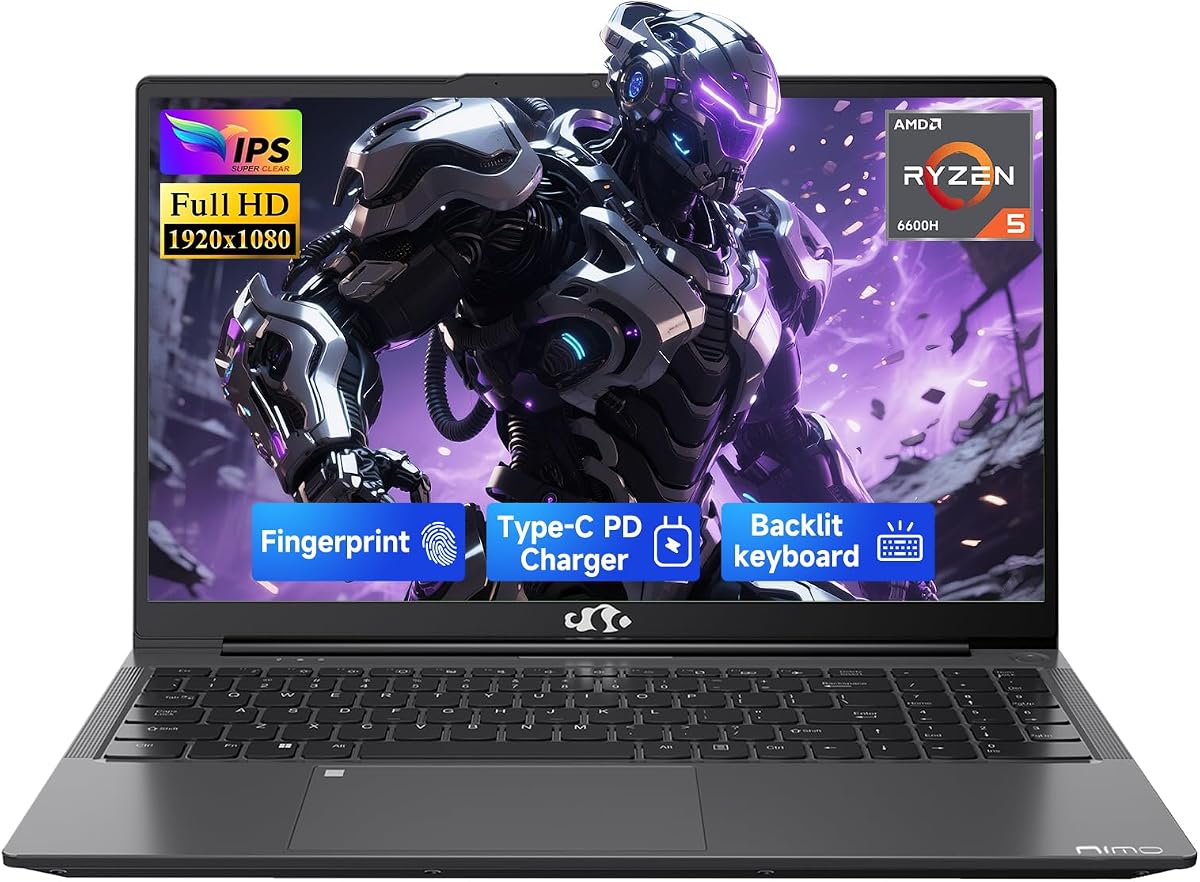
This model offers a balance of performance and affordability, suitable for users who need a reliable machine for basic emulation tasks. The Ryzen 5 processor is efficient and capable of handling standard game libraries effectively.
We may earn a commission when you buy through this link, at no additional cost to you.
The inclusion of DDR5 RAM ensures that the system remains responsive during multitasking, even if the storage capacity is initially limited. The fingerprint sensor adds a layer of convenience for secure and quick login access.
While the storage may fill up quickly with larger game libraries, it can be upgraded later if needed. The backlit keyboard is a nice touch for users who play in low-light environments.
It is a solid option for those prioritizing portability and cost. The balance of features makes it a practical choice for students or casual gamers.
Backlit keys ensure comfortable typing and navigation during evening gaming sessions.
Biometric login offers quick and secure access to your system settings.
We may earn a commission when you buy through this link, at no additional cost to you.
Similar to the previous model but with enhanced storage, this laptop addresses one of the key limitations. The 512GB SSD provides more room for a substantial game library without needing immediate upgrades.
We may earn a commission when you buy through this link, at no additional cost to you.
The processor and memory configuration remain consistent, ensuring stable performance across different emulation tasks. The improved storage capacity makes it a more versatile choice for users with larger collections.
The lightweight design ensures that it remains easy to carry around despite the increased storage. Connectivity options are comprehensive, allowing for easy connection to external displays and controllers.
This iteration is a better value for users who need more storage space out of the box. It maintains the same reliable performance while offering increased capacity.
512GB SSD allows for significantly more game ROMs to be stored locally.
Multiple ports enable easy connection to external monitors and peripherals.
We may earn a commission when you buy through this link, at no additional cost to you.
With a high customer rating, this KAIGERR model has proven to be reliable for users. The processor provides steady performance for emulation, and the storage capacity is well-sized for most needs.
We may earn a commission when you buy through this link, at no additional cost to you.
The inclusion of WiFi 6 ensures strong network connectivity, which is beneficial for downloading updates or streaming content alongside gaming. The privacy cover on the webcam adds a layer of security for personal use.
Battery life is somewhat limited, so it is best used with a power source available. The compact design makes it a pleasant device to use on the go for short periods.
This model is a dependable choice for those looking for a hassle-free experience. Its reliability and connectivity features make it a solid pick for general use.
WiFi 6 offers faster speeds and more stable connections for online gaming.
Physical webcam cover ensures privacy when the camera is not in use.
We may earn a commission when you buy through this link, at no additional cost to you.
The standout feature here is the 32GB of RAM, which is exceptional for multitasking and running background processes while gaming. This ensures that the system remains responsive even with many tabs open.
We may earn a commission when you buy through this link, at no additional cost to you.
The large storage and screen size make it ideal for stationary setups where users want a desktop replacement. The processor is sufficient for standard emulation, and the RAM compensates for any minor bottlenecks.
The weight and size may make it less portable than 15-inch models, but the trade-off is significant performance gains. The large keyboard and screen real estate enhance the user experience for long sessions.
This is a great choice for power users who prioritize memory and storage over portability. It offers a desktop-like experience in a laptop form factor.
32GB RAM allows for extensive multitasking without any slowdown in performance.
A larger screen provides more space for game UI and streaming windows.
We may earn a commission when you buy through this link, at no additional cost to you.
This model delivers a balanced mix of core performance and graphics capability. The Ryzen 7 processor handles heavy multitasking well, and the graphics unit ensures smooth gameplay.
We may earn a commission when you buy through this link, at no additional cost to you.
The 512GB storage is adequate for most libraries, and the RAM ensures that the system does not slow down during use. The lightweight body makes it easy to move between rooms or locations.
The warranty and support offered provide peace of mind for users investing in this device. It is a strong all-rounder for both work and play.
It is a reliable choice for users who want a capable machine without the bulk of a premium laptop. The performance is consistent across various tasks.
Eight cores ensure that modern emulation demands are met with ease.
Lightweight design makes it easy to carry for travel or study.
We may earn a commission when you buy through this link, at no additional cost to you.
As a value pick, this KAIGERR laptop provides solid performance for the price. The Ryzen 7 processor is efficient and reliable, handling everyday tasks and gaming smoothly.
We may earn a commission when you buy through this link, at no additional cost to you.
The display ratio is good for immersive viewing, and the connectivity options ensure you can connect to all necessary peripherals. The build quality is robust for its class.
While it uses DDR4 memory, it still delivers enough performance for most users. The storage capacity is sufficient for a decent game library and software.
This is a smart choice for budget buyers who want a machine that works well out of the box. It offers reliability and performance without unnecessary cost.
Competitive price point without sacrificing essential performance features.
Thin bezel design maximizes screen space within the chassis.
We may earn a commission when you buy through this link, at no additional cost to you.
Selecting the right laptop involves evaluating several technical factors that impact emulation performance. Understanding these elements helps ensure you get a device that meets your specific gaming needs.
The processor is the brain of the system and directly affects how smoothly emulation runs. Look for CPUs with higher core counts and boost speeds to handle demanding software cores.
Prioritize processors from the Ryzen 7 or Core i7 series for the best balance of power and efficiency.
Integrated graphics like Radeon 680M or dedicated GPUs significantly improve visual fidelity and frame rates. Higher-end GPUs allow for better scaling and 3D game emulation.
Choose a laptop with strong graphics support to ensure compatibility with modern and demanding emulation libraries.
Sufficient RAM is essential for multitasking and loading large game files without delays. 16GB is generally the standard minimum for smooth operation.
Ensure the laptop supports DDR5 RAM for faster data processing and future-proofing your system.
An SSD is non-negotiable for fast boot times and quick loading of game ROMs. NVMe SSDs provide the fastest access speeds for data retrieval.
Aim for at least 512GB of storage to accommodate a substantial library of games and system files.
A good screen with high refresh rates and sharp resolution enhances the gaming experience. Look for panels that offer accurate colors and wide viewing angles.
Select a display size that suits your portability needs while ensuring it provides enough visual clarity for detailed games.
Long battery life allows for gaming away from power outlets. Modern laptops typically offer several hours of usage depending on workload.
Check battery capacity and power management features to ensure you can game for extended periods without recharging.
Ports like USB-A and USB-C are crucial for connecting controllers and external displays. HDMI or DisplayPort support is necessary for TV connections.
Ensure the laptop has enough ports to support all your gaming peripherals without needing extra hubs.
A durable build ensures the laptop withstands regular use and travel. Metal chassis often provide better cooling and longevity than plastic alternatives.
Prioritize models with solid hinges and keyboards for a comfortable and reliable gaming setup.
Proper setup involves configuring your controllers correctly in the system settings. Connect your gamepads via USB or Bluetooth and map the buttons to match the original console layout for an authentic experience.
Maintaining good ventilation is crucial to prevent overheating. Keep the laptop on a hard, flat surface and consider using a cooling pad during long gaming sessions to extend hardware lifespan.
Regularly update your drivers and system software to ensure optimal compatibility with emulation tools. Keeping the operating system current helps fix bugs and improve overall performance stability.
To run Batocera smoothly, you should have at least a mid-range processor like Ryzen 5 or Core i5, 16GB of RAM, and an integrated or dedicated GPU that supports 1080p gaming. A fast SSD is essential for quick loading times.
Not all laptops are suitable. While most modern laptops can run the system, devices with very weak graphics or insufficient memory will struggle with more demanding emulation tasks. Always check specifications before purchasing.
A dedicated GPU is not strictly necessary for retro gaming but is highly recommended for 3D console emulation. Modern integrated graphics are quite powerful and can handle many systems effectively.
You can connect your laptop to a TV using an HDMI cable. Most laptops have an HDMI port that allows for direct video output. Ensure your laptop is set to extend or duplicate the display for proper resolution.
Batocera is typically designed to run as a standalone operating system on supported hardware. However, some users run it via VM or specific configurations on Windows systems, though native installation is preferred for best performance.
A storage size of at least 512GB is recommended to store a large collection of game ROMs and system files. If you plan on storing many high-definition assets, 1TB or more is even better.
We have explored ten excellent options ranging from budget-friendly models to premium powerhouses. Each laptop offers distinct advantages depending on your priorities for graphics, storage, and performance.
When choosing, prioritize the processor and graphics capabilities that match your desired emulation targets. Balancing these needs with your budget will help you find the right machine for your gaming setup.
Remember to check current prices and availability before purchasing. Technology evolves quickly, and ensuring you get the latest value is key to a satisfying experience.