
Video Conference Lighting & Computer Light
4.1Editor score
Plug-and-play USB power
Three color modes available
Compact clip-on design
Finding the right internal PC work lights can transform your daily computing experience. These devices provide focused illumination directly on your screen and desk, minimizing glare and reducing eye strain during long hours of work or gaming sessions.
We evaluated ten top-rated lighting solutions based on brightness, adjustability, eye-care features, and ease of installation. Each product offers unique benefits whether you need a simple bar for your monitor or a flexible arm for detailed tasks.
Every pick in this list highlights key strengths and potential trade-offs to help you decide quickly. Remember that prices and availability may change, so check the latest offers before making your final purchase decision.
4.1Editor score

4.2Editor score

4.5Editor score
As an Amazon Associate we earn from qualifying purchases.
The following table provides a side-by-side comparison of all ten featured products. Use this overview to quickly assess key specifications like size, power source, and unique features before diving into detailed reviews.
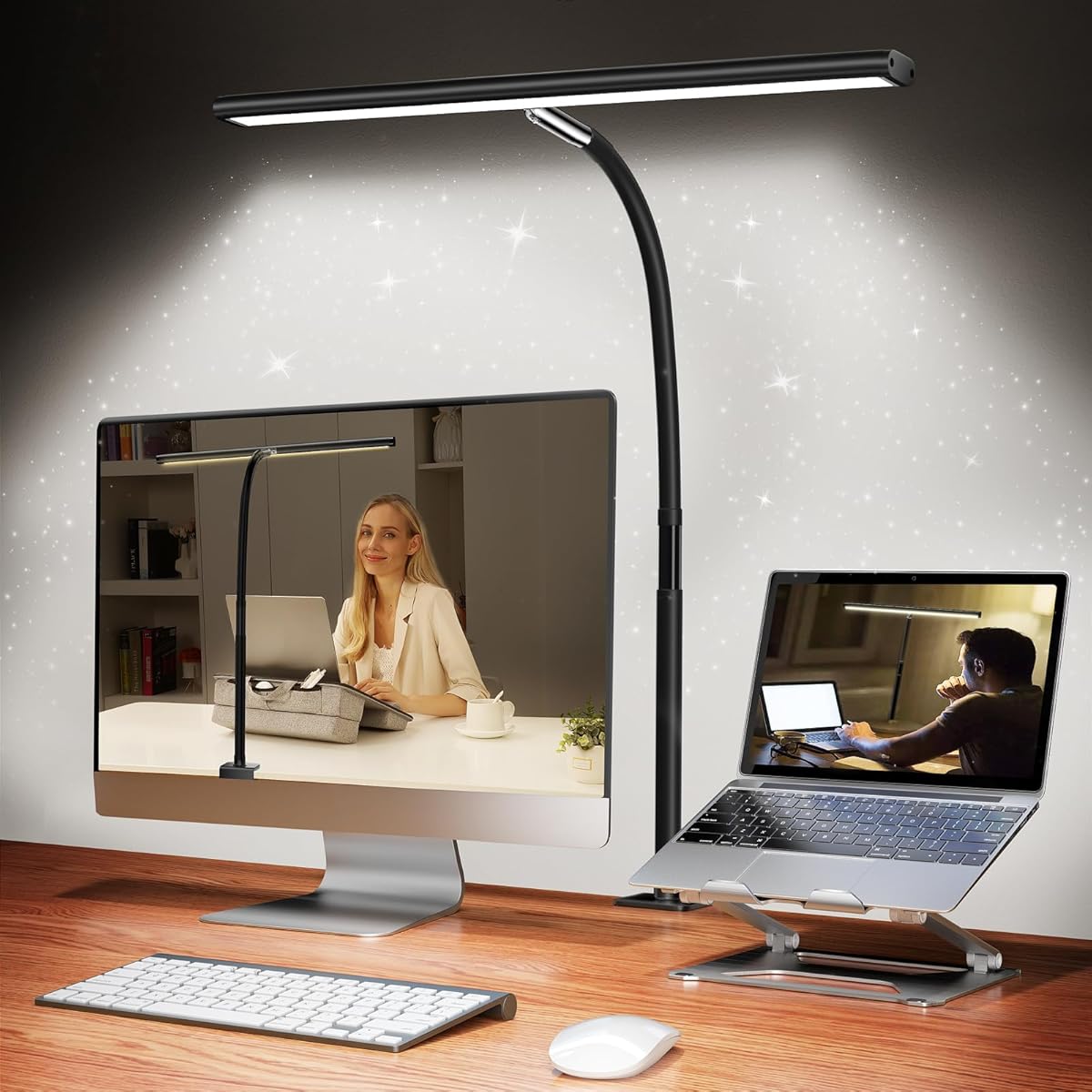




This monitor light bar stands out as a top contender in our internal PC work lights roundup. With a rating of 4.2 stars, it delivers reliable performance for daily computing tasks. Its wide illumination ensures your desk stays bright without spilling light into your eyes.
We may earn a commission when you buy through this link, at no additional cost to you.
The standout feature is its ability to eliminate dark spots across a 30 by 20 inch area. This even coverage is crucial for reducing eye strain during long sessions. The stepless dimming allows you to find the exact brightness level you need instantly.
While it lacks advanced app control, the mechanical switch offers straightforward operation. Some users might prefer touch controls or memory recall for color temperature, but the included memory function for brightness settings adds convenience. It remains a practical choice for most setups.
Anyone seeking an affordable yet effective way to improve desk lighting should consider this bar. It balances cost with performance well. We recommend it for gamers and office workers who want uniform light without cluttering their desk space.
The 45 degree beam angle directs light only to the desk and screen, protecting your eyes from direct glare during extended use.
Its patented counterweight clip mounts securely without tools, keeping your desktop clear for other essential peripherals and accessories.
We may earn a commission when you buy through this link, at no additional cost to you.
The Airlonv LED Desk Lamp offers exceptional value for those needing versatile internal PC work lights. Rated 4.5 stars, it combines a long gooseneck with stepless dimming to suit various tasks. Its clamp design makes installation easy on most desktops.
We may earn a commission when you buy through this link, at no additional cost to you.
Its 17-inch bar provides ample coverage for larger workspaces. The flexible neck allows you to position light exactly where needed, whether for drafting or reading. The included power adapter ensures stable performance without relying on USB ports.
While the clamp supports desks up to 2.36 inches, thicker surfaces may require alternative mounting. The wire management is helpful but adds slight complexity during setup. These minor issues do not detract from its overall utility as a budget-friendly pick.
This lamp is ideal for users who prioritize adjustability and wide coverage. If you need a light that can adapt to different angles throughout the day, this model delivers. We suggest it for students and home office workers on a budget.
The 360-degree adjustable gooseneck gives you full control over light direction, ensuring your workspace is always perfectly lit.
Consuming 85 percent less energy than incandescent bulbs, this lamp saves power while providing consistent, flicker-free illumination.
We may earn a commission when you buy through this link, at no additional cost to you.
For creators requiring high-quality internal PC work lights, the Logitech Litra Glow delivers premium results. Its 4.5-star rating reflects its excellence in providing balanced, full-spectrum lighting. This light is designed specifically to enhance your appearance on camera.
We may earn a commission when you buy through this link, at no additional cost to you.
TrueSoft technology ensures natural skin tones and reduces harsh shadows effectively. The frameless diffuser radiates soft light that flatters your face during video calls or streams. You can fine-tune settings via the G HUB app for precise control.
While it excels for camera work, it may not cover a large desk area like a traditional bar. The higher cost is justified by its specialized features and build quality. It is less suited for general task lighting compared to broader options.
We recommend this light for streamers and professionals who frequently appear on video. Its ability to provide professional lighting in a compact package is unmatched. If your primary goal is looking great on calls, this is the top choice.
With balanced full-spectrum LED light, this lamp ensures your video output looks natural and vibrant without artificial color casts.
Adjustable brightness and color temperature let you match any room lighting for a consistent, professional look during recordings.
We may earn a commission when you buy through this link, at no additional cost to you.
The Pzloz Led Desk Lamp offers a versatile solution for internal PC work lights with its dual-screen capability. While the rating is marked as N/A, its features suggest strong performance for drafting and studying. The flexible arms allow for wide coverage.
We may earn a commission when you buy through this link, at no additional cost to you.
It includes twenty-five light combination modes, giving you extensive customization. The wireless remote makes switching between these modes effortless. Its eye-friendly design reduces glare, making it suitable for long periods of detailed work or reading.
Some users reported remote control issues, though replacements are offered. The multiple arms can be tricky to adjust initially. Despite these minor drawbacks, the sheer number of lighting options makes it a robust choice for varied tasks.
This lamp is ideal for those needing specific angles for detailed tasks. Its adjustable nature supports both screen and desk lighting simultaneously. We suggest it for architects or designers who need precise, flexible illumination.
Choose from 25 combinations of brightness and color to suit any activity, from focused studying to relaxing evening reading.
LED technology provides even light without flicker or blue light hazards, promoting comfort during extended work sessions.
We may earn a commission when you buy through this link, at no additional cost to you.
This RGB monitor light bar uniquely combines task lighting with ambient mood lighting. With a 4.1-star rating, it appeals to gamers wanting both focus and style. The front light eliminates glare while the rear adds color to your setup.
We may earn a commission when you buy through this link, at no additional cost to you.
The dual buttons allow independent control of front and rear lights. This separation lets you adjust task lighting for work and RGB for gaming without conflict. The 15.75-inch span provides ample coverage for wide screens.
The RGB options can be distracting for pure productivity tasks. Some users may find the controls less intuitive than a single switch. However, the ability to switch modes instantly adds significant value for entertainment-focused desks.
We recommend this light for gamers who want a dynamic desk setup. Its dual functionality saves space and enhances the visual appeal of your room. If you value atmosphere as much as utility, this is a great pick.
Switch seamlessly between focused white light for work and vibrant RGB colors for gaming without needing two separate lamps.
The beam angle is carefully designed to direct light only onto the screen, reducing glare and eye strain.
We may earn a commission when you buy through this link, at no additional cost to you.
The ShineTech LED Desk Lamp is designed to cover large dual-monitor setups effectively. Its 4.5-star rating highlights its ability to provide uniform light across 31.5 inches. This makes it one of the few solutions for expansive workspaces.
We may earn a commission when you buy through this link, at no additional cost to you.
With fifty customizable lighting modes, you have extensive control over your environment. The auto-off timer adds convenience for night-time reading without leaving lights on. Its metal clamp ensures stability on desks up to 2.9 inches thick.
The larger size might be too much for compact desks. Assembly is straightforward but takes a moment compared to simpler bars. However, the coverage and durability justify the setup time for serious professionals.
This lamp is perfect for multi-monitor professionals needing consistent brightness. Its timer and memory functions offer practical daily benefits. We recommend it for those with wide desks who struggle with uneven lighting from single sources.
The expandable double head spans 31.5 inches, ensuring even lighting across large desks up to 71 inches wide.
Built-in auto-off timers help you save energy and prevent accidentally leaving lights on overnight.
We may earn a commission when you buy through this link, at no additional cost to you.
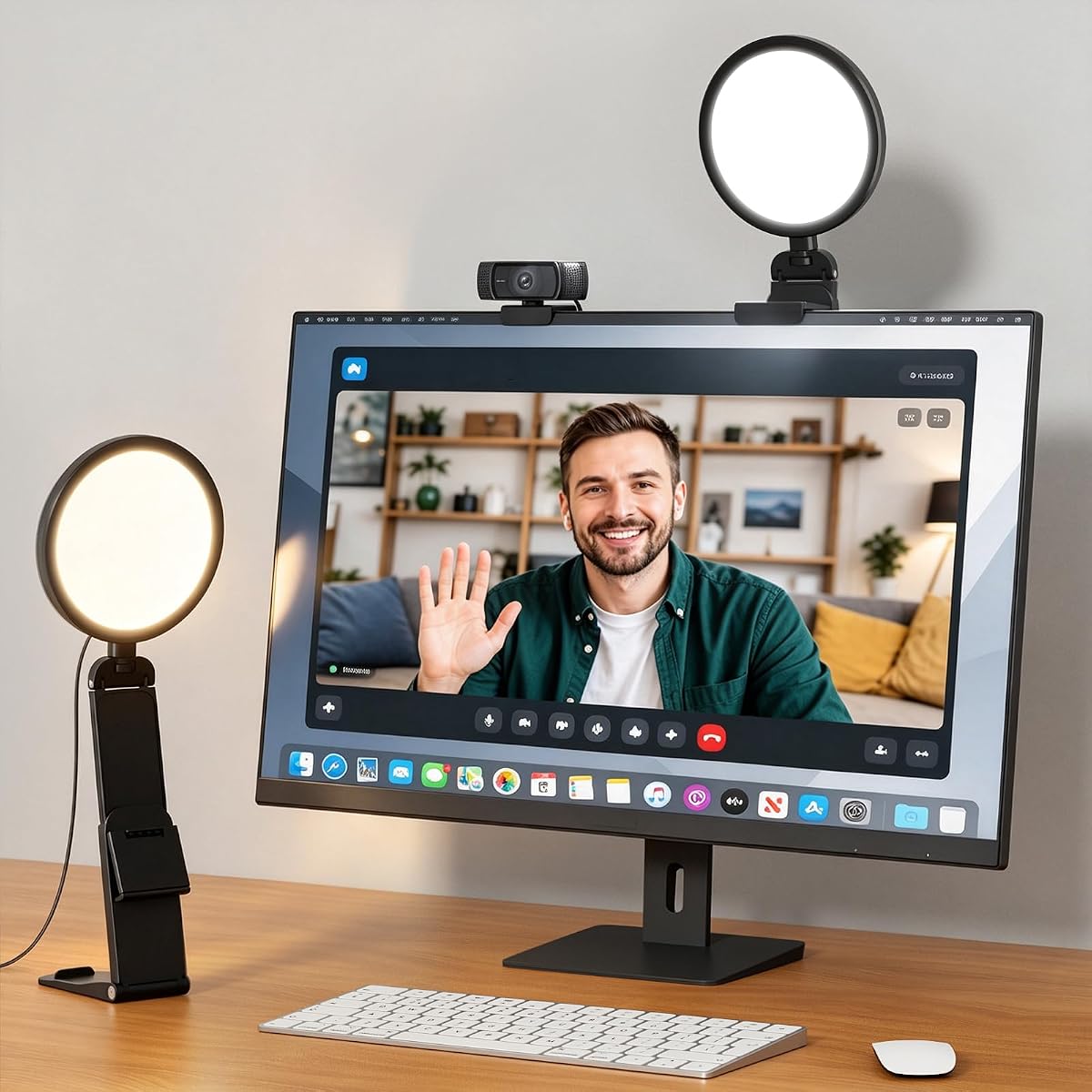
Buying a two-pack of these lights provides value for multi-device setups. Rated 4.3 stars, these lights are optimized for video calls rather than general desk work. They attach easily to monitors or laptops to improve camera lighting.
We may earn a commission when you buy through this link, at no additional cost to you.
With a high CRI, they render colors naturally on camera. The foldable bracket makes them easy to store or travel with. You can position one on your laptop and another on your main monitor for balanced lighting.
These lights do not illuminate your desk for physical tasks. They are strictly designed to light your face. For general work, you may need an additional light source alongside these. Their focus is purely on visual presentation.
We recommend this for professionals who take many video calls. Getting two units allows you to light both sides or different devices easily. If your main goal is looking professional online, this is a practical and affordable choice.
With a CRI greater than 97.8, these lights ensure natural and true-to-life colors in your video feeds.
The compact and foldable design makes it easy to carry these lights in a bag for travel or remote work.
We may earn a commission when you buy through this link, at no additional cost to you.
The Xiaomi Mi Computer Monitor Light Bar stands out for its sleek and efficient design. With a 4.4-star rating, it offers a clutter-free lighting solution. Its asymmetric design prevents screen reflection while maintaining excellent illumination.
We may earn a commission when you buy through this link, at no additional cost to you.
A wireless remote allows you to adjust settings without reaching forward. The USB-C auto-on feature means the light activates when your computer turns on. This automation adds a seamless touch to your daily workflow.
While the price is higher than basic models, the build quality and design justify the cost. You must ensure your monitor has enough bezel clearance. However, for those prioritizing aesthetics, this bar offers a premium experience.
We recommend this light for minimalists who value form and function. Its ability to stay hidden while providing effective light is impressive. If you dislike clutter and want automatic lighting control, this is an excellent option.
The asymmetric polished design ensures you work without annoying screen reflections for a comfortable experience.
Adjust color temperature and brightness effortlessly with the included wireless remote control without touching the light.
We may earn a commission when you buy through this link, at no additional cost to you.
The Logitech G Litra Beam is tailored for gamers needing precise internal PC work lights. With a 4.5-star rating, it offers professional-grade lighting for your stream. TrueSoft technology ensures a natural look without harsh shadows.
We may earn a commission when you buy through this link, at no additional cost to you.
You can shape and direct light with multiple mount points and an adjustable stand. Integration with G HUB allows you to save custom lighting looks. This flexibility is unmatched for creating unique gaming environments.
The premium price reflects its specialized features. Setting up the mounts takes effort compared to simpler options. However, for streamers, the control over light direction is a valuable asset. It elevates your setup significantly.
We recommend this light for serious gamers and streamers. Its ability to provide professional lighting effects is a game-changer. If you want to control exactly how you look on camera, this is a top-tier choice.
Innovative design lets you direct light precisely to highlight gameplay or remove shadows from your streaming background.
Use G HUB to save and recall your favorite lighting presets instantly for consistent streaming quality.
We may earn a commission when you buy through this link, at no additional cost to you.
This video conference light is designed for maximum simplicity and convenience. Rated 4.1 stars, it works instantly without any software. It is perfect for those who need basic lighting to improve video quality quickly.
We may earn a commission when you buy through this link, at no additional cost to you.
It connects via USB and attaches using a clip or magnetic base. Three color modes and ten brightness levels provide enough variety for most calls. The inline controller makes adjustments easy without touching the light itself.
The brightness is lower than dedicated desk lamps. It is not intended for illuminating large workspaces. However, for small screens and laptops, it offers a clean and professional look at a very low cost.
We recommend this light for budget-conscious users needing simple video aid. Its plug-and-play nature makes it a great quick fix for poor lighting conditions. If you want an easy upgrade to your webcam setup, this works well.
Simply plug this light into any USB port to start using it immediately with no drivers needed.
Attach easily to monitors with the clip or use the magnetic base to mount to your webcam securely.
We may earn a commission when you buy through this link, at no additional cost to you.
Choosing the right internal PC work lights involves evaluating several key factors to ensure the device meets your specific needs. Consider the following aspects before making your purchase.
The primary goal of internal PC work lights is to provide adequate brightness without overwhelming your eyes. Look for lights that specify lux levels and coverage area. Wider bars or multiple heads are better for large desks or dual monitors.
Ensure the light covers your work surface evenly to avoid dark spots that cause eye strain.
Flexibility in positioning is crucial for targeting light exactly where you need it. Lights with goosenecks or adjustable arms offer more control than fixed bars. Consider how the light mounts to your desk or monitor.
Select a mounting method that suits your setup without damaging surfaces or blocking ports.
Adjustable color temperatures allow you to switch between warm and cool light. Warm light is relaxing for evening use, while cool light promotes focus during the day. Look for options that offer a range like 3000K to 6500K.
Multiple color settings give you the versatility to adapt to different tasks and times of day.
High-quality lights reduce flicker and blue light exposure. Features like diffusers or specific beam angles prevent glare. Look for certifications that indicate the light is safe for prolonged use.
Prioritize lights that minimize glare and provide soft, consistent illumination.
Consider how you prefer to adjust settings. Some users prefer physical buttons, while others like touch controls or apps. Remotes offer convenience but require batteries. Ensure the interface is intuitive.
Choose a control system that matches your workflow for easy daily adjustments.
Most internal PC work lights run on USB power. Some come with wall adapters, while others rely on ports. Ensure you have a free USB port available. Consider cable length for convenient setup.
USB compatibility ensures you can power the light directly from your computer or hub.
Start by attaching the light securely to your monitor or desk using the provided clips or magnets. Ensure it is stable to prevent accidental falls. Adjust the angle so light hits your workspace without reflecting into your eyes.
Use the brightness and color settings to match your current task. Lower brightness and warmer colors are better for relaxation or night work. Higher brightness and cooler tones help with focus during the day. Save presets if available.
Clean the light occasionally with a soft, dry cloth to remove dust. Avoid harsh chemicals that could damage the finish. Unplug the light before cleaning to ensure safety. Check the cable periodically for any signs of wear.
Yes, these lights reduce eye strain by providing consistent illumination that matches your screen. They eliminate dark shadows on your desk that force your eyes to adjust constantly. By reducing glare and focusing light correctly, they make long work sessions more comfortable.
Many modern internal PC work lights are designed to fit curved monitors. Look for models with flexible clips or universal mounting. Check the product specs to ensure the clamp can accommodate the curvature of your screen.
The right brightness depends on your ambient lighting. If your room is bright, you will need higher brightness. For dim rooms, lower settings are better. A good rule is that your desk should be as bright as your screen.
Yes, many of these lights improve your appearance during video calls. Some models are specifically designed as webcam lights. Even general desk lights can brighten your face if positioned correctly. This helps you look more professional.
These LED lights are very energy efficient. They consume significantly less power than traditional bulbs. Most run on USB power from your computer or a small adapter. You will not notice a significant increase in your energy bill.
Most internal PC work lights are rated for tens of thousands of hours. With regular use, they can last for years. The LEDs are durable and do not burn out like traditional bulbs. Check the specific rating for each model.
We have reviewed the top internal PC work lights available for 2026. From budget-friendly options to premium streaming gear, there is a solution for every desk. The best choice depends on your specific tasks and room setup.
Prioritize eye comfort and adjustability when selecting your light. A good light improves productivity and reduces fatigue over time. Choose a model that fits your space and offers the features you need most.
Remember to check current prices and availability before buying. Deals change frequently, so timing can help you save money. Take the time to find the light that best suits your daily workflow and comfort.