
HP Chromebook 14 Laptop
4.3Editor score
14 Hours Battery Life
Chrome OS Secure
Lightweight Design
Finding a laptop that balances performance with energy efficiency is crucial for modern users. Low power consumption laptops offer extended battery life and reduced heat generation making them ideal for students and professionals who need mobility.
We evaluated ten top models based on processor efficiency display technology and real world battery performance. Our analysis focuses on devices that maintain smooth operation while minimizing energy draw throughout the day.
Each pick highlights specific strengths like portability or storage options. Note that availability and pricing may change frequently so verify current details before purchasing to ensure you get the best value.
4.3Editor score

5.0Editor score

4.8Editor score
As an Amazon Associate we earn from qualifying purchases.
This side by side comparison highlights the key specifications of each model to help you quickly identify the right device for your specific workflow and energy needs.

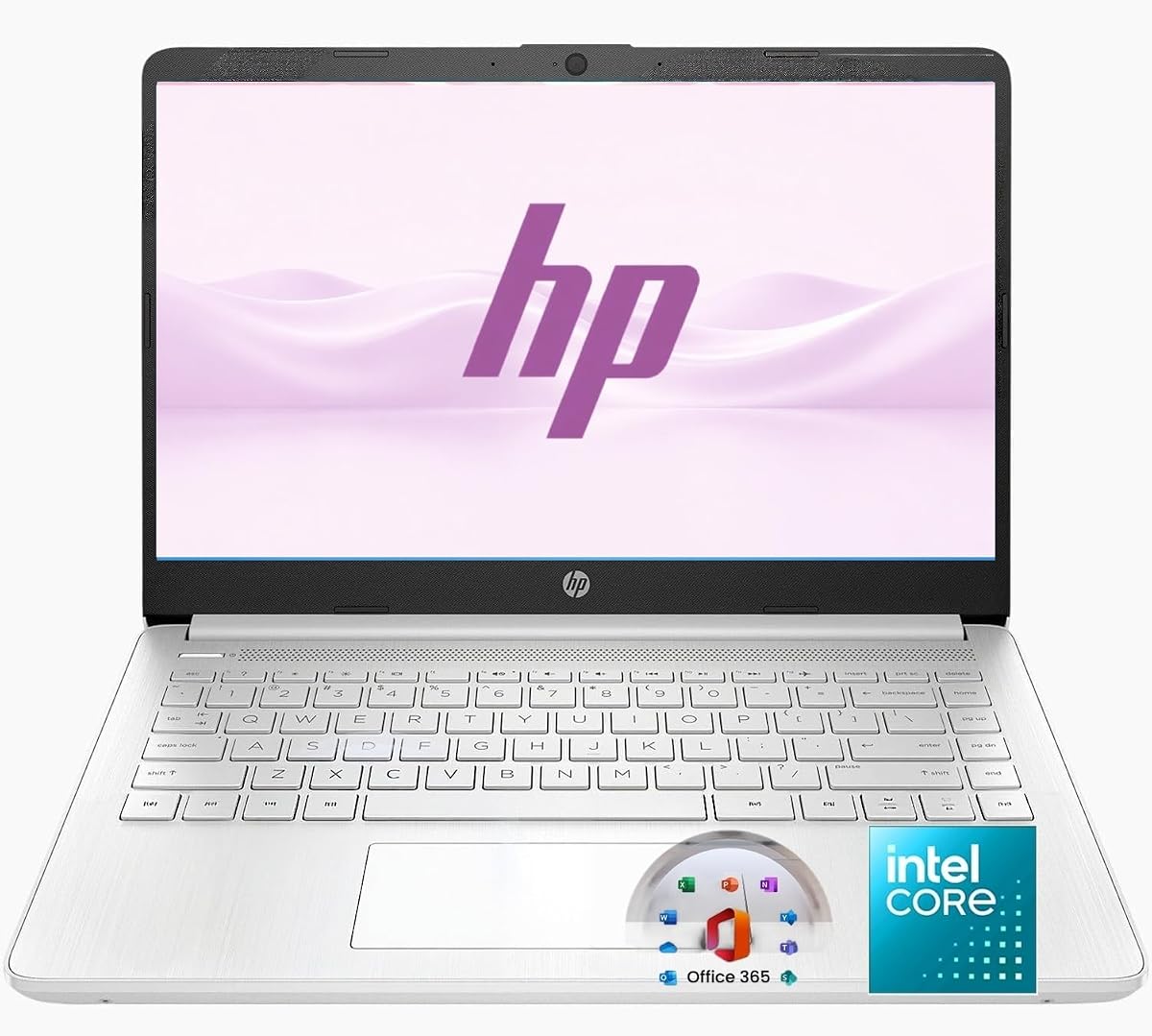


The HP New Everyday Slim Laptop stands out with a perfect rating for its balance of efficiency and usability. It features the modern Intel N150 processor which delivers smooth performance for daily tasks while consuming minimal energy.
We may earn a commission when you buy through this link, at no additional cost to you.
This model includes 4GB of DDR5 RAM and a 128GB SSD ensuring fast boot times and responsive multitasking. The inclusion of 1TB cloud storage via OneDrive significantly expands your capacity without adding physical bulk or power drain.
While the screen resolution is standard HD the anti-glare coating ensures comfortable viewing in various lighting conditions. The device supports Wi-Fi 6 for reliable connectivity which is essential for remote work or online learning environments.
Anyone needing a reliable laptop for school or office work will find this device meets all essential needs efficiently. It is an excellent choice for users prioritizing long battery life and portability over high-end graphics performance.
The Intel N150 processor is designed specifically for low power consumption making it ideal for all-day use without frequent recharging.
Getting 1TB of cloud storage included means you can store extensive files securely online while keeping the local drive free for essential apps.
We may earn a commission when you buy through this link, at no additional cost to you.
The HP Chromebook 14 Laptop offers incredible value for users seeking basic computing power with minimal energy use. Its Intel Celeron N4120 processor is optimized for efficiency ensuring long runtime on a single charge.
We may earn a commission when you buy through this link, at no additional cost to you.
Chrome OS provides a secure and streamlined environment perfect for web browsing and document editing. The laptop supports 4K video streaming smoothly thanks to Intel UHD Graphics 600 which handles media tasks efficiently.
Users will appreciate the up to 14 hours of battery life which covers a full school or work day easily. The Fast Charge technology allows you to regain 50 percent power in just 45 minutes when needed.
This device is best suited for students and casual users who do not require heavy software. Its sustainable design and low power profile make it a responsible choice for environmentally conscious buyers.
The extended battery life ensures you can work or study from morning until night without worrying about finding a power outlet.
Chrome OS keeps your system updated automatically and focuses on cloud apps reducing the risk of malware and system slowdowns.
We may earn a commission when you buy through this link, at no additional cost to you.
The jumper 15.6 Laptop delivers premium specifications with low power consumption making it a standout for multitasking users. It features 12GB of RAM which allows for extensive browser tabs and applications to run simultaneously without lag.
We may earn a commission when you buy through this link, at no additional cost to you.
The 15.6-inch Full HD IPS display provides vivid colors and wide viewing angles ideal for media consumption. Anti-glare coating and blue light filtering help reduce eye strain during long study or work sessions.
Storage is handled by a 256GB solid-state drive ensuring quick application launches and system responsiveness. The device also supports expansion up to 512GB via external options offering flexibility for larger file libraries.
This model is perfect for users who need a larger screen and more memory without sacrificing battery efficiency. The dual-core Intel processor balances performance and power draw effectively for everyday computing tasks.
With 12GB of RAM you can run multiple heavy applications like spreadsheets and browsers simultaneously without system slowdowns.
The IPS panel ensures accurate colors and the blue light filter protects your vision during extended periods of screen time.
We may earn a commission when you buy through this link, at no additional cost to you.
The Lenovo V15 Business Laptop combines durability with efficiency for professional environments. Its Intel N100 processor offers reliable performance for document editing and web browsing while maintaining low power draw.
We may earn a commission when you buy through this link, at no additional cost to you.
The display features TÜV Rheinland Low Blue Light certification which protects eyes during long work hours. Anti-glare coating further enhances visibility in bright office settings ensuring comfort throughout the day.
Security is enhanced with firmware TPM 2.0 providing hardware based protection for your sensitive data. The laptop also supports Wi-Fi 6 for fast and stable connectivity during video conferencing or file transfers.
This device is ideal for business users who prioritize durability and screen health over raw power. The MIL-STD testing ensures it can withstand the rigors of daily commuting and travel.
The low blue light certification reduces harmful emissions helping you maintain focus without eye fatigue during extended use.
TPM 2.0 hardware security keeps your data safe from unauthorized access making it suitable for handling confidential business info.
We may earn a commission when you buy through this link, at no additional cost to you.
The HP New Everyday Slim Laptop 2026 Edition brings modern AI capabilities to efficient computing. It features a dedicated Copilot key allowing quick access to AI tools without disrupting your workflow or battery life.
We may earn a commission when you buy through this link, at no additional cost to you.
The Intel N150 processor ensures that this device remains cool and quiet even during active tasks. Combined with a 128GB SSD you get fast response times for applications and system updates.
Inclusion of Microsoft 365 and 1TB cloud storage makes this a complete package for productivity from day one. The Natural Silver finish provides a sleek and stylish look suitable for professional environments.
Students and remote workers will benefit from the balance of AI features and power efficiency. It is a forward-looking choice for those wanting next-generation tools on a reliable budget device.
The Copilot key streamlines access to intelligent assistance helping you draft documents or summarize data faster.
With bundled Office 365 and cloud storage you save money and setup time getting started on your work immediately.
We may earn a commission when you buy through this link, at no additional cost to you.
The Lenovo Essential 15.6 Laptop offers a rare combination of 8GB DDR5 RAM at this efficiency level. This memory speed helps applications load faster while maintaining low energy consumption for daily tasks.
We may earn a commission when you buy through this link, at no additional cost to you.
Privacy is a key focus with a built-in camera shutter protecting your identity when video calls are not active. The Full HD display provides clear visuals for documents and videos alike.
Connectivity is robust with multiple USB ports and HDMI output for external monitors. This allows you to expand your workspace without needing complex docking stations or extra adapters.
Users needing extra memory for smoother multitasking will appreciate this model. It is well suited for students and office workers who need reliable performance in a durable chassis.
The 8GB DDR5 RAM enables quicker data access than older standards improving responsiveness in modern software.
The physical privacy shutter gives you complete control over your camera ensuring security when not in use.
We may earn a commission when you buy through this link, at no additional cost to you.
The Amzboy 15.6 Laptop stands out for its completely silent fanless solid-state design. This construction prevents internal dust accumulation and eliminates noise making it perfect for quiet environments like libraries.
We may earn a commission when you buy through this link, at no additional cost to you.
It features a compact 45W Type-C PD fast adapter that simplifies your travel setup. You can charge the laptop and a compatible phone with a single cord reducing clutter and weight in your bag.
The Full HD display offers good clarity for media and work tasks. Storage is expandable up to 1TB via TF card allowing you to add space for media files easily.
This device is ideal for users who value silence and portability above raw speed. Its simple design ensures reliability without moving parts that might wear out over time.
The fanless design ensures absolute silence which is crucial for quiet study sessions or professional office spaces.
The Type-C PD fast charging allows you to top up power quickly using a universal standard that reduces cable bulk.
We may earn a commission when you buy through this link, at no additional cost to you.
The ASUS 15.6 Vivobook Go is designed specifically for student needs with a focus on portability and ease of use. Its Intel Celeron N4500 processor handles web browsing and note taking with ease.
We may earn a commission when you buy through this link, at no additional cost to you.
The ErgoSense backlit keyboard improves typing comfort during late night study sessions. Audio quality is enhanced by Sonicmaster technology providing clear sound for video lectures and entertainment.
Battery life is supported by fast charge technology allowing quick top ups between classes. The privacy shutter on the webcam ensures you stay protected during online interactions.
Students looking for an affordable and lightweight machine will find this laptop suitable for daily coursework. It offers essential features without the complexity of higher-end gaming systems.
The backlit keyboard allows you to type comfortably in dimly lit lecture halls or libraries.
Sonicmaster audio delivers clearer sound for media consumption without needing external speakers.
We may earn a commission when you buy through this link, at no additional cost to you.
The HP 14 inch Laptop 2027 Edition prepares you for future software demands with modern DDR5 memory. This ensures better memory bandwidth and efficiency compared to older RAM standards.
We may earn a commission when you buy through this link, at no additional cost to you.
A 1TB cloud storage bundle paired with Microsoft 365 offers a complete ecosystem for productivity. You can access your files from anywhere while keeping your local storage light and fast.
The slim 0.71-inch profile makes it easy to slip into any backpack for school or work. The non-touch display provides a reliable interface for standard Windows tasks without extra battery drain.
This device is a smart choice for users planning for the next few years of computing needs. It balances modern specs with energy efficiency to provide long-term value.
DDR5 RAM provides faster data transfer speeds improving application performance and system responsiveness.
The bundle simplifies setup by providing essential software and storage right out of the box.
We may earn a commission when you buy through this link, at no additional cost to you.
The HP 14-inch Laptop Ultra Light emphasizes connectivity with built-in Wi-Fi 6 for faster speeds. This ensures you can download files and stream content efficiently without draining the battery quickly.
We may earn a commission when you buy through this link, at no additional cost to you.
Upgraded to 8GB of RAM this model handles multitasking better than many competitors in its class. The included external CD/DVD drive and mouse add to the complete package for productivity.
A removable 256GB SD card expands your capacity for documents and photos. This flexibility is useful for students needing to carry many files without relying solely on cloud services.
Users needing a lightweight machine with strong internet performance will find this model excellent. It is well rounded for general office tasks and home use with reliable speed.
Wi-Fi 6 delivers faster download and upload speeds for a smoother experience in crowded networks.
The removable SD card option lets you customize storage based on your immediate needs.
We may earn a commission when you buy through this link, at no additional cost to you.
Selecting a low power consumption laptop requires looking beyond just the battery size. You must consider processor efficiency and storage types to ensure long lasting performance.
Look for chips labeled as N-series or low-voltage processors which are optimized for minimal energy use. These processors provide sufficient power for daily tasks like browsing and document editing without the heat and drain of high-performance gaming chips.
Prioritize processors with strong power management features to ensure long battery life.
The screen is one of the biggest power drains on any laptop. Models with lower brightness options or energy efficient LED panels help extend your runtime. Anti-glare coatings also reduce the need to boost brightness in dark environments.
Choose displays with lower wattage to maximize your battery usage throughout the day.
Solid State Drives are far more energy efficient than traditional hard drives. They also boot faster and use less power during data access. Opt for SSDs or UFS storage to keep the system running cool and quiet.
Selecting modern storage solutions is a key factor in keeping power consumption low.
While processor efficiency is crucial a larger battery cell helps offset high usage periods. Check for models that advertise long run times based on real world testing rather than just theoretical numbers.
Aim for devices that claim at least ten hours of usage for all day reliability.
Some operating systems manage background processes better than others for energy saving. Lightweight OS options like Chrome OS are designed to use minimal resources allowing the hardware to save power automatically.
Consider the software efficiency as it plays a major role in overall power management.
Lighter laptops generally have smaller components that require less energy to operate. If you carry your laptop often a thin and light design reduces the strain on the battery from travel.
A lightweight build ensures you can carry it for long periods without tiring.
Modern wireless standards like Wi-Fi 6 offer better range and lower power usage for data transfer. Efficient connection protocols prevent the battery from draining while maintaining an active internet signal.
Ensure your laptop supports the latest connectivity standards for energy efficient networking.
Durable builds protect the internal components from damage which can affect energy efficiency. A solid chassis also helps dissipate heat better keeping the system running efficiently under load.
Choose a laptop with a robust design to maintain performance and efficiency over time.
To maximize battery life adjust your screen brightness to the lowest comfortable level. This simple step can significantly extend your time away from a charger during daily use.
Keep the device clean by using compressed air to remove dust from vents. A clean system prevents overheating which can cause components to work harder and consume more energy.
Update your operating system regularly to ensure the latest power management patches are installed. These updates often include optimizations that improve battery efficiency and system stability.
Yes they are designed specifically to handle browsing editing and streaming efficiently. While they may not suit heavy video editing they are perfect for students and office work.
You can extend battery life by lowering brightness and closing unused apps. Avoiding extreme temperatures also helps preserve the chemical health of your battery.
Absolutely most models include webcams and microphones optimized for video calls. Their long battery life ensures you can attend full days of classes without recharging.
Solid State Drives are the best choice as they use less power than traditional hard drives. They also offer faster boot times making your workflow much smoother.
No they are designed to run cool to maintain efficiency. The lack of high heat components helps keep the fan noise low and the device comfortable.
Yes many models support 4K streaming and light gaming without issues. They are versatile enough for relaxing movies and casual games after work.
Yes cloud storage keeps your local drive empty which helps save space. It also ensures your files are safe even if the device is lost.
Monthly updates ensure you have the latest security and performance patches. These often include tweaks that help the system save more energy.
We have reviewed ten distinct models offering a range of features for different needs. From the HP New Everyday Slim Laptop to the jumper 15.6 Laptop there is a fit for everyone.
When choosing prioritize the processor and battery life to match your typical workflow. Ensure you have enough RAM for your daily tasks to maintain a smooth experience.
Remember that prices and availability can change so check the current listings before buying. Always look for the latest reviews to confirm the quality of the product today.