
Lenovo Keyboard Pack for Idea Tab Pro
4.3Editor score
Built-in trackpad included
Pogo pin connection
Adjustable kickstand support
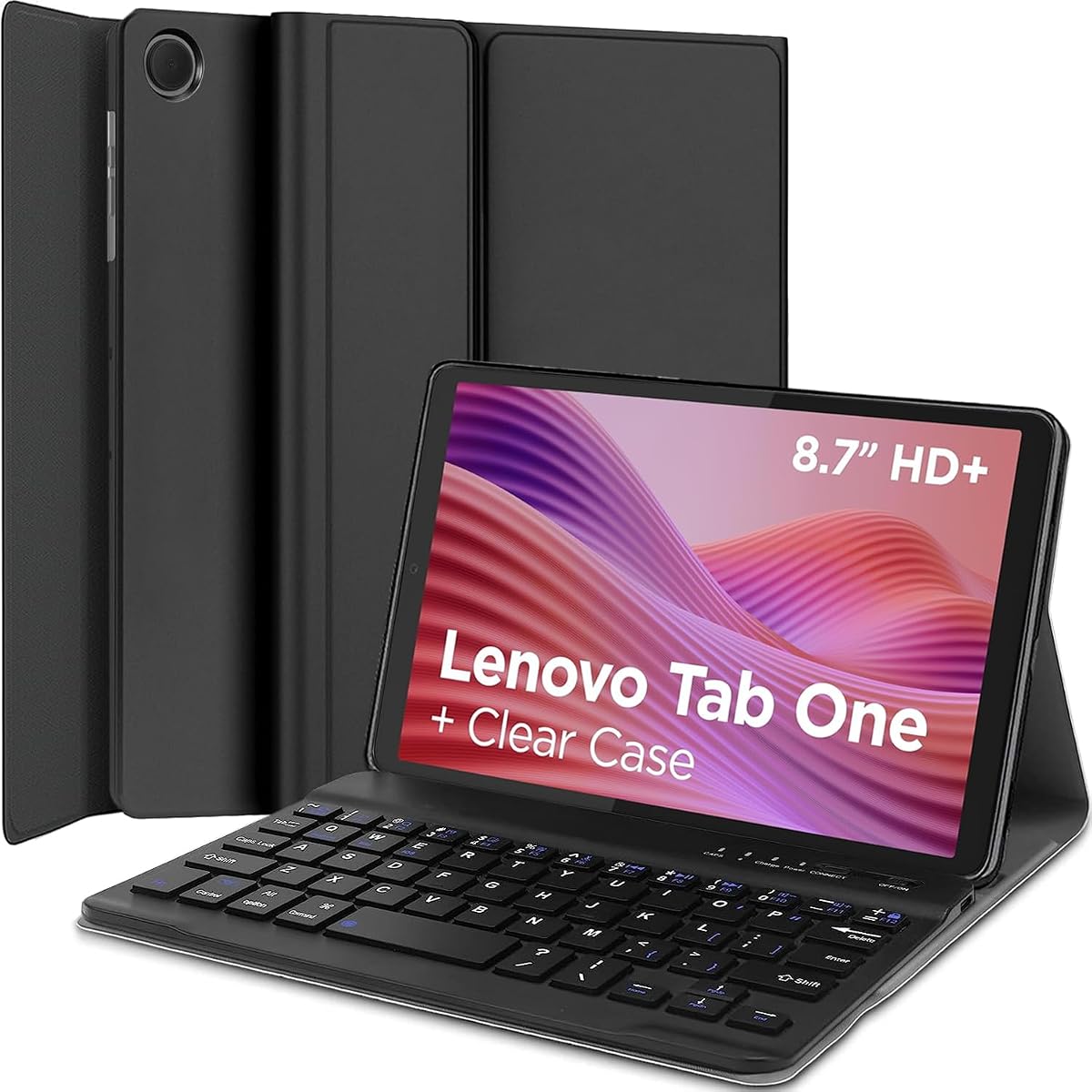
Finding the right Lenovo Tab One Keyboard can transform your tablet into a powerful productivity tool. Whether you need a portable solution for travel or a sturdy case for daily work, the right keyboard case offers comfort and efficiency. This guide explores the best options available to meet various needs.
We have carefully evaluated ten top-rated products based on compatibility, build quality, and user feedback. Each entry offers unique features like backlighting, trackpads, and detachable designs. Our comparison ensures you find a keyboard that aligns with your workflow and device requirements seamlessly.
Each pick highlights specific strengths and potential trade-offs to help you make an informed decision. Prices and availability can change rapidly, so always check current listings before purchasing. We focus on practical insights to ensure you get the most value for your investment today.
4.3Editor score

4.8Editor score
5.0Editor score
As an Amazon Associate we earn from qualifying purchases.
Below is a side-by-side comparison of all ten keyboard options analyzed in this guide. Use this table to quickly identify key specifications and unique features for each product model.


This keyboard case stands out as the top choice for users seeking a reliable and feature-rich accessory. With a 4.8 rating, it offers a perfect blend of functionality and protection for your device.
We may earn a commission when you buy through this link, at no additional cost to you.
The standout feature is its 7-color backlight system, allowing you to customize your typing environment. Additionally, the detachable wireless design provides flexibility, making it easy to use the keyboard independently or as a full case.
While the battery life is impressive at 90 hours, users should note that charging takes 2 to 3 hours. The design is specific to the TB305FU model, so verify compatibility before purchase to ensure a perfect fit.
If you prioritize a balance of style, utility, and battery efficiency, this option is highly recommended. It transforms your tablet into a capable workstation without compromising on portability or aesthetics.
Choose from 7 colors and adjust brightness levels to suit your lighting conditions and personal preferences.
Enjoy up to 90 hours of continuous use on a single charge, minimizing downtime during travel or work.
We may earn a commission when you buy through this link, at no additional cost to you.
This keyboard case earns a perfect 5.0 rating, making it a favorite among budget-conscious buyers. It delivers essential functionality without unnecessary costs, ensuring satisfaction for everyday use.
We may earn a commission when you buy through this link, at no additional cost to you.
Its wood grain finish adds a touch of elegance, while the 100-hour battery life ensures you can work or browse for days on a single charge. The magnetic keyboard detaches easily for versatile typing angles.
Although it lacks backlighting, the high-quality construction and reliability make up for it. The design specifically supports the TB-305FU and TB-305XU models, so check your tablet model before purchasing.
If you need a dependable and stylish keyboard case without breaking the bank, this is an excellent choice. It offers premium features at an affordable price point, suitable for students and professionals alike.
Enjoy a premium look and feel with a durable wood grain cover that protects your tablet in style.
Work for up to 100 hours continuously, making it ideal for extended trips or busy workdays.
We may earn a commission when you buy through this link, at no additional cost to you.
This pack offers a professional-grade experience with its integrated trackpad and ergonomic keys. Designed for serious productivity, it transforms your tablet into a laptop-like workstation efficiently.
We may earn a commission when you buy through this link, at no additional cost to you.
The pogo pin connection ensures instant data and power transfer without needing to pair or charge the keyboard separately. Its spacious trackpad supports intuitive gestures for seamless navigation and multitasking.
Users should note that it is optimized for the Idea Tab Pro model, not the Tab One, so verify compatibility carefully. Despite the higher cost, the convenience and premium build justify the investment.
For those seeking a top-tier accessory that mimics a full laptop experience, this pack is unmatched. It provides advanced features and comfort, making it a valuable tool for daily tasks.
Navigate effortlessly with a responsive trackpad that supports gestures for a smooth and precise user experience.
Use pogo pin technology for immediate connectivity, eliminating the need for Bluetooth pairing or separate charging.
We may earn a commission when you buy through this link, at no additional cost to you.
This keyboard excels for users who juggle multiple devices regularly. Its ability to connect to up to three devices via Bluetooth or USB-C makes it a flexible tool for various workflows.
We may earn a commission when you buy through this link, at no additional cost to you.
Weighing only 180 grams, it is highly portable and comfortable for long typing sessions. The 1.3mm key travel ensures a responsive and quiet typing experience, suitable for any environment.
While it lacks a protective case, its slim design and efficient 60-hour battery life make it ideal for travel. Users may need to recharge more often compared to other options with larger batteries.
If you need a versatile keyboard that adapts to your multi-device setup, this is a strong contender. It offers reliability and convenience, helping you stay productive across all your devices.
Seamlessly switch between Android, iOS, and Windows devices to streamline your workflow and increase efficiency.
Its ultra-slim profile ensures easy portability, making it perfect for carrying in bags without adding bulk.
We may earn a commission when you buy through this link, at no additional cost to you.
Designed for the larger 11-inch models, this keyboard case offers protection and style in one package. The inclusion of a tempered glass screen protector adds extra value for users seeking comprehensive device security.
We may earn a commission when you buy through this link, at no additional cost to you.
Its 7-color backlight system allows for creative customization, while the PU leather case ensures durability and scratch resistance. The detachable keyboard provides flexibility, transforming the device into a laptop setup instantly.
Users must ensure their tablet matches the TB-336ZU or TB-336FU models for a perfect fit. While the screen protector is a great addition, some might prefer to apply their own for specific preferences.
If you own a larger tablet and want an all-in-one solution, this case is an excellent choice. It combines protection, utility, and style, making it a practical addition to your tech accessories.
Enjoy added screen protection with a included tempered glass layer that guards against scratches and daily wear.
Customize your typing experience with 7 backlight colors, allowing you to match your mood or environment easily.
We may earn a commission when you buy through this link, at no additional cost to you.
This keyboard case stands out for its integrated multi-touch trackpad, which simplifies navigation on your tablet. It is an attractive option for users who want laptop-like control without the bulk of a full mouse.
We may earn a commission when you buy through this link, at no additional cost to you.
The 3-zone backlight adds a unique visual touch, making typing in low light both functional and stylish. The design ensures a secure fit for the TB305FU model, offering protection with a premium leather finish.
However, the lower user rating suggests potential issues with durability or responsiveness. While the trackpad is a great addition, users should be aware of these limitations before committing to this purchase.
If you prioritize navigation and design aesthetics, this keyboard offers unique benefits. Weigh the pros and cons carefully to decide if it aligns with your daily usage needs.
Navigate content effortlessly with multi-touch gestures, offering a smooth and intuitive user experience.
Personalize your keyboard with 3-zone backlighting, allowing for distinct visual effects and enhanced usability.
We may earn a commission when you buy through this link, at no additional cost to you.
This keyboard case offers a refreshing pink color option that stands out from standard black or grey alternatives. It is designed for those who want a stylish and functional accessory that matches their personal style.
We may earn a commission when you buy through this link, at no additional cost to you.
The detachable magnetic keyboard ensures secure attachment while allowing easy removal for versatile use. With Type-C charging, it aligns with modern standards, offering a convenient and fast charging experience for users.
Since this product lacks a significant number of ratings, its long-term reliability is still being evaluated. Buyers should consider this when looking for a proven track record before making a purchase decision.
If you are looking for a stylish and modern keyboard case, this option is worth considering. Its unique features and design make it a strong candidate for those prioritizing aesthetics and convenience.
Stand out with a vibrant pink finish that adds a touch of personality to your tablet setup.
Use a Type-C charging cable for faster and more reliable power delivery, simplifying your charging routine.
We may earn a commission when you buy through this link, at no additional cost to you.
This keyboard case provides a comprehensive package by including both a wireless mouse and a dedicated pen slot. It is an ideal solution for users who want a complete setup for productivity and creativity.
We may earn a commission when you buy through this link, at no additional cost to you.
The 7-color backlight adds a modern touch, while the ultra-thin design ensures portability without sacrificing protection. The mouse enhances navigation, making it easier to control your device with precision.
Users should note that this option is designed for the Idea Tab 11-inch models, not the Tab One. The pink color may not appeal to everyone, but it offers a stylish choice for those who prefer it.
If you need an all-in-one solution with extra tools, this keyboard case is a great pick. It offers convenience and functionality, making it a valuable addition to your tablet accessory collection.
Get more value with a included wireless mouse and pen slot, ensuring you have everything needed for work.
Store your S Pen securely within the case, keeping it safe and ready whenever you need to use it.
We may earn a commission when you buy through this link, at no additional cost to you.
This keyboard focuses on portability and ease of use, making it ideal for travelers who need a lightweight solution. Its slim design fits easily into bags, ensuring you can type anywhere without carrying a bulky case.
We may earn a commission when you buy through this link, at no additional cost to you.
The 7-color LED backlight provides visibility in dark environments, while Bluetooth 3.0 ensures a stable connection. Despite the lack of a case, it offers the core typing functionality needed for productivity.
Users should be aware that this is a standalone keyboard, requiring separate protection for the tablet. Battery performance may not match models with integrated charging or advanced power-saving features.
If you prioritize minimalism and portability, this keyboard is a solid choice. It delivers essential features and style, making it a versatile tool for on-the-go users who need flexibility.
Enjoy a lightweight and compact profile that ensures easy portability and storage in any bag or pocket.
Customize your setup with 7 LED colors, enhancing your typing experience in low-light environments easily.
We may earn a commission when you buy through this link, at no additional cost to you.
This keyboard offers a minimalist approach with its chiclet-style keys and ultra-thin design. It is perfect for users who value a sleek look and efficient typing experience without unnecessary features.
We may earn a commission when you buy through this link, at no additional cost to you.
Weighing very little and measuring just 3/16 inches thick, it slips easily into any bag for travel. The power-efficient design helps extend battery life, ensuring you can work for longer periods on a single charge.
Unlike other models, it does not include backlighting, which may limit its use in dark environments. However, its reliable Bluetooth pairing and responsive keys make it a great choice for daytime productivity.
If you seek a lightweight and practical keyboard for regular use, this model fits the bill. It provides a balance of comfort and portability, ideal for those who prefer a straightforward and efficient setup.
Enjoy a tactile feel with chiclet-style keys that support long typing sessions without causing fatigue or strain.
Conserve battery life with an on/off switch and efficient Bluetooth, ensuring extended use between charges.
We may earn a commission when you buy through this link, at no additional cost to you.
Selecting the right keyboard case involves considering several key factors to ensure compatibility and usability. This guide helps you understand what matters most when making your decision.
Verify that the keyboard case matches your tablet model, such as TB305FU or TB-305XU, to ensure a proper fit. Mismatched models can lead to poor alignment and lack of functionality.
Always check the product description for specific model numbers before purchasing to avoid compatibility issues.
Decide between Bluetooth and pogo pin connections. Bluetooth offers wireless flexibility, while pogo pins provide instant data transfer without needing battery charging.
Choose the type that best suits your workflow and whether you prefer to minimize charging needs.
If you often work in low-light conditions, a keyboard with adjustable backlighting can be essential. Look for options with multiple colors and brightness levels for customization.
Consider whether backlighting is a priority or if you can manage without it to save on cost.
Battery performance varies significantly between models. Some offer up to 100 hours of usage, while others may require more frequent recharging.
Assess your daily usage patterns to determine the required battery capacity for uninterrupted work or travel.
For travelers, a lightweight and slim keyboard is crucial to avoid adding bulk to your bag. Detachable designs provide flexibility but can add extra weight.
Prioritize models that balance protection with ease of carrying if you move frequently.
Some keyboards include extras like trackpads, mouse controls, or screen protectors. These features enhance functionality but may increase the price.
Evaluate whether these additions justify the cost based on your specific productivity needs.
Look for durable materials like premium PU leather or TPU to ensure long-lasting protection. The build quality affects both the look and feel of the keyboard.
Choose materials that match your preference for texture and durability against scratches and bumps.
Budget-friendly options exist, but higher-priced models may offer better features or reliability. Balance your budget with the essential features you need.
Read user reviews to gauge real-world value and ensure you get the best deal for your money.
Connect your keyboard to your tablet via Bluetooth or pogo pins, following the pairing instructions in the manual. Ensure the battery is charged before first use for optimal performance.
To maintain the keyboard, gently clean the keys and case with a dry, soft cloth. Avoid using harsh chemicals that may damage the leather or electronic components.
When not in use, store your keyboard in a cool, dry place to prevent wear or battery drain. Regularly check for firmware updates to keep your device running smoothly.
Most keyboards are designed for specific models like TB305FU or TB-305XU. Always check the product description to confirm compatibility with your tablet model before purchasing.
Most keyboards use a built-in rechargeable battery. You can charge them using a USB-C or micro-USB cable, depending on the model. The charging time typically ranges from 2 to 4 hours.
Yes, many models feature detachable wireless keyboards that can be used separately from the case. This allows for flexible usage in various settings.
Not all keyboards come with backlighting. While many models offer 7-color backlight options, others focus on slim or budget designs without this feature. Check the product specs for details.
Battery life varies between models. Some offer up to 100 hours of continuous use, while others may last around 60 hours. It depends on usage and whether backlighting is turned on.
No, only specific premium models include built-in trackpads. Standard cases may lack this feature, so look for options specifically advertising a trackpad if you need it.
Some keyboards support multi-device connectivity, allowing you to switch between up to three devices. Check the product features to confirm if it supports your desired devices.
Most cases offer some level of protection, but they are not fully waterproof. Avoid exposing them to water to prevent damage to the internal components.
We reviewed ten top keyboard options for the Lenovo Tab One, each offering unique features to enhance productivity. From backlit models to those with trackpads, there is a choice for every user.
Prioritize factors like compatibility, battery life, and additional features to find the best match for your needs. Whether you want budget value or premium performance, our guide helps you decide.
Remember to check current prices and availability before purchasing, as offers may change. Choose a keyboard that aligns with your usage style for a seamless experience.