
Compressed Air Duster-280000 RPM Electric Air Duster
4.5Editor score
280000 RPM motor speed
Smart LCD screen display
Six versatile attachments included
Discover the top laptop fan cleaning kits for 2026. We compare electric dusters, brushes, and complete sets to keep your devices cool and dust free.
Keeping your laptop running cool requires regular maintenance of its internal cooling system. Dust buildup can cause overheating and performance throttling over time. A dedicated cleaning kit helps you remove debris safely without damaging sensitive components inside your machine.
We evaluated ten highly rated products designed specifically for cleaning laptop fans and keyboards. Our analysis focuses on airflow power, portability, accessory variety, and ease of use. Each option offers a unique approach to tackling dust in tight spaces and vents.
Every selection below highlights key features and real-world performance capabilities based on user feedback. We include detailed reviews and a buying guide to help you choose the right tool. Note that availability and features may change as manufacturers update their product lines.
4.5Editor score

4.9Editor score

4.6Editor score
The following table provides a side-by-side comparison of all ten selected products. It highlights key specifications and capabilities to help you quickly identify the right fit for your cleaning needs.
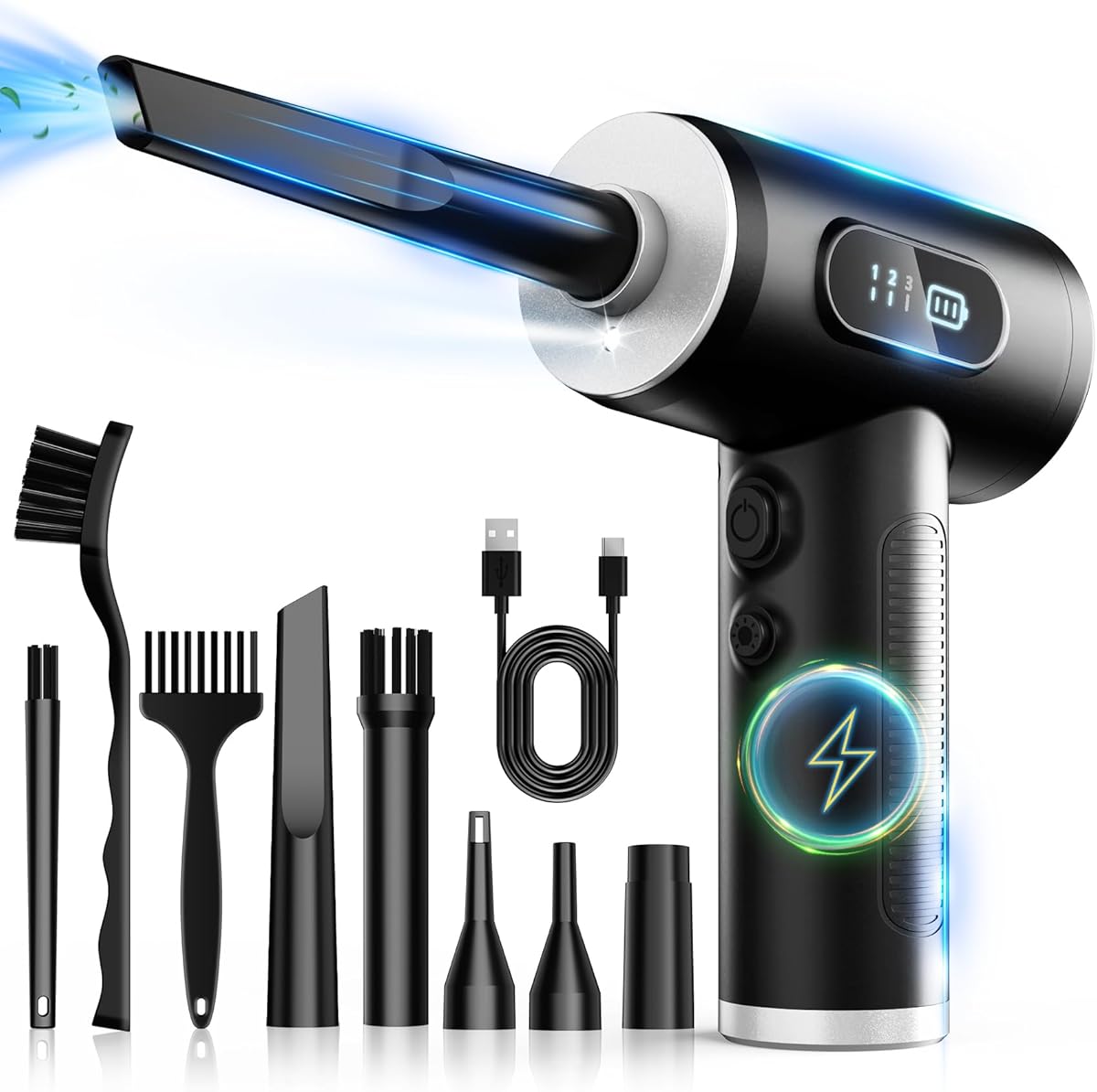




This electric air duster stands out with its powerful 280000 RPM motor, making it highly effective for deep cleaning laptop fans. Users praise its smart LCD screen which displays battery status and speed levels clearly. The LED light helps illuminate dark crevices inside computer cases and vents.
We may earn a commission when you buy through this link, at no additional cost to you.
The device offers four adjustable speed settings, allowing precise control for delicate tasks or heavy debris removal. Its eco-friendly design eliminates the need for disposable compressed air cans, saving money over time. The included six-in-one set provides versatility for various cleaning needs around the home.
While powerful, the unit is slightly heavier than smaller cordless models which might cause fatigue during extended use. The price is higher than basic kits but justified by the performance and durability. It is best suited for users who need professional-grade power regularly.
Tech enthusiasts and power users will appreciate the raw cleaning power and long runtime. It is an excellent investment for maintaining high-performance gaming laptops or workstations. Overall, it delivers consistent results for those prioritizing airflow and efficiency.
The brushless motor delivers intense airflow that dislodges compacted dust in vents quickly.
Real-time feedback on battery and speed ensures you never run out of power unexpectedly.
We may earn a commission when you buy through this link, at no additional cost to you.
This kit is a favorite among professionals for its completeness and quality. It includes essentials like a dust blower and anti-static brush to clean fans without risking static damage. The microfiber cloths and screen saver keep your display pristine after cleaning.
We may earn a commission when you buy through this link, at no additional cost to you.
Everything stores neatly in a compact pouch which is perfect for keeping in a laptop bag or drawer. The tools are designed for precision, making it easy to reach small gaps around keys and vents. It is ideal for those who prefer physical tools over electric blowers.
The main limitation is the lack of a powered blower for heavy dust buildup. You will need to apply a bit more manual effort compared to electric dusters. However, the safety and thoroughness of the tools make up for this trade-off significantly.
Anyone looking for a reliable maintenance kit for daily or weekly cleaning should consider this option. It ensures your laptop stays clean and safe without requiring expensive equipment. It is a top pick for value and practicality.
From screens to vents, this kit has every tool needed for a full maintenance routine.
Anti-static materials protect sensitive electronic components during the cleaning process.
We may earn a commission when you buy through this link, at no additional cost to you.
This kit offers an impressive range of tools for a very low cost. It includes a retractable brush and keycap puller which are useful for mechanical keyboards and laptops. The variety of cloths and sponges allows for thorough cleaning of screens and surfaces.
We may earn a commission when you buy through this link, at no additional cost to you.
The compact design makes it easy to store or carry with you. Users appreciate the inclusion of a metal pen tip for removing stubborn stains between keys. It is a great option for students or office workers on a budget.
The materials are functional but not premium quality. You might find that heavy use wears out the brushes faster than expensive alternatives. However, the low price makes it easy to replace if needed.
If you need a basic tool set to keep your laptop clean without breaking the bank, this is a strong choice. It covers all the essentials for regular maintenance effectively. It is perfect for entry-level users.
You get ten different tools in one kit which is rare at this price point.
The keycap puller allows for deep cleaning under keys easily.
We may earn a commission when you buy through this link, at no additional cost to you.
This electric duster offers a balance of power and portability. It features three gear settings to handle different cleaning tasks efficiently. The lightweight design ensures you can use it for extended periods without hand fatigue.
We may earn a commission when you buy through this link, at no additional cost to you.
Battery life is strong with up to two hundred forty minutes of runtime on the lowest setting. The type-C fast charging means you spend less time waiting for the device to power up. It is suitable for both home and office use.
While effective, it lacks an LED light which can be helpful for dark vents. The nozzle selection is adequate but not as extensive as higher-end models. Still, it performs well for standard dust removal tasks.
Users looking for a reliable and portable electric blower will find this model useful. It is great for quick cleanups around the desk. It is a solid mid-range option for general maintenance.
The large capacity battery supports long cleaning sessions without interruption.
Designed to be held comfortably for long periods of use.
We may earn a commission when you buy through this link, at no additional cost to you.
This model delivers intense cleaning power with its 130000 RPM brushless motor. It features four gear settings including a storm mode for heavy duty cleaning. The six versatile nozzles allow you to target hard to reach areas effectively.
We may earn a commission when you buy through this link, at no additional cost to you.
The eight thousand mAh battery provides up to two hours of runtime on the lowest setting. Fast charging ensures you are ready to clean when you need to. It is an upgrade from traditional cans by being reusable and powerful.
The weight is noticeable during use which might be a drawback for delicate tasks. The price is higher but justified by the build quality and performance. It is best for those who want maximum blowing power.
For gamers and tech enthusiasts needing deep cleaning, this duster is a great choice. It handles stubborn dust without issue. It is a robust tool for serious device maintenance.
Long press activation provides maximum airflow for difficult dirt removal.
Ten detail brushes and six nozzles cover various cleaning scenarios.
We may earn a commission when you buy through this link, at no additional cost to you.
This duster provides a reliable solution for keeping laptops clean. The smart LED display allows you to monitor battery and speed easily. It comes with five nozzles and three brushes for detailed cleaning tasks.
We may earn a commission when you buy through this link, at no additional cost to you.
The built-in LED light is a nice touch for illuminating dark areas. It weighs little and is easy to handle. The safety design ensures safe use over long periods. It is a practical tool for home offices.
While not the most powerful model, it does the job well for regular maintenance. The accessories are decent quality and cover most needs. It is a good middle ground option.
Users who want a simple electric duster with good features should consider this. It is great for keyboards and vents. It is a practical choice for daily cleaning.
The smart display keeps you informed about device status at all times.
Built-in light helps see dust in shadowed spaces clearly.
We may earn a commission when you buy through this link, at no additional cost to you.
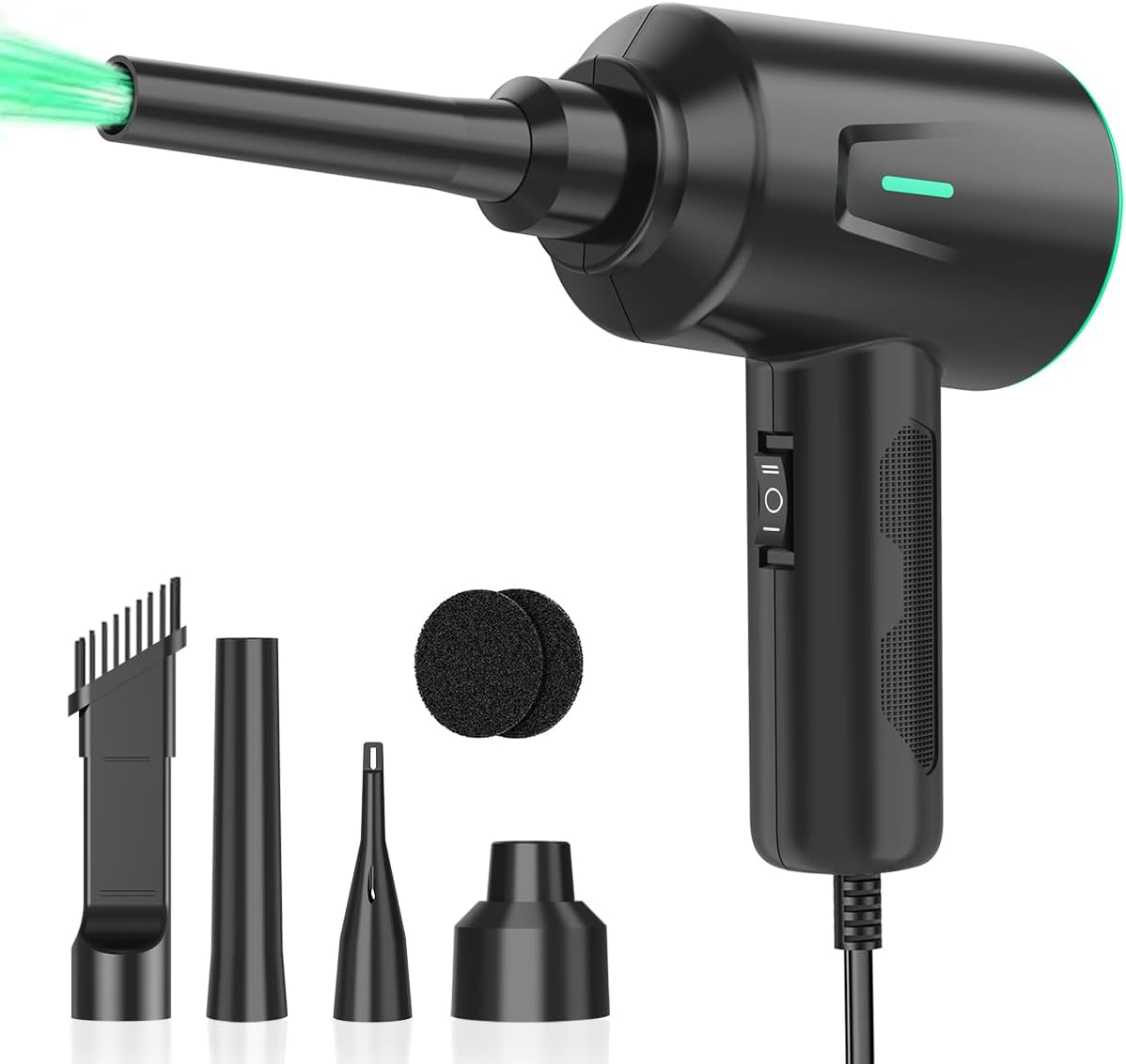
This electric duster is unique because it operates directly from mains power. It avoids the need for recharging which is great for stationary cleaning tasks. The extended eight foot cord provides good reach without moving the power source.
We may earn a commission when you buy through this link, at no additional cost to you.
With speeds up to 200000 RPM it delivers strong airflow for deep cleaning. It includes various brushes and filters for different needs. The design focuses on continuous use without battery interruptions.
The main drawback is the cord which limits portability compared to wireless models. You need an outlet nearby to use it effectively. However, it offers consistent power without degradation over time.
For users who do not want to worry about batteries this is a strong option. It is great for home or office use where outlets are accessible. It is a practical choice for continuous cleaning.
Mains powered operation ensures consistent airflow without charging cycles.
The long cord allows you to reach further areas easily.
We may earn a commission when you buy through this link, at no additional cost to you.
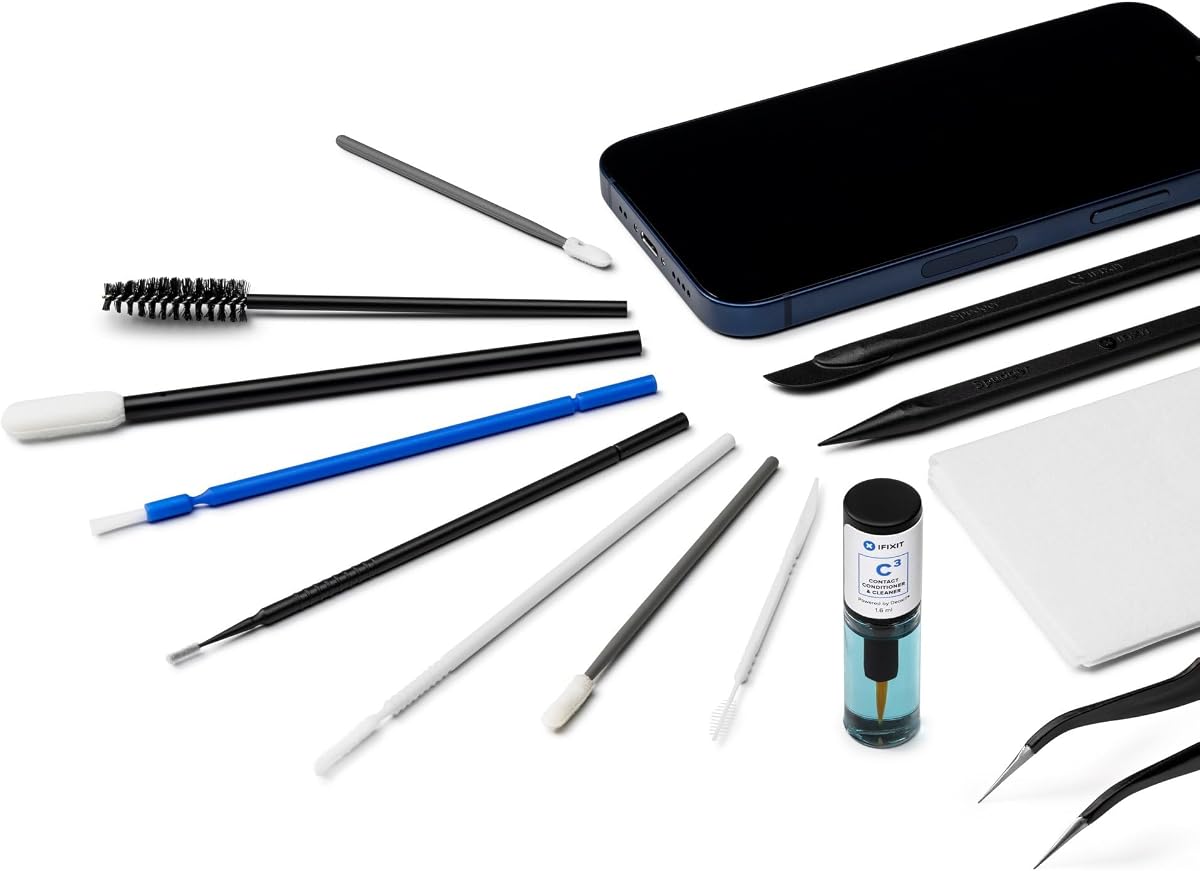
This kit is designed for precision cleaning and repair tasks. It includes specialized tools like spudgers and angled tweezers. The cleaning solution and wipes help remove residue safely from sensitive parts.
We may earn a commission when you buy through this link, at no additional cost to you.
It is perfect for detailed work on laptops and tablets where accuracy is key. The tools are reusable and built to last. It is a professional grade kit for careful maintenance.
The lack of a blower means you cannot clean heavy dust without extra steps. It is best for light cleaning and part replacement. The price reflects the high quality of components.
Tech repair enthusiasts will appreciate the precision and quality of these tools. It is ideal for those who open their devices regularly. It is a valuable addition to a repair toolkit.
Specialized picks and brushes reach the smallest parts accurately.
Included DeoxIT helps clean contacts and remove oxidation effectively.
We may earn a commission when you buy through this link, at no additional cost to you.
This set focuses solely on brush cleaning for keyboards and fans. It includes ten different sizes to tackle various gaps and surfaces. The anti-static nylon material ensures safe use on motherboards and circuits.
We may earn a commission when you buy through this link, at no additional cost to you.
Soft bristles are available for delicate surfaces like screens. Hard brushes remove stubborn dust from vents. It is a great companion to other cleaning tools for a complete kit.
It is limited to brushing which might not be enough for deep dust. However, it is very affordable and effective for its purpose. It is a great value for specialized tasks.
Anyone needing a set of brushes for electronic maintenance should consider this. It is cheap and reliable for dust removal. It is a great supplement for any tech toolkit.
High quality nylon protects components from static discharge.
Ten different sizes ensure you have a tool for any gap.
We may earn a commission when you buy through this link, at no additional cost to you.
This electric duster is designed for a wide range of cleaning tasks. It features an ergonomic grip for comfortable use. The LED light helps illuminate dark corners during cleaning.
We may earn a commission when you buy through this link, at no additional cost to you.
It includes five nozzles and four brushes for versatility. The rechargeable battery ensures you can clean anywhere. It is a great alternative to disposable air cans.
Power is average compared to high-end models but sufficient for most needs. The build is plastic but durable enough for regular use. It is a practical choice for general cleaning.
For users wanting a versatile blower for home and car cleaning this is a good option. It is convenient and easy to use. It is a solid general-purpose tool.
Suitable for electronics home and automotive cleaning tasks.
Designed to reduce hand strain during extended cleaning.
We may earn a commission when you buy through this link, at no additional cost to you.
Choosing the right cleaning kit depends on your specific needs and budget. Understanding the different tools and features will help you make an informed decision.
For electric dusters, check the RPM speed and airflow velocity. Higher RPM means better dust removal capability from vents and fans. Ensure the power is adjustable to avoid damaging sensitive components.
Look for adjustable speed settings to handle different cleaning tasks safely.
Cordless models offer freedom of movement while corded ones provide constant power. Consider where you will use the kit and if you have easy access to power outlets. Battery life is crucial for cordless options.
Choose cordless for mobility or corded for long stationary cleaning sessions.
A good kit includes nozzles brushes and cloths for different surfaces. More accessories mean you can clean keyboards screens and fans effectively. Check if the tools are anti-static for safety.
Ensure the kit has enough tools for comprehensive device maintenance.
Materials should be durable to withstand regular use without wear. Check for reinforced parts on brushes and sturdiness on plastic bodies. Higher quality materials ensure longevity of the kit.
Invest in durable tools to avoid frequent replacements and damage.
Protect your devices with anti-static materials and controlled airflow. Avoid high pressure that could damage fans or dislodge components. Safety designs like overload protection are beneficial for electric units.
Prioritize safety features to prevent accidental damage to your laptop.
The kit should be easy to handle and store comfortably. Lightweight designs reduce hand strain during cleaning. Clear instructions and intuitive controls improve the user experience.
Select tools that are comfortable to hold and easy to operate.
Electric dusters replace disposable cans and are more environmentally friendly. Ensure the battery or cord allows for many uses over time. Check charging times for electric units.
Opt for reusable tools to save money and reduce waste.
Consider the cost relative to the features and durability offered. Higher prices often mean better quality and longer life. Compare options to find the best value for your budget.
Balance cost with performance to get the best cleaning solution.
Before cleaning, turn off your laptop and unplug it to ensure safety. Remove the battery if possible to prevent electrical issues. Place the device on a stable surface to avoid dropping it.
Use the brush to gently sweep away loose dust from the vents and keyboard. Follow with an electric duster or air blower to clear out remaining debris. Move in short bursts to avoid pushing dust deeper inside.
Store your kit in a dry place to protect tools from moisture. Clean the brushes regularly to remove trapped dirt. Charge electric dusters fully before storage to maintain battery health.
Regular vacuums can create static electricity that may damage sensitive components. It is safer to use specialized anti-static brushes or electric dusters designed for electronics. These tools minimize static risk while effectively removing dust.
Ideally, you should clean your laptop fans every three to six months depending on usage. If you use your laptop in dusty environments, cleaning more frequently is recommended. Regular cleaning prevents overheating and extends device lifespan.
Electric dusters are more powerful and reusable making them more cost-effective in the long run. They do not contain harmful chemicals or require disposal like canned air. They also provide consistent airflow without pressure loss.
It is not safe to clean a laptop while it is powered on. There is a risk of short circuits or electric shock. Always turn off and unplug the device before starting any cleaning process.
Soft bristle anti-static brushes are best for cleaning laptop vents without causing damage. They are gentle on components while removing dust effectively. Look for nylon materials that reduce static risk.
You can use specialized cleaning wipes or a microfiber cloth with a bit of water. Avoid using household alcohol wipes as they may damage the screen coating. Check your manufacturer guidelines for specific recommendations.
We have reviewed ten top options for laptop fan cleaning kits ranging from electric dusters to manual tool sets. Each offers unique benefits depending on your needs and preference. Selecting the right one ensures your device stays cool and efficient.
Prioritize safety features and adjustable power when choosing an electric model. For those who prefer manual cleaning, look for comprehensive kits with anti-static tools. Value and durability are key factors in your final decision.
Prices and availability may vary so check current listings before purchasing. Keep your laptop in top condition with regular maintenance using the right kit. A well-maintained device lasts longer and performs better.