
Rongta Bluetooth Shipping Label Printer
4.0Editor score
Affordable price point for small business
Automatic label identification feature
Compact portable design for storage
This guide compares the top 10 label printer for Pirate Ship options, evaluating connectivity, speed, and platform support to help you choose the right
Finding the right label printer for Pirate Ship can streamline your e-commerce operations significantly. A reliable thermal printer ensures your packages ship quickly without ink costs or complex setups. This guide helps you navigate the options available in the current market.
We compared ten top-rated printers based on connectivity, print speed, and platform compatibility. Each model was evaluated for its ability to handle high-volume shipping tasks efficiently. Our analysis focuses on features that matter most to online sellers and small businesses.
Each pick highlights key strengths and potential limitations for your specific needs. Prices and availability change frequently so check the links for the latest details. Use this guide to invest in a tool that grows with your business demands.
4.0Editor score

4.3Editor score

4.6Editor score
This side-by-side comparison highlights the key specifications and capabilities of each model to help you decide which fits your shipping workflow best.






The Nelko Bluetooth Thermal Shipping Label Printer stands out as a top choice for small businesses needing reliable shipping solutions. It received a solid 4.3 rating from users who appreciate its versatility and speed. This model offers both wireless and wired options to fit different workflows.
We may earn a commission when you buy through this link, at no additional cost to you.
Its standout feature is the ability to print via Bluetooth or USB seamlessly. The printer supports major platforms like Amazon and Shopify directly through the app. This integration saves time by allowing you to print labels without manual file transfers.
While highly effective, Mac users should note Bluetooth limitations compared to Windows systems. The app requirement for mobile printing adds a step but ensures better compatibility across devices. These trade-offs are acceptable given the overall performance and cost savings.
This printer is ideal for entrepreneurs who need consistent quality without high operational costs. If you value speed and ease of use in your shipping process this model delivers well. It balances functionality and affordability effectively for daily business needs.
Users can switch between Bluetooth and USB to ensure printing never stops due to connection issues.
Direct thermal technology eliminates ink costs allowing you to focus budget on other business areas.
We may earn a commission when you buy through this link, at no additional cost to you.
The NULLTONEX Thermal Shipping Label Printer is designed for small businesses requiring high volume output. It earned a 4.4 rating for its energy efficiency and consistent print quality. This unit uses direct thermal technology to keep maintenance costs low.
We may earn a commission when you buy through this link, at no additional cost to you.
Key strengths include the FlashLabel Pro app which offers over 1,800 customizable templates. This allows for quick branding and label creation without needing external design software. The included starter labels mean you can test print immediately upon unboxing.
One limitation is the lack of color printing capability which may not suit all branding needs. The print quality remains sharp for barcodes and addresses though. This trade-off is common in thermal printers but limits design flexibility slightly.
Choose this printer if you prioritize efficiency and cost savings in your shipping workflow. It is well suited for daily order processing where speed and reliability matter most. The included accessories make it a ready to use solution.
The extensive template library helps users create professional looking labels quickly without design skills.
Overheat protection ensures the printer remains stable during long printing sessions without damage.
We may earn a commission when you buy through this link, at no additional cost to you.
The JADENS Bluetooth Thermal Shipping Label Printer offers a blend of high tech features and user friendly design. With a 4.4 rating it is praised for its Japanese high tech print head. This ensures crisp labels that scan easily on all carrier systems.
We may earn a commission when you buy through this link, at no additional cost to you.
It supports a wide range of shipping platforms including ShipStation and Shippo. This compatibility reduces friction when managing orders from multiple sales channels. The printer also works with fanfold and roll labels for flexibility.
Setup is quick but changing labels requires pressing the feed button to calibrate. Mobile users must download the app for Bluetooth printing which adds a minor step. These details are manageable for the overall reliability offered.
This model is a strong choice for sellers who need robust platform support. It is designed to grow with your business without requiring frequent upgrades. The warranty adds peace of mind for long term use.
Integration with major shipping tools simplifies label generation and reduces manual data entry.
The Japanese technology ensures consistent line quality that helps maintain professional shipping labels.
We may earn a commission when you buy through this link, at no additional cost to you.
The Rollo USB Shipping Label Printer is a commercial grade device built for heavy daily use. It holds a 4.6 rating reflecting its durability and performance in busy environments. This unit is often preferred by sellers with high order volumes.
We may earn a commission when you buy through this link, at no additional cost to you.
A unique advantage is the complimentary Rollo Ship app which provides exclusive shipping rates. This feature can significantly reduce your overall shipping costs over time. The printer itself prints at one label per second efficiently.
The higher price is offset by the long term savings and build quality. Lack of Bluetooth means you rely on USB which is stable but less flexible. For desktop setups this is rarely an issue.
Invest in this printer if you need a workhorse that rarely needs maintenance. It is perfect for scaling businesses that want to optimize shipping costs. The included app value adds to its premium appeal.
Access to exclusive rates through the app helps lower operational costs for frequent shippers.
The durable design withstands daily wear ensuring consistent performance over years of use.
We may earn a commission when you buy through this link, at no additional cost to you.
The KNAON Bluetooth Thermal Shipping Label Printer combines speed with creative labeling options. It received a 4.4 rating for its ability to handle both shipping and branding tasks. The 180 mm/s speed makes it one of the faster models available.
We may earn a commission when you buy through this link, at no additional cost to you.
Its app includes over 3,000 templates and 5,000 icons for DIY projects. This is great for sellers who want custom branded labels or thank you notes. The compact size allows you to store it easily in small spaces.
While the printer is fast it relies heavily on the app for mobile functions. The USB drive with drivers helps PC users set up quickly. Some users may find the size limits label loading capacity slightly.
This model is ideal for businesses that value design flexibility alongside shipping. It works well for home offices where space is at a premium. The speed ensures you do not face bottlenecks during busy periods.
The extensive asset library allows for personalized labels that enhance customer unboxing experiences.
Printing up to 180 mm/s helps process large orders quickly during peak shopping seasons.
We may earn a commission when you buy through this link, at no additional cost to you.
The Rongta Bluetooth Shipping Label Printer offers an affordable entry point into thermal printing. With a 4.0 rating it provides essential features without unnecessary complexity. It is a strong candidate for new sellers on a tight budget.
We may earn a commission when you buy through this link, at no additional cost to you.
Automatic label identification is a key feature that reduces manual adjustment. This saves time when switching between different label types. The compact design fits on crowded desks without taking up too much room.
The lower rating suggests occasional connectivity hiccups but overall utility remains high. It supports standard shipping sizes well which is most what businesses need. The simplicity is both a pro and a con for advanced users.
Choose this if you need a reliable printer without high upfront costs. It is great for startups testing the waters of e-commerce. The automatic feed ensures you can focus on shipping rather than setup.
Built in sensors detect label sizes automatically reducing the need for manual calibration.
Low initial investment makes this accessible for small businesses starting their shipping operations.
We may earn a commission when you buy through this link, at no additional cost to you.
The Westinghouse Thermal Shipping Label Printer is built for commercial environments requiring stability. It holds a 4.4 rating for its reliable performance and Ethernet capability. This is a top pick for office setups where wireless is not preferred.
We may earn a commission when you buy through this link, at no additional cost to you.
It supports ZPL software which is standard for many business networks. The print speed reaches 6 inches per second ensuring quick throughput. The commercial grade design handles daily heavy use without issues.
Lack of wireless means you need a physical cable connection for all users. The setup requires checking the manual for proper driver installation initially. These factors make it less versatile for mobile work.
This printer is best for fixed desktop locations in warehouses or offices. It delivers consistent quality and speed where reliability is critical. The included labels help you start printing immediately after setup.
Ethernet support allows integration into existing office networks for shared printer access.
Support for ZPL software ensures compatibility with enterprise level shipping management systems.
We may earn a commission when you buy through this link, at no additional cost to you.
The MUNBYN Bluetooth Thermal Label Printer supports a wide range of specialty labels. It has a 4.4 rating and is trusted by over 80,000 entrepreneurs. This model stands out for its ability to print glitter and rainbow labels.
We may earn a commission when you buy through this link, at no additional cost to you.
You can use the web based editor via Chrome without installing software. This allows for design work on any device with a browser. The app offers over 3,500 elements for rich custom designs.
MUNBYN recommends their genuine paper for optimal results which adds cost. The specific paper recommendation ensures quality but limits third party label use. Users find the print precision worth this requirement.
Select this if you want branding flexibility with standard shipping capabilities. It is suitable for businesses that want colorful labels alongside barcodes. The web tool adds convenience for design work anywhere.
Support for gradient and glitter labels enables unique branding that stands out.
Accessing the editor through a browser simplifies setup and design for multiple users.
We may earn a commission when you buy through this link, at no additional cost to you.
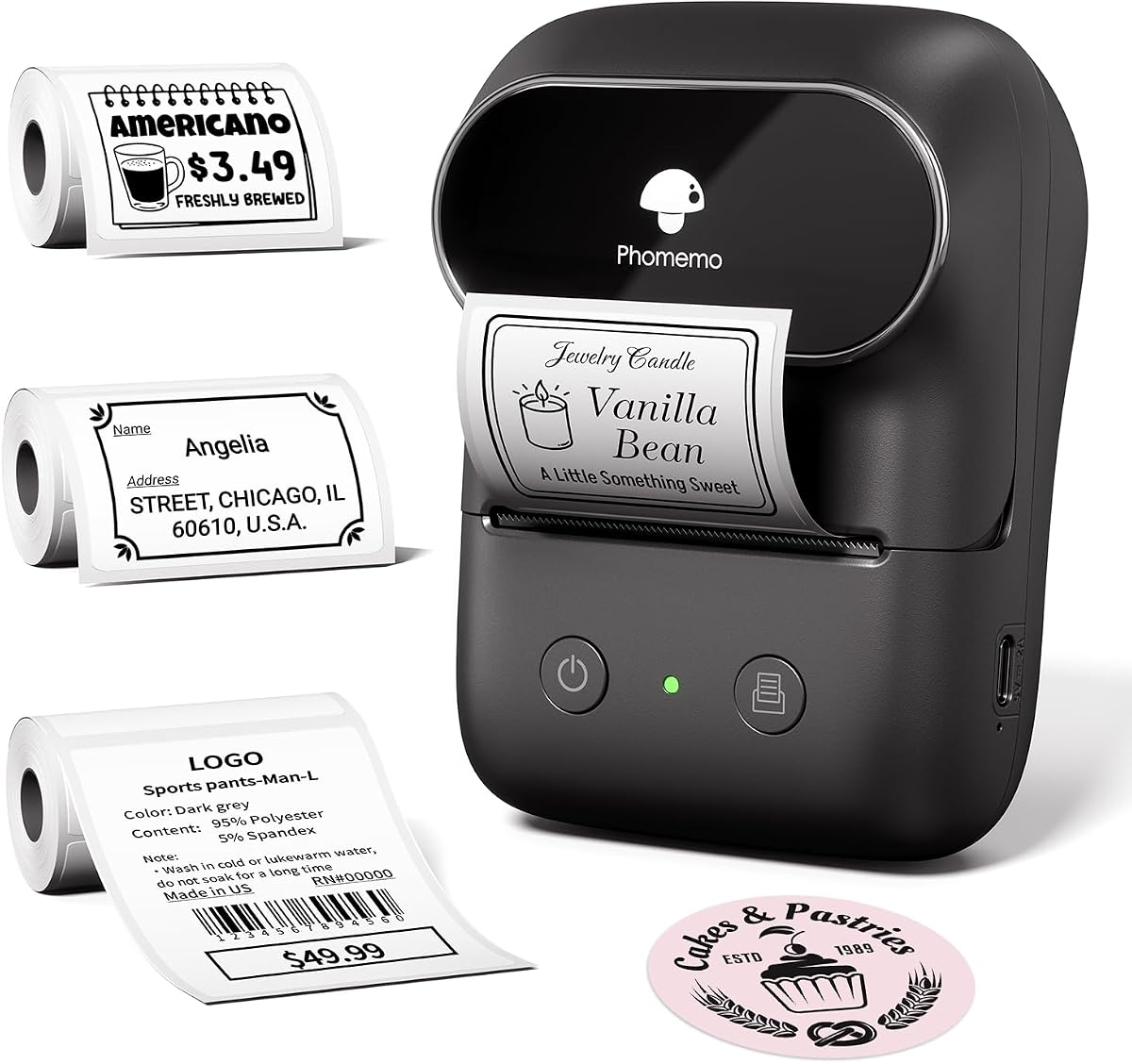
The Phomemo Bluetooth Thermal Shipping Label Printer focuses on user support and speed. With a 4.4 rating it is praised for its live chat and email support. This ensures you get help quickly if issues arise during shipping.
We may earn a commission when you buy through this link, at no additional cost to you.
It prints up to 72 sheets per minute which is efficient for volume. The labels are engineered to resist fading keeping packages professional. This is key for maintaining brand reputation on the outside of boxes.
You must use the Labelife app for mobile printing which limits direct pairing. The printer is also black and white only. These constraints are balanced by the high quality output and support.
This printer is ideal if you value customer service in your hardware choice. It works well for businesses that need consistent label clarity. The speed helps keep your operations moving without delays.
Access to live chat and phone support helps resolve technical issues quickly for business continuity.
Thermal labels are designed to stay readable even after long shipping durations.
We may earn a commission when you buy through this link, at no additional cost to you.
The Phomemo Thermal Label Maker is designed for portable labeling tasks. It received a high rating for its battery life and included tape. This model is best for small items or on the go printing needs.
We may earn a commission when you buy through this link, at no additional cost to you.
It prints widths from 3/4 to 2 inches ideal for product tags. The 1200mAh battery allows up to 6,000 prints per charge. This makes it perfect for inventory tasks without needing a power source.
It cannot print standard 4×6 shipping labels which limits main use. You can use it for address labels or QR codes instead. This specificity helps keep costs low for supplementary tasks.
Choose this for small packaging needs or inventory management alongside a main printer. It is great for businesses that need mobility in labeling. The included rolls let you start using it right away.
A single charge supports thousands of prints ensuring long work sessions without interruptions.
The wireless battery powered design allows you to label items away from a desk.
We may earn a commission when you buy through this link, at no additional cost to you.
Selecting the right printer involves assessing your volume connectivity needs and platform compatibility.
Check if the printer supports Bluetooth USB or Ethernet to match your office setup. Wireless options offer flexibility while wired ones provide stability.
Prioritize models with dual connectivity to avoid workflow interruptions if one method fails.
Look for speeds of at least 150 mm/s to handle peak order volumes without delays. Faster speeds reduce the time you spend on each package.
Choose faster models if you process hundreds of orders daily to maintain efficiency.
Ensure the printer works with your shipping software like Pirate Ship or ShipStation directly. Integration reduces the need for manual file transfers.
Verify compatibility with your specific platform before purchase to ensure smooth printing.
Confirm the printer supports 4×6 inch labels for standard shipping needs. Some models also support custom sizes for branding purposes.
Select a printer that handles all required label widths for your business.
Evaluate the mobile app for ease of use and template availability. Good apps streamline the printing process from your phone.
Choose an app with intuitive editing tools to save time during setup.
Consider commercial grade models if you run high volume shipping daily. Durability ensures the printer lasts longer under heavy use.
Invest in robust units to reduce maintenance and replacement costs over time.
Direct thermal printers do not require ink ribbons which keeps operating costs low. Ensure you buy compatible labels to prevent jams.
Stick to recommended paper types to maintain print quality and longevity.
Look for brands offering live chat or phone support for quick troubleshooting. Good support minimizes downtime when issues arise.
Check reviews for support responsiveness before committing to a brand.
Start by downloading the required app and installing drivers on your computer. Connect the printer via Bluetooth or USB following the on screen instructions.
Test print a label to ensure alignment before shipping real packages. Adjust margins if text cuts off or shifts off the label.
Keep the printhead clean by wiping it gently with a soft cloth monthly. Store unused labels in a cool dry place to prevent heat damage.
No these printers use direct thermal technology which does not require ink or toner. You only need thermal labels to print which reduces ongoing costs significantly.
Most models work with Mac via USB but some have Bluetooth limitations. Check the specific compatibility section before purchasing to ensure full support.
Pirate Ship typically uses 4×6 inch shipping labels. Ensure your printer supports this size standard for full shipping operations.
Most models print up to 150 mm/s which equals about one label per second. This speed is sufficient for high volume daily shipping needs.
There is no monthly fee for the hardware itself but some apps may have premium features. The basic printing functions are generally free with the purchase.
These thermal printers usually print in black and white only. For color you may need separate specialty papers or a different printer type.
The Nelko NULLTONEX and Rollo printers offer strong value for most small business needs. Each provides reliable performance with features suited to various shipping volumes.
Prioritize speed and connectivity to avoid delays during busy sales seasons. Choose a model that fits your desktop space and budget comfortably.
Remember to verify current prices and availability before making your final decision. Deals change frequently so act when you find a model that fits.