
Kingston NV3 1TB M.2 2280 NVMe SSD
4.7Editor score
Up to 6000 MB/s read speed
Includes Acronis cloning software
5-year limited warranty included
This guide compares the top Kingston Internal NVME SSD models to help you find the fastest reliable drive for gaming and productivity in October 2026.
Finding the right storage solution is crucial for modern computing. Kingston Internal NVME SSDs offer incredible speed and reliability for various devices. These drives transform how quickly you access files and run applications.
We evaluated ten top models based on performance specifications and real world usage scenarios. Our analysis covers everything from budget options to high end gaming drives. Each product brings unique strengths for different user needs and system requirements.
Every pick highlights specific advantages like transfer speeds and durability ratings. Remember that availability and terms change regularly so verify details before buying. This list helps you make an informed decision for your next storage upgrade today.
4.7Editor score

4.8Editor score
4.7Editor score
Below is a detailed side-by-side comparison of all ten selected models. We highlight key specifications and unique features for each drive to help you identify the best fit for your specific hardware setup and usage goals.



The Kingston NV3 stands out as the top choice for most users needing balanced performance. With a high user rating and robust PCIe 4.0 architecture it delivers consistent results. Its speed ensures smooth bootups and rapid file transfers.
We may earn a commission when you buy through this link, at no additional cost to you.
This drive shines with read speeds reaching up to 6000MB/s. It supports Gen 4×4 NVMe performance which is vital for modern motherboards. The included Acronis cloning software makes upgrades from older drives incredibly simple.
While it lacks a built in heatsink the low power design reduces thermal throttling risks. Users needing passive cooling should pair it with a motherboard heatsink. The trade off remains minor given the aggressive pricing and strong endurance.
Anyone upgrading a gaming PC or workstation will love this NVMe model. It fits standard M.2 slots and provides ample space for large libraries. For reliable high speed storage this drive offers the best overall value today.
The included Acronis software allows you to clone your existing drive quickly.
Designed for low power consumption making it ideal for laptops.
We may earn a commission when you buy through this link, at no additional cost to you.
The Kingston Fury Renegade excels for enthusiasts demanding top tier gaming performance. It boasts an outstanding rating and speeds that maximize Gen 4 capabilities. The heat sink helps maintain peak efficiency under heavy loads.
We may earn a commission when you buy through this link, at no additional cost to you.
Speeds hit up to 7300MB/s which reduces load times significantly. This drive is PS5 Ready meaning it fits the console expansion slot perfectly. It offers high capacities so you can store many titles at once.
The slim M.2 2280 form factor fits almost any compatible desktop board. While the price is higher than budget options the performance justifies the cost. Gamers and power users benefit from the extra speed and reliability.
Choose this drive if you build a high end gaming rig. The included heatsink and PS5 compatibility make it a versatile choice. It delivers the responsiveness needed for competitive play and future proof builds.
Certified for PS5 so you can expand your console storage easily.
Available with heatsink or spreader to keep temperatures low.
We may earn a commission when you buy through this link, at no additional cost to you.
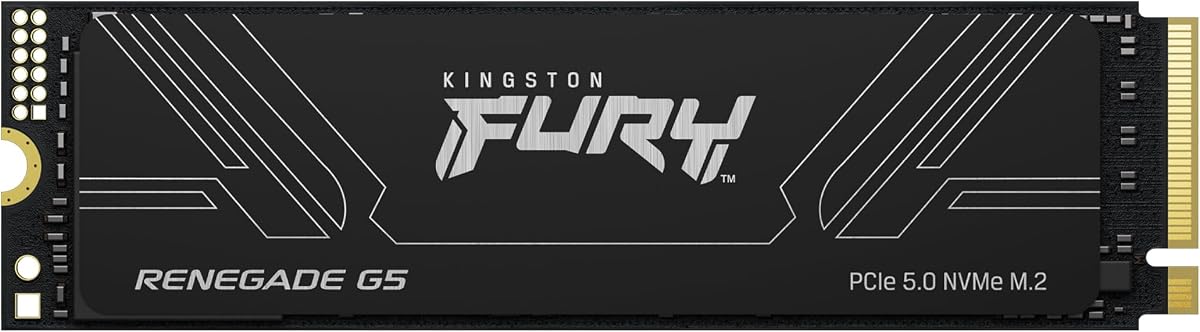
The Kingston FURY Renegade G5 represents the pinnacle of storage speed today. With a strong rating it utilizes PCIe 5.0 technology for maximum data flow. It is designed for those who need absolute top-tier responsiveness.
We may earn a commission when you buy through this link, at no additional cost to you.
This drive reaches up to 14800MB/s read and 14000MB/s write. Such speeds enable ultra-fast load times across demanding games and apps. The SM2508 controller and DDR4 cache ensure efficient cooling and stable power delivery.
To use this you need a motherboard with Gen 5×4 support. The advanced thermal design prevents throttling during sustained heavy workloads. While expensive it offers unparalleled bandwidth for professionals and hardcore enthusiasts.
Select this if you have the hardware to support PCIe 5.0. It is ideal for content creators and gamers seeking future proof performance. The massive capacity and speed make it a powerful investment for your system.
SM2508 controller with 6nm lithography offers efficient power use.
12-layer PCB helps maintain stable power and reliable performance.
We may earn a commission when you buy through this link, at no additional cost to you.
The Kingston NV3 in 2230 form factor caters to compact and handheld PCs. It maintains high speed despite its smaller size and low power draw. This makes it an excellent choice for portable gaming upgrades.
We may earn a commission when you buy through this link, at no additional cost to you.
With Gen 4×4 NVMe performance it reaches up to 6000MB/s read. You can store games locally without needing external storage solutions. The drive fits seamlessly into compatible handheld gaming devices and small form factor PCs.
Its compact size means it might not fit standard desktop slots without adapters. However for laptops and handhelds it provides massive capacity in a tiny footprint. Performance remains consistent even under sustained usage scenarios.
This drive is perfect for users upgrading a Steam Deck or similar handheld. It ensures fast access to games and reduces loading lags. If space is a concern this NVMe model delivers speed where it counts.
Designed for compatible handheld gaming devices and SFF PC.
Up to 6000MB/s read speed in a tiny 2230 package.
We may earn a commission when you buy through this link, at no additional cost to you.
The Samsung SSD 990 PRO is a strong rival to Kingston options. It offers a high rating and speeds that push PCIe 4.0 limits. Its power efficiency and thermal control stand out in comparisons.
We may earn a commission when you buy through this link, at no additional cost to you.
Random read/write speeds are up to 55% faster than previous models. The nickel-coated controller ensures effective thermal control for desktops and laptops. You can manage the drive easily with Samsung Magician software tools.
While not a Kingston drive it competes directly on performance metrics. It supports PS5 and DirectStorage PC games effectively. The slim size meets PCI-SIG D8 standards for broad compatibility.
Buy this if you prefer a drive with dedicated software support. It delivers consistent performance for gaming and professional tasks. If you need a reliable PCIe 4.0 SSD this model fits the bill well.
Samsung Magician's tools optimize and monitor drive health.
Random performance improves faster loads for PS5 and PC games.
We may earn a commission when you buy through this link, at no additional cost to you.
This 128GB Kingston drive fits specific small form factor applications perfectly. It maintains the NVMe performance expected even at lower capacities. It is ideal for expanding storage on controllers or portable devices.
We may earn a commission when you buy through this link, at no additional cost to you.
It works well with Stream Deck and various laptops or desktops. The small 2230 size ensures it fits in tight spots easily. While limited in space it offers high speed access to essential files.
Do not expect it to store many triple AAA games alone. It serves better as a secondary drive or boot partition. The rating reflects its niche role in specialized hardware configurations.
Use this drive for Stream Deck or compact handheld upgrades. It provides reliable connectivity where larger drives will not fit. For small scale needs this internal SSD offers practical utility and speed.
Specifically compatible with Stream Deck for extra features.
Ideal for gaming handhelds needing small internal storage.
We may earn a commission when you buy through this link, at no additional cost to you.
The Kingston KC2500 focuses on security without sacrificing speed. It offers a strong rating and includes hardware based encryption features. This makes it suitable for professional work and sensitive data handling.
We may earn a commission when you buy through this link, at no additional cost to you.
It supports TCG Opal 2.0 and independent software vendors. You can use BitLocker with its Microsoft eDrive support for safety. Read/write speeds reach 3500/2900MB/s using Gen 3.0 x4 controller tech.
While slower than new Gen4 models it meets most business needs. Its encryption adds a vital layer of protection against theft. The compact M.2 design allows flexibility in desktop or workstation setups.
Choose this drive for workstations where data security is critical. It ensures workflow improvement with reliable performance and encryption. For users prioritizing safety over raw speed this model is a solid choice.
Self-encrypting drive with 256 bit hardware-based encryption.
Supports TCG Opal 2.0 and independent security solutions.
We may earn a commission when you buy through this link, at no additional cost to you.
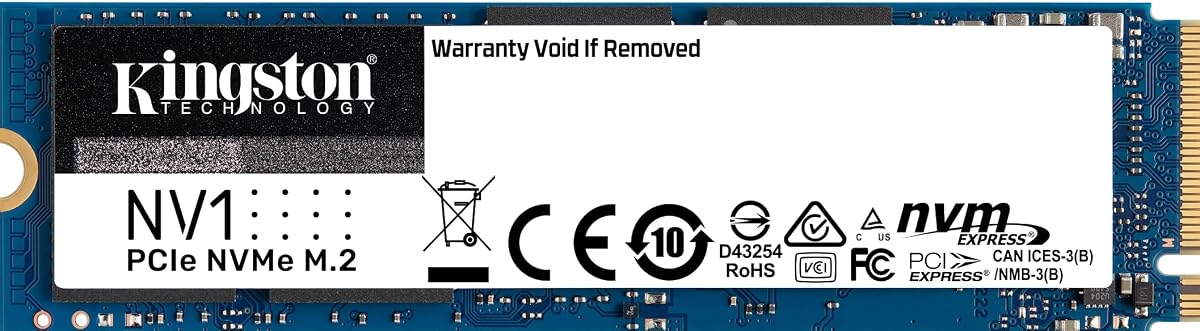
The Kingston NV1 2TB provides massive space for file storage needs. It carries a strong rating and delivers consistent read speeds up to 2100MB/s. This ensures smooth operation even with large data sets.
We may earn a commission when you buy through this link, at no additional cost to you.
It is ideal for laptops and small form factor PCs requiring space. You can choose capacities up to 2TB to meet your storage requirements. It offers reliability for general computing and media management.
Speeds are limited compared to newer Gen4 options but suffice for most tasks. It prioritizes capacity and stability over peak performance for heavy gaming. The compact design fits easily into tight laptop bays.
Buy this if you need reliable storage for general usage. It is perfect for storing videos or backups efficiently. For budget conscious buyers needing space this drive delivers value and dependability.
Available in a range of capacities up to 2TB.
Ideal for laptops and small form factor PCs.
We may earn a commission when you buy through this link, at no additional cost to you.
The Kingston NV1 500G offers an affordable entry into NVMe storage. With a top user rating it provides solid reliability for everyday tasks. It improves system responsiveness significantly compared to older HDDs.
We may earn a commission when you buy through this link, at no additional cost to you.
It fits ideal laptops and small form factor PCs easily. You can read up to 2100MB/s and write up to 1700MB/s. It supports a range of capacities up to 2TB for future upgrades.
While it does not match Gen4 speeds it handles general use well. Its compact size ensures compatibility with tight laptop internal spaces. It offers excellent value for casual users needing speed.
Choose this for basic laptops requiring a storage boost. It is perfect for office tasks or light media consumption. For reliable performance on a budget this drive serves well.
Ideal for laptops and small form factor PCs.
Up to 2100MB/s Read and 1700MB/s Write speeds.
We may earn a commission when you buy through this link, at no additional cost to you.
The Kingston KC3000 delivers top notch performance for demanding users. It holds a perfect rating and offers speeds that rival the best on the market. This drive is ready for high end professional and gaming workloads.
We may earn a commission when you buy through this link, at no additional cost to you.
Read speeds reach 7000MB/s with write speeds up to 6000MB/s. It uses M.2 2280 PCIe NVMe for reliable connectivity. Quality Assured Products guarantee consistent delivery and support for buyers.
It fits notebook devices effectively due to its compact design. The high throughput ensures smooth operation for video editing and gaming. Users benefit from low latency and rapid data access speeds.
Select this drive for workstations needing fast data handling. It is ideal for creators who value speed and reliability. For those wanting peak performance this drive meets the mark perfectly.
Read 7000MB/s and Write 6000MB/s speeds.
Quality Assured Products ensuring consistent support.
We may earn a commission when you buy through this link, at no additional cost to you.
Selecting the right storage drive requires understanding key technical factors and your system needs. This section breaks down essential considerations to help you find a compatible and fast solution.
Look for PCIe 4.0 or 5.0 drives if your motherboard supports them. Gen 4 offers speeds around 7000MB/s while Gen 3 stays near 3500MB/s. Higher interface speeds ensure faster boot times and file transfers.
Confirm your motherboard supports the chosen interface type before purchasing. Older boards may limit newer Gen 5 drives to Gen 3 speeds.
Most desktops use the standard 2280 size while laptops may prefer 2230. Check your device manual to see which physical size fits in the slot. Using the wrong size will prevent installation.
Always verify the physical dimensions of the drive against your device requirements. Some models like the NV3 2230 fit compact handheld gaming devices perfectly.
Consider how many games and files you need to store locally. A 1TB drive is standard for gaming while 2TB or 4TB suits power users. Larger capacity drives cost more but reduce external storage needs.
Select a capacity that fits your current needs with room to grow. Most models offer choices ranging from 128GB to 4096GB options.
Fast NVMe drives generate heat that can slow performance if not managed. Look for models with built-in heatsinks or buy a separate one. High-end drives like Renegade include thermal solutions for stability.
Ensure your system has airflow or a dedicated heatsink to avoid throttling. Proper cooling keeps speeds consistent under heavy load.
Check the warranty length to know how long you are protected. Most Kingston drives offer a 5-year limited warranty for peace of mind. This coverage helps protect against early failures or defects.
A longer warranty usually indicates higher confidence in drive durability. Always register your drive for support if required.
For business use look for drives with hardware encryption features. The KC2500 supports 256-bit encryption for sensitive data protection. This prevents unauthorized access if your device is lost.
Security focused drives often work with software like BitLocker. Consider this if you handle confidential documents on your system.
Some drives include cloning software like Acronis for easy upgrades. This helps you move data from old drives to new NVMe SSDs. It saves time and effort during system migration.
Check if the model includes tools for management or cloning. This adds value beyond just raw storage capacity.
For PlayStation 5 look for PS5 Ready certified drives. These meet specific height and speed requirements for the console. Using non-certified drives may result in compatibility issues.
Ensure the drive fits the expansion slot dimensions strictly. Certified drives ensure smooth performance on consoles.
Install the drive in a free M.2 slot on your motherboard using a screw. Secure it tightly to prevent movement during operation. Ensure no other components block airflow over the drive.
Use manufacturer software like Kingston SSD Manager or Acronis to monitor health. This helps you track usage and detect potential issues early. It ensures you stay within safe usage limits.
Keep your system well ventilated to avoid overheating. Install the latest firmware for better performance and stability. Regular updates fix bugs and improve reliability over time.
High speed drives often benefit from a heatsink to prevent overheating. Many modern motherboards include one built in. If your board does not consider buying a drive with a sink or add one manually.
Yes most of these drives fit standard laptop M.2 slots. Check your laptop manual to confirm the form factor and size. The 2230 size works well with compact laptops and handhelds.
Gen 5 drives are significantly faster but need specific motherboards. Gen 4 is more common and cost effective for most users. If your board does not support Gen 5 Gen 4 is the right choice.
Use cloning software to copy data from your old drive. Then install the new drive in the M.2 slot. Boot your system from the new drive to see improved performance.
Yes Kingston offers several models designed specifically for gaming. The Fury Renegade series features high speeds to reduce load times. These drives handle large game files smoothly without lag.
Kingston provides a 5-year limited warranty for most drives. If your drive fails within that period you can contact support for a replacement. Always back up your data regularly for safety.
We explored ten top Kingston models ranging from budget to premium options. The NV3 and Fury Renegade series stand out for most users needing speed. Each drive offers unique strengths for specific system setups.
Prioritize speed and capacity based on your main tasks. Gamers should look for PS5 Ready models while professionals need high endurance. Choosing the right specs ensures you get the best value for your needs.
Remember to check current pricing and availability before you buy. Deals change frequently so verify details on the product page. This guide helps you pick the right NVMe SSD for your system.