As an Amazon Associate we earn from qualifying purchases. We may earn a commission when you buy through links on this page, at no additional cost to you.As an Amazon Associate we earn from qualifying purchases.Purchases through our links may earn us a commission, at no extra cost to you.
Finding a reliable Internal DVD Drive for Laptop can be challenging in today’s digital landscape. Many users still need optical drives for software installation, media playback, or data archiving. A good drive should offer fast write speeds, broad format support, and seamless integration with your existing hardware without requiring complex setup procedures.
We evaluated ten top-rated Internal DVD Drive for Laptop options based on performance, build quality, and user feedback. Our comparison covers various thicknesses, interface types, and brand reputations to ensure you find a compatible replacement. Each product was assessed for reliability, noise levels, and compatibility with common operating systems and laptop brands.
Every pick in this list highlights specific strengths like M-DISC support or ultra-slim profiles. You will see detailed specs, pros, cons, and expert analysis for each model. Keep in mind that prices and availability can change frequently, so always verify the latest details before making your final purchase decision online.
Top 3 Picks for Best Internal DVD Drive for Laptop
Best Budget
UJ8C2 UJ8E2 UJ8G2 9.5mm Super Slim SATA CD DVD Burner Writer Player ROM Drive for Laptop with USB 3.0 SATA Cable
Top 10 Best Internal DVD Drive for Laptop in 2026 Compared
This side-by-side comparison highlights the key specifications and features of all ten Internal DVD Drive for Laptop models reviewed. We focus on dimensions, interface types, write speeds, and unique capabilities to help you quickly identify the right fit for your specific laptop chassis and usage needs.
The Hitachi-LG GTC2N stands out as a top Internal DVD Drive for Laptop due to its robust feature set and reliable performance. With a 4.4-star rating, it offers M-DISC support for long-term data archival and Silent Play technology for noise reduction. This drive is ideal for users needing a 12.7mm slimline replacement who value data protection.
Pros
M-DISC support for long data life
Very quiet operation during playback
Compatible with many disc formats
Reliable OEM brand quality
Cons
Only fits 12.7mm bays
May need specific mounting screws
We may earn a commission when you buy through this link, at no additional cost to you.
Key strengths include its Super Multi-Compatibility which handles DVD+R, DVD-R, DVD-RAM, and more. The 8x writing speed ensures efficient burning while the Silent Play feature adjusts speed to minimize noise. It supports Windows 10 and 8 making it suitable for modern systems. The M-DISC technology uses a rock-like surface for durability exceeding standard organic dye discs.
Trade-offs involve the 12.7mm thickness which limits compatibility to older or specific chassis designs. Users with 9.5mm bays will need a different model. Additionally, mounting may require specific screws not always included. However, for those with compatible slots, the build quality and features justify the investment for stable optical reading and writing.
This drive is best for professionals or enthusiasts who need dependable disc reading and archiving capabilities within a 12.7mm bay. Its M-DISC support makes it unique for long-term storage needs. We recommend it for users prioritizing data integrity and quiet operation over ultra-slim form factors.
Long-Term Data Protection
The M-DISC technology ensures your data lasts 1000 years by using a durable rock-like recording surface instead of standard organic dye.
Quiet Media Playback
Silent Play technology recognizes different media types and adjusts playback speed to significantly reduce noise from disc spin during movie viewing.
The UJ8C2 UJ8E2 UJ8G2 offers exceptional value as an Internal DVD Drive for Laptop with a perfect 5.0-star rating. It features a 9.5mm slim design suitable for most laptops and includes a USB 3.0 SATA cable for easy connection. This model is ideal for budget-conscious users needing reliable optical drive functionality without extra costs.
Pros
Affordable price point
Plug and play setup
Includes data cable
Fits many laptop brands
Cons
Basic build materials
No M-DISC support
We may earn a commission when you buy through this link, at no additional cost to you.
Its plug and play nature means no driver installation is required for Windows or Mac OS. The slot-in loading allows quick disc access and it supports common formats like CD-R DVD-R and DVD+RW. It works with brands like ASUS HP and Dell making it versatile for replacements. The cable inclusion saves additional purchase steps.
Trade-offs include basic build materials compared to OEM drives and lack of advanced features like M-DISC support. Some users might find slot-in mechanisms less secure than tray-loading. However for casual use like software installation or media playback it performs reliably. The price point makes it accessible for many users.
We recommend this drive for budget users seeking a straightforward replacement for 9.5mm bays. It balances cost and function well for basic optical needs. If you need long-term archival or premium features consider other models but for everyday use this is a solid choice.
Easy Installation
This drive features plug and play functionality requiring no additional driver programs for immediate use on supported operating systems.
Comprehensive Package
The package includes the drive and a data cable making setup simpler and reducing the need to purchase extra accessories separately.
The HP 16X DVD-ROM Drive is a premium Internal DVD Drive for Laptop designed for users who prioritize speed and reliability. With a 5.0-star rating and OEM quality it offers 16X read speeds for rapid data access. It is built for longevity and integrates seamlessly with HP laptop systems for consistent performance.
Pros
Fast 16X read speed
OEM reliability and quality
Perfect for HP laptops
Durable build construction
Cons
Higher price point
Limited to read-only function
We may earn a commission when you buy through this link, at no additional cost to you.
Key strengths include its high read speed which minimizes wait times when accessing large media or software discs. The Serial ATA interface ensures fast data transfer and stable operation. As an OEM component it matches HP laptop chassis perfectly ensuring proper fit and cooling. This reliability is valuable for professionals relying on consistent hardware.
Trade-offs involve the higher price compared to generic alternatives and the lack of write capabilities since it is read-only. Users needing to burn discs should look elsewhere. However for those focused on media playback or software installation the performance justifies the cost. The build quality is robust against daily use.
We recommend this drive for HP laptop owners needing fast reliable read-only functionality. It is ideal for media centers or software deployment scenarios. If writing is not required this premium option offers peace of mind through its OEM standards and speed.
High-Speed Data Access
With a maximum 16X read speed this drive significantly reduces wait times when accessing large software discs or high-definition video files.
OEM Quality Assurance
As an OEM product it is manufactured to original equipment standards ensuring compatibility and reliability with HP laptop systems.
The HP DVD±RW Dual Layer Drive is a solid Internal DVD Drive for Laptop option offering dual layer support for higher capacity burning. With a 4.7-star rating it performs reliably for data backup and media creation. It is designed as a replacement for specific HP models ensuring proper fit within the chassis.
Pros
Supports dual layer discs
High 4.7-star rating
Good replacement for HP units
Solid SATA performance
Cons
Limited brand compatibility
No advanced features
We may earn a commission when you buy through this link, at no additional cost to you.
Its dual layer capability allows burning up to 8.5GB on single discs doubling standard capacity. The SATA interface provides stable data transfer rates. As an OEM replacement it matches existing laptop mounting points and connectors accurately. Users report consistent operation with minimal errors during write processes.
Trade-offs include limited compatibility with non-HP laptops and absence of features like M-DISC support. It is a functional unit focused on standard read/write tasks. For general backups and media burning it works well but lacks extras found in newer models. The rating suggests high user satisfaction for intended use.
We recommend this for HP users needing dual layer burn capabilities. It fits well into existing systems for reliable backups. If you need broader compatibility or modern features consider other options but for specific replacements this is dependable.
Expanded Storage Capacity
Dual layer support enables burning up to 8.5GB of data on a single disc doubling the capacity of standard single-layer DVDs.
OEM Replacement Fit
Designed as a replacement for specific HP models this drive matches existing mounting points and connectors for hassle-free installation.
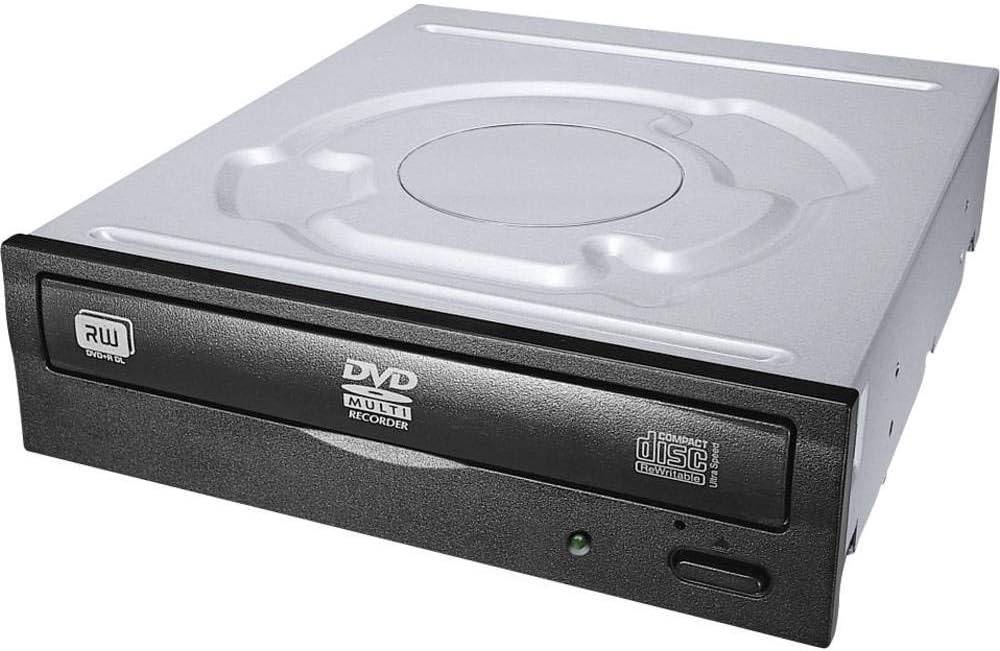
The Lite-On 24X SATA Internal DVD+/-RW Drive stands out with its 24X CD read speed among Internal DVD Drive for Laptop options. Rated 4.5 stars it offers fast data access and reliable burning capabilities. It supports both DVD+R and DVD-R formats making it versatile for various user needs and existing disc types.
Pros
Very fast 24X CD reading
Strong 4.5-star rating
Handles DVD+/-RW formats
Reliable Lite-On brand
Cons
Standard build quality
No M-DISC mentioned
We may earn a commission when you buy through this link, at no additional cost to you.
Key strengths include the high-speed CD reading which reduces wait times for software or audio discs. The SATA interface ensures stable performance and quick transfers. As a well-known brand Lite-On products are known for longevity. Users appreciate the compatibility with both formats for broader disc usage.
Trade-offs include standard build quality without special features like M-DISC or silent tech. Some users may find it bulkier than 9.5mm slim models. However for general read/write tasks it performs robustly. The rating indicates consistent satisfaction regarding reliability and speed.
We recommend this for users needing fast CD read speeds and format flexibility. It is suitable for data transfer or media playback. If you prioritize speed over slim design this Lite-On model delivers strong performance for everyday optical tasks.
Rapid CD Access
The maximum 24X CD read speed allows for quick retrieval of data from audio or software discs reducing overall access times.
Format Versatility
This drive supports both DVD+R and DVD-R formats giving you the flexibility to use a wider range of available discs.
The LG DVD Rewriter Internal Slim is a top-rated Internal DVD Drive for Laptop with a perfect 5.0-star rating. It features a standard tray loading mechanism for secure disc handling and supports M-DISC for long-term data storage. LG is a trusted brand for optical drives offering reliability and consistent performance for most users.
Pros
Perfect 5.0-star rating
Includes M-DISC support
Tray loading mechanism
Trusted LG brand
Cons
May not fit all slim bays
Manual load on some models
We may earn a commission when you buy through this link, at no additional cost to you.
Key strengths include the inclusion of M-DISC technology which ensures your data lasts for centuries. The 8X write speed is sufficient for most burning needs. Tray loading prevents accidental ejections. User feedback highlights quiet operation and easy setup. The black finish matches most laptop aesthetics.
Trade-offs include the possibility of not fitting all slim bays due to height variations. Some models require manual load features though electrical release is common. However for a balanced mix of features and trust LG is a strong choice. The perfect rating reflects high customer satisfaction.
We recommend this for users seeking a reliable LG drive with M-DISC support. It is ideal for archiving and general media use. If you value brand reputation and data longevity this model is a safe investment for your laptop system.
M-DISC Archival Support
This drive supports M-DISC discs which use a durable rock-like surface to ensure your photos and files remain readable for 1000 years.
Secure Tray Loading
The standard tray loading mechanism ensures discs are held securely during operation reducing the risk of accidental ejection or data corruption.
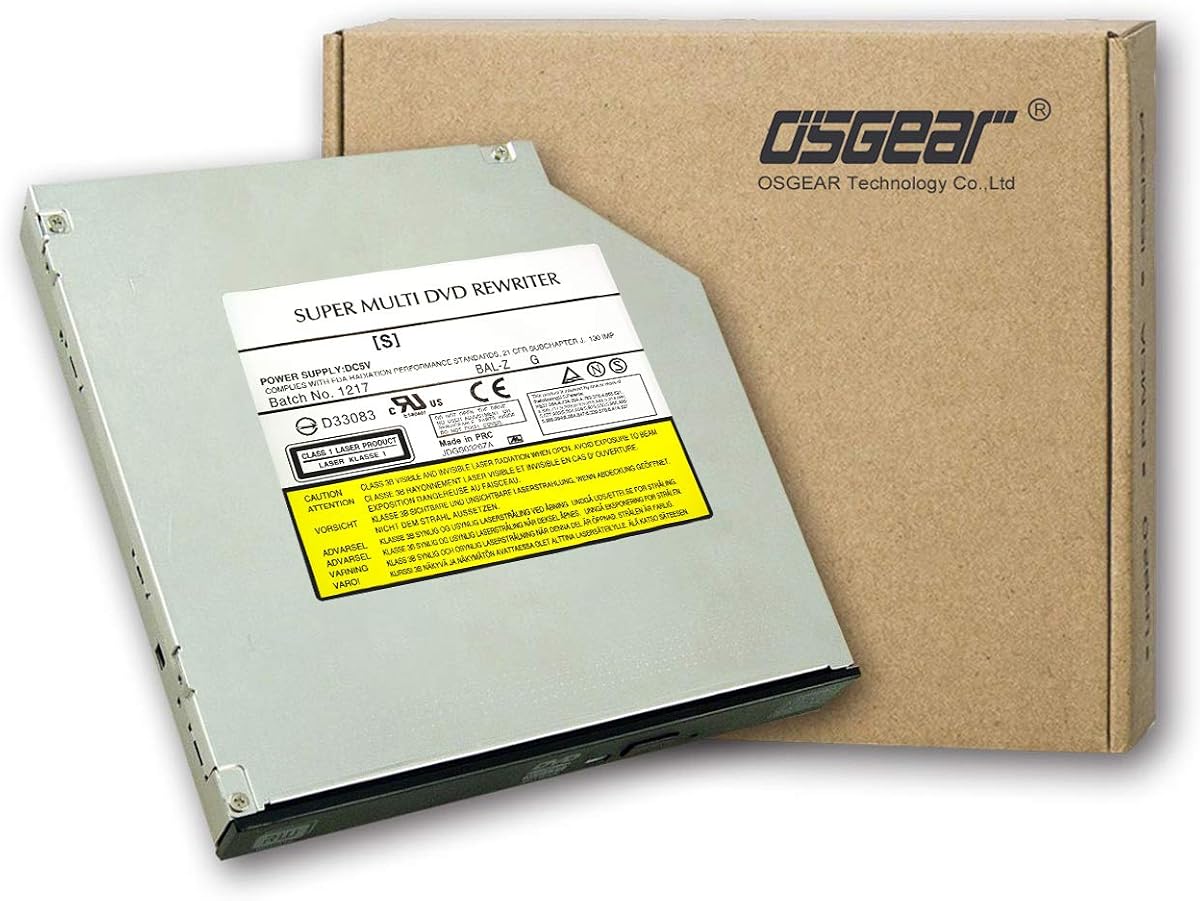
The OSGEAR Internal 9.5mm Slim SATA drive is an Internal DVD Drive for Laptop option with broad operating system support. Rated 4.1 stars it fits 9.5mm bays and offers 24X CD and 8X DVD speeds. It works with Windows and Mac OS making it versatile for mixed environments needing optical capabilities.
Pros
Supports many operating systems
9.5mm slim profile
Decent 4.1-star rating
Compatible with many brands
Cons
Lower rating than others
Basic build quality
We may earn a commission when you buy through this link, at no additional cost to you.
Key strengths include compatibility with numerous laptop brands like ASUS HP and Lenovo. The tray loading provides reliable disc handling. It supports Windows 98 through 10 and Linux offering long-term utility. The slim profile fits most standard slots without requiring modifications.
Trade-offs include a lower rating than competitors which may indicate occasional hardware issues. Build quality is functional but basic. However for budget users needing specific OS support it offers value. The compatibility range makes it useful for older systems or niche setups.
We recommend this for users needing specific OS support or fitting older 9.5mm slots. It is suitable for general use where budget is a priority. Check compatibility carefully but for supported systems it delivers expected performance.
Broad Operating System Support
This drive is compatible with a wide range of operating systems including Windows 98 to 10 Mac OS and Linux ensuring flexibility across devices.
Tray Loading Mechanism
The tray loading design allows for secure disc insertion and ejection reducing the chance of misalignment or read errors during use.
The TechMagnet Internal 7mm Slim SATA drive is a unique Internal DVD Drive for Laptop option for users with ultra-thin bays. Rated 3.8 stars it supports M-DISC and offers 8X write speeds. This renewed model provides affordability for those needing 7mm compatibility where other drives fail to fit.
Pros
Fits 7mm slots
Includes M-DISC support
Tray-loading design
Affordable price
Cons
Low 3.8-star rating
Renewed may vary
We may earn a commission when you buy through this link, at no additional cost to you.
Key strengths include the 7mm thickness which fits modern compact laptops. M-DISC support allows long-term archiving on this slim form factor. It works with brands like Dell and Lenovo. Tray loading ensures easy disc handling. The renewed status keeps costs low for budget users.
Trade-offs involve the lower rating which may indicate higher risk of defects or inconsistent performance. Renewed products can vary in condition. However for 7mm needs it is one of few options. The features are solid for the slim profile provided.
We recommend this for users strictly requiring 7mm compatibility at a budget. Check return policies due to renewed status. For standard bays consider thicker models for reliability but for slim slots this is a viable choice.
7mm Ultra-Slim Profile
At just 7mm in height this drive fits modern compact laptops that cannot accommodate standard 9.5mm optical drives without modification.
M-DISC Archival Storage
Despite the slim profile it supports M-DISC discs ensuring your photos and files remain readable for 1000 years on this compact drive.
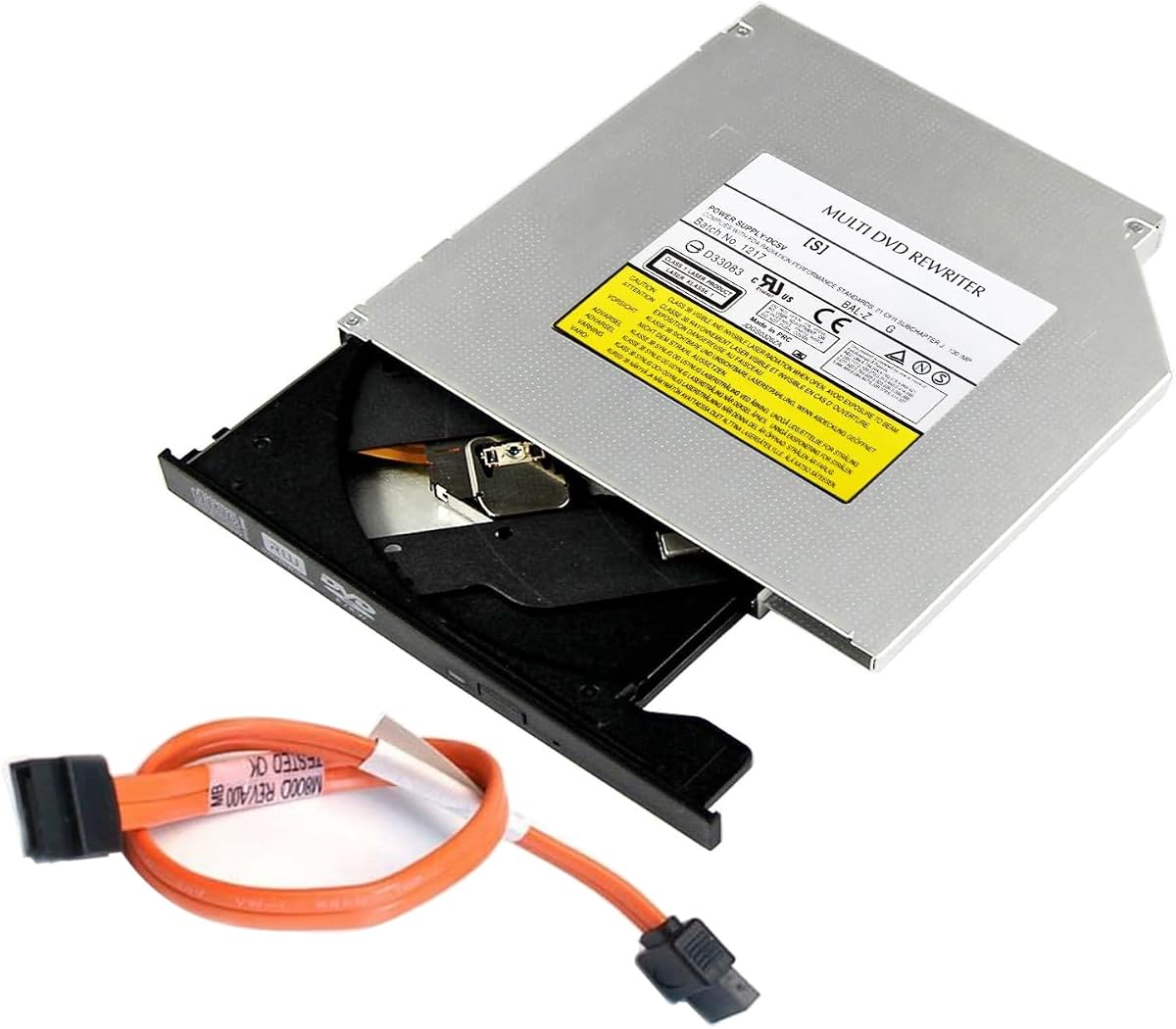
The GUD1N Optical Drive is a practical Internal DVD Drive for Laptop that includes a data cable in the package. Rated 4.2 stars it supports M-DISC and Super Multi formats for broad compatibility. The 9.5mm slim height fits most standard laptop optical bays for reliable reading and writing performance.
Pros
Includes data cable
M-DISC support
4.2-star rating
Super Multi Compatibility
Cons
Standard 9.5mm size
Basic features
We may earn a commission when you buy through this link, at no additional cost to you.
Key strengths include the included data cable simplifying installation. M-DISC support ensures long-term data safety. Super Multi compatibility handles DVD+R DVD-R and more. Tray loading makes disc handling easy. The price is competitive for the included accessories.
Trade-offs include standard 9.5mm sizing which may not fit thinner laptops. It lacks special features like silent tech but covers basics well. Users report steady performance for backups. The rating reflects general satisfaction with the complete package.
We recommend this for users needing a ready-to-install solution with cable. It is ideal for standard bays requiring reliable backup. For most everyday needs this drive provides solid value with useful included accessories.
Complete Package Solution
The package includes the drive and a data cable making it easier for replacement testing installation or connection in compatible devices without extra purchases.
Super Multi Format Support
This drive reads and writes multiple formats including DVD+R DVD-R DVD+RW DVD-RW and DVD-ROM offering flexibility for various disc types.
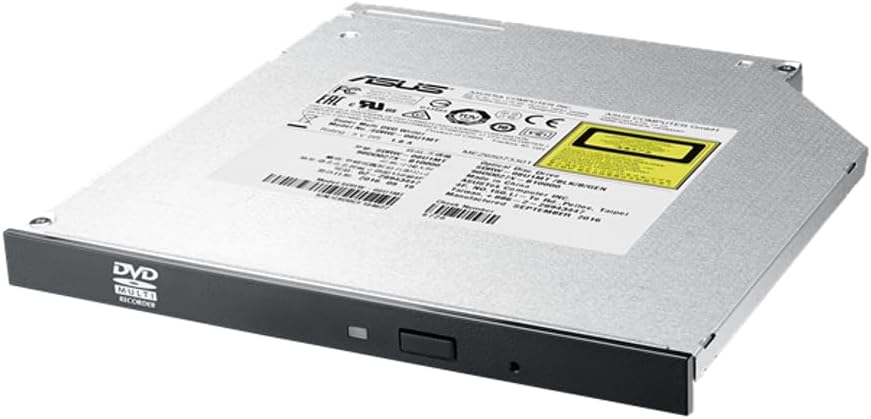
The ASUS SDRW-08U1MT is a high-quality Internal DVD Drive for Laptop with a focus on eco-friendly features. Rated 4.4 stars it supports M-DISC for lifetime data backup and features E-Green technology for power savings. The 9.5mm ultra-slim design fits most laptops making it a strong choice for ASUS and other users.
Pros
E-Green power savings
M-DISC support
4.4-star rating
9.5mm slim fit
Cons
Standard features only
Higher price range
We may earn a commission when you buy through this link, at no additional cost to you.
Key strengths include the E-Green feature which auto-closes the drive application when unused saving over 50% power. M-DISC support ensures data longevity. The slim form factor reduces space usage. Quiet operation is also highlighted by users for media playback. It supports multiple disc formats effectively.
Trade-offs include a higher price point compared to some generic models. Features are standard but reliable. For eco-conscious users the power savings add value. The rating suggests consistent performance and quality build. It balances modern tech with practical function.
We recommend this for users prioritizing power efficiency and brand trust. It is ideal for modern laptops needing slim profile. If eco-features matter to you this ASUS model offers unique benefits over standard drives.
Energy Saving Technology
E-Green technology auto-closes the drive application when not in use saving over 50% of power and promoting an eco-friendly usage pattern.
Lifetime Data Backup
M-DISC support provides archival-quality storage to protect your precious photos videos and data for 1000 years or more ensuring long-term safety.
We may earn a commission when you buy through this link, at no additional cost to you.
Buying Guide – How to Choose the Best Internal DVD Drive for Laptop
Selecting the right Internal DVD Drive for Laptop requires careful consideration of physical dimensions and interface types. This guide helps you evaluate key factors to ensure compatibility and optimal performance for your specific needs.
Drive Thickness and Bay Size
The most critical factor is matching the drive thickness to your laptop's optical bay. Common sizes include 9.5mm 12.7mm and 7mm. Measure your current drive or check your laptop specifications to avoid incompatibility issues. Installing a drive that is too thick can damage the chassis or prevent closing the lid.
Always verify the exact thickness before purchasing. A mismatch will render the drive unusable regardless of its features. Check your manual or measure the old drive to confirm the correct size.
Interface Type
Modern Internal DVD Drive for Laptop models use SATA interfaces for faster data transfer. Older laptops might use IDE which is less common now. Ensure the connector matches your laptop's motherboard. SATA cables are usually included with replacement drives but confirm this before buying.
SATA interfaces are standard for most models produced after 2005. Verify the interface type in your laptop documentation to avoid connection problems.
Read and Write Speeds
Look for DVD drives with at least 8X write speed for efficient burning. CD speeds typically range from 24X to 48X. Higher speeds reduce wait times when creating backups or installing software. However ensure your laptop can handle the thermal output of faster drives.
Standard 8X DVD speed is sufficient for most users. Higher speeds are beneficial for frequent media creation tasks.
Format Compatibility
Check which formats the drive supports including DVD+R DVD-R DVD+RW DVD-RW and DVD-ROM. M-DISC support is crucial for long-term data archival. Super Multi drives handle the widest range of formats allowing flexibility with various disc types.
Super Multi compatibility ensures you can use any standard disc. M-DISC support is a key feature for preserving important data long-term.
Noise Levels
Noise can be an issue during movie playback or quiet work environments. Features like Silent Play reduce disc spin noise automatically. User reviews often mention noise levels so check feedback before buying.
Quiet operation improves the viewing experience. Look for drives specifically marketed as silent or quiet if noise is a concern.
Brand and Reliability
OEM brands like LG HP and Lite-On often offer better build quality. Generic brands might be cheaper but could lack reliability. Consider the warranty and customer support provided by the manufacturer.
OEM brands generally provide more consistent performance. Check customer ratings and reviews for real-world reliability before purchasing.
Mounting Hardware
Some drives come with necessary mounting screws while others do not. If replacing an old drive check if your current screws match the new drive. Incompatible screws can lead to installation failures or damage.
Always verify if mounting screws are included or compatible with your laptop model. Some replacements require specific bracket adapters for proper fit.
Operating System Support
Ensure the drive supports your current operating system. Most modern drives work with Windows 10 11 Mac OS and Linux. Some older drivers might require manual installation or specific software for full functionality.
Check the product description for OS compatibility. Most modern drives are plug and play but verify driver requirements for your specific system.
How to Use and Care for Your Internal DVD Drive for Laptop
To use your Internal DVD Drive for Laptop simply insert a disc into the tray or slot until it clicks. The system should auto-detect the disc. Use your preferred media player or file explorer to access the content. Eject the disc through software or the eject button when finished.
Keep discs clean by holding them by the edges and wiping with a soft cloth. Avoid touching the reflective surface directly. Dust and scratches can cause read errors. Store discs in cases to prevent warping or damage over time.
Avoid using the drive in environments with extreme temperature changes or high humidity as these can damage internal components. Regularly eject discs when not in use to reduce wear on the mechanism. Update your drivers if you experience read or write errors to maintain optimal performance.
Frequently Asked Questions
How do I know which Internal DVD Drive for Laptop to buy?
First measure your existing drive thickness to match your laptop bay size. Check the interface type usually SATA for modern laptops. Verify your operating system compatibility and look for features like M-DISC support if you need long-term archiving. Read user reviews for noise levels and reliability before making a purchase decision.
Can I replace any internal DVD drive in my laptop?
No you must match the exact dimensions and interface type. Most laptops use 9.5mm or 12.7mm slots with SATA connections. Installing the wrong size can damage your laptop. Always consult your laptop manual or measure the existing drive to ensure compatibility before buying a replacement.
What is M-DISC support on an Internal DVD Drive for Laptop?
M-DISC support means the drive can write to special archival discs designed to last up to 1000 years. This technology uses a rock-like recording surface instead of organic dye. It is ideal for preserving photos videos and important data for generations without data degradation over time.
Are Internal DVD Drive for Laptop drives compatible with Mac?
Most modern Internal DVD Drive for Laptop drives work with Mac OS without needing extra drivers. Ensure the drive supports standard formats like CD-R and DVD+R which are universally readable. Some models specifically mention Mac compatibility so check the product details before purchasing.
Why is my Internal DVD Drive for Laptop not reading discs?
This could be due to dirty lenses mismatched firmware or a damaged disc. Clean the lens with compressed air and try different discs. Ensure your laptop recognizes the device in device manager. Updating drivers or reinstalling software may also resolve reading issues.
Do Internal DVD Drive for Laptop drives require external power?
Most internal drives draw power directly from your laptop's SATA power connector. Some external USB models might need additional power but internal ones usually do not. Ensure your laptop provides sufficient power through the bay. Some models may require a specific power cable for stable operation.
Can I install an Internal DVD Drive for Laptop in a desktop?
Yes but you must check the bay size and connector type. Desktops often use 12.7mm or standard 5.25 bays with SATA interfaces. Slim 9.5mm laptop drives may require adapter brackets to fit properly in desktop chassis. Verify dimensions and mounting options before installation to avoid hardware damage.
How loud are Internal DVD Drive for Laptop drives?
Noise levels vary by model but many feature Silent Play technology to reduce disc spin sounds. Typical drives produce a humming noise during reads and whirring during writes. User reviews often mention noise levels so check feedback before purchasing if quiet operation is a priority for your workspace.
Final Thoughts on Choosing the Best Internal DVD Drive for Laptop
Choosing the best Internal DVD Drive for Laptop depends on your specific thickness requirements and desired features. Our top pick the Hitachi-LG GTC2N offers reliable performance with M-DISC support for data protection. For budget buyers the UJ8C2 UJ8E2 UJ8G2 provides great value with a solid 5.0-star rating and included cable.
Prioritize matching the correct bay size and interface type to ensure compatibility. Consider M-DISC support if you need long-term data archiving capabilities. For users with specific needs like ultra-slim 7mm slots or high-speed reading options like the HP 16X DVD-ROM meet those requirements well.
Remember that prices and availability change frequently so verify details before purchasing. Check the latest user reviews for real-world performance insights. With careful selection you can find the perfect Internal DVD Drive for Laptop replacement to restore your optical capabilities.
Compare the top License Plate Concealor from Cameras for privacy and protection. This guide reviews features, durability, and legal compliance to help you
This comprehensive guide compares the top hardwired video doorbell models available in October 2026 to help you choose the best home security camera for…