
OBDLink EX FORScan OBD Adapter
4.7Editor score
Custom designed for FORScan software
Dealership level diagnostics support
Maximum throughput speed
Compare the top Forscan USB OBD2 adapters for Ford and Mazda vehicles. This guide reviews reliability, speed, and compatibility to help you choose the right
Finding the right diagnostic tool for your vehicle is essential for modern car owners. A Forscan USB OBD2 adapter connects your computer to the car to reveal hidden features and codes.
We compared ten popular adapters based on stability, protocol support, and user feedback. This list highlights devices that work seamlessly with the software for accurate diagnostics.
Each pick shows specific strengths like automatic switching or long cables. Prices vary by retailer and stock levels may change frequently over time.
4.7Editor score

4.7Editor score

4.4Editor score
This table provides a side by side view of all ten adapters to help you compare key features at a glance.


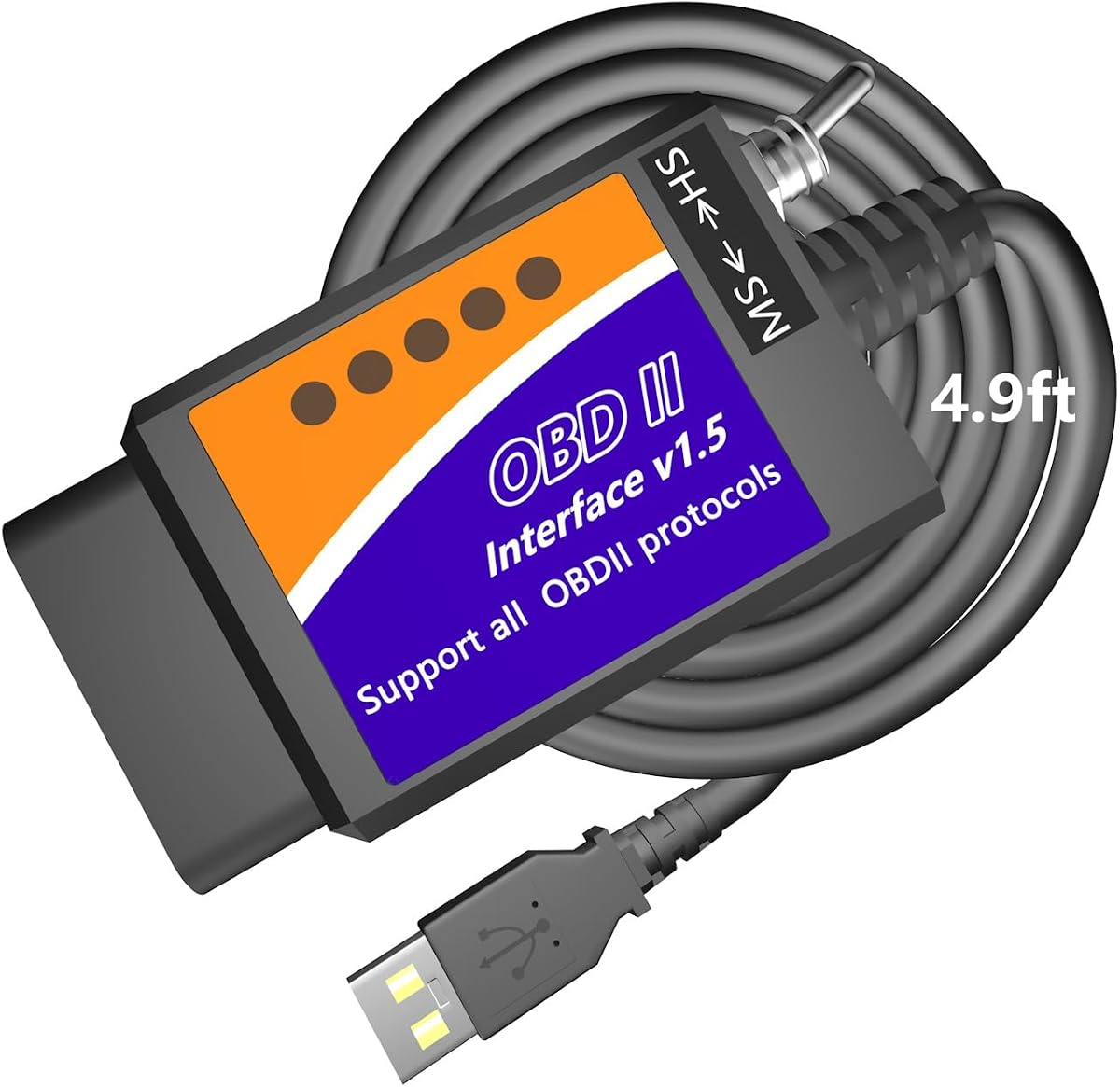


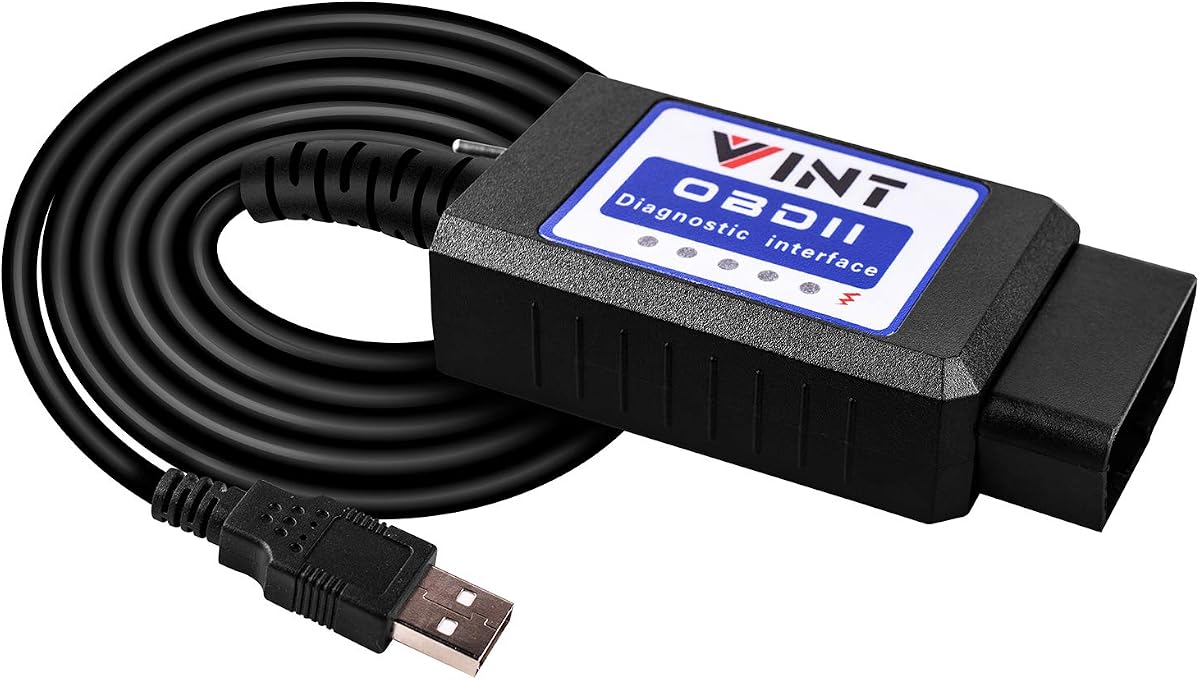
This Vgate adapter is known for stability during long diagnostic sessions. It earns a high rating from users who need reliable access to vehicle modules without interruptions.
We may earn a commission when you buy through this link, at no additional cost to you.
Its 3 Mbps speed and 18V output make it ideal for programming and large data transfers. The automatic bus switching ensures you do not have to manually toggle settings.
Some users note that you must install the software separately which adds a small setup step. This is standard for professional tools and ensures you have the latest version.
Buy this if you need a reliable tool for coding and diagnostics on Ford and Mazda vehicles. It balances performance and ease of use well.
Supports high-speed data transfer up to 3 Mbps and full 4095-byte packets for complete DTC retrieval and large data transfers without truncation.
Delivers up to ~18V output for ECU programming and flashing on select older US-market vehicles with optimized stability during extended sessions.
We may earn a commission when you buy through this link, at no additional cost to you.
This adapter is custom designed for FORScan software and recommended by the team behind it. It offers a premium experience with fast speeds and reliable connections for advanced users.
We may earn a commission when you buy through this link, at no additional cost to you.
The electronic switch allows access to all CAN buses simultaneously which is faster than toggle switch adapters. This leads to maximum throughput that is twenty times faster than standard tools.
It is expensive compared to basic adapters but the stability and speed justify the cost for professionals. You pay for the rock solid connection and dealers level diagnostic access.
Get this if you need dealership level diagnostics and advanced features without compromise. It is the best choice for serious Ford and Lincoln owners.
Electronic switch allows FORScan to access all CAN buses simultaneously and enables advanced functions not possible with toggle switch adapters.
Maximum throughput up to 20 times faster than toggle switch adapters with rock solid connection to avoid data corruption and dropped packets.
We may earn a commission when you buy through this link, at no additional cost to you.
This tool is designed for DIYers who want to save on dealer repairs. It reads and interprets codes with descriptions to help identify root causes accurately.
We may earn a commission when you buy through this link, at no additional cost to you.
It supports speeds up to 500 kbit/s and works with FORScan to access modules on Ford vehicles. The tool helps you troubleshoot engine transmission ABS systems confidently.
Keep in mind it works only on Windows so you cannot use a Mac or mobile device directly. You may also need to install a driver manually to get started.
Choose this if you need an affordable way to check codes on older Ford models. It is great for basic diagnostics on a budget.
Reads and interprets Diagnostic Trouble Codes with fault descriptions to identify root causes for confident troubleshooting without a mechanic.
Designed for Ford Focus Mondeo Fusion Escape Mustang F150 Explorer and more with support for Mazda Lincoln and Mercury vehicles.
We may earn a commission when you buy through this link, at no additional cost to you.
This adapter is optimized for FORScan and supports high data rates with a large buffer for smooth operations. It includes battery protection to leave it plugged in safely.
We may earn a commission when you buy through this link, at no additional cost to you.
It reaches 3Mbps transmission rate and supports up to 4128 byte requests which helps with long frame communication. The buffer allows for detailed live data streaming.
It saves battery by sleeping when idle but you must install apps separately for use. This ensures compatibility but adds setup time before the first diagnostic session.
Buy this for advanced programming needs where buffer size matters. It is a solid choice for Ford Lincoln Mazda and Mercury vehicles.
Support FEPS 18V Programming voltage output and reach 3Mpbs transmission rate and highest 3Mhz baud rate for smoother graphics and real-time meters.
Auto sleep and wake up mode with over-voltage over-current over-temperature and battery drain protection allows leaving it plugged in without damage.
We may earn a commission when you buy through this link, at no additional cost to you.
This budget friendly scanner offers V1.5 hardware and toggle switches for MS and HS CAN. It is a great entry point for those who want to modify hidden settings.
We may earn a commission when you buy through this link, at no additional cost to you.
It supports protocols like J1850PWM HS CAN and MS CAN which cover many Ford models. You can unlock features like Bambi mode and global windows with ease.
It is not plug and play and requires you to install the CH340T driver and software first. This is common for budget tools but you must plan for setup.
Pick this if you want to experiment with hidden features without spending much. It is excellent for beginners on a budget.
Unlock global window functions Bambi mode security idle perpendicular parking trailer brake controller disable dual horn chime disable door ajar warning and more.
Compatible with Mazda Lincoln and Mercury brands fully supporting Ford F150 F250 F350 F450 Ranger and sedans and light trucks from 1996 onwards.
We may earn a commission when you buy through this link, at no additional cost to you.
This adapter works with 99% of models after 2000 and offers access to popular features like Bambi Mod and global window. It is simple and straightforward to use.
We may earn a commission when you buy through this link, at no additional cost to you.
It connects to FORScan to let you enable reverse tilt mirrors and tire size correction. It also supports heated steering wheel configuration on supported models.
You must install drivers and software before you can start. It does not support new Mazda 3 or CX-30 models from 2019 onwards which is important to note.
Use this if you need basic diagnostics and mod features on older Ford models. It is a practical tool for everyday owners.
Access Global Window feature enable Bambi Mod reverse tilt mirrors make tire size correction and enable heated steering wheel.
Compatible with F150 F250 and more with 99% of models after 2000 and around 92% of models after 1996.
We may earn a commission when you buy through this link, at no additional cost to you.
This adapter stands out with a 4.9ft cable which gives you room to work without cramping. It helps you reach the passenger seat or keep your laptop on your knees.
We may earn a commission when you buy through this link, at no additional cost to you.
It lets you view digital speedometer readouts and track transmission temperatures. You can also customize menus and activate features like Traffic Sign Recognition on some cars.
It works only on Windows systems and does not support mobile devices or MacBooks. You will need to install drivers and software to begin.
Buy this if you value comfort during long coding sessions. It is a good choice for customizing Ford and Lincoln features.
Extra long 4.9ft cable is much longer than others 3ft cables and lets you rest your laptop on your knees without feeling cramped.
View precise Freeze Frame fault data and stream real-time sensor parameters via advanced tables or live data graphing.
We may earn a commission when you buy through this link, at no additional cost to you.
This adapter uses a reliable FTDI chip to avoid data corruption and dropped packets. It is designed to work smoothly with FORScan and other ELMconfig tools.
We may earn a commission when you buy through this link, at no additional cost to you.
The switch has been improved to access modules faster up to 500 kbit/s. It supports all OBD2 protocols and works with many Ford and Mazda models.
You need to install a USB driver and software before connecting to your car. This ensures stable communication but adds a step before use.
Choose this if you want a cheap tool with better hardware reliability. It is good for basic coding and fault code reading.
OBDII adapter with FTDI chip and reliable advantage of USB cable connection avoids data corruption and dropped packets.
Switching the MS-CAN/HS-CAN switch enables fast operation at speeds of up to 500 kbit per second for professional-grade engine fault light programming and coding.
We may earn a commission when you buy through this link, at no additional cost to you.
This version of the Vgate adapter is designed for FORScan with automatic switching between buses. It offers a top rating due to fast speeds and solid connection.
We may earn a commission when you buy through this link, at no additional cost to you.
It reaches 3Mbps transmission rate and highest baud rate for smooth graphics and real-time meters. You get a two month trial for an extended license from FORScan.
Like other models you must install the software separately and it only works on Windows. This is standard for these tools but is worth noting.
Get this if you want a fast and reliable option for coding. It is a great value for Ford and Mazda owners.
Automatic Electronic Switching allows FORScan to access all CAN buses at the same time and access the advanced functions.
Reach 3Mpbs transmission rate and the highest 3Mhz baud rate let you enjoy smoother graphics and real-time meters.
We may earn a commission when you buy through this link, at no additional cost to you.
This adapter is a favorite among Ford owners for scanning and programming modules. It connects to FORScan to help you configure as-built data and enable features.
We may earn a commission when you buy through this link, at no additional cost to you.
It runs at a constant 500kbit/s and supports generic and manufacturer specific codes. It also allows mods like Bambi Mod and disabled horn honk.
You must update drivers and connect to the internet for setup. It is designed for use on Windows systems which is standard for these tools.
Pick this if you want to dive into as-built data configuration. It is a strong choice for customizing your Ford vehicle.
MS-CAN and HS-CAN toggle switch will help you conveniently access diagnose and configure the as-built data of your vehicle.
Discover endless Mods with FORscans and apply them to your vehicle. You can access the Global Window feature Bambi Mod reverse tilt mirrors tire size correction and many more.
We may earn a commission when you buy through this link, at no additional cost to you.
Selecting the right adapter depends on your vehicle and how you plan to use the tool.
Ensure the adapter supports both MS-CAN and HS-CAN which are critical for Ford and Mazda vehicles. Without both you cannot access all control modules needed for full diagnostics.
Check that the device works with all OBD2 protocols to cover a wide range of models.
Verify that the adapter is recommended for FORScan or other apps you use. Some adapters are custom designed for specific software which can improve stability and speed.
Look for compatibility with apps like ELMconfig or FoCCCus if you plan to use them.
Most adapters work only on Windows systems and may not support macOS or mobile devices. This is due to driver requirements and software limitations for coding tools.
Make sure your laptop or PC meets the operating system requirements before buying.
Faster data transfer rates like 3 Mbps ensure smoother live data streaming and faster programming. A stable connection avoids dropped packets which can interrupt critical tasks.
Choose adapters with FTDI chips or electronic switching for better reliability.
If you plan to perform ECU programming check if the adapter supports 18V output. This is needed for certain flashing operations on older vehicles.
Confirm this feature if you want to modify control units beyond reading codes.
Some adapters come with longer cables to allow easier access to the OBD port. A long cable helps you work comfortably without straining to reach the port.
Look for extra length if you plan to use a laptop while connected.
A solid warranty and responsive tech support can save you time if issues arise. Firmware updates ensure your adapter stays compatible with new vehicle models.
Prioritize brands that offer free lifetime updates for firmware.
Connect the adapter to your vehicle OBD port and ensure the ignition is on to power the tool. Then plug the USB end into a Windows laptop with admin rights.
Install the required drivers and FORScan software following the official setup guide. This step is critical for the computer to recognize the device.
When finished disconnect the software and unplug the adapter. Store it in a dry safe place to avoid damage to the pins or cable.
No most adapters require a Windows system to run the drivers and software needed for diagnostics. You cannot use them on Mac unless you run a Windows emulator or dual boot which is complex.
No these tools are designed for PCs and rely on Windows software and drivers. Mobile phones do not support the necessary protocols for coding tasks.
Basic use is free but an extended license is needed for programming. You can get a trial from FORScan to test features before buying.
Yes you must install a USB driver like FTDI or CH340 before connecting. This ensures the computer can talk to the adapter properly.
OBDLink EX is best for Ford due to dealership level support. Vgate vLinker FS is a close alternative for stability and speed.
Yes they are safe if you follow guidelines. Do not attempt advanced modifications unless you know the risks.
The top picks include OBDLink EX for professionals and Vgate vLinker FS for a balanced experience. Budget tools like ELM327 USB Adapter offer great entry points for beginners.
Prioritize stability and protocol support over cost if you plan to do programming. A reliable tool saves you time and prevents data corruption issues.
Always check the current prices and compatibility before you buy. Deals change often and stock levels may vary across retailers.