
Entina Tina2C
4.4Editor score
Start in eight minutes
Compact mini print volume
WiFi and offline printing
This guide compares the top 10 easy to use 3D printers for beginners and families, evaluating speed, calibration, safety, and ecosystem support to help you
Finding an easy to use 3D printer can feel overwhelming with so many options on the market today. Beginners need machines that handle calibration automatically and offer reliable performance without constant tinkering or technical expertise to succeed.
We evaluated ten top models based on setup time, automation features, print quality, and user safety. Our analysis focuses on tools that minimize frustration and maximize creativity for families and hobbyists entering the world of additive manufacturing.
Each pick below highlights specific strengths like fast speeds, enclosed designs, or AI creativity tools. Please note that pricing and availability change frequently, so verify current details before making your final purchasing decision for your workspace.
4.4Editor score

4.7Editor score

4.5Editor score
The following table offers a side by side comparison of all ten models reviewed in this guide. Use this quick reference to identify key specifications like speed, size, and special features that match your specific project requirements.




The Bambu Lab A1 stands out as the top choice for anyone seeking an easy to use 3D printer that delivers professional results without the usual setup headaches. With a high rating and robust feature set, it balances speed and simplicity perfectly.
We may earn a commission when you buy through this link, at no additional cost to you.
Its full-auto calibration system eliminates manual bed leveling entirely, ensuring a flawless first layer every time. Active flow rate compensation and high acceleration mean you get fast print times without sacrificing detail, while the quiet operation keeps your workspace peaceful.
While the printer itself is excellent, users should note that multi-color capabilities require buying the AMS lite accessory separately. Also, the open frame design may limit material choices compared to enclosed models, but for most beginners this is not an issue.
Anyone wanting a reliable printer that works straight out of the box should choose the A1. It transforms complex printing tasks into simple workflows, making it the ideal starting point for families and hobbyists alike.
Automatic calibration processes handle Z-offset and leveling so you can focus on designing rather than tuning mechanical settings.
Add the AMS lite to unlock vibrant multi-color prints, expanding your creative potential beyond single filament constraints.
We may earn a commission when you buy through this link, at no additional cost to you.
The FLASHFORGE Adventurer 5M is built for users who prioritize speed and raw performance in their 3D printing workflow. It offers a powerful CoreXY structure and high-speed capabilities that reduce wait times significantly for large projects.
We may earn a commission when you buy through this link, at no additional cost to you.
Features like one-click automatic printing and a 32mm cubic/s high-flow nozzle mean you can ramp up production quickly. The smart design includes dual-fan cooling and vibration compensation to maintain quality even at maximum travel speeds.
However, its lower user rating suggests some consistency challenges might arise. While fast, it may not match the precision of slower models on intricate details, so users should weigh speed against quality needs carefully.
This printer suits those needing rapid prototyping or mass production where speed is critical. If you can tolerate occasional tuning to maintain peak performance, it delivers impressive throughput for the price point.
High acceleration and travel speed cut production cycles, allowing you to iterate designs faster than with traditional printers.
Use the mobile app to monitor progress and adjust settings from anywhere, giving you flexibility during long print jobs.
We may earn a commission when you buy through this link, at no additional cost to you.
The Bambu Lab A1 mini brings the same ease of use as its larger counterpart but in a compact package suited for smaller desks or rooms. It is designed to make 3D printing approachable for beginners right from day one.
We may earn a commission when you buy through this link, at no additional cost to you.
Its automatic calibration and smooth printing experience let you focus on creativity instead of troubleshooting. The included LED Lamp Kit adds a unique touch, turning your creations into functional decorative lights for your space.
The main trade-off is the smaller print volume, which might not fit larger projects. However, for toys, gifts, and daily items, the size is more than sufficient, and the quiet operation ensures it fits well in shared environments.
If you want a reliable, easy to use 3D printer that fits a cozy workspace, the A1 mini is an excellent choice. It offers the same trusted ecosystem and quality as the full A1 at a reduced footprint.
Print toys, home decor, and personalized gifts easily with the seamless printing experience designed for everyday use.
Access MakerWorld for ready-to-print models and manage prints via the Handy app for a smarter workflow.
We may earn a commission when you buy through this link, at no additional cost to you.
The Bambu Lab P1S is a premium option that combines speed with an enclosed design, making it versatile for a wide range of materials. It offers the best balance of ease and performance for users who want more than just PLA.
We may earn a commission when you buy through this link, at no additional cost to you.
Automatic bed leveling and quick setup ensure you spend more time printing and less time tweaking. The enclosed body improves performance for advanced filaments like ABS, while the high speed keeps production times low.
While the cost is higher, the value lies in its reliability and material compatibility. Just note that carbon fiber reinforced polymers are not recommended, which limits some specialized industrial use cases for this model.
For those needing a printer that can handle daily tasks and advanced materials with equal ease, the P1S is the top pick. It provides a premium experience that justifies its position as a high-end choice.
The enclosed design stabilizes temperature for stronger filaments, expanding what you can build beyond standard plastics.
Connect the AMS to create vibrant multi-color prints efficiently, perfect for showcasing creativity with speed.
We may earn a commission when you buy through this link, at no additional cost to you.
The AOSEED AI 3D Printer is tailored specifically for children, blending creativity with safety through advanced AI tools. It turns imagination into reality with features like AI Doodle and voice prompts that require no design skills.
We may earn a commission when you buy through this link, at no additional cost to you.
Safety is a priority with an enclosed, pinch-resistant design and certified materials. The built-in camera allows parents to monitor progress remotely, while the one-tap printing process keeps the experience simple and fun for young creators.
The main limitation is single-color printing, meaning multi-color designs require assembling parts. Despite this, the educational value and engaging features make it a standout for families looking to inspire STEM skills at home.
If you want a safe, engaging printer for kids that encourages creativity, this is the ideal choice. It simplifies the complex into simple steps, helping children create unique projects with confidence and joy.
Use AI to transform photos into cartoon figures or create models via voice and text, making design accessible to all ages.
Access thousands of reviewed models and STEM courses that turn printing into a long-term educational gift.
We may earn a commission when you buy through this link, at no additional cost to you.
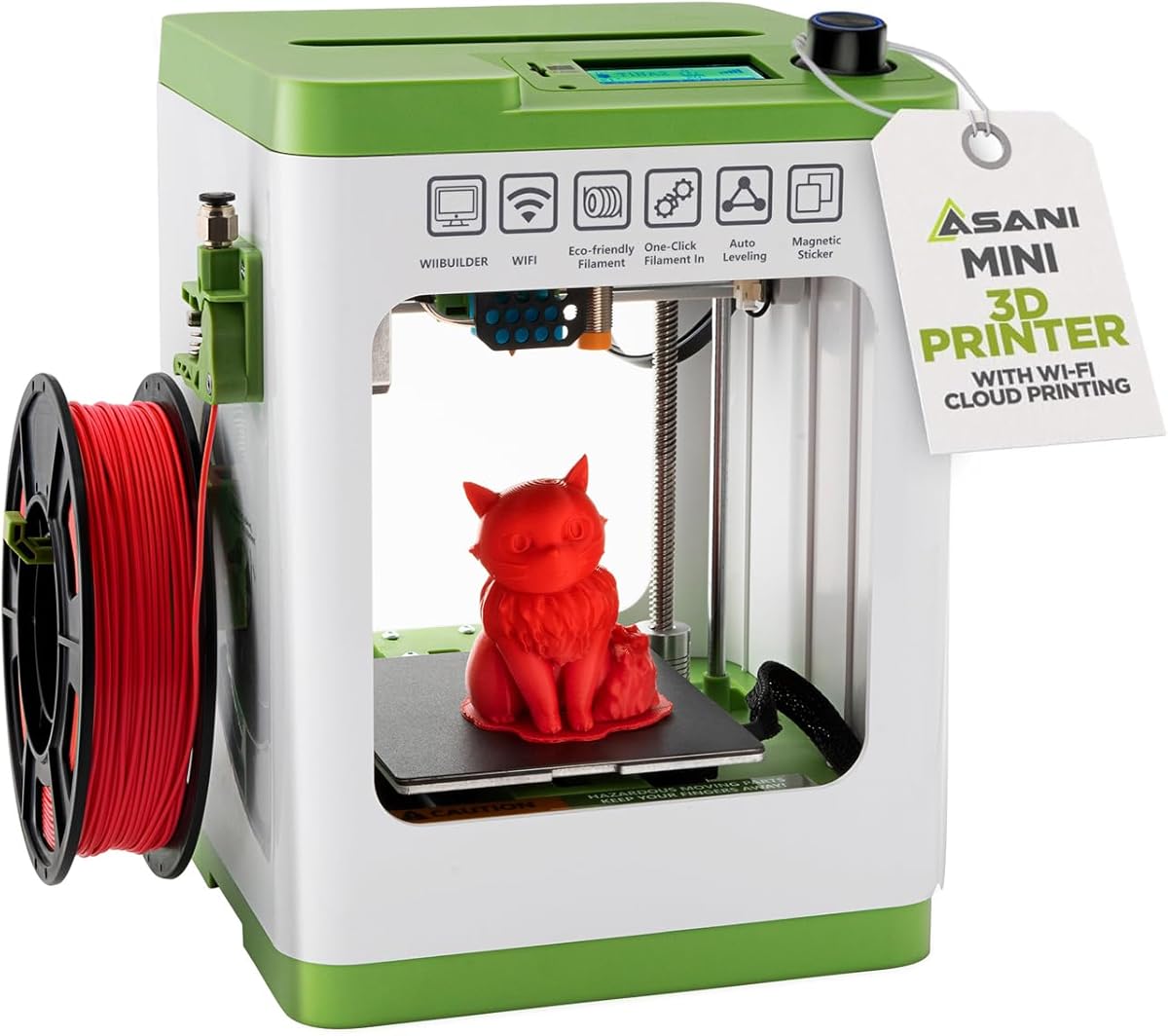
The Entina Tina2C is a fantastic entry point for first-time users, designed to minimize friction from the start. It allows you to begin printing in as little as eight minutes, making it perfect for classroom settings or kids.
We may earn a commission when you buy through this link, at no additional cost to you.
Fully assembled and with auto leveling, it removes the technical barriers that often discourage beginners. The app offers creative modules and STEM courses, turning the device into an interactive learning tool rather than just a machine.
The trade-off is the tiny print volume, which limits it to small objects. For larger projects, you will need to print in sections. But for education and quick toys, its size and simplicity are unbeatable.
If you want the most affordable, simple way to try 3D printing, the Tina2C is the top choice. It proves that easy to use 3D printers can be both accessible and educational for a wide audience.
Guided setup through the app ensures you can make your first print quickly without reading manuals or fighting with assembly.
Choose between WiFi printing or offline TF card mode, giving you flexibility based on your connection needs.
We may earn a commission when you buy through this link, at no additional cost to you.
The FLASHFORGE AD5M combines high-speed performance with easy maintenance, making it a versatile choice for both beginners and experts. Its CoreXY structure ensures stability, while auto leveling eliminates the guesswork from setup.
We may earn a commission when you buy through this link, at no additional cost to you.
Patent quick-release nozzles can be swapped in seconds, simplifying maintenance tasks that usually require tools. Combined with power-loss recovery, it ensures your projects survive unexpected disruptions without losing progress.
While it lacks the ecosystem of larger brands, the AD5M focuses on practical reliability. If you need a machine that is straightforward to maintain and delivers consistent results, it fits the bill well.
For those who value durability and ease of repair, the AD5M is a strong contender. It removes the mechanical headaches of 3D printing, letting you focus on creating rather than fixing.
Quick-swap printhead structures reduce downtime by making nozzle changes simple and tool-free for all users.
Power-loss recovery saves layers, ensuring you don't lose hours of work if an outage occurs mid-print.
We may earn a commission when you buy through this link, at no additional cost to you.
The TINA2S comes as a complete kit, meaning everything you need is included to start printing immediately. It is fully assembled and designed for reliability, making it a stress-free choice for kids and beginners.
We may earn a commission when you buy through this link, at no additional cost to you.
Auto leveling and one-touch filament loading simplify the workflow significantly. You can use Windows or macOS slicers freely, giving you flexibility to learn different software as you grow in your skills.
Note that it requires a specific metal plate to work with the proximity sensor. If you use non-magnetic materials, the sensor may fail, so always stick to the recommended build plates to avoid issues.
If you want an all-inclusive package that works straight out of the box, the TINA2S is perfect. It removes the complexity of setup and lets you dive right into your creative projects.
The fully assembled design ensures reliability right from the start, avoiding assembly errors that can lead to malfunctions.
Compatible with popular open-source slicers, allowing you to customize your workflow without being locked into a specific app.
We may earn a commission when you buy through this link, at no additional cost to you.
The Creality Ender 3 V3 SE brings the trust of the Ender series with modern upgrades like auto leveling and direct drive. It is designed to make printing easier for beginners while keeping the price very accessible.
We may earn a commission when you buy through this link, at no additional cost to you.
The Sprite direct drive extruder handles flexible filaments well, and the auto leveling reduces calibration time. With a silent mainboard and spring steel build plate, it offers a smooth experience for home environments.
While assembly is simpler than before, it still requires some effort. Also, the software interface is not as polished as newer brands. But for the price and reliability, it remains a strong budget option.
If you want a proven model that is easy to upgrade and repair, the V3 SE is a solid choice. It balances classic affordability with modern convenience for cost-conscious buyers.
Dual synchronized Z-axis screws and linear shafts reduce vibration, ensuring consistent layer alignment for reliable prints.
A 32-bit silent mainboard reduces noise, making it suitable for bedrooms or shared spaces without disturbance.
We may earn a commission when you buy through this link, at no additional cost to you.
The Anycubic Kobra X stands out by offering native multicolor printing without extra accessories. It comes ready to print with four colors built-in, making it unique among easy to use 3D printers for visual projects.
We may earn a commission when you buy through this link, at no additional cost to you.
LeviQ 3.0 ensures flawless first layers with advanced calibration, while the hardened nozzle maintains precision at high speeds. Smart monitoring features like spaghetti detection add extra reliability to your workflow.
Keep in mind that filament is not included, so you will need to purchase it separately. This adds to the initial cost, but the ability to print multiple colors immediately is a significant convenience advantage.
If you want colorful results without managing a complex toolhead system, the Kobra X is a great option. It simplifies multicolor printing while keeping setup and operation relatively straightforward for users.
Four colors come standard with the printer, saving you from needing separate modules to achieve vibrant multi-material designs.
Dual-band Wi-Fi and app control let you monitor prints and manage settings remotely, adding convenience to your creative process.
We may earn a commission when you buy through this link, at no additional cost to you.
Choosing the right printer involves balancing speed, safety, and automation features. This section breaks down the most critical factors to ensure you pick a model that fits your skill level and project needs.
The easiest printers feature auto-leveling and automatic calibration. This ensures the first layer is perfect without manual adjustment, saving hours of setup time for beginners.
Look for printers that promise one-click setup and automatic bed leveling to avoid frustrating troubleshooting sessions.
High speeds reduce wait times but may impact detail. Balance acceleration ratings with your need for precision; faster machines suit prototypes while slower ones suit fine art.
Check acceleration and travel speed specs to ensure the machine matches your project requirements without compromising finish quality.
Consider how large your objects need to be. Compact printers save space but limit size; full-size units allow larger projects but require more desk real estate.
Measure your available space and decide if you need standard size or mini builds for your specific use case.
For home use with children, enclosed designs and pinch-resistant features are vital. Certified materials reduce exposure risks during printing and post-processing.
Prioritize printers with safety certifications and secure enclosures if kids will be operating them unsupervised.
Some printers handle only basic PLA while others support advanced materials like ABS. Consider if you need to print strong parts or just decorative items.
Choose a machine that supports your intended filament types to avoid being limited to basic plastics.
A strong app ecosystem makes printing easier. Access to libraries and cloud printing reduces friction in the workflow for non-technical users.
Look for models with integrated apps and pre-made models to streamline your design and printing process.
Quiet operation is key for shared spaces. Active noise canceling and silent boards prevent the machine from disrupting daily life.
Check decibel ratings to ensure the printer can be used in bedrooms or offices without disturbance.
Consider total costs including required accessories like filament or toolheads. Budget models often have hidden costs that increase the final price.
Review package contents carefully to avoid unexpected purchases after buying the base unit.
Start by leveling the bed as instructed, though many modern units do this automatically. Follow the on-screen guide to ensure the nozzle height is correct for your first successful print.
Use high-quality filament and dry it if it has absorbed moisture. This prevents clogs and improves surface finish, ensuring your prints look clean and precise.
Regularly clean the nozzle and check for wear. A quick maintenance routine keeps the machine running smoothly and prevents issues from turning into major repairs.
The Bambu Lab A1 is widely considered the easiest due to its full-auto calibration and intuitive interface. It removes the need for manual adjustments that often frustrate new users.
Most modern easy to use printers come pre-assembled or require minimal setup. Some models like the Entina Tina2C can start in minutes with zero assembly steps needed.
Yes, models with enclosed chambers and certified materials are safe. Look for features like pinch-resistant designs and parental controls to ensure a safe creative environment.
Print time depends on size and speed. Smaller toys take 20 minutes while large items can take hours. High-speed models reduce this time significantly compared to standard machines.
PLA is the best choice for beginners as it prints easily and smells less. It adheres well to build plates and requires lower temperatures than other materials.
Some models like the Anycubic Kobra X support native multicolor printing. Others require accessories like AMS units to achieve similar results with different filaments.
Many modern printers allow control via smartphones or tablets. While computers offer advanced slicing, apps provide simple printing options for basic needs without a PC.
Many current models feature power-loss recovery. They save the current progress and resume printing once power is restored to prevent wasted filament and failed projects.
We have reviewed ten excellent models ranging from compact kits to high-speed machines. Each offers unique features to suit different needs for families, students, and hobbyists.
Prioritize automation and safety if you plan to use the printer with children. For advanced projects, focus on speed and material compatibility to maximize your output.
Prices change often so verify current offers before purchasing. The right easy to use 3D printer can transform your workspace into a creative lab.