
Dell Optiplex 3050 SFF Desktop Computer PC
4.2Editor score
Affordable entry-level performance
Supports 4K dual displays
Includes WiFi and essentials
This guide compares ten top Desktop PC for Teens models featuring performance, storage, and connectivity options to help families find the right machine for
Finding the right Desktop PC for Teens can be a challenging task for parents and guardians alike. You need a machine that balances powerful performance with reliable durability and a budget that makes sense for growing needs. This guide explores ten top options that deliver value and versatility.
We have evaluated these Desktop PC for Teens models based on processor speed, memory capacity, storage type, and connectivity features. Our analysis focuses on real-world usability for homework, creative projects, and light gaming. Each entry reflects verified specifications and user feedback to ensure accuracy.
Each pick highlights key strengths and potential trade-offs to help you make an informed decision. Prices and availability can change frequently, so checking current listings is always recommended before buying. Use this resource to narrow down choices that fit your specific requirements and financial planning.
4.2Editor score
4.3Editor score

4.1Editor score
This section provides a side-by-side overview of all ten Desktop PC for Teens models to help you compare key specifications at a glance.





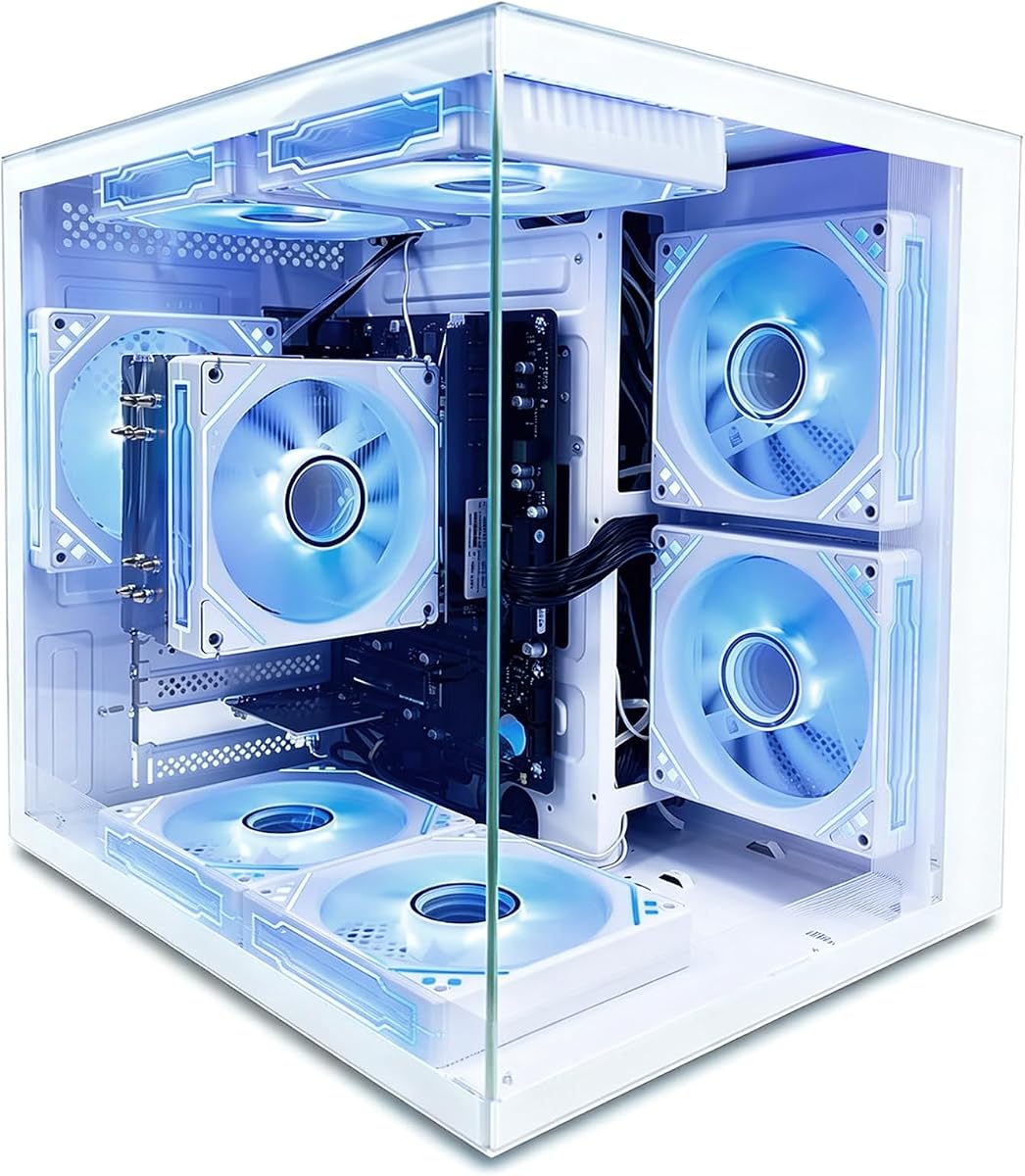
The suevery Prebuilt Desktop PC stands out as a top contender for teenagers who need a versatile machine for both schoolwork and entertainment. With a rating of 4.3 stars, users appreciate its balance of performance and affordability. The integrated Radeon RX Vega 11 graphics allow for smooth casual gaming without needing a separate card.
We may earn a commission when you buy through this link, at no additional cost to you.
This system features a Ryzen 5 3400G processor that handles multitasking efficiently. It supports up to 4.2 GHz clock speeds which is ideal for running multiple browser tabs while editing documents or streaming videos. The inclusion of Wi-Fi 6 ensures stable and fast internet connections for online classes or downloads.
One trade-off is the 256GB SSD which might fill up quickly if storing many large files. However, the system offers expansion slots for adding more storage or upgrading memory later. The RGB lighting adds a modern touch that many teens find appealing for their bedroom setups.
This desktop is best suited for students who want a plug-and-play solution with room to grow. It avoids the complexity of building a PC while still offering key features like easy upgrades and modern connectivity. For families seeking performance without overspending, this model delivers significant value.
The quad-core processor and 16GB of RAM allow teens to switch between applications like Word, Chrome, and Spotify without slowdowns.
Expansion slots make it simple to add more storage or a dedicated graphics card if gaming needs become more demanding later on.
We may earn a commission when you buy through this link, at no additional cost to you.
The Dell OptiPlex 7070 SFF is a powerhouse designed for users who need top-tier performance for demanding applications. Rated at 4.1 stars, it appeals to teens involved in video editing, coding, or high-end gaming. The 9th Gen Intel Core i7-9700 processor provides exceptional speed for complex tasks.
We may earn a commission when you buy through this link, at no additional cost to you.
With 32GB of DDR4 RAM, this machine can handle heavy multitasking with ease. You can run virtual machines, multiple development environments, or high-resolution video software without performance drops. The 1TB NVMe SSD ensures that storage does not become a bottleneck for large project files or media libraries.
A notable feature is the built-in Wi-Fi 6E which offers faster wireless speeds and reduced latency. This is crucial for cloud-based workflows and online gaming. The small form factor saves space on desks while still allowing for future expansion if needed.
This model is ideal for teens preparing for college or pursuing tech-heavy hobbies. It provides the longevity and processing power to remain relevant as software demands increase. While the cost is higher, the investment pays off through extended usability and reliable performance.
32GB of RAM ensures the system remains smooth even as modern software requires more memory for optimal performance over time.
The 1TB NVMe SSD provides quick boot times and instant access to applications and files compared to traditional hard drives.
We may earn a commission when you buy through this link, at no additional cost to you.
The Dell Optiplex 3050 SFF offers an affordable entry point for teens needing a reliable computer for school and basic entertainment. With a rating of 4.2 stars, it is praised for its durability and practical specs. The 16GB RAM ensures that everyday tasks like browsing and document editing run smoothly.
We may earn a commission when you buy through this link, at no additional cost to you.
This desktop supports 4K dual displays which is excellent for productivity. Teens can keep research materials open on one screen while writing essays on another. The inclusion of essential accessories like a keyboard and mouse simplifies setup right out of the box.
While the processor is older generation, it is still capable of handling common school software efficiently. The small form factor design keeps the desktop compact and tidy on a desk. For families watching their budget, this model delivers essential computing power without unnecessary extras.
It is best suited for students who primarily need a machine for web-based work and media consumption. If gaming is a priority, this system is limited without a dedicated graphics card. However, for academic and general use, it represents excellent value and longevity.
Multiple display ports allow teens to connect external monitors to enhance their study environment and multitasking efficiency.
At a lower price point this system covers all fundamental computing needs for homework and casual browsing effectively.
We may earn a commission when you buy through this link, at no additional cost to you.
The Dell Optiplex 7060 SFF combines strong processing power with modern connectivity options ideal for advanced users. Its rating of 4.0 stars reflects reliability and consistent performance. The 8th Gen Intel Core i7-8700 provides six cores for efficient multitasking across multiple applications.
We may earn a commission when you buy through this link, at no additional cost to you.
Featuring 32GB of DDR4 RAM, this desktop manages heavy workloads effortlessly. It is suitable for teens who use specialized software for graphic design or engineering. The 512GB NVMe SSD ensures quick data access and system responsiveness which enhances productivity during study sessions.
Built-in Bluetooth and WiFi eliminate the need for extra adapters and keep your desk tidy. The inclusion of a wireless keyboard and mouse makes setup faster and more comfortable for daily use. Windows 11 Pro adds features beneficial for security and management.
This model is a great fit for students with demanding academic projects or those learning programming. It offers a balance of speed and storage that supports growth in skills. While it lacks a dedicated graphics card, the CPU strength compensates for many tasks.
Integrated Bluetooth and WiFi ensure a clean desk setup by removing the need for extra cables or dongles.
The six-core processor handles complex computations and rendering tasks well for educational and hobbyist applications.
We may earn a commission when you buy through this link, at no additional cost to you.
The Dell Optiplex 9020 Desktop stands out because it often includes a monitor in the bundle making it a complete package. It holds a 3.6 star rating which reflects its age but also its affordability. This setup is useful for families needing a turnkey solution without extra purchases.
We may earn a commission when you buy through this link, at no additional cost to you.
The Intel Quad-Core i5 processor handles basic school tasks like web browsing and document editing. Although it uses DDR3 RAM and a standard HDD, it gets the job done for light use. The 20-inch monitor included in the bundle saves time and effort in sourcing displays separately.
However the reliance on a traditional hard drive means boot times and file access are slower than SSD models. This might be noticeable when opening large programs. The 8GB of RAM is adequate for simple multitasking but not for heavy workloads.
This bundle is best for younger students or those with very basic computing needs. It provides everything needed to start using a computer immediately. While older components limit speed, the value of an included screen makes it a practical entry choice.
Receiving a monitor with the desktop reduces the total cost of ownership and simplifies the setup process for users.
Designed for essential tasks this system supports web-based learning and office applications without high-performance demands.
We may earn a commission when you buy through this link, at no additional cost to you.
The Dell OptiPlex Desktop RGB appeals to users who want visual flair in their setup. With a 3.6 rating, it balances standard performance with appealing aesthetics. The RGB lighting panel on the front adds a touch of style that many teens find attractive for their rooms.
We may earn a commission when you buy through this link, at no additional cost to you.
Powered by an Intel Core i7 processor, it handles daily multitasking and media streaming well. The 16GB RAM ensures smooth operations while running multiple browser tabs. The 512GB SSD offers fast system performance and enough space for apps and documents.
The inclusion of a 24-inch HDMI monitor along with a RGB keyboard mouse and headset creates a comprehensive bundle. This removes the need to buy separate peripherals which can add up in cost. However the lack of a dedicated graphics card limits gaming potential.
This desktop is a strong choice for students focused on streaming and homework with extra aesthetic appeal. It provides a full suite of tools to start using right away. The RGB elements add a personal touch that elevates the visual experience.
Included monitor and RGB accessories provide a complete setup right out of the box for immediate use and enjoyment.
RGB lighting options allow teens to customize the look of their desk environment to match their personal preferences.
We may earn a commission when you buy through this link, at no additional cost to you.
The Dell Optiplex 3060 offers a compelling combination of memory and storage that supports extensive multitasking. It holds a 4.0 rating reflecting its robust hardware configuration. The 32GB of DDR4 RAM is a standout feature that allows for seamless transitions between demanding applications.
We may earn a commission when you buy through this link, at no additional cost to you.
Storage is handled by a generous 1TB SSD which ensures plenty of room for files and programs. This eliminates the frustration of slow speeds or lack of space often found in lower-end models. The Intel i5-8500 processor provides solid six-core performance for productivity tasks.
Built-in WiFi and Bluetooth make connecting to networks and peripherals straightforward. This connectivity ensures that the desktop remains versatile for modern workflows. The Windows 11 Professional operating system adds features useful for managing files and security settings.
This system is best for students who need ample space for projects and fast performance. It avoids the bottlenecks of limited RAM or slow drives. For users prioritizing storage and memory capacity this model offers a strong foundation for daily work.
A 1TB SSD provides significant space for storing large datasets and media without compromising system speed.
32GB of RAM supports advanced multitasking and keeps the system responsive even with many applications open.
We may earn a commission when you buy through this link, at no additional cost to you.
The Dell Gaming OptiPlex Desktop RGB is one of the few options with a dedicated graphics card suitable for gaming. It has a 3.6 rating reflecting its mixed appeal for gaming and productivity. The GeForce GT 1030 2GB allows teens to play popular titles like CS GO and GTA V.
We may earn a commission when you buy through this link, at no additional cost to you.
Its Intel Core i7 processor ensures that gaming performance is paired with smooth multitasking. You can stream gameplay or chat while playing without impacting frame rates. The 16GB RAM supports these tasks well without slowdowns. The RGB lighting adds a playful touch to the build.
A 24-inch HDMI monitor is included in the package making it a ready-to-play setup. However the GPU is older and may struggle with high settings on newer games. For casual gaming it provides a decent experience without requiring extra hardware purchases.
This desktop is ideal for teens who want both gaming and study capabilities in one box. It avoids the complexity of custom builds while delivering entry-level graphics. While not for ultra-performance gaming it covers casual entertainment needs effectively.
The GeForce GT 1030 allows for gaming experiences that integrated graphics often struggle to support smoothly.
Included accessories and monitor save money and time ensuring a complete setup for immediate entertainment.
We may earn a commission when you buy through this link, at no additional cost to you.
The Dell Optiplex 9020 Desktop Computer PC offers a budget-friendly entry into computing for teens. With a 3.6 rating, it serves as a practical tool for basic tasks. The inclusion of a 20-inch monitor makes this a complete package for immediate use.
We may earn a commission when you buy through this link, at no additional cost to you.
The Intel Quad-Core i5 processor handles standard web applications and documents efficiently. The 8GB of DDR3 RAM allows for moderate multitasking though it is slower than modern standards. The 500GB HDD provides ample storage for files but load times are slower than SSDs.
Users benefit from Windows 11 Pro which ensures the system runs the latest security features. The bundle simplifies the buying process by removing the need to select compatible peripherals. It is a straightforward solution for home office use.
This unit is best for students who need a functional machine for research and writing. It prioritizes value and completeness over high performance. For families looking for an all-in-one start, this bundle meets fundamental requirements effectively.
Getting a monitor included reduces total costs and ensures a ready-to-use system upon arrival.
Designed for essential computing needs this system supports standard office tasks and web browsing efficiently.
We may earn a commission when you buy through this link, at no additional cost to you.
The Dell OptiPlex 7050 Desktop Computer PC is a compact machine well suited for home and school use. With a rating of 4.2 stars, it balances performance with practicality. The 16GB DDR4 RAM ensures smooth performance for daily tasks and browsing.
We may earn a commission when you buy through this link, at no additional cost to you.
Storage is provided by a 512GB SSD which offers fast boot times and application loading. The Intel Core i5 7500 processor provides reliable speeds for standard productivity software. Built-in Wi-Fi and Bluetooth ensure easy connectivity without extra adapters.
Its support for 4K displays allows teens to connect to high-resolution monitors for clear visuals. The small form factor keeps the desk organized and neat. While it lacks a dedicated graphics card, the HD Graphics 630 handles video playback and light tasks.
This desktop is an excellent choice for students who need a reliable and tidy workstation. It offers modern storage and memory options in a small package. For general use and learning, it delivers consistent results and ease of use.
The compact size makes it ideal for smaller desks while still providing robust internal hardware.
Built-in wireless options ensure that teens can connect to networks and peripherals easily without clutter.
We may earn a commission when you buy through this link, at no additional cost to you.
Selecting the right Desktop PC for Teens requires evaluating hardware capabilities against actual needs. This guide breaks down essential factors to consider before making a purchase.
The processor is the brain of the computer and determines how fast it can complete tasks. For teens who multitask between homework and entertainment a modern Intel Core i5 or i7 is recommended to ensure smooth operation.
Look for higher generation numbers like 8th or 9th gen for better efficiency and speed.
RAM allows the computer to handle multiple applications at once without slowing down. A minimum of 16GB is advisable for teens to manage research tabs and editing tools simultaneously.
Higher RAM ensures longevity and prevents performance bottlenecks as software requirements increase over time.
Solid State Drives (SSDs) offer faster speeds than traditional Hard Drives (HDDs). A 512GB SSD provides enough space for most users and ensures the system boots quickly.
Consider models with expandable storage options if you plan to store large media libraries or files.
Integrated graphics are sufficient for standard schoolwork and media consumption. However if gaming or video editing is a priority a dedicated graphics card is necessary.
Check specifications to confirm if a GPU is included or if additional cards can be added later.
Built-in Wi-Fi and Bluetooth are standard features that simplify connecting to networks and devices. Ensure the desktop supports modern Wi-Fi standards like Wi-Fi 6 for better speed.
Multiple USB ports allow for connecting peripherals like headphones and external drives easily.
Small Form Factor (SFF) units save desk space while maintaining powerful hardware. This is useful for shared bedrooms or limited home office areas.
Choose a size that fits your available space without compromising on necessary ports or expansion slots.
Refurbished units often come with limited warranties so check the terms carefully before buying. Reliable support ensures help if the system encounters issues in the future.
Prioritize sellers offering clear return policies and technical assistance.
Windows 11 Pro offers the latest security features and productivity tools for users. Ensure the system supports TPM requirements for smooth updates.
Verify that the OS is pre-installed and activated to avoid extra configuration steps.
Ensure proper ventilation by placing the desktop in an open area free from dust and direct sunlight. This helps the internal cooling fans work efficiently and extends the hardware's lifespan.
Use antivirus software and keep the operating system updated to protect against security threats. Regular updates provide necessary patches for vulnerabilities and improve overall system performance.
Encourage teens to organize files into folders and clean up temporary data periodically. This habit keeps the desktop running smoothly and makes finding documents easier during study sessions.
Yes several models like the Dell Gaming OptiPlex include dedicated graphics cards for gaming. Others with integrated graphics handle casual games well. For high-end gaming check for dedicated GPU options.
Most models include built-in Wi-Fi and Bluetooth but some older units may require adapters. Verify connectivity specs before purchase to ensure wireless needs are met effectively.
Many of these systems support memory upgrades through expansion slots. Check the manual to confirm maximum RAM limits and compatibility with DDR4 standards.
A 512GB SSD is generally ideal for balancing speed and capacity. It allows for fast performance and enough space for school files and apps without slowing down.
Certified refurbished units undergo testing to ensure they work like new. They are often reliable and include warranties. Check seller ratings and warranty terms for peace of mind.
Some bundle deals include monitors but most do not. Always check the product details to see if a screen is included before you buy.
Choosing the right Desktop PC for Teens depends on matching hardware to specific needs. The suevery Prebuilt Desktop PC leads in value while the Dell OptiPlex 7070 excels in performance.
Prioritize processors and RAM for multitasking and ensure enough storage for daily work. Connectivity options like Wi-Fi 6 also play a vital role in keeping tasks efficient.
Remember that prices change frequently so verify current listings before buying. Use this guide to find a balance of affordability and performance for your student.