
Crucial E100 480GB
4.5Editor score
Affordable Gen4 performance option
Compact M.2 internal design
Ideal for basic system upgrades
Compare the top Crucial Internal NVME SSDs for gaming and productivity with detailed specs and performance benchmarks.
Choosing the right storage solution can significantly impact your computing experience. Crucial offers a range of Internal NVME SSDs that deliver exceptional speed and reliability. Whether you are upgrading a laptop or building a high performance desktop, selecting the correct model matters.
This guide evaluates ten distinct Crucial models based on performance metrics and compatibility. We examine read and write speeds alongside capacity options and thermal management features. Each product is assessed for its ability to handle modern gaming and creative workloads efficiently.
Every pick highlights specific strengths and ideal use cases for different users. Prices fluctuate frequently so checking current listings is recommended before purchase. Our analysis helps you find the storage upgrade that best fits your technical needs and budget.
4.5Editor score
4.8Editor score

4.6Editor score
The following table provides a side by side overview of all ten models. You can quickly compare capacities speeds and key features to decide which drive meets your requirements.


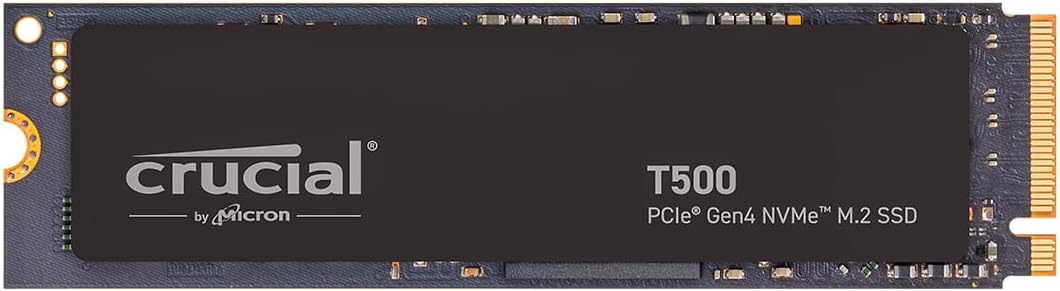
The Crucial T500 stands out as a top performer in the NVMe market. It delivers exceptional speed and reliability for demanding users seeking premium storage solutions.
We may earn a commission when you buy through this link, at no additional cost to you.
Its PCIe Gen4 architecture supports DirectStorage for faster game loads. The included Adobe Creative Cloud bundle adds significant value for professional creatives.
While the price is higher than entry options the performance justifies the cost. Thermal management is effective but a heatsink helps during sustained tasks.
Choose this model if you need top tier performance for gaming and design. It balances speed and features better than most competitors in this category.
The T500 boosts creative app rendering speeds by up to 42 percent. This makes it ideal for video editors and designers working with large files.
DirectStorage support allows games to load assets directly from the drive. This reduces load times and creates a smoother gaming experience.
We may earn a commission when you buy through this link, at no additional cost to you.
The P310 offers a balanced mix of speed and affordability. It is a strong choice for general users and budget conscious gamers.
We may earn a commission when you buy through this link, at no additional cost to you.
It works seamlessly with standard laptops and desktops plus handheld consoles. The included Acronis software simplifies migration and recovery tasks effectively.
While it lacks some premium features like encryption it handles daily tasks easily. Ensure your system has adequate cooling to maintain peak performance.
Buy this drive if you want reliable Gen4 performance without overspending. It provides excellent value for standard computing and casual gaming.
The P310 is compatible with popular handheld devices like the ROG Ally. This expands storage for games on portable gaming systems.
Up to 2x faster than Gen3 drives for common tasks. This improves boot times and application loading for better efficiency.
We may earn a commission when you buy through this link, at no additional cost to you.
The T710 pushes the boundaries of speed with Gen5 technology. It is designed for enthusiasts who demand the highest performance levels.
We may earn a commission when you buy through this link, at no additional cost to you.
It features hardware encryption for sensitive data and supports sustained loads. The drive is built to handle professional creative and gaming tasks.
Keep in mind that Gen5 requires specific hardware and cooling. Without a proper heatsink the drive may throttle during prolonged high speed tasks.
Select this drive if you have a Gen5 system and need top speed. It is the best choice for future proofing high end builds.
AES-256-bit hardware encryption protects your sensitive files. This ensures data security without impacting performance speeds.
The G9 TLC NAND handles massive file transfers efficiently. It is ideal for 8K video editing and heavy multitasking.
We may earn a commission when you buy through this link, at no additional cost to you.
The 2TB version of the P310 offers ample space for libraries and media. It maintains the speed of the 1TB model while doubling capacity.
We may earn a commission when you buy through this link, at no additional cost to you.
Users who need room for many large files will appreciate this option. It is a great secondary drive or primary upgrade for power users.
Performance remains consistent but thermal management is still important. Use a case with good airflow to maintain peak speeds consistently.
Buy this drive if you need more space than 1TB provides. It is an excellent choice for storing large game libraries and media.
Two terabytes allow storage for dozens of modern games. This is perfect for gamers who want a unified library.
Ideal for photographers and videographers with large archives. The fast read speeds help with quick file access.
We may earn a commission when you buy through this link, at no additional cost to you.
The P510 provides Gen5 performance at a competitive price point. It is suitable for users looking to jump to next gen speeds.
We may earn a commission when you buy through this link, at no additional cost to you.
It includes the Adobe bundle similar to other premium models. This adds value for creatives transitioning to newer hardware systems.
While it is cheaper than high end Gen5 drives it still needs cooling. Ensure your case can handle the heat generated by Gen5 drives.
Consider this if you want Gen5 without the top tier price tag. It offers a balanced entry into the new generation of storage.
The P510 offers speeds that are twice as fast as Gen4. This benefits heavy data transfer workflows significantly.
You get significant performance uplift for less cost than competitors. This makes it a smart choice for budget savvy builders.
We may earn a commission when you buy through this link, at no additional cost to you.
This model comes with a heatsink ensuring stable operation on consoles. It is an excellent choice for PS5 users seeking more storage.
We may earn a commission when you buy through this link, at no additional cost to you.
The T500 speed profile meets Sony requirements for internal upgrades. It provides seamless compatibility with the latest generation hardware.
While it costs more than the bare version the cooling is valuable. It prevents throttling during long gaming sessions on the console.
Buy this for your PS5 if you want performance and stability. The heatsink ensures the drive runs cool and fast for games.
It meets the specific specs required by PlayStation 5 systems. This means installation is straightforward and safe.
The built-in heatsink dissipates heat effectively. This maintains speed during intense gaming sessions.
We may earn a commission when you buy through this link, at no additional cost to you.
This P310 variant is built for console storage upgrades specifically. It offers a cost effective way to expand your PS5 capacity.
We may earn a commission when you buy through this link, at no additional cost to you.
The included heatsink is essential for console use cases. It ensures the drive stays cool during demanding gaming workloads.
While it is slower than the T500 it is cheaper. It fits well in budgets that prioritize storage capacity over speed.
Choose this for your console if you want reliable expansion. It is a solid budget option for gaming storage needs.
It is one of the cheaper options for PS5 storage. This makes it accessible for many casual gamers.
Installation requires standard tools and follows clear steps. The process is straightforward for most console owners.
We may earn a commission when you buy through this link, at no additional cost to you.
The E100 is a simple reliable drive for basic needs. It brings Gen4 performance to entry level laptops and desktops.
We may earn a commission when you buy through this link, at no additional cost to you.
With 480GB it fits well for light users. It is faster than SATA drives and offers better durability too.
While it lacks advanced features it does the job well. It is a perfect first NVMe upgrade for older systems.
Buy this if you need a quick and cheap storage boost. It is ideal for office work and general browsing.
It suits users who mainly browse and use standard apps. The speed is sufficient for everyday tasks.
It comes with clear instructions for swapping out old drives. Most users can install it in minutes.
We may earn a commission when you buy through this link, at no additional cost to you.
This P310 uses QLC NAND for higher density. It is a good choice for users needing more space at a lower price.
We may earn a commission when you buy through this link, at no additional cost to you.
It delivers decent speeds for general read tasks. However sustained writes may be slower than TLC options.
For typical users this trade off is acceptable. It serves well for storing large files and archives.
Select this if you need 1TB on a budget. It is a practical option for general storage needs.
QLC allows more storage per dollar. This makes it budget friendly for general use.
Write speeds are fast until cache fills. This is fine for casual daily usage.
We may earn a commission when you buy through this link, at no additional cost to you.
The T700 is a strong contender in the Gen5 space. It offers solid performance for enthusiasts who need speed.
We may earn a commission when you buy through this link, at no additional cost to you.
It uses TLC NAND which provides better endurance. This ensures reliable operation for heavy workloads.
You need a Gen5 motherboard to utilize it fully. Without it the drive may not perform to spec.
Buy this if you are building a high end PC. It is a robust choice for top tier storage needs.
The T700 offers blazing fast read speeds. This benefits professional workflows significantly.
TLC NAND lasts longer than QLC. This is critical for frequent heavy use.
We may earn a commission when you buy through this link, at no additional cost to you.
Selecting the right storage drive involves understanding several technical factors. This guide covers key considerations to help you make the best choice.
PCIe Gen4 and Gen5 are the main standards. Gen5 offers higher speeds but requires compatible hardware.
Choose Gen4 for most users and Gen5 for high end builds.
Storage needs vary based on game libraries and media. 1TB is a good starting point for most.
Opt for 2TB if you store large video files or many titles.
TLC and QLC are the common NAND types. TLC is more durable but slightly pricier.
Pick TLC for heavy use and QLC for budget storage.
Thermal throttling can reduce speed under load. Drives with heatsinks manage heat better.
Use a heatsink drive for gaming or high performance builds.
PlayStation 5 has specific size and speed requirements. Ensure the drive meets the official specs.
Check dimensions before buying for any console expansion.
TBW ratings indicate how much data you can write. Higher ratings mean longer lifespan.
Look for higher TBW if you write large files often.
Most drives come with a 3 or 5 year warranty. Longer coverage offers peace of mind.
Prioritize models with longer warranties for better value.
Some models include software like Acronis or Adobe. These add value to the purchase.
Check what is included before making a final decision.
Start by checking your motherboard manual for supported slots. Install the drive in a M.2 slot and secure it with the standoff screw.
Ensure your system has proper airflow around the drive. Use a heatsink if your drive is prone to thermal throttling.
Regularly update your motherboard drivers for best performance. Monitor temperatures using system tools to avoid overheating.
Yes but it will run at Gen4 speeds. You lose the benefit of Gen5 bandwidth but the drive is backward compatible. This is a common scenario for early adopters.
The P310 and T500 with heatsinks work well. They meet the speed requirements and fit the console dimensions. Both are tested for safe use.
No the standard version does not. You can buy a version with a heatsink or add one separately. This helps maintain speed under load.
TLC is generally better for consistent performance. QLC is fine for general gaming if you stay within budget. TLC is more durable long term.
It includes Adobe Creative Cloud for one month. There may also be data recovery tools included. Check the listing for current details.
Locate the M.2 slot on your motherboard. Insert the drive at an angle and screw it down. Follow the manual for specific slot rules.
The T500 stands out as the top pick for its balance of speed and value. It serves both gamers and creatives with excellent performance.
If you are on a budget the P310 provides solid Gen4 speeds. For maximum speed consider the T710 if your system supports Gen5.
Prices change regularly so check the latest deals before buying. Select the model that fits your specific needs and budget constraints.