
Brother HL-L2405W
4.1Editor score
Affordable home office price
Compact footprint design
250-sheet paper tray
This guide compares the top Brother laser printer models for 2026, evaluating speed, connectivity, and features to help you choose the right device for your
Choosing the right printing solution is essential for maintaining productivity in today fast fast-paced environment. Brother offers a wide range of laser printers designed to handle everything from simple home tasks to demanding office workflows with reliability and precision.
We have carefully evaluated ten top models based on their performance, connectivity options, and overall value. Each product was assessed for print quality, speed, and ease of use to ensure this list represents the most capable devices available on the market today.
Every pick includes detailed insights into what makes it stand out and who it serves best. Please note that pricing and availability can fluctuate, so always check the latest offers before making your final purchase decision for your workspace.
4.1Editor score

4.1Editor score
4.2Editor score
The following table provides a side-by-side comparison of all ten models to help you quickly identify key differences in speed, features, and intended use cases for your specific requirements.





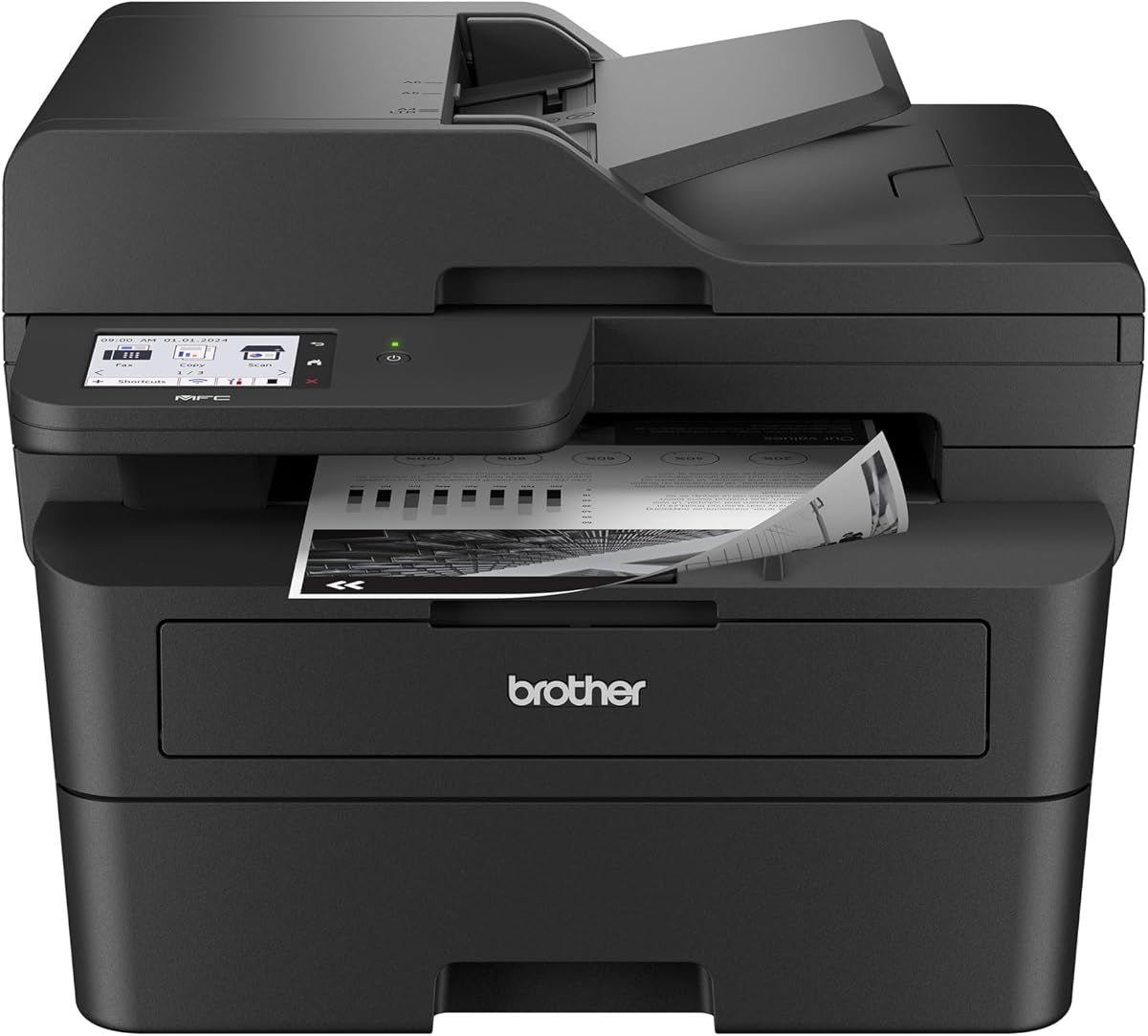
The Brother DCP-L2640DW is a top-tier choice for small businesses seeking a reliable all-in-one solution. With a strong rating, it delivers sharp black and white prints quickly while maintaining a compact size ideal for tight workspaces.
We may earn a commission when you buy through this link, at no additional cost to you.
Its standout qualities include a fast 36 pages per minute output and a generous 50-page automatic document feeder. The dual-band wireless support ensures stable connections across multiple devices, making it easy for teams to share printing duties efficiently.
While it focuses on monochrome output, the trade-off is worth it for speed and cost savings. The lack of color printing means you may need a separate unit for graphics, but for text-heavy documents, this device excels in performance.
Anyone needing a versatile workhorse for daily document management should consider this model. It balances price, features, and reliability better than most competitors in its class, making it our leading recommendation for general office use.
Dual-band wireless and Ethernet support allow flexible setup options for both home and office environments.
The Brother Mobile Connect app lets you print and scan remotely while tracking toner levels effortlessly.
We may earn a commission when you buy through this link, at no additional cost to you.
For home users or small offices on a tight budget, the Brother HL-L2405W offers exceptional value. It delivers crisp black and white output at 30 pages per minute, ensuring your documents look professional without breaking the bank.
We may earn a commission when you buy through this link, at no additional cost to you.
Its compact design fits easily on a desk or shelf, and the dual-band wireless keeps your network secure. Alexa compatibility adds convenience for voice commands, allowing you to manage tasks hands-free while you focus on other work.
The main limitation is the lack of automatic duplex printing and scanning features. This means you will need to flip pages manually and cannot copy or fax directly, but for pure printing tasks, it performs admirably.
If you only need to print documents and want to save money upfront, this is the smart choice. It provides reliable performance and modern connectivity features at a price point that is hard to beat in the market.
This printer is engineered to take up minimal space while still delivering high-quality output consistently.
Built-in Alexa support allows you to send print jobs using simple voice commands for added convenience.
We may earn a commission when you buy through this link, at no additional cost to you.
The Brother HL-L2460DW brings advanced features like automatic duplex printing to the home office without a high price tag. It prints at a speedy 36 pages per minute and helps you save on paper costs with smart two-sided handling.
We may earn a commission when you buy through this link, at no additional cost to you.
Its compact design and flexible connectivity options ensure it fits well in various environments. You can connect via Ethernet, USB, or dual-band Wi-Fi, giving you plenty of choices depending on your specific network setup needs.
While it lacks a built-in scanner, the print quality and efficiency make it a strong standalone printer. The absence of scanning means you might need a separate device if you handle many paper documents regularly.
This model is perfect for users who need fast, professional-quality prints and want to reduce paper usage. It balances speed and sustainability well, making it a practical choice for focused printing tasks at home.
Automatic duplex printing reduces paper waste significantly by handling double-sided jobs without manual intervention.
Multiple connection methods ensure you can integrate this printer into any existing office network environment easily.
We may earn a commission when you buy through this link, at no additional cost to you.
The Brother MFC-L2820DW is a robust all-in-one machine that brings print, scan, copy, and fax capabilities to small offices. It maintains a fast pace with 36 pages per minute and includes a useful touchscreen for easy navigation.
We may earn a commission when you buy through this link, at no additional cost to you.
Cloud integration is a major plus here, allowing you to send scans directly to services like Google Drive. The touchscreen interface simplifies complex tasks, making it easier for any team member to operate without technical training.
Although it does not support color output, the monochrome efficiency is ideal for text-heavy business needs. The higher initial cost is offset by the convenience of having all document functions in one reliable and efficient device.
If you need a complete document management solution that includes faxing, this is an excellent option. It streamlines your workflow by combining multiple tools into one unit, saving space and improving productivity effectively.
Seamless connection to popular cloud apps allows direct scanning and printing without needing a computer.
The large touchscreen makes it easy to customize settings and navigate menus for different document types.
We may earn a commission when you buy through this link, at no additional cost to you.
The Brother HL-L3220CDW stands out by offering high-quality color printing at an affordable price point. It produces vibrant graphics and crisp text, transforming your home office into a professional workspace capable of producing polished reports.
We may earn a commission when you buy through this link, at no additional cost to you.
Security protocols are integrated to protect your sensitive business documents during transmission and printing. The 250-sheet tray minimizes interruptions by reducing the frequency of refills needed during busy workdays.
While it is slower than monochrome units at 19 pages per minute, the color capability is essential for marketing materials. The setup process can be more involved due to multiple color cartridges, but the output justifies the effort.
Choose this model if you need to print colorful presentations or flyers regularly. It balances professional quality with cost-effective operation, making it a solid choice for small teams needing visual content creation.
Advanced wireless security ensures your confidential documents remain protected while moving across your network.
Direct integration with major mobile platforms makes it easy to print from smartphones and tablets remotely.
We may earn a commission when you buy through this link, at no additional cost to you.
The Brother HL-L2480DW earns a high rating due to its efficiency and user-friendly design for remote workers. It combines print, scan, and copy functions in one compact unit while delivering fast 36 pages per minute performance.
We may earn a commission when you buy through this link, at no additional cost to you.
Its flatbed scan glass allows you to scan books and documents without damaging them, which is great for diverse content. The touchscreen interface simplifies navigation, making it easy for anyone to handle complex scanning tasks quickly.
While it lacks a fax function and has a smaller auto document feeder, its strengths lie in ease of use. The design ensures that scanning physical media is hassle-free, and the compact footprint saves valuable desk space.
If you are working from home and need a versatile tool that handles diverse media easily, this model fits well. It offers a balanced mix of speed, functionality, and ease of use for daily business tasks.
Use the flatbed to scan delicate or thick documents without damaging them during the copying process.
The intuitive touchscreen makes managing complex tasks like scanning to email incredibly simple and fast.
We may earn a commission when you buy through this link, at no additional cost to you.
The Brother MFC-L2900DW is a premium choice for businesses needing advanced features and energy efficiency. Its 3.5-inch touchscreen and single-pass scanning provide a superior user experience while keeping operational costs low through smart design.
We may earn a commission when you buy through this link, at no additional cost to you.
Advanced document handling allows for rapid processing of multi-page files, boosting overall productivity. The energy-efficient fuser design reduces power consumption without compromising on print quality or speed performance.
While it comes at a higher price point, the investment pays off through reduced electricity bills and increased workflow efficiency. The larger size is a trade-off, but it accommodates the robust features needed for demanding business environments.
This printer is best suited for small businesses seeking professional-grade performance and sustainability. It combines speed, usability, and eco-friendly features to create a reliable partner for your daily document processing needs.
Reduced power consumption and faster warm-up times contribute to lower operational costs over time.
Direct access to cloud services simplifies document management and enhances workflow flexibility.
We may earn a commission when you buy through this link, at no additional cost to you.
The Brother HL-6210DW is built for demanding environments that require high volume and exceptional speed. With a blazing 50 pages per minute output, it ensures your high-volume print jobs are completed efficiently without lag.
We may earn a commission when you buy through this link, at no additional cost to you.
Its massive paper capacity means fewer interruptions for refills, keeping your workflow smooth and uninterrupted. Security features are robust, safeguarding your data during transmission and printing to ensure your sensitive documents remain private.
While the initial investment is significant, the low cost per page and speed justify the price for busy offices. The lack of scanning means it is strictly for print tasks, but for that purpose, it performs excellently.
If you run a high-volume environment where speed and security are paramount, this is the right tool. It delivers professional-grade performance and reliability that can keep up with the demands of a busy office.
50 pages per minute ensures even large document batches are printed quickly and efficiently.
Triple layer security features protect your network and documents from unauthorized access and threats.
We may earn a commission when you buy through this link, at no additional cost to you.
The Brother MFC-L3720CDW combines the benefits of color printing with full multifunction capabilities. It handles print, scan, copy, and fax tasks with stunning quality and a responsive touchscreen interface that allows for custom shortcuts.
We may earn a commission when you buy through this link, at no additional cost to you.
Its wireless connectivity ensures multiple users can connect seamlessly across the office network. The 250-sheet adjustable tray accommodates standard paper needs while the auto document feeder helps manage multi-page tasks efficiently.
The main trade-off is the speed and cost associated with color laser printing compared to monochrome. However, for businesses needing vibrant output and faxing in one device, it provides a comprehensive solution without compromising on features.
This model is ideal for small businesses needing color output and document versatility. It balances professional quality with practical functionality, making it a strong contender for modern office setups.
48 customizable shortcuts on the touchscreen streamline frequent tasks and improve overall productivity.
Remote access and monitoring features let you manage the printer directly from your mobile device easily.
We may earn a commission when you buy through this link, at no additional cost to you.
The Brother Work Smart 1360 offers an affordable alternative for those who need color and compact design. While technically an inkjet, it serves well as a budget-friendly all-in-one unit with a 1.8-inch display for easy app connections.
We may earn a commission when you buy through this link, at no additional cost to you.
Its compact footprint makes it perfect for tight spaces like dorm rooms or small home offices. The automatic duplex printing saves paper, and the cloud app integration allows you to print directly from popular online services.
While it is slower than true laser units and uses ink instead of toner, it fits specific needs well. The low upfront cost and simplicity make it a good choice for light duty home tasks rather than heavy office use.
If you need a small, versatile device that handles basic color needs on a budget, this is it. It provides a practical entry point into multifunction printing without demanding much space or investment.
Designed to fit in small spaces, it saves desk room while still delivering full office functionality.
Connect directly to cloud services to print or scan without needing a computer intermediary.
We may earn a commission when you buy through this link, at no additional cost to you.
Selecting the right printer involves weighing factors like speed, connectivity, and specific features against your daily workload and budget constraints.
Print speed determines how quickly your documents are produced. For busy offices, models like the HL-6210DW offering 50 PPM ensure tasks are completed quickly. For light home use, 30 PPM models are usually sufficient.
Look for a speed that matches your volume. High speed reduces waiting times but may cost more upfront.
Modern offices rely on multiple devices. Dual-band wireless ensures stable connections across different devices. Ethernet provides reliability for stationary setups. USB is a backup for direct connections without network dependencies.
Ensure the printer supports the devices you use daily. Wi-Fi Direct or mobile app integration adds significant convenience for remote workers.
Decide if you need printing only or all-in-one capabilities. Models like the DCP-L2640DW handle copying and scanning, saving space. If you rarely scan, a dedicated printer saves money and complexity.
All-in-one units are versatile but cost more. Evaluate how often you need to scan or copy before investing.
Large trays like the 520-sheet main tray on the HL-6210DW reduce refills. Smaller trays like 250-sheets suit lower volume users. An auto document feeder helps with multi-page tasks.
High capacity trays keep you working longer without interruptions. Consider how many pages you print daily before choosing.
Monochrome printers are faster and cheaper for text. Color models like the HL-L3220CDW add visual appeal to presentations. Color toner costs are higher than standard black toner.
Choose color if your documents rely on graphics. For simple reports, monochrome is more cost effective.
Advanced security features like Triple Layer Security protect your data from threats. This is vital for businesses handling sensitive information. Look for secure protocols and encryption options.
Prioritize models with built-in security to prevent data breaches. Safety is critical for professional environments.
Energy-efficient models like the MFC-L2900DW reduce electricity bills. Fast warm-up times also save power during idle periods. This helps the environment and saves money.
Choose energy-saving models to reduce long-term costs. Look for certifications or specific efficiency claims in specs.
Start by installing the printer and connecting it to your network. Use the official software or mobile app to ensure all drivers are up to date. This step prevents common connectivity errors and ensures optimal performance.
Regularly check toner levels and replace cartridges promptly to avoid print quality issues. Using genuine supplies ensures consistent results. Also, keep the paper tray clean to prevent paper jams.
Run periodic cleaning cycles to maintain the fuser and print head. If you notice streaks or smudges, perform a manual cleaning. This maintenance extends the printer's lifespan and keeps outputs looking professional.
Yes, most Brother laser printers support mobile printing via Wi-Fi and Ethernet. The Brother Mobile Connect app allows you to print and scan directly from smartphones and tablets easily.
While you can use third-party toner, Brother recommends using genuine toners for best quality. Genuine toners often come with subscription services that save money over time.
The Brother HL-L2405W is great for basic home needs. For more features, the HL-L2460DW offers automatic duplex printing at a reasonable cost for home offices.
Yes, Brother printers are designed for easy setup. You can connect via USB or Wi-Fi. The guided interface helps you configure settings quickly without technical knowledge.
Many models include automatic duplex printing as a standard feature. This saves paper and money. Check the specs of the specific model you choose for confirmation.
Most Brother printers come with a one-year limited warranty. Support is available online, by phone, or live chat. This ensures you have help if issues arise.
This guide has highlighted the top ten Brother laser printers available in October 2026, ranging from budget-friendly options to high-performance models. Each device offers unique strengths suited to different office sizes and needs.
When making your decision, prioritize speed and connectivity if you have high volume. For general use, look for features like duplex printing and mobile support to improve daily workflow efficiency.
Remember to verify current pricing and availability on the product page before purchasing. Your ideal printer is out there; choosing the right one now will streamline your office tasks effectively.