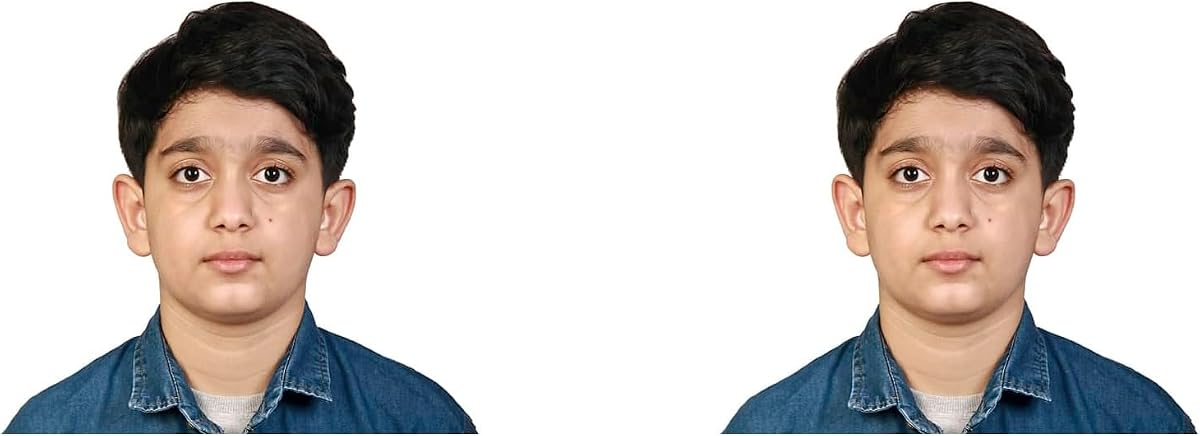
US Online Passport photo prints
4.7Editor score
Low cost professional print service
Rapid 24 hour delivery
Customizable background options
Creating compliant passport photos at home has become increasingly accessible with modern technology. Whether you need a quick solution for a visa application or a professional system for frequent travelers, there are now numerous tools designed to meet strict government standards without leaving your house.
We have carefully evaluated ten distinct products ranging from all-in-one printing systems to online processing services. Our comparison focuses on image quality, ease of setup, compliance with US passport requirements, and the overall value provided to users seeking reliable documentation photography.
Each selection in this guide highlights specific strengths such as portability, software features, or speed of production. Please note that availability and specific model features may change over time, so we recommend verifying the latest details before making your final purchase decision for your needs.
4.7Editor score

4.6Editor score

3.1Editor score
As an Amazon Associate we earn from qualifying purchases.
This detailed comparison table breaks down the essential specifications and capabilities of each solution to help you decide which system fits your specific workflow and quality requirements best.


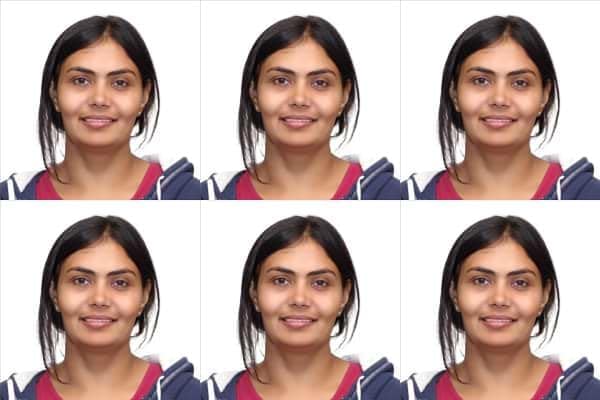


This system stands out as the most comprehensive option for users who want a dedicated setup at home. It includes a digital camera and a dye sub printer preconfigured specifically for US passport requirements. The rating of 4.6 reflects high satisfaction with the ease of use and the reliability of the output images.
We may earn a commission when you buy through this link, at no additional cost to you.
The key strength lies in its preprogrammed nature which removes the guesswork from sizing and formatting. You simply capture the image and transfer it via SD card or USB to the printer which handles the rest. The inclusion of a 2×2 inch tabletop cutter ensures you get the precise dimensions required by the government without manual trimming.
While the upfront cost is higher than online services the long term value is significant for frequent travelers. The tradeoff is the physical footprint of the equipment which requires a dedicated spot in your home. However for those who need consistent high quality results without relying on external services this is a worthy investment.
This product is ideal for families or professionals who need to produce passport photos regularly. We recommend it for anyone seeking a permanent solution that guarantees compliance with US standards every time.
The system is designed to take you from capture to print in minutes without requiring computer editing.
A dedicated 2×2 inch cutter is included to ensure every photo meets the exact physical dimensions.
We may earn a commission when you buy through this link, at no additional cost to you.
This solution bridges the gap between personal devices and professional printing. It is designed to work with your existing iPhone or Android device which makes it accessible without needing a separate camera. The rating of 4.3 indicates solid performance though users should ensure their device compatibility before purchasing.
We may earn a commission when you buy through this link, at no additional cost to you.
The standout feature is the wireless connectivity that allows you to send images directly from your phone to the printer. The system comes with paper and ink for 108 prints so you are ready to go immediately. The preprogrammed printer handles the sizing automatically so you do not need to adjust settings manually.
The main consideration is that your smartphone is not included in the package so you must have a compatible device on hand. Also wireless transfers can sometimes be slower than wired connections depending on your network. However the convenience of using a phone you already own makes it a flexible option.
We suggest this for users who want a modern approach to passport photos without buying extra hardware. It is perfect for tech savvy individuals who prefer managing their workflow through a mobile device.
Designed to work with both iPhone and Android devices for broad user access.
Includes paper and ink for over one hundred prints to get you started.
We may earn a commission when you buy through this link, at no additional cost to you.
This system offers a similar experience to the top pick but with a slightly different configuration. It focuses on providing everything needed to capture and print photos right out of the box. The rating of 4.1 suggests it is reliable but may have minor variations in build quality compared to other models.
We may earn a commission when you buy through this link, at no additional cost to you.
Like the other hardware systems it transfers images via SD card or USB cable which ensures fast processing times. The camera and printer are preconfigured to work together seamlessly so there is no complex setup required. The dye sub printer delivers sharp colors that are essential for official documentation.
One limitation is that the model or manufacturer may vary meaning the exact hardware you receive might look different from the image. This can be confusing if you are expecting a specific brand. However the core functionality remains consistent with US passport requirements.
This option is suitable for those who need a turnkey solution but might have budget constraints relative to the top tier system. It provides the necessary tools to produce compliant images independently at home.
Preprogrammed settings allow you to start printing immediately after unboxing.
Supports both SD card and USB cable transfers for versatile connectivity.
We may earn a commission when you buy through this link, at no additional cost to you.
This service offers an excellent balance of cost and convenience for users who do not want to buy hardware. You take a photo at home and upload it for professional processing which returns printed photos within 24 hours. The rating of 4.7 highlights high customer satisfaction with the quality and speed of the service.
We may earn a commission when you buy through this link, at no additional cost to you.
The detailed guidelines provided ensure you know exactly how to capture the image to avoid rejection. They cover lighting background and facial expression to help you get a usable image on the first try. The photos are cut to exact size or can be sent on a sheet if you prefer to cut them yourself.
The main drawback is the reliance on shipping which means you cannot walk out with the photos instantly. Additionally the quality of the final product depends heavily on the quality of the photo you upload. However the low cost makes it a practical choice for occasional use.
We recommend this for travelers who need photos quickly but do not want to invest in a printer. It is an efficient way to get professional results with minimal effort on your part.
Get professionally printed photos delivered within a day for a very low cost.
Clear instructions help you take a compliant photo from your own home.
We may earn a commission when you buy through this link, at no additional cost to you.
This system represents the premium tier of home photo solutions with a focus on professional output quality. It includes a Kodak Pixpro camera and a wireless LCD console for easy operation. The 3.1 rating suggests that while the hardware is robust the user experience might be complex or the price might be a barrier for many.
We may earn a commission when you buy through this link, at no additional cost to you.
The console allows you to view a gallery of the past six images which helps in selecting the best one for printing without taking more pictures. It supports a vast selection of domestic and foreign passport sizes making it versatile for international travelers. The software reduces operator error which saves time in the long run.
The main trade off is the cost which is considerably higher than other systems. The lower rating also indicates that users may find it less intuitive than simpler alternatives. However for a professional need or high volume use the capabilities justify the investment.
We suggest this for small businesses or frequent travelers who require a wide variety of photo sizes. It is a powerful tool for those who need the highest level of control and quality.
View multiple captured images on the console to choose the best one before printing.
Supports numerous output sizes for passports and visas from different countries.
We may earn a commission when you buy through this link, at no additional cost to you.
This service provides a professional touch to home photo submission by carefully reviewing your uploaded image. They crop size and adjust the photo to meet US specifications before printing on high quality glossy paper. The rating is N/A but the service description emphasizes quality and preparation which is reassuring for users.
We may earn a commission when you buy through this link, at no additional cost to you.
The process is designed to ensure that the final product is ready for use without further manipulation. You receive four printed photos that are neatly cut and inspected before shipping. The guidelines suggest uploading a clear well-lit photo to ensure the best result from their processing.
The main limitation is that you need to wait for mail delivery to receive the photos. Unlike a printer you cannot get a copy instantly. However the assurance that the photos are professionally adjusted makes this a safe choice for critical applications.
We recommend this for individuals who want to avoid the hassle of setting up equipment but still need professional results. It is a reliable option for standard US passport photo needs.
Every photo is carefully reviewed and adjusted before printing to meet specifications.
Photos are printed on high quality glossy paper for clear sharp results.
We may earn a commission when you buy through this link, at no additional cost to you.
This option offers a hybrid approach where you can have photos prepared and then pick them up locally. The service allows you to add more photos or choose a sheet for unlimited self printing which adds significant flexibility. The description highlights high quality and efficient processing which helps get your application ready quickly.
We may earn a commission when you buy through this link, at no additional cost to you.
The ability to choose a sheet for self printing is a great feature for those who need many copies for different applications. Same day pickup is available at local drugstores which saves time compared to waiting for mail. This is ideal for last minute needs.
The limitation is that availability depends on local drugstore participation so it may not be available everywhere. Additionally you may need to visit a physical location to pick up the photos. However for speed and convenience it is a strong contender.
We suggest this for people who need photos quickly and prefer local pickup over shipping. It balances speed and flexibility well for urgent passport requirements.
Same day pickup at your local drugstore ensures you get photos when you need them.
Choose to get a photo sheet that allows for unlimited self printing.
We may earn a commission when you buy through this link, at no additional cost to you.
This service offers a wide range of quantities from two to twenty prints so you can choose what fits your needs. The 4.5 rating reflects user satisfaction with the service and the quality of the prints. It includes guidelines for lighting and composition to help you get a clear image from home.
We may earn a commission when you buy through this link, at no additional cost to you.
The flexibility to order multiple quantities is useful if you need photos for several different applications at once. The processing ensures the images are suitable for visas and immigration paperwork. This versatility makes it a practical choice for those with varied documentation requirements.
The main consideration is that you rely on your own photo quality and the service's ability to process it. Shipping times may apply but the option to get multiple copies reduces the need to reorder. The process is straightforward and designed for ease.
We recommend this for users who need more than the standard two prints or need photos for multiple purposes. It is a reliable and affordable option for home submitted photos.
Choose from various quantities to get exactly the number of prints you require.
Prints are prepared to meet standards for visas citizenship and immigration.
We may earn a commission when you buy through this link, at no additional cost to you.
This service is designed for speed with same day shipping available to help you meet tight deadlines. You can choose from multiple quantities to suit your needs and the photos are processed to meet application requirements. The 5.0 rating indicates that customers are very happy with the speed and quality of the service.
We may earn a commission when you buy through this link, at no additional cost to you.
The process involves submitting your photo and having it converted into a professional print format. It is suitable for IDs visas and immigration applications which covers most common use cases. The flexibility in quantity helps you get exactly what you need without waste.
The main dependency is on your initial photo quality and the shipping schedule. If you submit a blurry image the service might not be able to fix it fully. However the promise of fast shipping makes this a good option for urgent requests.
We suggest this for travelers or applicants who need photos quickly and want a reliable service. It is a convenient choice for those in a hurry.
Same day shipping ensures you receive your photos as quickly as possible.
Prints are formatted specifically for IDs visas and immigration applications.
We may earn a commission when you buy through this link, at no additional cost to you.
This light box is an essential accessory for anyone who wants to capture high quality photos at home. While it does not print photos it provides the professional lighting conditions necessary to ensure your image meets passport standards. The 120 LED lights and dimmable settings allow you to avoid shadows and achieve even illumination.
We may earn a commission when you buy through this link, at no additional cost to you.
The 12 by 12 size is suitable for taking photos against a clean background. It includes eight backdrops which help you achieve a plain light colored background required by passport authorities. The portable design allows you to set it up easily in any room.
The limitation is that this is a tool for capturing the image not printing it. You will still need a camera and either a printer or a service to finalize the photo. However it is an excellent investment to improve the quality of your submitted image.
We recommend this for users who want to maximize the quality of their photo before submitting it. It ensures you get a clean well-lit image which is critical for compliance.
The built-in lights provide even illumination to avoid harsh shadows on your face.
Includes multiple backdrops to help you achieve a compliant plain background.
We may earn a commission when you buy through this link, at no additional cost to you.
Selecting the right solution depends on whether you prefer hardware or services. We outline the key factors to help you make an informed decision.
The first decision is between buying a printer system and using an online service. Hardware gives you immediate control and no waiting for delivery but requires more space and initial cost. Services are convenient and affordable but rely on shipping and the quality of your uploaded photo.
Choose hardware if you need photos often or want instant results. Choose a service if you only need photos occasionally or want to avoid the complexity of managing equipment.
Ensure the solution you choose meets the strict requirements for US passport photos. This includes size color background and facial expression rules. Systems that are preprogrammed for US passports reduce the risk of rejection.
Look for tools or services that guarantee adherence to government specifications to avoid delays in your application process.
Consider how easy it is to operate the system. Wireless and preprogrammed devices simplify the workflow significantly. For services look for clear guidelines on how to take a compliant photo.
A simple setup reduces the likelihood of errors and ensures you can produce photos efficiently.
High resolution and sharp color reproduction are essential for passport photos. Dye sub printers generally offer better quality than standard inkjet printers. Professional services also ensure the output is clear and sharp.
Prioritize options that deliver high definition results to ensure your photo is accepted without issue.
If you need photos quickly a local service or a hardware solution is preferable to waiting for shipping. Same day pickup or instant printing can be vital for urgent travel needs.
Choose a method that aligns with your timeline to ensure you meet your application deadline.
While hardware requires a larger upfront investment it can be more cost effective over time if you produce many photos. Services have low initial costs but accumulate with each order.
Calculate the cost per print to understand which option saves you more money in the long run.
Some solutions are more portable than others. Light boxes and smartphone systems can be moved easily whereas desktop printers are more stationary.
Consider where you plan to use the solution to determine if portability is a key factor for your needs.
To use a printer system start by setting up the camera and printer according to the instructions. Ensure the lighting is consistent and the background is plain before taking photos. Use the software to select the best image and send it to the printer.
If using a service take a clear photo with good lighting and upload it to the portal. Follow the specific guidelines provided by the service to avoid rejection. Once processed the photos will be mailed to you securely.
Care for your equipment by keeping it clean and storing it in a dry place. Replace ink and paper as needed to ensure consistent quality. For light boxes wipe the surface gently and store the backdrops flat to prevent damage.
A US passport photo must be 2×2 inches (51x51mm). The head must measure between 1 inch and 1 3/8 inches from the bottom of the chin to the top of the head. The background should be white or off-white.
Yes you can take a passport photo with your smartphone as long as the image is high resolution and meets the size and lighting requirements. Many online services allow you to upload smartphone photos for printing.
Most online services process and ship photos within 24 hours to a few days. Some offer expedited shipping options to ensure you receive the photos before your application deadline.
Some printer systems come with preprogrammed software to handle sizing automatically. If you do not use such a system you may need photo editing software to crop the image to the correct size.
The required background is plain white or off-white. Ensure there are no shadows or patterns on the background to meet official standards for identification photos.
Yes but you need to ensure the printer can produce the correct size and color accuracy. Using a dedicated dye sub printer is recommended for better quality and compliance with standards.
Yes home passport photos are accepted as long as they meet all the official requirements for size background and expression. Always check the latest guidelines before submitting your application.
Follow the guidelines strictly for lighting background and facial expression. Use a neutral expression with your mouth closed and eyes open. Ensure there are no shadows on your face or the background.
We have reviewed ten top solutions ranging from full printer systems to online services. The best choice depends on your specific needs whether you prioritize speed cost or control.
When choosing a solution consider how often you need photos and how quickly you need them. Hardware is great for frequent use while services are perfect for occasional needs.
Remember to check the current availability and details for each product as features may change. We hope this guide helps you find the perfect solution for your passport photo needs.