
EMEET C960 1080P Webcam
4.4Editor score
1080P video with privacy cover
Built-in 2 omnidirectional mics
Automatic light adjustment
This guide compares the best 1080p webcams for streaming and meetings, evaluating video quality, audio clarity, and privacy features to help you choose.
Choosing the right webcam is essential for clear video calls and professional streaming. A good 1080p webcam ensures you look sharp and sound clear during online meetings or content creation sessions without breaking the bank.
We compared ten top-rated 1080p webcams based on video resolution, lens quality, microphone performance, and privacy features. Our analysis focuses on real-world usability across platforms like Zoom, Teams, and streaming software.
Each pick highlights key strengths and trade-offs to help you find the perfect fit for your setup. Please note that prices and availability change frequently so check current listings before purchasing.
4.4Editor score

4.6Editor score

4.4Editor score
The following table provides a side-by-side comparison of all ten webcams including key specifications and features to help you make an informed decision quickly.



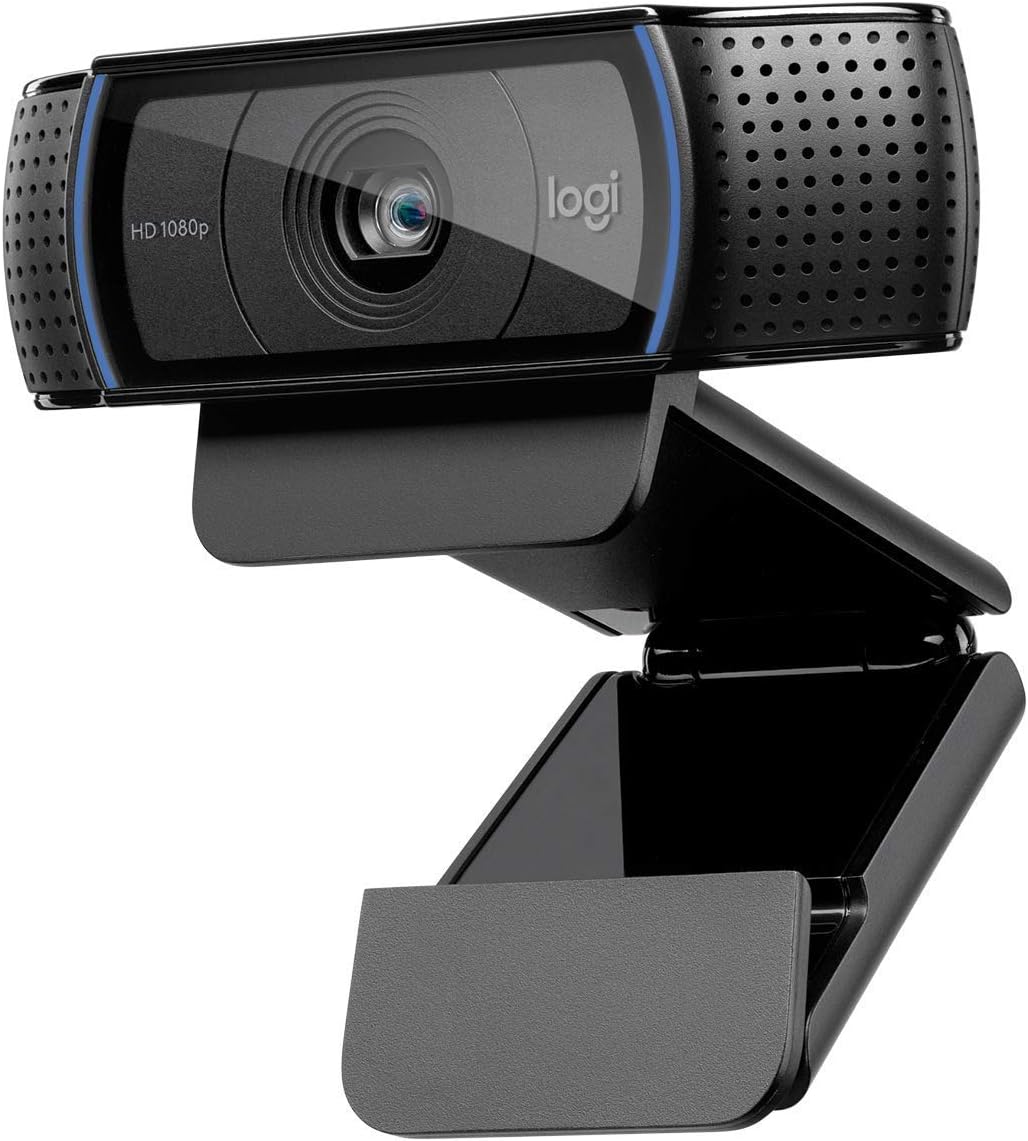


The Logitech C920x HD Pro webcam stands out as a top choice for professionals and streamers. It delivers crisp 1080p video at 30fps with a high rating of 4.6 stars making it a reliable workhorse for daily calls.
We may earn a commission when you buy through this link, at no additional cost to you.
Its HD autofocus and lighting adjustment ensure you look sharp even in low light. Dual mics provide natural stereo audio so your voice comes through clearly without external equipment needed.
While it lacks a privacy shutter and the cable is fixed at a set length the video quality and ease of use make up for these trade-offs. It works seamlessly with Windows 11 and major conferencing apps.
This webcam is ideal for anyone needing consistent quality for meetings or content creation. If you prioritize image clarity and simple setup over extra accessories the C920x is a solid investment.
The full HD 1080p resolution combined with autofocus ensures every call looks professional regardless of room lighting conditions.
Dual built-in microphones capture natural sound reducing the need for headsets during virtual meetings or live streams.
We may earn a commission when you buy through this link, at no additional cost to you.
The C920S is an enhanced version of the classic C920 with a crucial addition for privacy conscious users. A snug privacy shutter gives you full control over when your camera is active adding a layer of security.
We may earn a commission when you buy through this link, at no additional cost to you.
It maintains the high video quality of its predecessor with 1080p recording and crisp color reproduction. The dual mics ensure your voice sounds clear which is vital for professional settings.
The lack of the XSplit VCam license means you miss out on background removal tools unless you have other software but for most users this is a minor drawback. The shutter is simple to operate.
Buy this if you value privacy and consistent video performance. It suits home offices where you want quick access control without compromising on stream quality during calls.
The integrated shutter slides smoothly to cover the lens giving you peace of mind when not on a call.
Glass lens and autofocus create a professional look suitable for client meetings or streaming content.
We may earn a commission when you buy through this link, at no additional cost to you.
The EMEET C960 delivers impressive value with solid 1080p video at an affordable price. It features a privacy cover and automatic light adjustment making it easy to use without technical setup.
We may earn a commission when you buy through this link, at no additional cost to you.
Two omnidirectional mics capture your voice clearly and the wide angle lens fits more people into the frame which is great for small group calls. It works across Windows and Mac systems seamlessly.
Fixed focus means you need to position the webcam carefully for sharp images but in a fixed office setting this rarely an issue. It lacks advanced features like Windows Hello support.
For budget buyers needing reliable performance this webcam is hard to beat. It provides clear video and audio essentials without extra costs making it perfect for students and remote workers.
Packed with essential features like privacy covers and auto exposure at a fraction of the cost of premium models.
Ninety degree FOV allows multiple participants to join the call without needing a wider angle setup.
We may earn a commission when you buy through this link, at no additional cost to you.
The Brio 101 is a solid entry level webcam designed for modern gaming and streaming setups. It supports new GameChat modes on Nintendo Switch 2 which sets it apart for console gamers.
We may earn a commission when you buy through this link, at no additional cost to you.
RightLight technology improves brightness by up to fifty percent to reduce shadows on your face. This helps you look your best in various lighting conditions. The privacy slide is convenient.
Customization via Logi Options+ app is available but less extensive than higher end models. The build uses recycled plastic aligning with eco-friendly values but durability remains standard.
Choose this if you want a clean look and gaming compatibility. It balances affordability with reliable video quality making it a good choice for casual streamers and remote workers.
Seamlessly integrates with Nintendo Switch 2 GameChat features for a unified communication experience.
Constructed with at least seventy seven percent post-consumer recycled plastic reducing environmental impact.
We may earn a commission when you buy through this link, at no additional cost to you.
The C920e is built for business environments where reliability and compatibility are paramount. It comes certified for Zoom and Microsoft Teams ensuring seamless integration into corporate workflows.
We may earn a commission when you buy through this link, at no additional cost to you.
A 78 degree field of view is balanced to frame individuals nicely without excessive distortion. An attachable privacy screen flips to cover the lens confirming visually if the camera is active.
Sync device management software helps IT teams keep devices updated though individual users may not need this. The sturdy clip and tripod thread offer versatile mounting options on monitors or stands.
This webcam suits businesses needing certified hardware and consistent performance. If you prioritize workplace compatibility and clear audio video this is a strong contender for office settings.
Guaranteed compatibility with major video conferencing platforms like Teams and Zoom reduces technical issues.
Flip screen provides a clear visual indicator of privacy status adding security for corporate meetings.
We may earn a commission when you buy through this link, at no additional cost to you.
The classic C920 remains a top choice for its proven performance and widescreen format. It delivers full HD video with a glass lens that provides sharper image clarity than plastic alternatives.
We may earn a commission when you buy through this link, at no additional cost to you.
Dual stereo microphones capture natural sound so you don't need a headset for clear communication. It is widely compatible with all major platforms ensuring no driver headaches.
While the design is older it still holds up well against newer models. The cable is fixed at a set length which might limit placement flexibility in some desk setups.
Buy this if you want a reliable standard for video calls without extra features. It is a solid choice for home offices prioritizing simplicity and quality over novelty.
Decades of use confirm its durability and performance across countless video conferencing setups.
Premium glass lens ensures vibrant colors and sharp focus in various lighting environments.
We may earn a commission when you buy through this link, at no additional cost to you.
The Brio 105 offers a cost-effective entry into business class webcams. It supports major platforms including Chromebooks and is certified for Google Meet making it versatile for diverse work environments.
We may earn a commission when you buy through this link, at no additional cost to you.
Auto-light balance improves image quality in suboptimal conditions. An integrated cover provides extra privacy confidence when working from home. It is simple to set up and deploy.
Sync support allows remote management for IT teams though this may be unnecessary for small users. The focus remains on essential quality rather than advanced customization options.
Choose this for reliable business performance at a reasonable cost. It balances features and price well for professionals needing clear video without extra bells or whistles.
Designed to work seamlessly with Chromebook systems ensuring broad device compatibility.
Logitech Sync integration allows IT teams to manage devices remotely for better security.
We may earn a commission when you buy through this link, at no additional cost to you.
The NexiGo N60 supports a vast range of operating systems from Windows to Linux and Android TV. It is ready to use in about a minute with no drivers needed for most users.
We may earn a commission when you buy through this link, at no additional cost to you.
Built-in noise cancellation reduces ambient noise improving audio quality during calls. The privacy cover blocks the lens for security when not in use adding peace of mind.
Fixed focus means positioning is key but the optimized distance covers most desks well. It does not work with Xbox or PS consoles limiting its appeal to gamers with external setups.
This webcam is ideal for cross-platform users needing reliable performance. If you use multiple OS environments and value privacy this is a practical and affordable choice.
Compatible with Windows Mac Linux Android and Chrome OS making it flexible for any setup.
Noise cancellation and lens cover ensure both sound and visual privacy during sensitive calls.
We may earn a commission when you buy through this link, at no additional cost to you.
The S600 offers streaming quality beyond standard webcams with 4K support at 30FPS or 1080P at 60FPS. Its Sony sensor and PDAF autofocus deliver sharp precise images in various scenes.
We may earn a commission when you buy through this link, at no additional cost to you.
Light balance keeps shadows managed and the proprietary audio algorithm filters background noise. The FOV is adjustable at 1080P allowing flexibility in framing your surroundings.
A rugged design ensures stability during tilting and rotation but it may be heavier than others. EMEETLINK software provides advanced customization for those wanting fine-tuned control.
Streamers or content creators seeking higher quality should consider this. If you need detailed visuals and reliable tracking the S600 performs well in demanding environments.
Phase detection autofocus provides faster and more stable tracking than standard contrast-based systems.
Multiple resolution options cater to diverse streaming needs from 4K to smooth 1080P.
We may earn a commission when you buy through this link, at no additional cost to you.
The renewed Brio 100 offers a cost-effective way to access a trusted brand. It delivers Full HD resolution at 30fps with a wide diagonal field of view suitable for most setups.
We may earn a commission when you buy through this link, at no additional cost to you.
It is plug and play compatible with popular apps and includes a built-in microphone for convenience. The renewed condition ensures savings while still providing solid reliability.
The 58 degree FOV is narrower than some competitors but focuses on quality over quantity. Check seller ratings to ensure the device meets your condition expectations before buying.
For budget conscious buyers this option provides good value. If you trust refurbished tech and want a reliable webcam without spending full price this is worth considering.
Renewed products are tested to ensure they function well offering savings without performance loss.
Logitech builds offer proven durability so even renewed units often last for years.
We may earn a commission when you buy through this link, at no additional cost to you.
Selecting the right webcam requires balancing video quality audio performance and privacy needs to find the best fit for your work or streaming setup.
Most webcams offer 1080p at 30fps which is standard for meetings and streaming. Higher frame rates like 60fps provide smoother motion but require more bandwidth.
Look for consistent 1080p delivery to ensure you always look sharp on camera regardless of lighting conditions.
Glass lenses generally produce sharper images with better color accuracy than plastic lenses. Autofocus allows the camera to adjust to your distance maintaining clarity.
Prioritize autofocus models if you move around during calls to avoid blurry video.
Dual microphones or noise-cancelling tech capture your voice clearly while filtering background noise. Stereo audio creates a more immersive experience for callers.
Ensure the microphone is clear enough to reduce the need for separate headsets during meetings.
Privacy shutters or covers let you physically block the camera lens when not in use. This is a critical feature for security in home offices.
Always check if a webcam includes a cover or shutter for peace of mind.
Automatic light adjustment helps balance brightness in low light rooms ensuring your face remains visible. This reduces harsh shadows and improves video quality.
Choose models with auto light correction to maintain clarity in varied lighting environments.
Most webcams use USB-A but some offer USB-C for modern setups. Ensure compatibility with your operating system like Windows Mac or Linux.
Verify the webcam works with your preferred platforms such as Zoom Teams or OBS.
Adjustable clips allow mounting on laptops or monitors while tripod threads provide versatility for stands. Flexible rotation helps find the best angle.
Look for sturdy mounting options to keep the webcam stable during use.
Some webcams come with software for customization like background removal or color settings. Others rely on third-party tools for advanced features.
Decide if you need bundled software or prefer using external streaming tools.
Plug the webcam into a direct USB port on your computer to ensure stable power and data transfer. Avoid hubs that may not supply enough power.
Position the lens at eye level for natural framing and reduce harsh shadows on your face. Use a stand or adjust the clip accordingly.
Clean the lens with a microfiber cloth regularly to remove dust and smudges for optimal video clarity.
Zoom works without a camera but having a 1080p webcam improves engagement and professionalism. It allows participants to see you clearly during conversations.
1080p is the standard for most streams balancing quality and performance. Some advanced streamers prefer 4K but it requires stronger hardware and internet.
Yes if you want physical assurance your camera is off when not in use. They are easy to open and close and add a layer of security.
Most webcams are plug-and-play and work with macOS without drivers. Check product details to confirm compatibility with your version of macOS.
Yes proper lighting ensures your face is visible and reduces shadows. Even basic adjustments like facing a window can significantly improve image clarity.
Many webcams include built-in mics that work well for meetings. If you need studio quality audio a dedicated mic may be better but webcam mics suffice for calls.
We reviewed ten top options ranging from budget picks to premium business models. The Logitech C920x leads for overall reliability while EMEET offers great value.
Prioritize privacy features and autofocus if you work frequently or stream content. Clear audio and stable connections are equally important for seamless communication.
Remember to check current listings for price updates and availability before buying. Select the model that matches your workspace and performance needs.