
DARKROCK 3-Pack 120mm Black
4.6Editor score
Three fans for full case setup
Hydraulic bearing for stability
Low noise at 32.1 dBA
Find the best exhaust fan for PC with our guide comparing top models for airflow, noise, and cooling performance to keep your system running smoothly.
Keeping your PC cool is essential for longevity and performance. An exhaust fan for PC helps expel hot air from your case, ensuring components stay within safe temperature limits during intense tasks like gaming or rendering.
We compared ten top-rated models based on airflow capacity, noise levels, bearing type, and ease of installation. Our list includes options for budget builds, silent setups, and high-performance systems requiring maximum ventilation.
Each pick highlights key specs and real-world benefits to help you choose the right fan. Note that prices and availability change frequently, so check current listings before purchasing to ensure you get the best deal.
4.6Editor score

4.8Editor score

4.7Editor score
This side-by-side comparison breaks down the top ten exhaust fans for PC builds, highlighting key specifications like airflow, noise, and bearing technology to help you make an informed decision.




The Noctua NF-P12 redux-1700 PWM stands out as a top-tier exhaust fan for PC builds. With a 4.8 rating and over 150,000 hours MTTF, it promises reliability. Its pressure-optimized blade design ensures efficient airflow even through dense radiators or filters.
We may earn a commission when you buy through this link, at no additional cost to you.
Key strengths include its whisper-quiet operation at just 25.1 dB(A). The 4-pin PWM interface allows automatic motherboard speed control, balancing cooling with silence. High static pressure makes it ideal for tight spaces or heavy heatsinks.
Trade-offs involve a slightly higher price and lack of RGB lighting. These are acceptable given the focus on performance and longevity. The redux edition retains core quality without extra cost from aesthetic features.
Buy this if you prioritize silence and durability. It is perfect for quiet home theaters or workstation PCs. The reliable bearings ensure years of trouble-free exhaust ventilation.
This design enhances static pressure for better cooling through restrictions like radiators or dust filters.
With over 150,000 hours MTTF, this fan reduces replacement needs and ensures consistent performance.
We may earn a commission when you buy through this link, at no additional cost to you.
This 5-pack offers an premium exhaust fan for PC upgrades. With a 4.7 rating, it delivers 66.17 CFM airflow per fan. The S-FDB bearing ensures minimal noise, and ARGB lights add style with 17 modes.
We may earn a commission when you buy through this link, at no additional cost to you.
Strengths include automatic speed control via 4PIN PWM. The high-brightness LED blades create soft lighting effects. With 1550 RPM, cooling is effective for cases and CPU coolers. The 5-pack covers all case slots.
Trade-offs involve potential cable clutter and RGB visibility. These are acceptable for users wanting a complete kit. The quality matches more expensive brands with better value.
Buy this for stylish builds needing multiple fans. It suits gamers who want lighting and silence. The included cables simplify PWM series control across all units.
S-FDB bearings reduce vibration and noise for a smoother, quieter operation under load.
Up to 17 light modes sync with your system via motherboard headers for customization.
We may earn a commission when you buy through this link, at no additional cost to you.
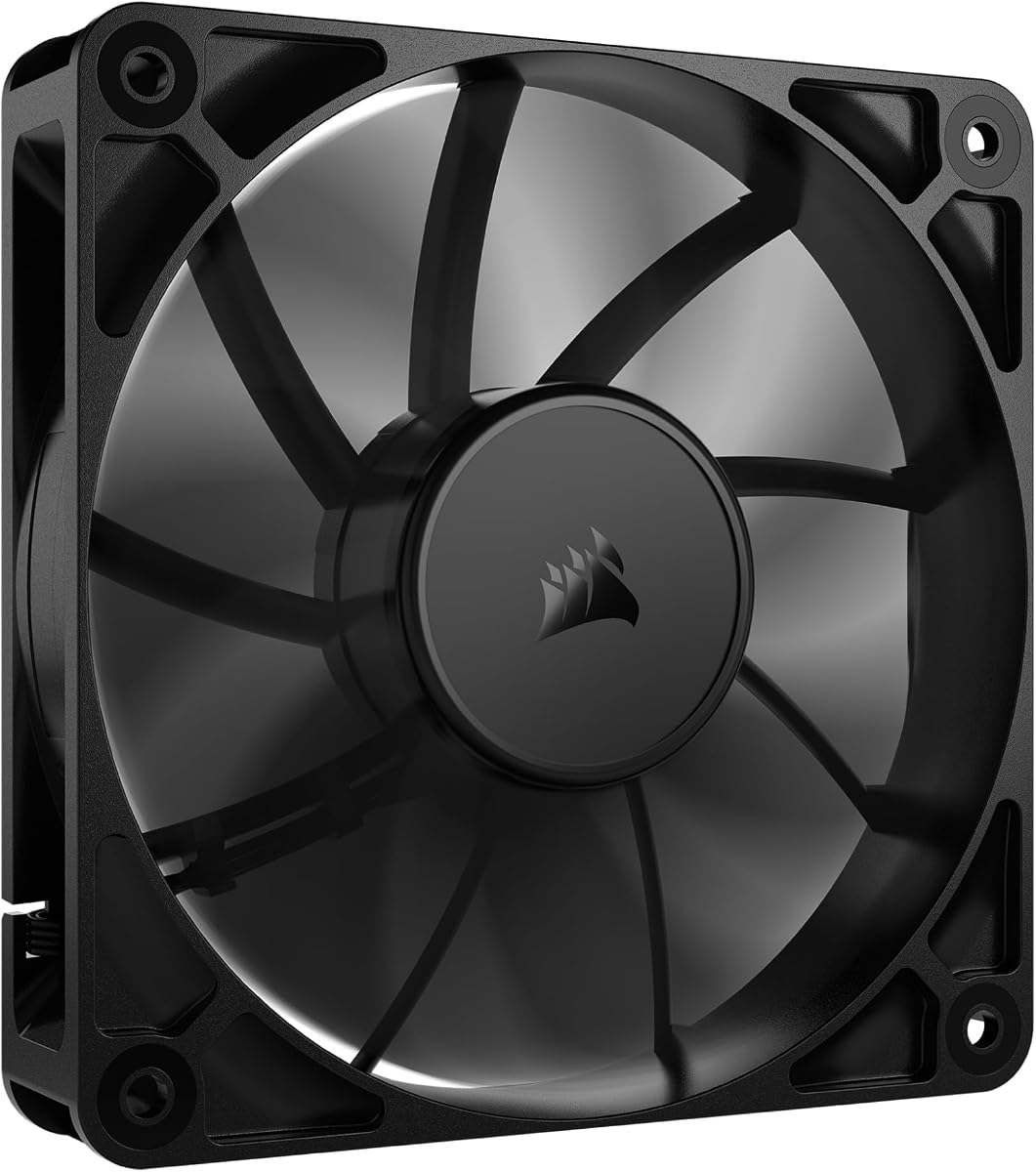
For budget builds, this 3-pack provides excellent value. With a 4.6 rating, each fan reaches 1200 RPM. The hydraulic bearing ensures stable rotation, and noise stays low at 32.1 dBA for quiet use.
We may earn a commission when you buy through this link, at no additional cost to you.
Strengths include PBT environmental protection material for heat resistance. The nine-blade design boosts cooling. Soft silicone cushions absorb vibration. Installation is simple with standard 120mm sizing.
Trade-offs are basic looks and lack of RGB. These are acceptable for cost-conscious buyers. The focus is on reliable performance without extra features driving up price.
Buy this for budget-friendly full case cooling. It suits office PCs or silent gaming setups. The three-pack ensures all exhaust positions are covered efficiently.
Hydraulic bearings reduce noise and increase lifespan with reliable rotational performance.
PBT material offers durability and insulation for lasting quality in high-heat environments.
We may earn a commission when you buy through this link, at no additional cost to you.
The be quiet! Pure Wings 3 is designed for silent operation. With a 4.7 rating, it uses seven optimized blades to reduce noise while maximizing airflow. Its rifle bearing promises 80,000 hours of life.
We may earn a commission when you buy through this link, at no additional cost to you.
Strengths include German design and quality. Very low minimum RPM ensures whisper-quiet operation at idle. The frame supports peak performance on radiators, making it versatile for different cooling needs.
Trade-offs include lack of RGB and higher cost. These are acceptable for noise-sensitive environments. The focus remains on functional engineering over flashy features.
Buy this for silent home PCs. It suits users valuing quiet above all. The German engineering ensures reliable, long-term performance.
The frame is shaped to optimize airflow through radiators for better thermal performance.
A rifle bearing provides 80,000 hours of life for lasting reliability.
We may earn a commission when you buy through this link, at no additional cost to you.
This fan offers unique AC plug versatility. With a 4.4 rating, it runs 700 to 2800 RPM via controller. The AC plug lets you use it without a PC, ideal for servers or cabinets.
We may earn a commission when you buy through this link, at no additional cost to you.
Strengths include universal voltage and 95.8 CFM airflow. Dual-ball bearings provide 50,000 hours life. The controller allows speed adjustment to suit any environment.
Trade-offs involve larger size and lack of motherboard control. These are acceptable for standalone use. The focus is on flexible ventilation solutions.
Buy this for non-PC cooling needs. It suits routers, cabinets, or extra exhaust. The AC plug simplifies setup anywhere.
Direct AC power lets you use this fan without relying on a PC power supply.
Adjust RPM with the included controller for perfect cooling or quiet operation.
We may earn a commission when you buy through this link, at no additional cost to you.
This fan excels with daisy-chain connections. With a 4.6 rating, you can connect multiple fans using one 4-pin PWM connector. Magnetic Dome bearing minimizes noise and friction for longevity.
We may earn a commission when you buy through this link, at no additional cost to you.
Strengths include CORSAIR AirGuide technology for directed airflow. High static pressure helps push through obstructions. 72.8 CFM airflow cools efficiently. It works well as a radiator fan.
Trade-offs include single fan per pack and no RGB. These are acceptable for clean cable management. The focus is on streamlined performance.
Buy this for cable-efficient builds. It suits users wanting simple multi-fan setups. The daisy-chain feature reduces clutter.
Connect multiple fans to a single PWM port for clean cable management.
Anti-vortex vanes direct airflow precisely where it is needed most.
We may earn a commission when you buy through this link, at no additional cost to you.
This USB fan is perfect for portable cooling. With a 4.4 rating, it operates at 18dB, quieter than a library. The built-in cable connects to power banks or chargers easily.
We may earn a commission when you buy through this link, at no additional cost to you.
Strengths include 55.8 CFM airflow for rapid cooling. It fits routers, mini PCs, and game consoles. The scratch-proof design protects surfaces. You can place it flat or upright.
Trade-offs involve not fitting standard case mounts. These are acceptable for external devices. The focus is on flexible, quiet cooling anywhere.
Buy this for external device cooling. It suits gamers or streamers. The USB power ensures no extra wires.
Connect via USB to laptops or chargers for cable-free cooling anywhere.
At 18dB, this fan is whisper-quiet and won't disturb your activities.
We may earn a commission when you buy through this link, at no additional cost to you.
For compact cases, this 80mm fan fits perfectly. With a 4.5 rating, it uses optimized blades for high airflow. The long life bearing ensures reliability in mining rigs or desktops.
We may earn a commission when you buy through this link, at no additional cost to you.
Strengths include silent operation and rugged design. It is ideal for replacement or tight spaces. The universal fit works with CPU coolers and standard mounts. Noise stays low.
Trade-offs are smaller airflow and size limits. These are acceptable for specific needs. The focus is on quiet, compact efficiency.
Buy this for small builds. It suits HTPC or mining setups. The reliable bearing ensures consistent performance.
Designed for tight spaces where larger fans won't fit.
Reliable bearing design ensures long-term stable operation.
We may earn a commission when you buy through this link, at no additional cost to you.
This fan is built for extreme cooling needs. With a 4.5 rating, it delivers 230 CFM airflow. The 5300 RPM ensures heat removal. PWM allows intelligent speed regulation via BIOS.
We may earn a commission when you buy through this link, at no additional cost to you.
Strengths include 38mm thick design for static pressure. Dual ball bearings offer 67,000 hours life. Ideal for antminer or server chassis needing maximum ventilation. High performance wins.
Trade-offs are high noise and thick profile. These are acceptable for industrial use. The focus is on raw airflow power.
Buy this for heavy-duty cases. It suits miners needing maximum cooling. The PWM control helps manage noise.
Massive airflow removes heat fast for demanding applications.
Speed adjusts automatically based on temperature to balance noise.
We may earn a commission when you buy through this link, at no additional cost to you.
This 3-pack offers excellent value. With a 4.7 rating, each fan provides 66.17 CFM airflow. The S-FDB bearing ensures silence. ARGB lighting adds color with 17 modes.
We may earn a commission when you buy through this link, at no additional cost to you.
Strengths include automatic speed control via 4PIN PWM. High-brightness LEDs create soft lighting. Fits cases and CPU coolers perfectly. The 3-pack covers all exhaust positions.
Trade-offs include needing to manage cables. These are acceptable for full cooling kits. The focus is on balanced performance.
Buy this for cost-effective upgrades. It suits gamers wanting RGB and silence. The three-pack covers your whole case.
S-FDB bearings minimize noise for a quiet operation under load.
Sync up to 17 light modes with motherboard headers for style.
We may earn a commission when you buy through this link, at no additional cost to you.
Choosing the right exhaust fan for PC requires balancing airflow, noise, and fit. This guide breaks down the factors to consider for any build.
Airflow measured in CFM indicates how much air the fan moves. High CFM exhaust fans for PC help remove heat fast, ideal for gaming or workstation builds.
Prioritize higher CFM for heat-dense systems.
Noise in dBA matters for quiet environments. Look for models under 30 dBA for silent operation. Bearing type greatly affects noise quality.
Select low dBA fans for bedroom PCs.
Bearings determine lifespan and noise. Hydraulic, ball, or rifle bearings offer better reliability than sleeve. Longer MTTF ensures consistent cooling.
Choose ball or rifle bearings for longevity.
4-pin PWM allows motherboard speed regulation. This adjusts fan speed based on temperature for balanced cooling and noise.
Always choose 4-pin PWM fans.
Case size dictates frame dimensions. Standard 120mm fits most, but compact cases need 80mm. Ensure compatibility with your case mounting points.
Check case specs before buying size.
Static pressure helps push air through filters or radiators. High static pressure fans are better for restricted exhaust positions.
Prioritize pressure if using filters.
ARGB adds color but increases cost. Silent models often lack lighting. Decide if style matters more than quiet performance.
Choose RGB for builds where style matters.
Most come with screws, but some need extras. Ensure mounting compatibility for quick installs. Accessories like grommets reduce vibration noise.
Verify hardware inclusion before purchase.
Install exhaust fans at the rear or top of the case. Ensure the arrow on the side points outward to expel hot air.
Clean dust from blades and filters regularly. Use compressed air to maintain airflow and prevent noise caused by debris.
Check mounting screws periodically. Tighten any loose mounts to prevent vibration noise. Adjust fan speed in BIOS for optimal balance.
An exhaust fan for PC pushes hot air out of the case. It works with intake fans to create airflow that keeps components cool. This improves performance and hardware life.
Most cases need one to two exhaust fans. Rear exhaust is essential. Top exhaust helps with heat rise. Ensure airflow balance with intakes.
Yes, exhaust fans must face outward. Check the arrow on the frame. Incorrect direction causes heat buildup inside the case.
140mm fans move more air at lower RPM for less noise. 120mm fit standard cases. Choose based on case compatibility and noise priorities.
Turn off the PC and disconnect power. Use compressed air to blow dust from blades. Remove dust filters and wash them if applicable.
Yes, any case fan can serve as exhaust. Ensure it fits the mounting holes. Check noise and airflow specs match your needs.
Proper exhaust fans reduce internal heat, allowing lower CPU speeds. This reduces overall system noise. High-quality exhaust fans themselves operate quietly.
The Noctua NF-P12 redux-1700 PWM leads as top overall, offering silence and reliability. For premium builds, the Thermalright TL-C12C-S 5 Pack adds ARGB. Budget buyers love the DARKROCK 3-Pack.
Prioritize airflow and noise for your needs. PWM control ensures better thermal management. Verify case compatibility before purchase.
Prices change daily. Check current listings for the best deal. Choose wisely for long-term cooling success.