
Lenovo V-Series V15 Business Laptop
4.2Editor score
AMD Ryzen 7 5825U Processor
40GB High Bandwidth RAM
1TB PCIe NVMe SSD Storage
This guide compares the top laptops with numpad for business and home use, focusing on performance screen quality and essential connectivity features for 2026.
Finding a laptop with a dedicated numeric keypad is crucial for professionals who handle data entry daily. These devices streamline workflows for accountants students bookkeepers and anyone working extensively with spreadsheets or financial software requiring fast number input.
We evaluated ten distinct models based on processor speed memory capacity display quality and keyboard ergonomics. Our comparison prioritizes machines that offer reliable performance for multitasking while maintaining the physical layout needed for efficient numerical work without external peripherals.
Each pick in this list highlights specific strengths such as battery life port selection or screen real estate. Please note that prices fluctuate frequently so verify current offers before purchasing to ensure you get the best value for your specific professional needs and budget constraints.
4.2Editor score

4.8Editor score

The following table provides a side-by-side overview of all ten models reviewed in this guide. We highlight key specifications including processor type memory size storage capacity and screen dimensions to help you quickly identify which device matches your workflow requirements.




The HP 255 G10 stands out as a reliable workhorse for professionals needing a dedicated numeric keypad. With a 4.8 rating from verified buyers, this laptop delivers a balanced mix of performance and portability. Its AMD Ryzen 3 processor paired with 16GB of RAM ensures smooth multitasking during daily office workflows.
We may earn a commission when you buy through this link, at no additional cost to you.
This model features a 15.6-inch Full HD IPS display with narrow bezels that maximize screen real estate. The anti-glare coating is essential for long hours of spreadsheet work in varied lighting conditions. Connectivity is robust with USB Type-C and Type-A ports alongside HDMI for external monitor support.
While the battery capacity is modest at 41Wh, it suffices for typical office environments with access to power outlets. The chassis weighs 3.4 pounds which is manageable for occasional travel but primarily suited for desk use. The numeric keypad is full-size ensuring comfortable data entry without accidental keystrokes.
We recommend this device for small business owners or accountants needing a cost-effective yet capable machine. The inclusion of Windows 11 Pro adds security features necessary for corporate environments. Overall it represents a solid investment for those prioritizing screen quality and typing efficiency.
The AMD Ryzen 3 7330U offers four cores and eight threads capable of handling multiple browser tabs and office apps simultaneously without slowdowns.
With 1080p resolution and IPS technology, viewing angles remain consistent which is crucial when sharing screens during meetings or collaborative sessions.
We may earn a commission when you buy through this link, at no additional cost to you.
This Lenovo V-Series model targets power users who need substantial memory and storage for heavy data processing. The 40GB RAM ensures that even with dozens of open applications, the system remains responsive. A 4.2 rating reflects strong performance though some users may find the weight less ideal for constant travel.
We may earn a commission when you buy through this link, at no additional cost to you.
The Ryzen 7 5825U processor provides significant headroom for complex calculations and virtual machine usage. Storage is abundant at 1TB which eliminates the need for external drives in many scenarios. The physical keypad layout is ergonomic and clearly marked for accurate input during long sessions.
While it lacks some modern connectivity like USB-C power delivery, the inclusion of a legacy RJ45 port is a bonus for stable network connections in office settings. The build quality is sturdy and the thermal management seems adequate for the high-performance components inside the chassis.
Ideal for financial analysts or researchers working with large datasets locally. The Windows 11 Pro operating system provides management tools for enterprise deployment. Choose this if raw performance and memory capacity are your top priorities over ultra-lightweight design.
40GB of RAM allows for running virtual environments or heavy database software alongside standard office tools without performance bottlenecks.
The RJ45 port ensures a wired internet connection is always available which is critical for secure data transfers and stable video calls.
We may earn a commission when you buy through this link, at no additional cost to you.
This variation of the HP 255 G10 offers a significant upgrade in processing power with the Ryzen 7 7730U. It maintains the same sleek form factor but handles more demanding tasks like video editing or large data analysis. With a 4.1 rating, it is well-regarded for its balance of speed and efficiency.
We may earn a commission when you buy through this link, at no additional cost to you.
The display offers a 15.6-inch FHD IPS panel that balances color accuracy and visibility. While the brightness is standard, the anti-glare finish reduces eye strain during long work hours. The keyboard includes a full numeric keypad which is essential for entry-level accounting tasks or inventory management.
Storage is handled by a 512GB PCIe SSD which provides quick boot times and snappy application launches. Connectivity includes Wi-Fi 6 for faster wireless speeds and Bluetooth for peripherals. The build quality is typical of HP business laptops focusing on durability and professional aesthetics.
We suggest this model for users needing more CPU power than the base Ryzen 3 model. It is well-suited for mid-range business tasks where performance is key. Ensure you have sufficient external lighting for video calls due to the standard webcam capabilities.
The Ryzen 7 7730U delivers higher clock speeds and more threads than entry-level chips ensuring smoother execution of complex applications.
PCIe NVMe SSD technology provides much faster data transfer rates compared to traditional SATA drives speeding up file operations.
We may earn a commission when you buy through this link, at no additional cost to you.
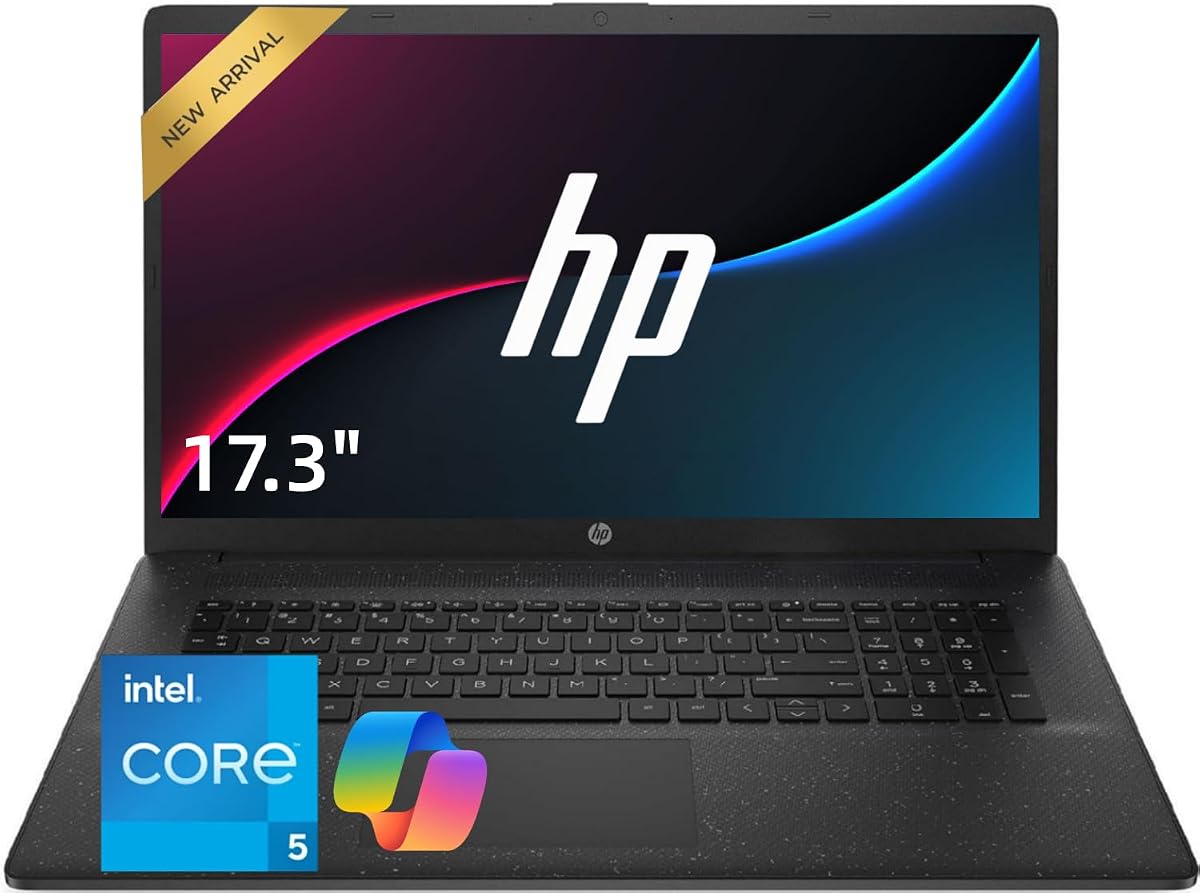
This HP laptop distinguishes itself with a massive 17.3-inch display ideal for spreadsheets and side-by-side windows. The Intel Core 5 processor offers ten cores for responsive performance in daily tasks. It is positioned as a practical choice for home offices needing a larger workspace without a desktop setup.
We may earn a commission when you buy through this link, at no additional cost to you.
The keyboard features a dedicated numeric keypad which is crucial for data entry roles. With 32GB of RAM, users can keep many applications open without performance degradation. The 1TB SSD provides ample space for documents and media ensuring you never run out of storage quickly.
Connectivity includes Wi-Fi 6 and multiple USB ports for peripherals. While it lacks a physical rating yet, the specs suggest strong value for the price point. The larger screen real estate helps reduce eye strain when reviewing complex financial tables or technical documents.
Recommended for home office users who prioritize screen space and multitasking ability over portability. The Windows 11 OS ensures security and ease of use. This model is particularly useful for accountants or bookkeepers who work primarily from a fixed desk location.
The 17.3-inch screen allows multiple windows to be open simultaneously without excessive scrolling or window switching.
The Intel Core 5 120U balances energy efficiency with processing power suitable for long work sessions without excessive heat.
We may earn a commission when you buy through this link, at no additional cost to you.
Lenovo brings a 16-inch form factor with a unique aspect ratio that offers 11% more vertical space than standard laptops. This is beneficial for long documents and spreadsheets. The Intel Core i5-13420H ensures professional-grade performance for business applications and light content creation needs.
We may earn a commission when you buy through this link, at no additional cost to you.
With 24GB of DDR5 RAM this device is future-proof for increasing software demands. The 1TB SSD offers quick boot times and ample storage for business files. The numeric keypad is integrated into a full-size keyboard layout providing comfortable typing for extended periods without fatigue.
Privacy features include a 720p webcam with a physical shutter for security during virtual meetings. Connectivity is robust with USB-C power delivery and HDMI for external displays. The build quality is durable with a Luna Grey finish that maintains a professional look over time.
This laptop is excellent for students and professionals needing a balance of power and screen real estate. The extra height helps in viewing code or financial models more clearly. Choose this if you value DDR5 speed and a larger canvas for your daily work.
The WUXGA resolution adds extra vertical pixels making it easier to view long rows of data without excessive scrolling.
DDR5 RAM provides faster data transfer speeds than previous generations improving overall system responsiveness during heavy multitasking.
We may earn a commission when you buy through this link, at no additional cost to you.
This HP model focuses on productivity with a large 17.3-inch screen and powerful specs. The Intel Core 5 processor delivers up to 5.0GHz turbo speeds ensuring quick processing of complex tasks. It is designed for professionals needing substantial workspace and reliable performance for office applications.
We may earn a commission when you buy through this link, at no additional cost to you.
With 32GB of RAM and a 1TB SSD this system handles large datasets smoothly. The numeric keypad is essential for accounting tasks allowing quick data entry without external peripherals. The privacy shutter adds an extra layer of security for webcam usage during sensitive meetings.
Connectivity options include USB-C and HDMI for connecting multiple monitors. The build is solid but heavy due to the larger chassis and cooling system. This device is best suited for stationary office environments where screen space is more valuable than portability.
Ideal for users managing extensive spreadsheets or running resource-heavy business software. The large display reduces eye strain and improves workflow efficiency. Consider this if you need a laptop that functions as a primary workstation rather than a travel device.
The ability to reach 5.0GHz allows for faster processing of single-threaded tasks which benefits responsiveness in daily apps.
32GB of RAM ensures you can run heavy applications like ERP systems alongside many browser tabs without slowdowns.
We may earn a commission when you buy through this link, at no additional cost to you.
This 2026 edition HP laptop combines a 17.3-inch display with efficient AMD Ryzen 5 processing. It targets users needing a large screen for productivity without sacrificing battery longevity. The 4.5 rating suggests strong satisfaction among buyers regarding its balance of features and performance.
We may earn a commission when you buy through this link, at no additional cost to you.
The full-size keyboard includes a numeric keypad making it suitable for financial data entry. With 16GB of RAM and a 512GB SSD it offers smooth performance for typical business tasks. The inclusion of Office 365 for Web ensures access to productivity tools immediately upon setup.
Battery life is highlighted as a strong point supported by HP Fast Charge technology. The narrow bezels provide an immersive viewing experience for documents and videos. Connectivity includes standard ports for monitors and peripherals allowing for versatile desktop configurations.
Recommended for business travelers who need a larger screen but still want reasonable portability. The long battery life supports working on the go without constant charging. Choose this if you value screen real estate and a reliable keyboard layout for daily typing.
The battery is optimized for long work sessions allowing users to stay productive throughout the day without frequent recharging.
Access to Office 365 for Web means you can collaborate on documents instantly without needing local installation of software.
We may earn a commission when you buy through this link, at no additional cost to you.
This lightweight laptop offers a compact solution for basic data entry tasks. It features a dedicated numeric keypad and a 10000mAh battery promising extended usage between charges. With a 4.5 rating, it is popular among users seeking a budget-friendly option for school or home office use.
We may earn a commission when you buy through this link, at no additional cost to you.
The AMD processor runs at up to 3.2GHz providing sufficient speed for web browsing and document editing. While RAM is at 8GB it supports basic multitasking effectively. The screen is Full HD which ensures sharp text for reading spreadsheets and documents accurately.
Storage can be expanded to 1TB if needed for larger file collections. Connectivity includes USB3.0 and Type-C for modern peripherals. The slim design makes it easy to slip into a backpack for daily commutes to campus or work.
Best suited for students or light home users needing a dedicated numpad without high costs. The long battery life supports studying on the move. Ensure you upgrade storage if you plan to store media files locally.
The high capacity battery allows for full days of work or study without needing access to a power outlet.
Weighing just 3.3 pounds this device is easy to carry for those who need a mobile solution for their tasks.
We may earn a commission when you buy through this link, at no additional cost to you.
The Laptop S7HI is designed for portability with a slim profile and lightweight chassis. It includes a 15.6-inch IPS display providing clear visuals for daily tasks. With a 4.4 rating, users appreciate its readiness for use out of the box with Windows 11 pre-installed.
We may earn a commission when you buy through this link, at no additional cost to you.
The processor handles basic tasks efficiently though heavy multitasking may be constrained by 6GB of RAM. Storage is expandable offering flexibility for users with growing data needs. The numeric keypad is a vital feature for those needing to input numbers without an external device.
Connectivity includes Type-C and HDMI for versatile setups. The device is easy to carry making it suitable for school students or travelers. While not a power machine, it fulfills basic computing needs with a comfortable typing experience for budget-conscious buyers.
Recommended for students or light users needing a portable machine with a numpad. The expandable storage adds long-term value to the purchase. Ensure you check battery life expectations before buying for travel.
Weighing just 3.6 lbs this laptop is designed to be carried easily during commutes or daily travels.
With an extra expansion slot you can add more storage later ensuring the laptop remains useful as needs grow.
We may earn a commission when you buy through this link, at no additional cost to you.
This HP Flagship Business Laptop offers surprising value with 32GB of RAM and a 1TB NVMe SSD at a competitive price. The Intel Core i3-1215U delivers decent performance and efficiency for standard business applications. It has a 4.7 rating indicating strong customer satisfaction with its hardware offerings.
We may earn a commission when you buy through this link, at no additional cost to you.
The large storage and memory allow for significant multitasking capability without performance loss. The Full HD display provides clear visuals for spreadsheets and documents. A numeric keypad is included ensuring that you can perform data entry tasks efficiently without peripherals.
Fast charge technology keeps downtime minimal when you need power quickly. The build is typical of HP business lines focusing on reliability and professional aesthetics. Connectivity includes HDMI and Bluetooth for easy connection to external devices and wireless peripherals.
We recommend this for users prioritizing memory and storage speed over raw CPU power. It is a strong contender for budget buyers who need robust specs for business tasks. Consider this if you need a powerful machine without spending a premium price.
Getting 32GB of RAM at this price point allows you to run heavy tasks that other budget laptops cannot handle.
NVMe SSD technology provides rapid boot times and file access making the system feel responsive in daily use.
We may earn a commission when you buy through this link, at no additional cost to you.
Selecting a laptop with a numeric keypad requires considering several factors beyond the layout. This guide explains the essential elements to check before making a purchase to ensure the device meets your professional needs.
Screen size impacts productivity significantly especially when working with spreadsheets. A 15.6-inch or larger display is recommended to view multiple columns side-by-side comfortably. Higher resolution like Full HD ensures text remains sharp reducing eye strain during long hours of reading data.
Look for a display that offers at least 1920×1080 resolution and preferably IPS technology for better viewing angles when collaborating with colleagues.
The processor determines how fast your laptop handles calculations and multiple applications. For business tasks a modern quad-core processor from Intel or AMD is usually sufficient. Higher-end Ryzen 7 or Intel Core i5 models offer more headroom for complex software and virtual machines.
Choose a processor that matches your workload intensity ensuring smooth performance even with many tabs and applications open.
Memory is critical for multitasking when you have many windows open simultaneously. 16GB is a good standard for most business users while 32GB ensures future-proofing for demanding tasks. Insufficient RAM can lead to lag and slow switching between heavy applications.
Prioritize laptops with at least 16GB of RAM to maintain system speed and responsiveness throughout your workday.
Solid State Drives are essential for fast boot times and quick file access. Aim for at least 512GB of storage to house your files and applications comfortably. NVMe SSDs provide faster speeds than SATA SSDs improving overall system performance.
Select a model with a large NVMe SSD or the option to expand storage later to accommodate growing data needs.
Since you need a numpad ensure the keyboard is full-size and comfortable for extended typing. The numeric keypad should be separate from the main keys to prevent accidental input. Look for keyboards with good travel and tactile feedback for accuracy.
Test the keyboard layout if possible to confirm that the numpad does not feel cramped or difficult to reach.
Adequate ports are necessary for connecting monitors and peripherals. Look for USB Type-C and Type-A ports as well as HDMI for external displays. Ethernet ports are a bonus for stable network connections in office environments.
Ensure the laptop has enough modern ports to support your current peripherals without needing extra dongles.
Battery life is important if you plan to work away from a power outlet. Aim for a laptop that offers at least six hours of real-world usage. Large batteries often add weight so balance portability with endurance needs based on your travel frequency.
Check reviews for real-world battery performance to ensure it meets your daily requirements for unplugged work.
Windows 11 Pro offers better security features and remote management tools for business use. Ensure the laptop comes with genuine OS licensing to avoid future activation issues. Pre-installed software can also impact performance and startup times.
Verify that the operating system is suitable for your security needs and that you can install necessary business applications easily.
Proper handling of your laptop with a numeric keypad ensures longevity and reliability. Always store the device in a protective case when transporting to prevent damage to the keys and screen. Avoid placing heavy objects on top of the closed laptop as this can bend the chassis or press keys accidentally.
Clean the numeric keypad regularly using a soft dry cloth or compressed air to remove dust and debris. Avoid using liquids directly on the keyboard as moisture can damage internal electronics. If a spill occurs disconnect power immediately and dry the device thoroughly before attempting to use it again.
Update drivers and operating system software frequently to maintain performance and security. Use power management settings to optimize battery life based on your daily habits. When not in use for extended periods store the laptop in a cool dry place and maintain a 50% charge level to preserve battery health.
While many modern spreadsheets allow numeric input via the main keyboard, a dedicated numeric keypad significantly speeds up data entry and reduces error rates. For accountants and data entry specialists handling large volumes of numbers daily, the physical layout is a practical necessity rather than a luxury.
Yes you can connect a USB or Bluetooth numeric keypad to any laptop. However this adds cost and reduces portability. A laptop with an integrated numpad provides a compact all-in-one solution that is often more ergonomic for travel or desk use.
Not all business laptops include the Pro version. Many entry-level models come with Windows 11 Home. Always verify the operating system version in the product details as Pro offers better security and management tools essential for corporate environments.
Financial software often runs multiple instances of spreadsheets and analysis tools simultaneously. 16GB of RAM is the recommended minimum for smooth performance. If you work with large datasets or virtual machines consider upgrading to 32GB to prevent slowdowns.
Yes larger screens allow you to view more columns without scrolling horizontally. A 17-inch laptop provides significant workspace but reduces portability. For desk-bound work larger screens improve productivity while 15-inch models offer a balance of space and mobility.
Most modern laptops support at least one external monitor via HDMI or USB-C. Support for dual external monitors depends on the specific GPU and port configuration. Check the technical specifications for multi-display capabilities if you need a multi-screen setup.
We have reviewed ten distinct models ranging from budget-friendly options to powerful business machines. Our top picks highlight devices like the HP 255 G10 for overall value and the Lenovo V-Series for high memory capacity. Each option offers a full numeric keypad to meet your data entry needs effectively.
When prioritizing your choice focus on processor speed memory size and screen dimensions that fit your workflow. A larger screen helps with complex spreadsheets while sufficient RAM ensures smooth performance. The numeric keypad layout should be full-size to maintain typing accuracy over long periods.
Remember that prices change frequently so verify current offers before finalizing your purchase. Check the seller rating and warranty terms to ensure you receive a quality product. With the right laptop you can streamline your daily tasks and improve overall productivity in the workplace.