
Lexar D40E 128GB Dual USB 3.2 Gen 1
4.3Editor score
USB Type-A and Type-C connectors
Plug and Play compatibility
360 degree swivel design
This guide compares the top ten flash drives for every day carry to help you select reliable storage for files media and essential digital assets.
Everyday carry enthusiasts know that reliable storage is essential for keeping important files accessible anywhere. A good flash drive for Edc must be compact durable and compatible with modern devices without bulk. This guide helps you find the right balance of speed capacity and portability.
We evaluated ten top rated models based on real world performance build quality and connectivity options. Each product was chosen for its ability to fit seamlessly into daily routines while delivering consistent transfer speeds. Our analysis focuses on practical features that matter to professionals and hobbyists.
Each pick below highlights key strengths ideal use cases and potential limitations you should consider. Prices and availability change frequently so check current listings before making your decision. This list serves as a starting point for finding the perfect storage companion for your pocket.
4.3Editor score

4.6Editor score
4.4Editor score
This side-by-side comparison highlights the most important specifications for each drive to help you decide which model fits your needs.


The Lexar D50E ranks as the top choice for everyday carry due to its impressive speed and dual connectivity. It holds a 4.6 star rating from users who praise its reliability and fast performance. This drive stands out for professionals needing quick file access across different devices.
We may earn a commission when you buy through this link, at no additional cost to you.
Its standout feature is the combination of USB-A and USB-C connectors in a single compact unit. Users report transfer speeds up to 400MB/s read and 360MB/s write which significantly reduces wait times. The metal housing protects against drops and daily wear while keeping the device lightweight.
While the price is higher than basic models the performance justifies the investment for frequent users. The lack of a cap means the connectors are always exposed but the swivel design keeps them secure. Some users note the drive can get warm during heavy use which is normal for high speed models.
This drive is ideal for anyone who needs reliable high speed storage for work or media files. It works seamlessly with modern laptops tablets and smartphones without adapters. The included Lexar App adds extra value for photo backup on mobile devices.
Transfer large files quickly with read speeds up to 400MB/s and write speeds up to 360MB/s.
Connect to both legacy USB-A ports and modern USB-C devices without needing separate adapters.
We may earn a commission when you buy through this link, at no additional cost to you.
The Lexar D40E offers excellent value for those seeking dual connectivity without a high price tag. It maintains a 4.3 star rating thanks to its reliable performance and simple design. This model is perfect for casual users who need occasional file transfers between devices.
We may earn a commission when you buy through this link, at no additional cost to you.
Its 360 degree swivel design allows easy switching between USB-A and USB-C ports without removing a cap. The metal enclosure provides durability while keeping the drive lightweight at just 26 grams. Users appreciate the plug and play functionality that requires no software installation.
Transfer speeds are slower than premium models with read rates up to 100MB/s which is sufficient for documents and photos. The lack of a cap means connectors are always accessible but also exposed to dust. Some users find the swivel mechanism sturdy enough for daily use.
This drive is best suited for budget conscious buyers who need basic compatibility across devices. It works well for storing presentations documents or media files for occasional access. The included security software adds protection for sensitive files if you prefer encryption.
Switch between connectors instantly with the 360 degree swivel mechanism without caps.
Works with smartphones tablets laptops and Macs using both USB-A and USB-C ports.
We may earn a commission when you buy through this link, at no additional cost to you.
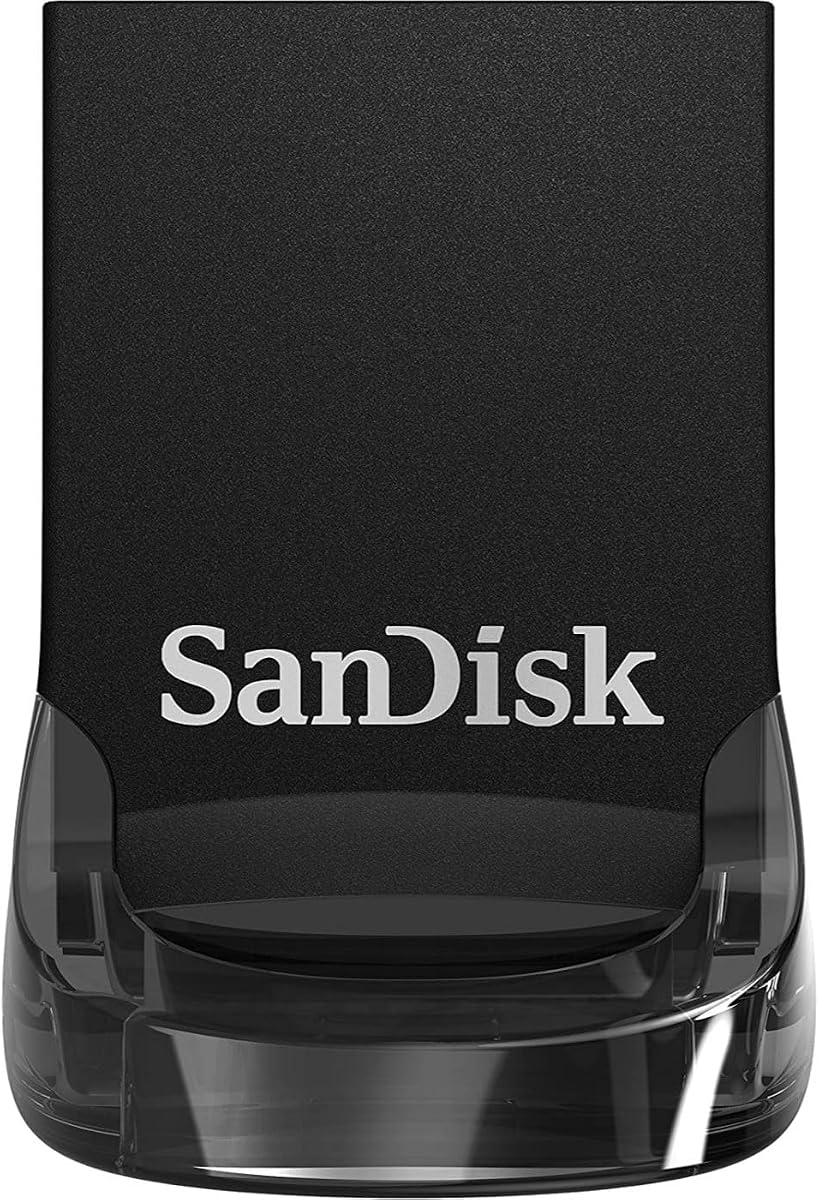
The SANDISK Ultra Fit delivers premium capacity and speed in an incredibly small form factor. It holds a 4.4 star rating from users who value its minimal footprint and reliable performance. This drive is ideal for gaming consoles laptops or cars where space is limited.
We may earn a commission when you buy through this link, at no additional cost to you.
Its plug-and-stay design sits flush with ports so it stays connected without sticking out. Transfer speeds reach up to 400MB/s allowing you to move a full length movie in under thirty seconds. The 256GB capacity holds plenty of high resolution photos videos and documents.
The tiny size means it can block adjacent ports on some laptops which is a trade-off for portability. Password protection software is available for Windows and Mac systems to secure sensitive files. Some users report the drive runs warm during large file transfers which is typical for this size.
This model is best for users who prioritize capacity and speed over dual connectivity. It works great for expanding storage on devices with limited built-in space. The secure software option adds peace of mind for confidential business or personal data.
Get up to 256GB of storage in a drive that fits snugly inside your laptop port.
Move high resolution media and large files quickly with read speeds up to 400MB/s.
We may earn a commission when you buy through this link, at no additional cost to you.
The SANDISK Extreme Fit USB-C is built for modern devices that rely on USB-C ports. It holds a 4.6 star rating from users who appreciate its speed and compatibility with newer phones. This drive is perfect for MacBook users or Android devices needing quick storage expansion.
We may earn a commission when you buy through this link, at no additional cost to you.
Its snug fit design ensures the drive stays securely in place without protruding from the port. Read speeds up to 400MB/s make it easy to move files on the go. The included SANDISK Memory Zone app helps organize files directly on your device.
This drive only supports USB-C which limits use on older computers without adapters. The 128GB capacity is good for most users but power users may need more space. Some devices with thick cases may not allow a secure connection which is worth checking before buying.
Choose this model if you own USB-C devices and want reliable high speed storage. It works well for storing documents photos and videos for travel or work. The app integration adds convenience for managing files on tablets and phones.
Plug your drive into USB-C computers tablets and other devices for easy expansion.
Organize and manage your files with the SANDISK Memory Zone app on Windows or Mac.
We may earn a commission when you buy through this link, at no additional cost to you.
The SANDISK Ultra Luxe USB-C combines style with performance in a premium metal package. It holds a 4.5 star rating from users who love its sleek look and reliable speeds. This drive is great for professionals who want storage that looks as good as it works.
We may earn a commission when you buy through this link, at no additional cost to you.
Its smooth retractable connector helps avoid wear and tear while keeping the device compact. Read speeds up to 400MB/s ensure fast file access across USB-C devices. The keyring hole lets you clip the drive to your bag or keys to prevent loss.
Some users report the retractable mechanism can sometimes get stuck if not handled carefully. The USB-C only interface means you will need an adapter for older USB-A ports. The metal body is durable but can scratch over time with heavy use in a pocket.
This model is ideal for those who value aesthetics alongside reliable high speed storage. It works well for business presentations media files and essential documents. The secure design helps keep files accessible while protecting them from daily wear.
Carry up to 128GB of files in style with a luxurious metal enclosure.
A smooth retractable connector helps you avoid wear and tear during daily use.
We may earn a commission when you buy through this link, at no additional cost to you.
The Lexar D400 offers generous storage with dual connectors for broad device compatibility. It holds a 4.6 star rating from users who need plenty of space and reliable transfers. This drive suits users who manage large media libraries or require extensive file backup.
We may earn a commission when you buy through this link, at no additional cost to you.
Its metal housing and swivel design protect the connectors while keeping the drive compact. Read speeds reach 130MB/s which is slower than faster models but still efficient for bulk transfers. The included Lexar DataShield software protects files with advanced encryption.
The 256GB capacity is great for storing photos videos and documents without running out of space. The swivel mechanism adds a layer of protection but makes the drive slightly longer. Some users note the drive is heavier than slimmer models which may affect comfort in tight pockets.
Choose this model if you need high capacity and security for important files. It works well for photographers videographers or professionals managing large datasets. The dual port support ensures you can connect to most devices without adapters.
Carry your entire content library in your pocket with up to 256GB of storage.
Protect your files securely with Lexar DataShield encryption software for sensitive data.
We may earn a commission when you buy through this link, at no additional cost to you.
The SAMSUNG BAR Plus stands out with the highest user rating in our lineup. It holds a 4.7 star rating from users who value its rugged build and consistent performance. This drive is perfect for those who need a reliable tool for tough environments.
We may earn a commission when you buy through this link, at no additional cost to you.
Its rugged metal casing protects against water shocks magnets temperature changes and X-rays. Transfer speeds reach up to 300MB/s which is fast enough for most daily tasks. The included key ring helps prevent loss and keeps the drive accessible on your keys.
The 64GB capacity is sufficient for documents and photos but may feel limited for media. It only supports USB-A so older devices work well but modern USB-C devices need adapters. Some users appreciate the durable design but note it can scratch over time in pockets.
This model is ideal for outdoor professionals or anyone prioritizing durability over capacity. It works well for storing essential files that need protection from physical damage. The high reliability makes it a trusted choice for critical data storage.
Safeguard your data with a rugged casing that is water shock and temperature proof.
Redefine everyday file transfers with speeds up to 300MB/s on USB 3.1 ports.
We may earn a commission when you buy through this link, at no additional cost to you.
The PNY Elite-X Fit Type-C delivers generous storage in a low-profile design. It holds a 4.5 star rating from users who appreciate its capacity and modern connectivity. This drive is great for mobile users needing space for photos videos and documents.
We may earn a commission when you buy through this link, at no additional cost to you.
Its sliding design keeps the drive compact while leaving other ports available on your device. Transfer speeds reach 200MB/s read and 100MB/s write which is efficient for most tasks. The 256GB capacity frees up space on mobile devices without needing cloud storage.
The USB-C interface ensures compatibility with modern phones tablets and laptops. Ensure your device case allows unobstructed access to the port for a secure connection. Some users note write speeds are slower than read speeds which may affect large file saves.
Choose this model if you need high capacity on a budget for USB-C devices. It works well for backing up phone storage or transferring media to computers. The low profile helps keep your workspace tidy without bulky connectors.
Free up space on Type-C mobile devices by transferring photos videos and music.
A compact low-profile housing with sliding design leaves other ports available.
We may earn a commission when you buy through this link, at no additional cost to you.
The SANDISK Ultra Luxe USB-A offers style and performance in a premium metal body. It holds a 4.5 star rating from users who appreciate its look and speed. This drive is perfect for professionals who need reliable storage with a polished appearance.
We may earn a commission when you buy through this link, at no additional cost to you.
Its full cast metal design feels durable and looks elegant on a desk or keychain. Read speeds up to 400MB/s allow you to transfer movies in under thirty seconds. The included software allows password protection with 128-bit AES encryption.
This drive only supports USB-A which limits use on newer USB-C devices without adapters. The 128GB capacity is good for most users but may not suit heavy media needs. Some users love the metal finish but note it can collect fingerprints and smudges.
Choose this model if you value aesthetics and speed for USB-A devices. It works well for storing documents presentations and media for occasional access. The security software adds value for protecting sensitive business or personal files.
Save your files in style with an elegant full cast metal design.
Password protect files using downloadable software with 128-bit AES encryption.
We may earn a commission when you buy through this link, at no additional cost to you.
The Lexar M400 combines style and durability in a classic USB-A format. It holds a 4.4 star rating from users who value its reliability and design. This drive is great for general use across computers and older devices.
We may earn a commission when you buy through this link, at no additional cost to you.
Its stylish metal enclosure protects the drive while looking professional on a desk. Read speeds reach 150MB/s which is efficient for documents and photos. The included Lexar DataShield software protects files with advanced encryption.
This drive only supports USB-A which may limit use on newer USB-C devices without adapters. The 128GB capacity is suitable for most users but may feel small for heavy media use. Some users appreciate the metal body but note it can scratch over time.
Choose this model if you need a reliable and secure drive for standard USB-A ports. It works well for storing business files or personal documents securely. The compatibility with PC and Mac makes it versatile for shared office environments.
As stylish as it is durable with a metal enclosure that withstands daily use.
Protect your files with Lexar DataShield encryption for sensitive data storage.
We may earn a commission when you buy through this link, at no additional cost to you.
Selecting the right flash drive for everyday carry requires balancing speed capacity and durability.
Storage capacity determines how many files you can carry on your drive. For everyday documents and photos 128GB is sufficient but video editors may need 256GB or more. Consider your typical file sizes and how often you transfer data when choosing.
Always choose a capacity that leaves room for future files without constant management.
Transfer speeds affect how quickly you can move files between devices. Look for USB 3.0 or higher ratings for faster performance especially with large files. Read speeds are often higher than write speeds so check both if you save data frequently.
Faster speeds save time during work sessions and reduce frustration with large transfers.
Connector type ensures compatibility with your devices. USB-A is standard on older laptops while USB-C is modern for phones and new computers. Dual connector drives offer flexibility without needing extra adapters.
Choose a connector that matches your most used devices to avoid extra adapters.
Durability is crucial for everyday carry items that face drops and dust. Metal housings offer better protection than plastic and often dissipate heat better. Some models include water or shock proof ratings for tough environments.
Invest in a robust build to ensure your drive survives daily wear and tear.
Security features protect sensitive data from unauthorized access. Some drives include hardware encryption or software for password protection. This is vital if you carry personal financial or business documents.
Prioritize drives with encryption if you store confidential information on the go.
Portability affects how easily the drive fits in your pocket or bag. Compact drives with keyring holes prevent loss while bulky models may not fit well. Retactable designs protect connectors without needing caps.
Look for a design that fits comfortably in your daily carry kit.
Price reflects capacity speed and build quality. Budget models work for basic needs while premium drives offer faster speeds and better durability. Compare features against your actual usage to avoid overspending.
Find the balance between cost and features that meets your specific requirements.
A good warranty protects your investment against defects or failures. Most reputable brands offer at least a three year limited warranty. Check support options in case you need assistance with software or hardware issues.
Always buy from brands with reliable warranty and customer service support.
Always eject your drive safely before unplugging it to prevent data corruption. On Windows use the safely remove hardware icon while on Mac use the eject button next to the drive name. This ensures all file operations complete before disconnection.
Store your drive in a protective case or pocket away from extreme heat or moisture. Avoid bending or dropping the drive to prevent internal damage. If your drive uses a retractable connector handle it gently to avoid jamming.
Regularly back up important files from your drive to another secure location. Do not rely solely on a flash drive as primary storage due to its susceptibility to failure. Keep your data safe by using cloud storage or external hard drives as backups.
The Lexar D50E is the top choice for everyday carry due to its dual USB-A and USB-C connectors and fast speeds. It balances performance durability and convenience making it ideal for modern devices. If you need more budget options the Lexar D40E offers excellent value with similar connectivity.
For most users 128GB is sufficient for documents photos and occasional videos. If you work with large media files consider 256GB or higher to avoid running out of space. Your typical file sizes and backup needs should guide your capacity choice.
USB-C drives are faster and compatible with modern laptops and phones but may lack legacy support. Dual connector drives offer the best of both worlds without needing adapters. Choose based on the ports available on your most used devices.
Flash drives can slow down if they are nearly full or subjected to heavy read write cycles. Keeping the drive under 80 percent full helps maintain performance. High quality models with better controllers tend to degrade slower than budget options.
Most flash drives work on both Mac and Windows out of the box. However file systems like exFAT are compatible with both while NTFS may require third party software on Mac. Check your drive format to ensure seamless cross platform compatibility.
Use built-in encryption tools like BitLocker on Windows or FileVault on Mac for password protection. Some drives also include proprietary security software for advanced encryption. Always use strong passwords and keep the drive secure when not in use.
Metal drives generally offer better protection against physical damage and heat dissipation. They are less likely to crack under pressure and often feel more premium in hand. However metal can scratch more easily so a case helps preserve the finish.
This guide highlights the top ten flash drives balancing speed capacity and durability. The Lexar D50E and D40E lead for versatility while the SANDISK Ultra Fit offers premium performance.
Prioritize dual connectors if you switch between devices often or focus on speed for large file transfers. Consider security features if you carry sensitive data daily.
Prices and availability change regularly so check current listings before buying. Choose the model that best fits your workflow and budget for reliable everyday carry.