
Canon imageCLASS LBP6030w
3.8Editor score
Compact space-saving design
Wireless connectivity options
Low energy consumption mode
This guide compares the best laser printer with cheap toner options for 2026, analyzing cost per page, features, and performance to help you save money.
Finding a laser printer with cheap toner is essential for anyone looking to reduce long-term printing costs. Whether you work from home or run a small office, the right machine ensures sharp documents without breaking the bank.
We evaluated ten top-rated models based on their initial price, toner yield, and compatibility with affordable supplies. Our analysis focuses on reliability, print quality, and connectivity features that matter most to modern users.
Each pick highlights specific strengths and potential trade-offs to help you make an informed decision. Please note that prices and availability change frequently, so check the current listings before purchasing.
3.8Editor score

4.1Editor score

4.3Editor score
The following table provides a side-by-side comparison of all ten models to help you quickly identify the best fit for your specific printing needs and budget constraints.





The Brother HL-L2405W stands out as a top choice for home users seeking a laser printer with cheap toner options. It offers a solid balance of speed and reliability, making it ideal for daily document needs.
We may earn a commission when you buy through this link, at no additional cost to you.
Its 30 pages per minute speed ensures quick output for school projects or work reports. The dual-band wireless connection allows seamless printing from multiple devices without cluttering your desk with cables.
While it lacks automatic duplex printing, the manual mode still helps reduce paper usage. The compact design fits easily on small desks, and the Brother Mobile Connect app simplifies remote management.
This printer is perfect for individuals who need consistent quality without high ongoing costs. Its compatibility with standard toner cartridges ensures you never pay a premium for replacement supplies.
The TN830 and TN830XL cartridges provide excellent page yields, keeping your cost per page low over time.
Built-in wireless and app support let you print directly from phones or tablets with ease.
We may earn a commission when you buy through this link, at no additional cost to you.
For those on a tight budget, the Canon imageCLASS LBP6030w delivers essential features without extra cost. It is an excellent entry-level option for occasional printing tasks at home.
We may earn a commission when you buy through this link, at no additional cost to you.
Its compact design makes it easy to store in tight spaces like apartments or small offices. The wireless capability ensures you can print from your laptop or phone without being tethered to a PC.
The energy saver mode keeps power consumption minimal when the printer is idle. While it is slower than some competitors, its reliability and low upfront cost make it a smart investment.
This model is best suited for light users who prioritize savings over high volume. It uses standard toner that is widely available and affordable, ensuring long-term cost efficiency.
Its small profile means you can place it on a shelf or desk without taking up valuable workspace.
Energy saving features help reduce electricity usage while still delivering crisp print quality.
We may earn a commission when you buy through this link, at no additional cost to you.
The Brother MFC-L2820DW is a powerhouse for small offices needing a complete solution. It combines printing, scanning, copying, and faxing into one compact unit with excellent performance.
We may earn a commission when you buy through this link, at no additional cost to you.
Its 36 pages per minute speed handles high-volume tasks quickly, saving time during busy periods. The 50-page auto document feeder makes scanning multi-page documents effortless and efficient.
The 2.7 inch touchscreen provides intuitive navigation for all functions. You can also connect to cloud apps like Google Drive directly from the panel for seamless file sharing.
This printer is ideal for teams requiring robust features without the bulk of enterprise machines. While pricier initially, its versatility and toner efficiency offer great value over time.
The auto document feeder speeds up scanning and copying of multi-page files significantly.
Direct cloud connectivity allows you to save scans or retrieve files from anywhere easily.
We may earn a commission when you buy through this link, at no additional cost to you.
The Canon imageCLASS MF3010 VP offers a straightforward wired option for small setups. It provides essential scanning and copying features alongside printing for basic office needs.
We may earn a commission when you buy through this link, at no additional cost to you.
Its design focuses on simplicity, making it easy to connect via USB for immediate use. The included toner cartridge ensures you can start printing right out of the box without extra purchases.
ID card copying features add convenience for verifying documents quickly. The compact size fits well in small workspaces, and the low power sleep mode helps save energy.
This model is best for users who do not need wireless connectivity and want a reliable workhorse. Its straightforward operation reduces frustration for non-technical users.
Included toner lets you begin printing immediately without visiting a store for supplies.
Wired USB connection provides a stable link that is less prone to network interference.
We may earn a commission when you buy through this link, at no additional cost to you.
The Brother HL-L2460DW is excellent for users who prioritize paper savings. Its automatic duplex printing reduces waste and costs, making it a smart eco-friendly choice.
We may earn a commission when you buy through this link, at no additional cost to you.
With 36 pages per minute speed, it handles large jobs quickly. The dual-band wireless and Ethernet options ensure you can connect to your network or devices with flexibility.
The 250-sheet paper tray minimizes refill frequency, which is great for busy days. The Brother Mobile Connect app allows you to monitor status and print from anywhere.
This printer is suited for small teams needing high speed and efficiency. Its focus on printing alone keeps the design simple and reliable for daily use.
Automatic duplex printing cuts paper usage in half for double-sided documents effortlessly.
Multiple connection options ensure you can integrate it into any office network setup.
We may earn a commission when you buy through this link, at no additional cost to you.
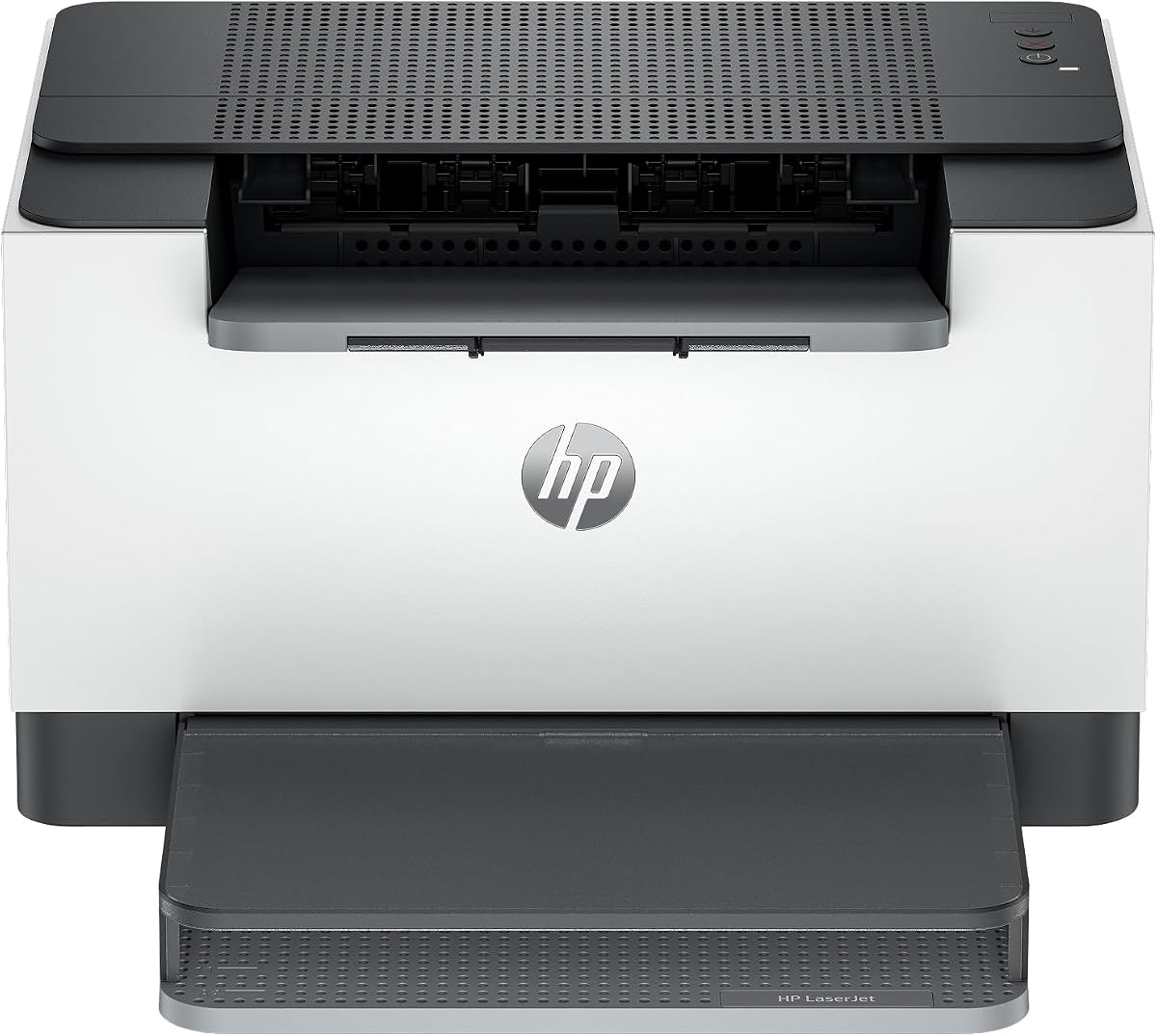
The HP LaserJet M110w is designed specifically for small teams needing reliable printing. It offers fast speeds and easy setup, ensuring everyone can print immediately.
We may earn a commission when you buy through this link, at no additional cost to you.
Its world's smallest laser design saves valuable space in tight offices. The self-reset wireless feature helps maintain a stable connection without manual intervention when issues arise.
The HP Smart app eliminates steps in repetitive tasks and allows scanning to the cloud. This makes sharing documents across devices straightforward and efficient.
This model works well for teams of one to three people. Its simplicity and strong brand support provide confidence for everyday business printing needs.
Self-reset wireless technology ensures you stay connected without constant troubleshooting.
The HP Smart app streamlines printing and scanning tasks directly from your phone.
We may earn a commission when you buy through this link, at no additional cost to you.
The HP LaserJet M209dw offers the fastest two-sided printing in its class. It is an ideal choice for offices needing to print reports and contracts efficiently.
We may earn a commission when you buy through this link, at no additional cost to you.
Dual-band Wi-Fi with self-reset ensures a robust connection even in busy networks. Built-in security features help protect your printer from potential cyber attacks and unauthorized access.
Instant Ink eligibility allows you to pay per page and have toner delivered automatically. This feature simplifies supply management and can save money over time.
This printer is perfect for small teams needing fast, secure printing. Its focus on speed and connectivity makes it a reliable tool for daily operations.
Built-in security tools protect your device from network threats and unauthorized access.
Enroll in Instant Ink to get toner delivered automatically when you are running low.
We may earn a commission when you buy through this link, at no additional cost to you.
The Canon imageCLASS LBP122dw combines speed and efficiency in a small package. It is great for home offices needing wireless printing with automatic two-sided output.
We may earn a commission when you buy through this link, at no additional cost to you.
With 30 pages per minute speed, it handles daily tasks quickly. The wireless duplex feature saves paper and reduces bulk in your printed documents.
The Canon PRINT app allows you to print from the go easily. Its compact design fits almost anywhere, making it versatile for small spaces.
This model is best for individuals focused on printing efficiency. The reliable performance and easy setup ensure minimal downtime for your workflow.
A compact footprint allows you to use this printer in even the smallest home offices.
The Canon PRINT app makes printing from your smartphone straightforward and reliable.
We may earn a commission when you buy through this link, at no additional cost to you.
The HP LaserJet MFP M235sdw is a solid office choice for scanning and copying. It handles multiple tasks with speed and reliability for daily business documents.
We may earn a commission when you buy through this link, at no additional cost to you.
With 28 pages per minute speed, it finishes large projects quickly. Ethernet connectivity ensures a stable network connection without relying solely on wireless.
Built-in security features protect your data during scanning and printing. It works seamlessly with various devices including Mac, Android, and Chromebook.
This printer is ideal for small offices needing versatile tools. Its combination of functions and security makes it a practical solution for professional environments.
Ethernet support provides a wired connection for consistent performance in busy offices.
Built-in security tools help safeguard your business documents from unauthorized access.
We may earn a commission when you buy through this link, at no additional cost to you.
The Brother HL-L2480DW is a feature-rich all-in-one printer designed for efficiency. It offers fast speeds and a flatbed scanner for scanning books or fragile documents easily.
We may earn a commission when you buy through this link, at no additional cost to you.
Its 2.7 inch touchscreen makes navigation simple for all functions. You can print from cloud apps like Google Drive directly from the printer panel.
With 36 pages per minute, it handles high volume with ease. The duplex printing and mobile support add further value for modern home offices.
This printer is perfect for users needing a complete solution in one device. Its reliability and ease of use make it a strong candidate for daily tasks.
The flatbed scanner allows you to digitize books and thick items without damage.
Direct cloud integration lets you save or retrieve files without using a computer.
We may earn a commission when you buy through this link, at no additional cost to you.
Selecting the right printer involves considering more than just the upfront cost. This guide outlines key factors to ensure you find a model that saves money over time.
The cost of toner cartridges often exceeds the printer price over time. Look for models that use standard or high-capacity cartridges with high page yields to reduce frequent replacements.
Always check the estimated page yield per cartridge to calculate the true cost per page for your specific usage needs.
Print speed measured in pages per minute affects productivity significantly. If you print frequently, a model with 30 ppm or higher ensures you do not waste time waiting for documents.
Match the printer's volume capacity to your daily needs to avoid jams or overheating issues during heavy use.
Modern printers should support wireless connections like Wi-Fi for easy access from multiple devices. Ethernet ports are also valuable for offices requiring stable network integration.
Check for mobile printing compatibility with apps to ensure you can print from phones or tablets without needing a computer.
Decide if you need a single-function printer or an all-in-one model that scans and copies. Multifunction units save desk space by combining multiple tools into one device.
Consider if features like automatic document feeders are necessary for your workflow to streamline scanning tasks.
Automatic duplex printing allows for two-sided pages, which reduces paper usage and costs. Look for this feature if you print many reports or documents regularly.
Even if manual duplex is supported, automatic functionality saves time and effort during daily printing tasks.
A larger paper tray reduces the need for constant refills. Models with 250-sheet trays are ideal for offices with moderate to high printing demands.
Check if the printer supports specialty media like envelopes or cardstock if you need to print shipping labels or invitations.
Some manufacturers offer toner subscription services that deliver ink automatically and offer discounts. This ensures you never run out of supplies unexpectedly.
Review the terms of these subscriptions to ensure the savings outweigh the long-term commitment required by the service.
Choose a brand with reliable customer support and a comprehensive warranty. This ensures you can get help quickly if technical issues arise.
Long-term warranties provide peace of mind that your investment is protected against potential hardware failures.
Proper placement is critical for performance. Keep the printer in a cool, dry area with good airflow to prevent overheating and ensure optimal toner function.
Regularly clean the exterior and the glass platen if your model includes scanning features. Dust buildup can affect print quality and cause smudges on scanned documents over time.
Replace toner cartridges as soon as you receive a low toner alert to avoid running out mid-job. This also prevents potential damage to the drum unit inside the printer.
A laser printer with cheap toner refers to a model that has low initial costs and uses affordable consumables. These printers often feature high-yield cartridges or support third-party toner options.
Many third-party toners are safe and can save money, but check warranty terms. Some manufacturers may void warranties if non-genuine cartridges are used.
Duplex printing allows you to print on both sides of the paper. This cuts paper consumption in half, significantly reducing long-term material costs.
Calculate the total cost of ownership by adding the initial printer price to the expected cost of toner over several years. This gives a better picture than the sticker price alone.
Most home laser printers last between three to five years with regular use. Proper maintenance like cleaning and timely toner changes can extend this lifespan further.
Wireless printing adds significant convenience by allowing printing from phones and tablets. It is highly recommended for modern setups but not strictly mandatory.
Yes, these printers handle occasional large jobs well but check the monthly duty cycle. Models with higher duty cycles are better suited for frequent large print runs.
If you only print, a single-function printer is more cost-effective. All-in-one models cost more and use more space but are better if you need to scan often.
We reviewed ten excellent options ranging from budget-friendly picks to feature-rich all-in-one units. The Brother HL-L2405W and Canon imageCLASS LBP6030w stand out for different user needs.
Prioritize factors like toner yield and print speed based on your specific usage patterns. Finding the right balance ensures you get quality prints without unnecessary expenses.
Always verify current prices and availability before making your purchase. Technology prices fluctuate often, so checking the latest deals can lead to even better savings.