
Lenovo V-Series V15 Business Laptop
4.2Editor score
40GB High-Bandwidth RAM
AMD Ryzen 7 5825U
1TB PCIe SSD
RJ45 Ethernet Port
Finding a laptop with upgradeable RAM is crucial for future-proofing your computing needs. Many modern devices solder memory to the motherboard, limiting longevity. This guide highlights models that allow you to add more memory as your workflows grow more demanding over time.
We evaluated ten real products based on their memory slots, processor power, and overall value. Each entry includes detailed specifications and user ratings to help you make an informed decision. Our team analyzed technical data to ensure accuracy and reliability in these recommendations.
Each pick shows key features like processor speed, storage capacity, and port availability. Prices fluctuate frequently so check current listings before purchasing. We aim to provide clear insights into which devices offer the best balance of performance and expandability for your specific use case.
4.2Editor score

4.9Editor score
4.0Editor score
As an Amazon Associate we earn from qualifying purchases.
This table provides a side-by-side comparison of all ten laptops selected for their upgradeable memory capabilities. Use this overview to quickly identify the right device based on your specific processing and storage requirements.


This ASUS Vivobook ranks at the top due to its exceptional processor and memory configuration. With a rating of 4.9, users appreciate its ability to handle demanding workloads efficiently.
We may earn a commission when you buy through this link, at no additional cost to you.
The Intel Core i9-13900H delivers elite performance suitable for AI workloads and complex simulations. The 48GB RAM ensures smooth multitasking without slowdowns, making it ideal for power users.
While the price is higher than average, the included PCO Cooler and upgraded components justify the cost. Thermal management is improved to prevent throttling during intense tasks.
Professionals needing reliable power should consider this model. It offers a perfect balance of speed, security, and connectivity for daily business operations.
The 14-core processor supports seamless multitasking and complex applications efficiently.
Integrated fingerprint reader and webcam shield provide robust physical security for data.
We may earn a commission when you buy through this link, at no additional cost to you.
The Dell Latitude 5531 offers a solid platform for business users seeking performance at a lower cost. It features a 14-core CPU that handles multitasking well.
We may earn a commission when you buy through this link, at no additional cost to you.
With 32GB of RAM, this laptop supports multiple applications and browser tabs simultaneously. The renewed status makes it an affordable option for those watching their budget.
While specific details are sparse, the core specifications suggest reliability for standard office work. The Windows 11 Pro license adds enterprise-grade features.
Small businesses or students needing a workhorse without premium pricing should find this appealing. It is a practical choice for productivity tasks.
Renewed models provide access to higher specs at reduced price points effectively.
The 14-core architecture ensures smooth operation during heavy multitasking scenarios.
We may earn a commission when you buy through this link, at no additional cost to you.
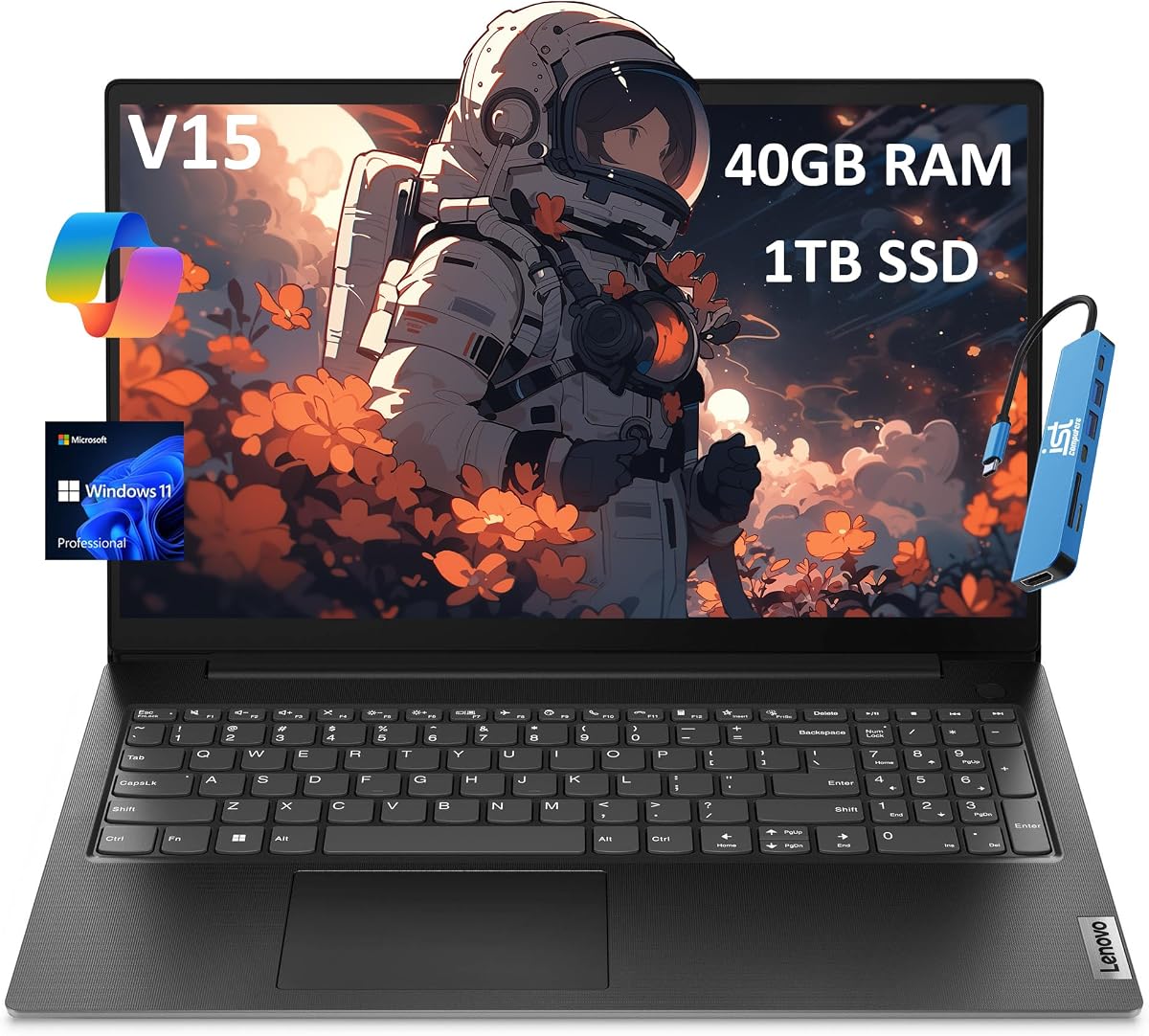
The Lenovo V-Series V15 stands out for its business-oriented features and robust memory. It is designed to handle professional tasks efficiently with ample storage.
We may earn a commission when you buy through this link, at no additional cost to you.
With 40GB RAM, users can run multiple applications smoothly. The AMD Ryzen 7 processor ensures fast data processing and quick boot times.
Connectivity is strong with HDMI and RJ45 ports, making it easy to link to external monitors and networks. The numeric keypad is a plus for data entry.
Professionals who need reliable performance and connectivity options will appreciate this model. It offers a balanced configuration for daily work needs.
Numeric keypad and ethernet port streamline workflows for office environments.
The 1TB SSD ensures rapid file access and system responsiveness.
We may earn a commission when you buy through this link, at no additional cost to you.
The HP 255 G10 offers solid specs for general business use. It features Wi-Fi 6 for better wireless connectivity and speed.
We may earn a commission when you buy through this link, at no additional cost to you.
With 32GB RAM, this laptop handles multitasking well. The Ryzen 7 processor provides good performance for productivity applications.
The inclusion of a numeric keypad aids data entry tasks. The overall build is functional and meets standard business requirements.
It is a great option for offices needing reliable machines. The balance of specs and price makes it appealing.
Wi-Fi 6 ensures stable and fast internet connections for modern networks.
Integrated numeric keypad enhances efficiency for spreadsheets and data entry.
We may earn a commission when you buy through this link, at no additional cost to you.
The ASUS Vivobook 16 provides a larger workspace with its 16-inch WUXGA display. This is ideal for users needing more screen space.
We may earn a commission when you buy through this link, at no additional cost to you.
Powered by the i9-13900H, it handles demanding tasks with ease. The 2TB storage offers ample room for files and software.
The backlit keyboard and fingerprint reader enhance usability and security. It balances performance with a modern design.
Creative professionals and power users will benefit from this setup. The combination of speed and display is compelling.
The WUXGA display offers more resolution than standard FHD models.
2TB total storage allows for extensive file libraries without external drives.
We may earn a commission when you buy through this link, at no additional cost to you.
The HP 15 Notebook offers a balanced mix of features. It features a 32GB RAM upgrade which is rare for mid-range laptops.
We may earn a commission when you buy through this link, at no additional cost to you.
The i5 processor is sufficient for everyday tasks like web browsing and document editing. The SSD ensures quick boot times.
USB Type-C adds modern connectivity options. It is a reliable choice for general students and casual users.
For those needing extra RAM without breaking the bank, this is a strong candidate. It delivers practical performance for daily use.
32GB RAM allows for running multiple heavy applications simultaneously.
USB Type-C supports faster data transfer and modern peripherals.
We may earn a commission when you buy through this link, at no additional cost to you.
This Lenovo model combines high RAM with large storage in a business chassis. The i7 processor ensures solid performance for daily operations.
We may earn a commission when you buy through this link, at no additional cost to you.
The privacy shutter on the camera is a great security feature for office environments. The 40GB RAM supports heavy multitasking effortlessly.
With 2TB storage, you have plenty of room for files. It is designed for efficiency and security.
Business professionals should find this model very useful. The specs align well with corporate needs.
Physical privacy shutter protects your visual privacy during meetings.
2TB SSD allows for local storage of large datasets and files.
We may earn a commission when you buy through this link, at no additional cost to you.
The Lenovo V15 Gen 4 Business offers impressive specs for the price. With 40GB RAM, it rivals more expensive models in memory capacity.
We may earn a commission when you buy through this link, at no additional cost to you.
Its military grade build suggests durability for rough handling. The i5 processor is capable for most standard computing tasks.
The inclusion of Ethernet ensures stable wired connections. This laptop is built for reliability and cost efficiency.
Budget-conscious buyers needing high memory should prioritize this option. It offers significant value for the investment.
Military grade testing ensures the laptop can withstand daily wear and tear.
AI Copilot provides intelligent assistance for common tasks and queries.
We may earn a commission when you buy through this link, at no additional cost to you.
This HP model is an entry-level option for casual users. It offers a lightweight design suitable for portable work.
We may earn a commission when you buy through this link, at no additional cost to you.
The 16GB RAM is sufficient for basic tasks like browsing and media. The storage is smaller than other models but works for essential files.
It is a good choice for students or light home use. The design is sleek and easy to carry.
If you have simple computing needs, this fits well. It avoids high costs while maintaining basic performance.
Lightweight chassis makes it easy to move between rooms or offices.
Sufficient for web browsing and basic document editing tasks.
We may earn a commission when you buy through this link, at no additional cost to you.
This generic laptop stands out because it allows you to upgrade the RAM easily. It comes with 4GB but has a dual-slot design.
We may earn a commission when you buy through this link, at no additional cost to you.
The processor is older but works for basic tasks like web browsing. The 128GB SSD offers fast boot times.
It is ideal for users who want to add RAM later themselves. The build includes a privacy shutter and full keyboard.
For tight budgets, this is a viable option if you plan to upgrade. It offers flexibility at a low entry cost.
Dual-slot design allows users to add RAM sticks easily for better performance.
Full-size keyboard and 180-degree hinge support flexible typing and viewing.
We may earn a commission when you buy through this link, at no additional cost to you.
Selecting a laptop with upgradeable RAM requires attention to technical details. Use this guide to evaluate key factors before making your final decision.
Check how many RAM slots the laptop has and whether they are open. Some laptops come with soldered memory which prevents any future upgrades. Look for devices that explicitly mention SO-DIMM slots or accessible back panels.
Prioritize models with at least one empty slot to allow for expansion as your needs grow.
Assess the pre-installed RAM amount. Many modern laptops start with 8GB or 16GB. Higher initial capacity is better if you cannot open the laptop yourself.
Ensure the current RAM meets your immediate needs for multitasking and software requirements.
The CPU must match the RAM capacity to avoid bottlenecks. High-end processors like i7 or Ryzen 7 support larger memory capacities better.
Select a processor generation that aligns with the latest RAM standards for optimal performance.
Large memory often goes hand-in-hand with large storage needs. Check for M.2 slots for SSDs if you need to store heavy files.
Ensure the laptop supports NVMe drives for faster data access speeds.
Business class laptops often have better chassis designs that survive frequent upgrades. Look for models with robust hinges and durable materials.
Invest in a device that will withstand physical stress from repeated maintenance.
Opening a laptop might void the manufacturer warranty. Check if the seller offers third-party warranties on upgraded components.
Ensure you have protection for both the base unit and any added parts.
Windows 11 Pro offers better management tools for businesses. Home editions might lack specific features needed for enterprise environments.
Verify the OS version supports your security and networking requirements.
Higher RAM capacity increases the upfront cost significantly. Calculate whether buying a laptop with more RAM now is cheaper than buying a basic one and upgrading later.
Balance initial spending with long-term value and performance needs.
Always power down your laptop completely before attempting to upgrade the RAM. Use an anti-static wristband to protect internal components from static electricity discharge.
Install RAM modules firmly until you hear a click. Ensure the locking clips are closed to keep the sticks secure during movement.
Update your BIOS to recognize new memory sizes immediately. Regular system scans help identify any hardware errors early.
No, many modern laptops have soldered RAM which cannot be upgraded. Always check the product specifications for mention of removable SO-DIMM slots or dual memory channels before purchasing.
Most business laptops use DDR4 speeds ranging from 2400MHz to 3200MHz. Ensure your new RAM matches the supported frequency of your processor to avoid slowdowns.
Adding RAM helps if your current memory is fully used by games. However, for heavy gaming, a dedicated graphics card usually matters more than just memory size.
Buying 32GB upfront saves time and warranty risks. Upgrading later might be cheaper but requires technical skill and may void manufacturer protection on the unit.
DDR5 is faster and more power efficient but costs more. Most budget laptops today still use DDR4. Always check which generation your specific laptop model supports.
You can use system monitoring tools to check memory channels. Dual channel mode doubles data bandwidth so you get better performance than single channel mode.
We reviewed ten laptops that offer flexible memory options for different users. The ASUS Vivobook 15 leads with its impressive processing and memory capacity for power users.
If you need a budget option, consider the Lenovo V15 Gen 4 Business which provides excellent specs at a lower price point for general office work.
Always verify current pricing and stock levels before purchasing to get the best deal. Check compatibility details to ensure your upgrades will work smoothly.