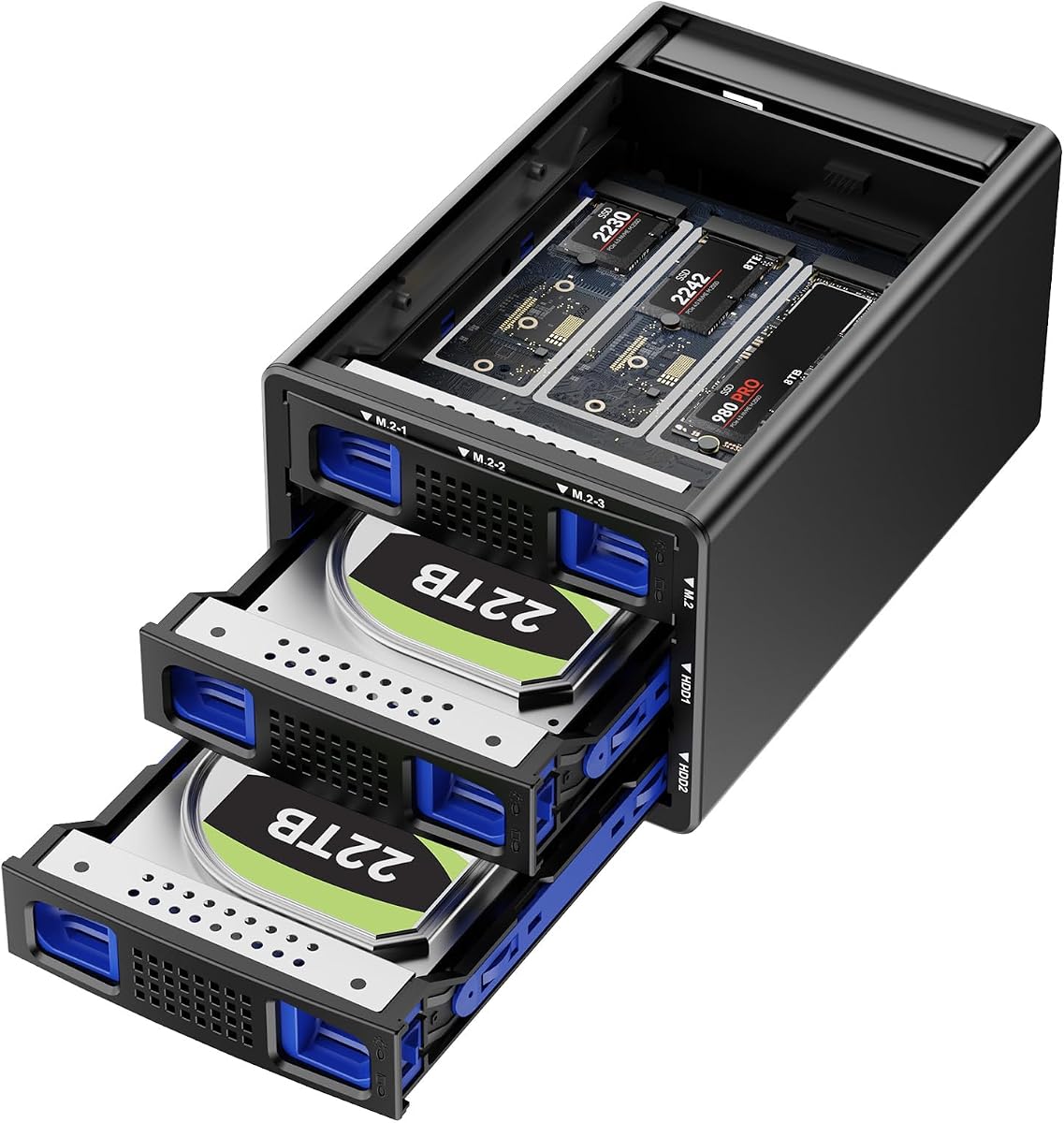
Hybrid 2*2.5/3.5 SATA HDD/SSD+3* M/B+M Key M.2 NVMe Enclosure
4.6Editor score
Hybrid SATA and NVMe Support
Up to 10Gbps Transfer Speeds
4 RAID Modes Available
Finding the right JBOD enclosure is crucial for expanding your storage without losing individual drive control. These direct-attached storage units allow you to connect multiple hard drives simultaneously for massive capacity.
We evaluated ten top-rated models based on interface speed, drive compatibility, and cooling efficiency. Our analysis covers everything from budget-friendly 4-bay units to high-performance 12-bay rackmount solutions.
Each pick highlights key features and ideal use cases to simplify your decision. Please note that product availability and pricing can change frequently, so verify details before purchasing.
4.6Editor score

4.2Editor score
4.1Editor score
As an Amazon Associate we earn from qualifying purchases.
The following table provides a side-by-side comparison of the top ten JBOD enclosures available this year. Review each model's core specifications to find the best fit for your workflow.




The TERRAMASTER D4-320 stands out as a top choice for users needing reliable external storage expansion. With a rating of 4.2 stars, it delivers consistent performance for various data storage needs.
We may earn a commission when you buy through this link, at no additional cost to you.
Its high-speed USB 3.2 Gen2 interface allows for data transfer rates up to 10Gbps, making it ideal for large file backups and media work. The intelligent temperature-controlled fan ensures your drives stay cool during heavy use.
While it does not support RAID, which might limit redundancy options, the hot-swappable tool-free trays make drive management exceptionally easy. This design prioritizes speed and convenience over complex data protection.
If you need a fast plug-and-play solution for Mac or Windows without RAID complexity, this enclosure is a strong recommendation. It balances performance with quiet operation effectively.
The USB 3.2 Gen2 protocol ensures you get the most out of your SATA III SSDs with speeds up to 10Gbps.
Specialized sound-absorbing panels reduce noise levels significantly, making it suitable for quiet office environments.
We may earn a commission when you buy through this link, at no additional cost to you.
The CENMATE Aluminum 4 Bay offers excellent value for users seeking a robust storage expansion without breaking the bank. It has earned a solid 4.3-star rating from satisfied customers.
We may earn a commission when you buy through this link, at no additional cost to you.
Constructed from durable aluminum alloy, it provides effective heat dissipation for your drives. The USB 3.0 interface delivers reliable speeds of up to 5Gbps for standard file transfers and backups.
While the cooling fan ensures safety, it can produce noise around 40 to 50 decibels, which might be noticeable in very quiet spaces. However, this is a common trade-off for active cooling at this price.
For personal or enterprise use where budget is a primary concern, this enclosure delivers reliable storage. It supports up to 80TB total capacity, giving you plenty of room to grow.
This enclosure supports individual disks up to 20TB each, making it perfect for personal or business storage needs.
Compatible with Windows 7 and above, Mac 9.1 and above, and Linux, it works seamlessly across different systems.
We may earn a commission when you buy through this link, at no additional cost to you.
The IO CREST 8-Bay enclosure is designed for users who need to manage multiple drives independently without complex RAID setups. It carries a 4.0-star rating reflecting its functional utility.
We may earn a commission when you buy through this link, at no additional cost to you.
One standout feature is the independent control switch for each drive, allowing you to power off specific drives when not in use. This helps manage energy consumption and reduce noise in a workspace.
It uses a USB 3.0 connection which is standard but slower than newer USB-C options. The steel housing helps dissipate heat effectively, though the design is more utilitarian than sleek.
If you require a straightforward way to access eight drives simultaneously, this unit serves well. It supports drives up to 24TB each, providing ample storage for archives or backups.
Switch individual drives on or off as needed without powering down the entire enclosure system.
Built-in thermal sensors allow auto or manual fan speed control to keep temperatures optimal.
We may earn a commission when you buy through this link, at no additional cost to you.
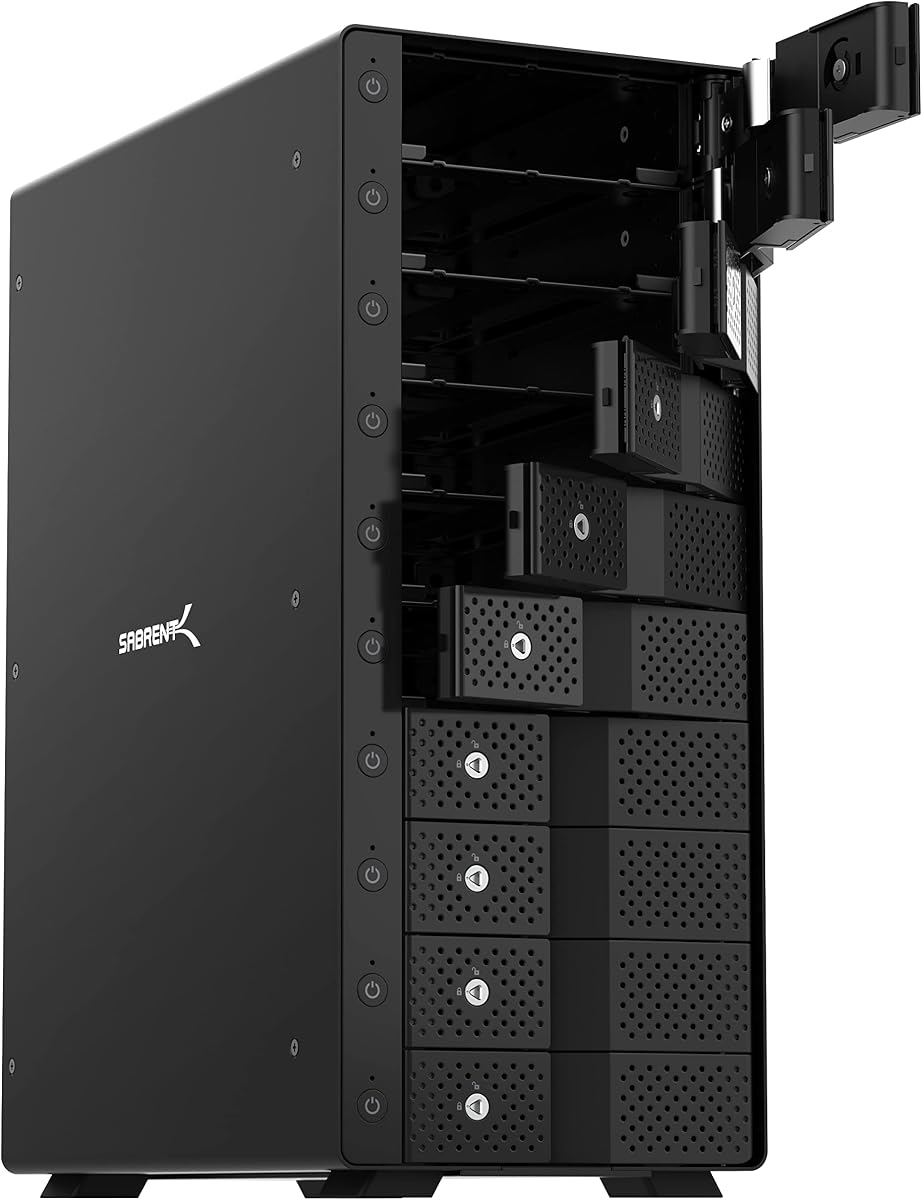
The SABRENT 10-Bay enclosure is a powerhouse for professionals needing extensive storage solutions. With a 4.1-star rating, it offers high-end features for demanding workflows.
We may earn a commission when you buy through this link, at no additional cost to you.
Its tray-less design allows you to slide drives in and out without tools, making maintenance incredibly fast. Each bay has its own power switch and status LED for precise management.
While the 10Gbps speed is excellent, you need a USB 3.2 Gen 2 host port to achieve maximum performance. The dual 120mm fans ensure that your drives stay cool even under heavy sustained loads.
If you manage media libraries or need massive backups, this enclosure scales beautifully. The locking key and Kensington slot add an extra layer of physical security for your valuable drives.
Slide drives in and out instantly without trays or tools for quick access and maintenance.
A dedicated ASMedia controller runs every bay for stable independent access to all connected drives.
We may earn a commission when you buy through this link, at no additional cost to you.
The QNAP TR-004 is unique because it supports hardware RAID, offering redundancy features not found in standard JBOD units. It holds a 4.2-star rating for its reliability with QNAP systems.
We may earn a commission when you buy through this link, at no additional cost to you.
You can configure RAID 0, 1, 5, or JBOD via hardware switches, giving you flexibility in data protection. It connects via USB Type-C for high-speed data access on your desktop or laptop.
This enclosure is designed to work seamlessly with specific QNAP NAS models. However, it has specific firmware requirements and limitations on which NAS versions it supports fully.
If you use a QNAP NAS and need expandable storage with RAID options, this is a strong choice. It provides a secure way to expand your capacity while maintaining data integrity.
Supports RAID 0, 1, 5, JBOD, and individual disks through simple hardware switches without complex software.
Designed to expand the capacity of your QNAP NAS, though it functions as an individual storage pool.
We may earn a commission when you buy through this link, at no additional cost to you.
The QNAP TL-R1200C-RP is an enterprise-grade solution for server rooms and professional data centers. It boasts a 4.1-star rating for its solid construction and capacity.
We may earn a commission when you buy through this link, at no additional cost to you.
With twelve bays and a redundant power supply, it ensures uptime and reliability for critical workloads. The USB 3.2 Gen 2 interface provides fast data transfer capabilities when needed.
This unit is purely designed for rackmount environments, which means it is not suitable for home desktop use. It is also expensive compared to smaller desktop enclosures.
If you need massive storage expansion for servers, this enclosure is ideal. It integrates well with QNAP NAS systems and supports high capacities for large-scale data archives.
250W redundant power supply ensures your storage stays online even if one power unit fails.
Built specifically for rackmount environments to support server storage expansion needs efficiently.
We may earn a commission when you buy through this link, at no additional cost to you.
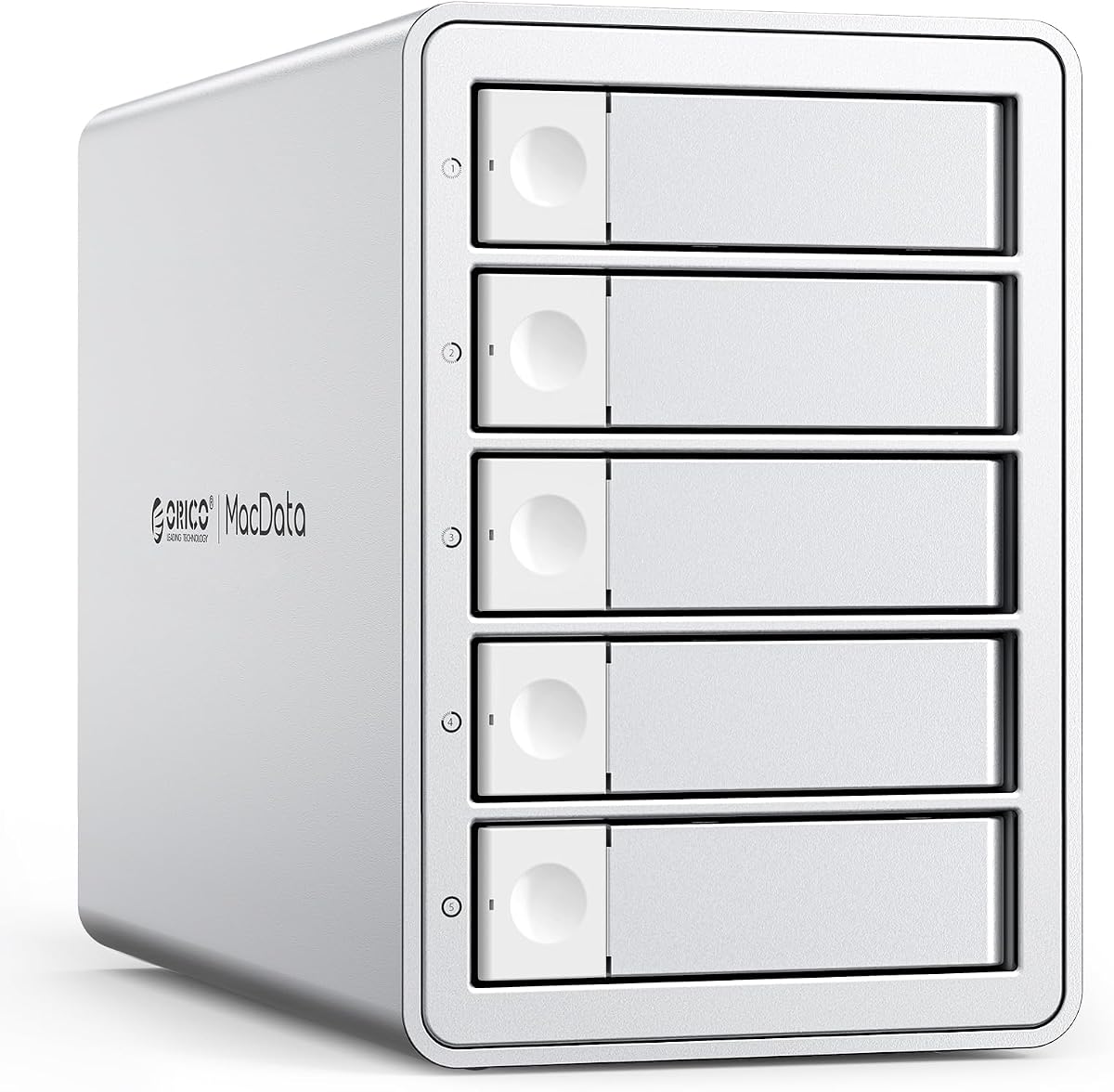
The ORICO 5 Bay RAID is a highly rated workstation storage station with a 4.7-star rating. It offers great flexibility for users needing specific redundancy options.
We may earn a commission when you buy through this link, at no additional cost to you.
Equipped with a professional hardware RAID controller, it supports RAID 0, 1, 3, 5, 10, JBOD, Clone, and Clear modes. You can switch configurations via hardware switches to suit your workflow.
The built-in 150W power supply keeps your workspace tidy by eliminating bulky external adapters. Advanced cooling with a silent fan prevents overheating during long data processing sessions.
For creative studios needing fast data access and reliable storage, this enclosure excels. The rugged aluminum alloy shell ensures durability while keeping your drives protected from heat.
Easily configure storage modes through hardware switches for speed, redundancy, or independent disk operations.
Powerful 150W built-in power supply ensures peak voltage stability without extra external adapters.
We may earn a commission when you buy through this link, at no additional cost to you.
This unique enclosure combines SATA HDDs and NVMe SSDs in one unit, earning a 4.6-star rating for its innovative design. It is perfect for users who want speed and capacity together.
We may earn a commission when you buy through this link, at no additional cost to you.
With USB 3.2 Gen 2 support, you get transfer speeds up to 10Gbps. The aluminum-alloy materials and silent fans work hard to protect your data from heat during operation.
Keep in mind that configuring RAID modes can be complex and requires resetting the array carefully. Also, the continuous cooling fan ensures safety but may produce noise in quiet rooms.
If you need massive storage combined with high-speed SSD access, this hybrid model is unmatched. It offers a compact way to expand your storage without needing multiple enclosures.
Hold 2 SATA HDDs and 3 M.2 NVMe SSDs, combining massive capacity with high-speed performance.
Utilizes advanced chip solution and USB 3.2 Gen 2 protocols for full load read rates up to 300MB/s.
We may earn a commission when you buy through this link, at no additional cost to you.
The ORICO 4 Bay RAID is a versatile compact unit with a 4.3-star rating. It supports eight RAID modes for users needing specific redundancy configurations.
We may earn a commission when you buy through this link, at no additional cost to you.
It features a built-in 150W power supply, making it convenient to use without extra adapters. The aluminum enclosure is designed with front and rear vents for efficient heat export.
While it supports 88TB total capacity, the USB 3.0 interface means speeds are limited compared to USB-C options. The safety lock prevents unexpected ejection of drives for added security.
For users needing a reliable RAID solution on a budget, this enclosure delivers. It handles large-scale engineering projects or video footage storage effectively.
Support RAID 0, 1, 3, 5, 10, JBOD, CLONE, and CLEAR modes to meet personalized needs.
Aluminum enclosure with an 80mm silent cooling fan ensures stable efficient operation.
We may earn a commission when you buy through this link, at no additional cost to you.
The OWC Mercury Elite Pro Quad is a universal solution for connecting multiple drives with high-speed USB-C. It has a 3.7-star rating reflecting mixed experiences with its setup.
We may earn a commission when you buy through this link, at no additional cost to you.
It delivers up to 947MB/s performance, which is excellent for large media files. The four universal bays support both 2.5 and 3.5 inch drives, giving you flexibility in drive types.
Note that SOFTRAID software is not included, so you must rely on OS-level RAID or JBOD configurations. The one-year limited warranty provides basic peace of mind for your purchase.
If you want a fast universal enclosure for Mac or Windows systems, this is a solid pick. It provides next-level performance for external storage needs without complex hardware dependencies.
Powerful USB-C interface delivers USB 3.2 10Gb/s bandwidth for next-level performance.
Four universal drive bays support 2.5 inch and 3.5 inch drives for flexible storage expansion.
We may earn a commission when you buy through this link, at no additional cost to you.
Selecting the right JBOD enclosure depends on your storage needs and budget. We break down the key factors to consider for a smart purchase.
The interface speed of your enclosure determines how fast data transfers between your computer and drives. Look for USB 3.2 Gen 2 or USB-C options if you work with large files like 4K video.
Always ensure your computer's port matches the enclosure's speed to avoid bottlenecks. USB 3.0 is common but slower than newer standards.
JBOD enclosures support various drive sizes, but each has a maximum capacity limit. Check the manufacturer's specs to ensure it supports the size of hard drives you plan to use.
Some units allow mixing different drive sizes and capacities, which is useful for incremental upgrades.
Multiple drives generate heat, and a good cooling system prevents overheating and drive failure. Active fans are common and effective but can produce noise in quiet environments.
If noise is a concern, look for enclosures with sound-absorbing panels or high-quality silent fans designed for long-term operation.
Some JBOD enclosures include hardware RAID controllers for data redundancy. If you need backups built-in, verify the RAID modes supported by the unit.
Basic JBOD models do not support RAID and rely on software solutions for redundancy. Ensure your OS supports the required drivers or configurations.
High-drive-count units require adequate power. Some enclosures come with built-in power supplies to avoid messy external adapters, while others require external brick power.
Built-in power supplies keep your desk clean but add weight. External adapters are portable but create cable clutter.
Most JBOD enclosures work with Windows, Mac, and Linux without drivers. However, some specific units might require firmware updates for full OS support.
If you use a Mac, check if RAID software is needed. Some advanced features might only be available on Windows or specific NAS systems.
The build material affects durability and heat dissipation. Aluminum enclosures are common and effective for heat management compared to plastic alternatives.
Look for solid construction and secure locking mechanisms to protect your valuable drives from accidental damage.
Hot swappable drive bays let you replace drives without turning off the system. This is crucial for maintenance without downtime.
Tool-free designs make swapping even easier. Check if the unit has trays or direct slots for drive insertion.
Begin by connecting the enclosure to a stable power source and then to your computer via the recommended cable. Ensure your operating system recognizes the new drive before transferring any files.
Organize your data efficiently across drives using clear folder structures. Regular backups are recommended since JBOD does not automatically protect data redundancy without RAID.
Keep the enclosure in a well-ventilated area to prevent overheating. Periodically check fans for dust buildup and clean them to maintain efficient cooling performance.
JBOD allows each drive to appear as a separate volume, while RAID combines them into one unit for redundancy or speed. JBOD offers flexibility but no built-in data protection.
Most JBOD enclosures support mixing different drive sizes and capacities. This flexibility lets you add storage incrementally without replacing all drives.
Yes, most JBOD enclosures are plug-and-play compatible with macOS. Just ensure you format your drives to the correct file system like exFAT.
Active cooling is recommended for enclosures with multiple drives. Heat buildup can damage drives over time, so fans help maintain safe operating temperatures.
Yes, if your enclosure supports hot swapping. Always follow manufacturer instructions to avoid data loss when removing or adding drives.
JBOD enclosures typically support between 4 to 12 bays. Rackmount versions may support even more drives for large-scale data storage.
USB 3.2 Gen 2 with 10Gbps speed is ideal for large files. Standard USB 3.0 at 5Gbps is sufficient for general backups and documents.
No special software is usually required for basic JBOD usage. Just plug and play your drives into your operating system.
Choosing the right JBOD enclosure depends on your specific storage needs and budget. Our top picks highlight excellent options across different categories to help you decide.
Prioritize interface speed and cooling efficiency for long-term reliability. Consider whether you need RAID features or just simple expansion for your workflow.
Prices and availability change frequently, so check current listings before buying. Verify that your computer supports the necessary ports for optimal performance.