
HP Chromebook 14 Laptop
4.3Editor score
Long battery life
Thin and portable design
Chrome OS security
Finding a reliable computer does not require a massive budget. Many students and professionals need a machine that handles daily tasks like browsing, streaming, and writing documents without breaking the bank. The market offers numerous affordable options designed specifically for these common needs.
To create this list, we analyzed ten different models focusing on processor speed, memory capacity, screen quality, and battery longevity. We prioritized devices that offer the best balance of performance and cost for general consumers who need a dependable tool for everyday activities.
Each product highlighted below comes with a summary of its key strengths and potential limitations to help you make an informed decision. Please note that prices can fluctuate frequently on major online retailers, so always check the current listing before you decide to buy.
4.3Editor score

4.8Editor score
4.2Editor score
As an Amazon Associate we earn from qualifying purchases.
The following table provides a quick side-by-side look at the specifications of all ten laptops featured in this guide to help you compare them easily.


The HP Chromebook 14 is an excellent entry-level device for those needing a reliable machine for basic tasks. With a solid rating from users, it stands out for its ability to handle schoolwork and media consumption efficiently without a high cost.
We may earn a commission when you buy through this link, at no additional cost to you.
Its Intel Celeron N4120 processor provides enough power for web browsing, video streaming, and document editing. The system includes 4 GB of RAM which allows for smooth multitasking between tabs and applications within the Chrome browser environment.
While the 64 GB storage is limited compared to traditional laptops, the device relies on cloud storage which is a standard approach for Chromebooks. The 14-inch HD display offers clear visuals for its size and the anti-glare coating helps during extended use.
This model is ideal for students or casual users who prioritize battery life and portability over heavy processing power. If you need a simple, secure computer that keeps you productive on the go, this HP Chromebook is a top choice.
You can expect up to 14 hours of battery life on a single charge which is great for full days of work or school.
Chrome OS comes with built-in virus protection and automatic updates ensuring your data remains safe without extra software.
We may earn a commission when you buy through this link, at no additional cost to you.
The Amzboy 15.6 Laptop offers a high rating that reflects its strong performance and build quality for the price. It is a favorite among users who want a larger screen and a full Windows experience without spending a fortune on tech.
We may earn a commission when you buy through this link, at no additional cost to you.
Powered by an efficient N4020 CPU, this laptop handles daily tasks like Zoom classes and web browsing with ease. The fanless solid-state design means it runs completely silently which is perfect for quiet study or office environments.
The 15.6-inch FHD display provides sharp visuals and wide viewing angles making it great for media consumption. With 128GB of storage, you have more room for files than many budget options and the Type-C port allows for modern fast charging.
This device is best for students or professionals who need a silent portable computer with a big screen. If you value a crisp display and the freedom of Windows 11, this laptop delivers impressive performance for everyday use.
The 1920 by 1080 resolution offers crisp text and clear images that reduce eye strain during long work sessions.
Dual Type-C and USB 3.2 ports allow you to connect peripherals quickly without needing extra adapters or hubs.
We may earn a commission when you buy through this link, at no additional cost to you.
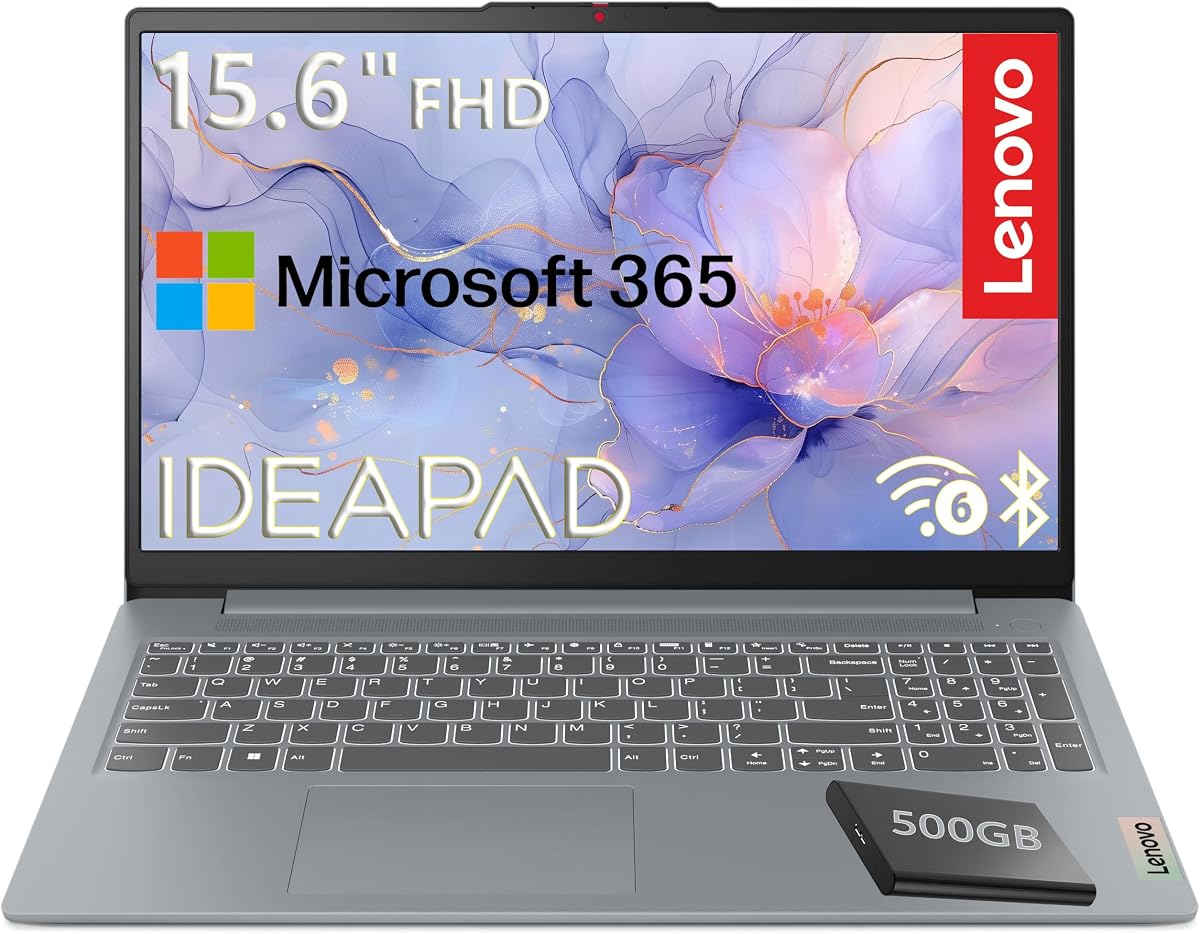
This Lenovo model stands out with a high build quality and robust connectivity options that are rare at this price point. The inclusion of a modern processor and military standard certification makes it a reliable choice for demanding everyday environments.
We may earn a commission when you buy through this link, at no additional cost to you.
The Intel N100 processor delivers smooth performance for computing and streaming thanks to its four cores. The combination of fast UFS storage and an external hard drive ensures you have both speed and capacity for all your essential files.
Connectivity is strong with Wi-Fi 6 and a variety of ports including USB-C with DisplayPort support. The privacy shutter on the camera and the physical TPM for security add valuable layers of protection for your personal data.
It is an ideal pick for families or students who need a durable machine with significant storage. If you want a laptop that feels solid and offers modern features like fast wireless and physical security, this is a great buy.
MIL-STD-810H certification ensures the laptop can withstand rigorous tests making it tough for travel and daily use.
The included 500GB external drive gives you plenty of room to backup photos and documents without extra costs.
We may earn a commission when you buy through this link, at no additional cost to you.
The HP Everyday Laptop 2026 brings a fresh design and AI features to the affordable laptop market. While specific user ratings are not yet available the specifications suggest a strong focus on modern productivity and ease of use.
We may earn a commission when you buy through this link, at no additional cost to you.
Powered by the Intel N150 processor this laptop delivers reliable performance for office tasks and streaming. The addition of Microsoft 365 and Copilot AI helps users manage research and summaries more efficiently than standard systems.
Its 14-inch display offers a comfortable viewing experience with anti-glare technology for indoor use. The Natural Silver finish adds a professional look and the lightweight design makes it easy to carry between different workspaces.
This model is a great choice for young professionals or students who want a modern Windows experience. If you are looking for AI tools and a sleek design in a budget friendly package this laptop is worth considering.
The built-in Copilot feature helps you summarize text and find information quickly to save time during work.
You can get a significant charge in a short time ensuring you are never stuck without power for too long.
We may earn a commission when you buy through this link, at no additional cost to you.
This HP Chromebook improves on the standard budget offering by including 8 GB of RAM which enhances multitasking capabilities. Users have rated it highly for its smooth operation and ability to handle multiple apps without lag.
We may earn a commission when you buy through this link, at no additional cost to you.
The Intel Processor N100 is more efficient than older chips providing better graphics and processing speed. The 128 GB UFS storage is significantly faster than eMMC meaning apps and files load much quicker on this device.
Chrome OS ensures that the laptop stays secure and up to date automatically without needing complex maintenance. The anti-glare display helps reduce eye strain during long sessions of reading or writing documents on the road.
It is perfect for users who want a Chromebook with more headroom for multitasking. If you need a reliable work machine that boots instantly and handles many tabs at once this HP Chromebook is an excellent value.
Universal Flash Storage offers faster read write speeds compared to traditional eMMC for quicker boot times.
Chrome OS is designed with security in mind protecting your data from viruses automatically and efficiently.
We may earn a commission when you buy through this link, at no additional cost to you.
The Lenovo Chromebook S330 is one of the most affordable options available offering basic functionality at a minimal price. It has been tested by many users over time proving that it can still handle light tasks effectively.
We may earn a commission when you buy through this link, at no additional cost to you.
Powered by the MediaTek MT8173C processor it manages web browsing and streaming well for a budget device. The 4 GB of RAM allows for reasonable performance though it may struggle with heavy multitasking compared to newer models.
One of its best features is the up to 10 hours of battery life which keeps you working throughout the day. The included cloud storage offer from Google Drive adds extra space for your files without using the internal storage.
This laptop is best for users who need a simple secondary device for travel or backup. If your main priority is a low cost machine for basic checking and documents this S330 is a practical choice.
You can work or study for long periods without needing to find a power outlet thanks to efficient energy use.
Built-in integration with Google Drive means your files are always accessible online and backed up safely.
We may earn a commission when you buy through this link, at no additional cost to you.
The HP Essential Laptop 2026 is designed with productivity in mind offering a strong rating from users who use it for work. It includes essential office tools and a dedicated key for AI assistance which sets it apart in its class.
We may earn a commission when you buy through this link, at no additional cost to you.
With the N150 processor and 128GB of storage it provides responsive performance for documents and web apps. The inclusion of a one-year Microsoft 365 Personal subscription adds significant value for students and professionals needing Word and Excel.
The 14-inch display is compact and easy to carry while still offering enough screen real estate for typing. The Willow Green color adds a unique touch and the all-day battery life supports continuous work sessions without interruption.
This laptop is ideal for anyone who needs a complete work package right out of the box. If you want a machine that comes with full office software and reliable performance this HP Essential model is a great fit.
Access full versions of Word and Excel with your subscription to create professional documents and spreadsheets easily.
Press the Copilot key to instantly summon helpful AI tools to speed up your research and writing tasks.
We may earn a commission when you buy through this link, at no additional cost to you.
The Lenovo Flagship Chromebook stands out with a high-definition touchscreen that allows for intuitive navigation and interaction. Users appreciate the clarity of the display and the responsiveness of the touch features on this affordable device.
We may earn a commission when you buy through this link, at no additional cost to you.
The MediaTek Kompanio 520 processor is a significant upgrade for Chromebooks providing faster speeds for everyday apps. With 4 GB of RAM it handles multiple browser tabs efficiently and the compact design keeps it lightweight for daily commuting.
Connectivity is enhanced with WiFi 6 support ensuring you stay fast on the go even in crowded networks. The Abyss Blue finish gives it a stylish look and the 720p camera ensures you look clear during video calls.
This laptop is perfect for those who want a modern interface without paying a premium price. If you value a responsive touchscreen and solid wireless performance for light tasks this Chromebook is a strong contender.
Natural finger-touch navigation makes scrolling and zooming easier and more direct than using a trackpad.
WiFi 6 connectivity ensures stable and fast internet speeds even when multiple devices are connected.
We may earn a commission when you buy through this link, at no additional cost to you.
The HP Slim Laptop 2026 brings modern memory and storage standards to a budget friendly design. While user ratings are still emerging the technical specifications promise improved speeds over older entry-level machines.
We may earn a commission when you buy through this link, at no additional cost to you.
Powered by the N150 processor it ensures smooth daily performance for web browsing and documents. The inclusion of DDR5 RAM and a 128GB SSD provides a solid base for quick system response and fast application launches.
Its 14-inch HD display is complemented by anti-glare tech for comfortable viewing in different lighting. The Natural Silver chassis is sleek and durable making it a good choice for professionals who carry their laptop often.
This model is best for those seeking a modern architecture in an affordable package. If you want a device that boots up quickly and feels responsive for everyday tasks this HP Slim Laptop is worth exploring.
DDR5 technology allows for faster data processing which helps applications run smoother and faster.
A solid state drive ensures your laptop boots up quickly and files load faster than traditional hard drives.
We may earn a commission when you buy through this link, at no additional cost to you.
This 15.6 inch laptop stands out by offering 12 GB of RAM which is rare in this price category. Users have rated it well for its ability to handle multiple applications and browser tabs without slowing down.
We may earn a commission when you buy through this link, at no additional cost to you.
The Pentium Gold 6500Y processor is efficient for general use and supports a fast 128GB SSD for storage. The Full HD IPS screen delivers vibrant colors and wide viewing angles making it great for movies and detailed work.
Connectivity is strong with a mix of USB-A and USB-C ports so you can connect various devices directly. A physical privacy slider on the camera adds peace of mind for students and professionals working remotely from home.
This device is ideal for users who need extra memory for multitasking on a budget. If you want a larger screen and more RAM than standard budget models offer this laptop is a practical and versatile choice.
With 12GB of RAM you can run many programs at once without worrying about performance slowdowns.
A physical privacy slider lets you cover the camera lens when not in use for added security.
We may earn a commission when you buy through this link, at no additional cost to you.
Selecting the right laptop requires looking at several key factors beyond just the price tag.
The operating system determines how you interact with your laptop and what software you can use. Chrome OS is great for web based tasks and simplicity while Windows offers full access to desktop programs and games.
Choose Chrome OS for ease of use and Windows for compatibility with traditional software.
The processor or CPU is the brain of your laptop and handles all the calculations for your tasks. For everyday use you generally need at least a mid-range chip like an Intel N100 or equivalent to avoid lag.
Look for 4-core processors to ensure smooth multitasking and faster boot times.
RAM acts as short-term memory for your laptop allowing it to keep multiple apps open at once. Having at least 4 GB is essential for basic use but 8 GB or more is better for heavy browsing or work.
Aim for higher RAM if you plan to keep many tabs open simultaneously.
Storage type matters as much as size for speed since SSDs load files faster than eMMC or hard drives. A solid state drive ensures your system boots quickly and applications launch without long waits.
Prioritize SSD storage over eMMC for a better user experience.
A good screen helps reduce eye strain and makes media consumption more enjoyable. Look for Full HD resolution and anti-glare coating to ensure text is sharp and readable in different lighting conditions.
Select an anti-glare screen to improve comfort during long work sessions.
Battery life determines how long you can use your laptop away from a power outlet. For everyday use you should look for models that promise at least 8 to 10 hours of usage on a single charge.
Check real world reviews to confirm battery claims before buying.
Ports allow you to connect external devices like monitors mice and printers to your laptop. A good selection of USB-A and USB-C ports ensures you can use your peripherals without needing extra adapters.
Ensure the laptop has enough ports for your specific devices.
A durable laptop withstands the wear and tear of daily use and travel. Materials like metal or reinforced plastic and standards like MIL-STD certification can indicate a longer lifespan for your device.
Look for sturdy builds if you plan to carry your laptop frequently.
To keep your laptop running smoothly start by installing essential software and updates immediately after setup. This ensures you have the latest security patches and performance improvements from the beginning.
Manage your storage regularly by removing unused files and applications to free up space for better performance. Using cloud storage services can also help keep your local drive from becoming cluttered.
Protect your device by using a carrying case and keeping it away from extreme temperatures or liquids. Regularly cleaning the screen and keyboard with a soft cloth will also help extend its lifespan.
Chrome OS is excellent for everyday use if your main tasks involve web browsing, email, and media streaming. It is secure, simple, and fast but it does not support traditional desktop software without specific tools.
For basic tasks like browsing and document editing 4 GB of RAM is usually sufficient. However 8 GB is recommended if you plan to have many browser tabs open at the same time.
Most budget laptops come with soldered storage that cannot be upgraded. Some models offer slots for SD cards or external drives which can help expand your capacity if needed.
Yes most of these laptops are suitable for online classes as they have built-in cameras and microphones. Just ensure you have a stable internet connection and enough RAM for video apps.
The typical battery life for these models ranges from 8 to 14 hours depending on the specific hardware and usage habits. Actual results may vary based on screen brightness and background apps.
Windows laptops benefit from having antivirus software installed for protection against threats. Chromebooks generally have built-in security that protects you from viruses without needing extra software.
An IPS display with anti-glare coating is best for reducing eye strain. These screens provide better color and viewing angles while reducing reflections that can cause fatigue.
Choose Chrome OS if you want simplicity and low cost for web apps. Choose Windows if you need to run specific desktop programs or games for work or school.
We have reviewed ten excellent options that cover a range of needs from basic Chromebooks to capable Windows machines. Each device offers a unique balance of performance and price to suit different users.
When making your decision consider what is most important such as battery life or screen quality to guide your choice. This will ensure you get the best value for your specific daily requirements.
Remember that prices for these devices change often so checking current listings is crucial before buying. We hope this guide helps you find a reliable laptop that fits your budget and needs perfectly.