
2Pcs Nano V3.0 Board
4.5Editor score
ATmega328P with CH340G
USB-C Port Included
Affordable Two-Pack Option
This guide compares the top Arduino Nano Board options for makers and engineers, covering features, connectivity, performance, and compatibility to help you
Arduino Nano boards are compact microcontrollers designed for prototyping and embedded projects. They offer a small footprint while maintaining full compatibility with the Arduino IDE and a vast ecosystem of shields and libraries.
We compared ten highly rated Nano options based on chip specifications, connectivity types, compatibility, and user feedback. Our analysis covers everything from classic clones to modern variants like the Nano R4 and ESP32.
Each pick highlights key strengths and ideal use cases for different project needs. Keep in mind that prices and availability can change quickly, so verify current details before making your final purchase decision.
4.5Editor score
4.6Editor score

4.5Editor score
The table below provides a side-by-side comparison of all ten selected Arduino Nano boards. Review the core specifications to find the model that best fits your power, memory, and connectivity requirements.


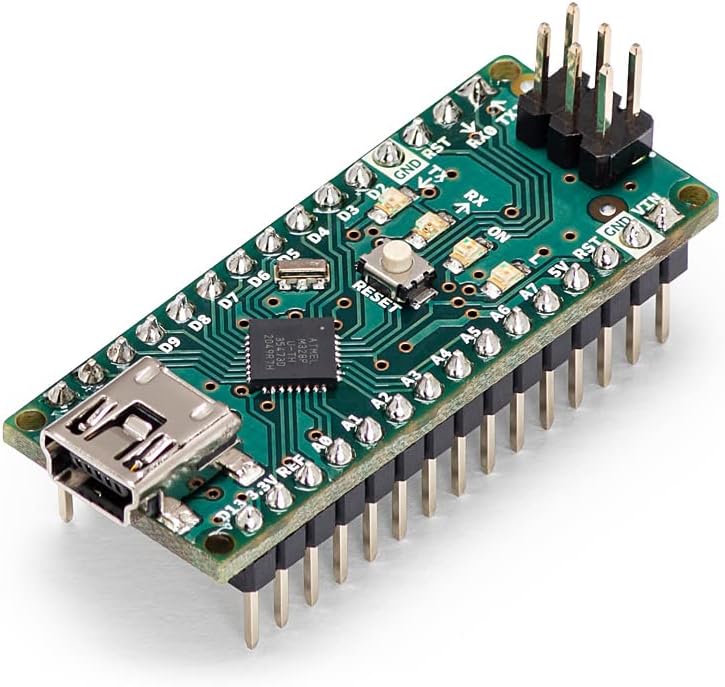
The official Arduino Nano [A000005] stands out as the most reliable choice for both beginners and experienced makers. With a 4.6 rating from users, it delivers consistent performance and full compatibility with the Arduino IDE.
We may earn a commission when you buy through this link, at no additional cost to you.
Its ATmega328P microcontroller provides ample processing power for most embedded tasks. The board features 14 digital I/O pins and 8 analog inputs, enabling versatile connectivity for sensors, motors, and displays.
While the Micro-USB port is less modern than USB-C found on newer boards, it remains a robust standard for prototyping. The higher price reflects the quality assurance and support you get from the official manufacturer.
We recommend this board for users who prioritize stability and official support. It is the gold standard for projects requiring long-term reliability and seamless integration with existing shields.
As an official product, it ensures strict adherence to design specifications and quality control standards.
Being the standard version, it has the largest library of tutorials and compatible code examples available.
We may earn a commission when you buy through this link, at no additional cost to you.
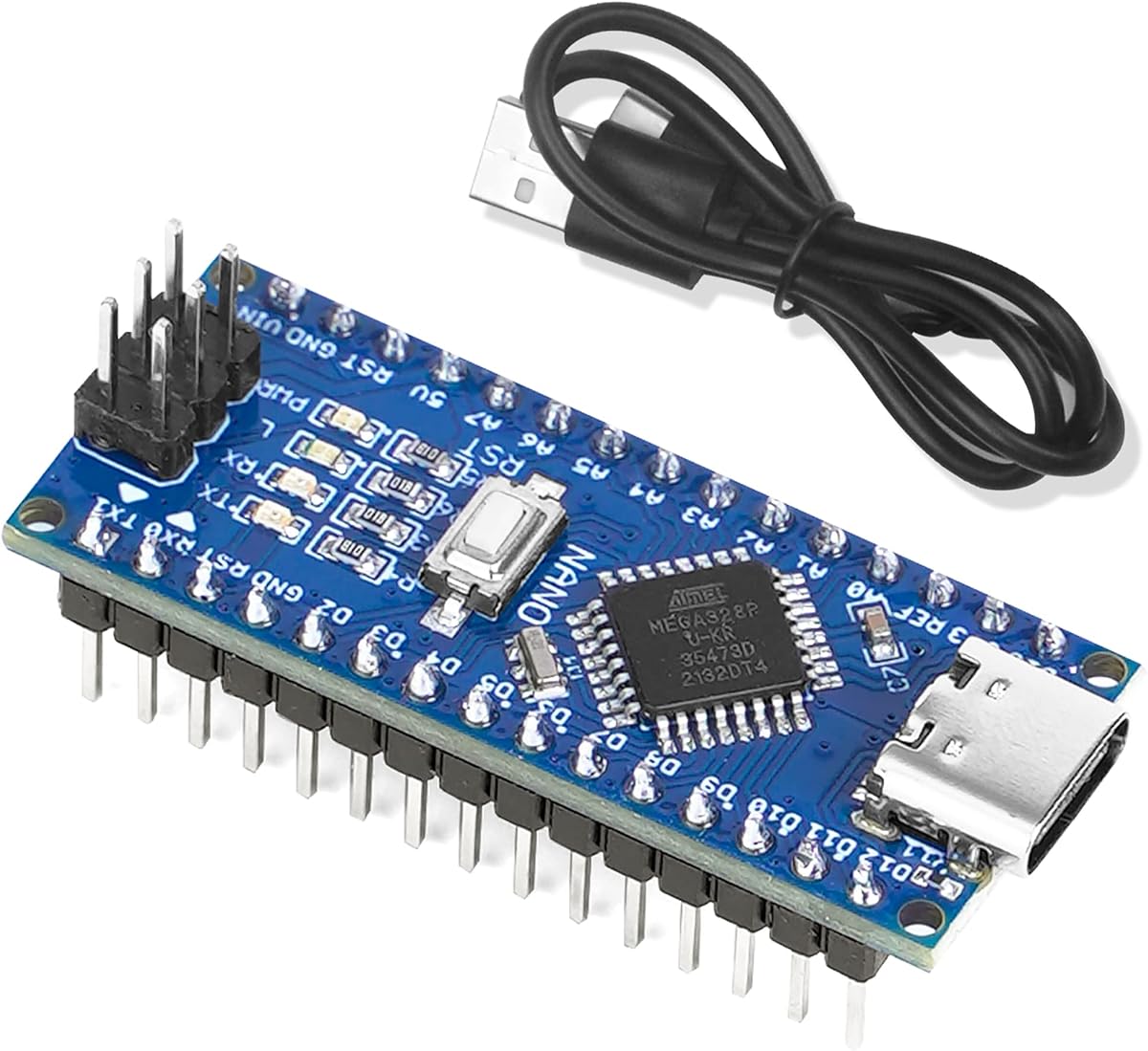
This two-pack offers exceptional value for makers needing multiple units for distributed IoT nodes. Rated 4.5, it uses the ATmega328P with CH340G for reliable USB communication and programming.
We may earn a commission when you buy through this link, at no additional cost to you.
It features a modern USB-C port for power and data transfer. The board includes 14 digital I/O pins and 6 PWM outputs, providing enough versatility for robotics and automation tasks.
You may need to install the CH340 driver on your computer. This is a minor step compared to the cost savings and convenience of getting two working boards right away.
Choose this pack if you need extra boards for experimentation without breaking the bank. It is perfect for classroom settings or home labs where multiple units are required.
Unlike older Nano versions, this board supports USB-C for easier cable availability and faster charging.
Buying two boards together reduces the per-unit cost and ensures you have a backup or spare for testing.
We may earn a commission when you buy through this link, at no additional cost to you.
The Nano R4 represents a major leap forward with its Renesas RA4M1 microcontroller. This board is designed for advanced embedded applications needing more power and memory than classic ATmega boards.
We may earn a commission when you buy through this link, at no additional cost to you.
It features a Qwiic connector for easy I2C sensor integration without soldering. The pre-soldered headers allow instant connection to breadboards, speeding up your prototyping process significantly.
The onboard programmable RGB LED helps you debug code visually. While it requires adapting to a new architecture, the performance gains are worth it for complex projects.
Ideal for professionals and advanced hobbyists, this board brings industrial-grade features to a compact form factor. It is the future of the Nano family for demanding tasks.
Stemma Qwiic connector lets you snap in sensors and actuators without soldering wires.
The RA4M1 chip provides significantly higher processing speed and memory for complex logic tasks.
We may earn a commission when you buy through this link, at no additional cost to you.
This three-pack provides excellent value for projects requiring multiple nodes. The boards use the ATmega328P and CH340G chip, ensuring compatibility with standard Arduino code and libraries.
We may earn a commission when you buy through this link, at no additional cost to you.
They are significantly smaller than larger Arduino boards, making them perfect for tight spaces. Each board comes with a USB cable so you can start programming immediately upon arrival.
As with any clone, the quality can be consistent but may lack official certification. However, for hobby projects where budget is a concern, this is a reliable alternative.
Get this pack if you need to build a sensor array or multiple prototypes. The three boards ensure you have backups while keeping costs low for large scale testing.
Its small size makes it ideal for portable projects and wearable electronics.
USB cables are included in the box, removing the need to buy accessories separately.
We may earn a commission when you buy through this link, at no additional cost to you.
The Nano Every brings official modernization to the classic Nano design. Powered by the ATmega4809, it offers increased processing power and larger memory for more complex applications.
We may earn a commission when you buy through this link, at no additional cost to you.
Its USB-C port ensures future-proofing and easier cable connectivity. The 48KB flash and 6KB SRAM allow you to run larger sketches without memory constraints.
While it maintains compatibility with most existing shields, the pinout differences are worth noting. It is a smooth upgrade for those moving from older Nano models.
Choose this for production or serious hobby projects needing modern specs. It balances official reliability with the advanced features that older Nano versions lack.
The ATmega4809 is more efficient and faster than the classic ATmega328P chip.
USB-C support aligns with current industry standards and simplifies power supply.
We may earn a commission when you buy through this link, at no additional cost to you.
This board merges the Nano form factor with the powerful ESP32-S3 chip. It supports both Wi-Fi and Bluetooth, making it ideal for IoT projects without external modules.
We may earn a commission when you buy through this link, at no additional cost to you.
Running at up to 240 MHz, it handles advanced tasks like voice recognition and machine learning. The USB-C port provides stable power and fast programming speeds.
It also supports MicroPython, offering an alternative to C/C++ for developers. This flexibility speeds up prototyping for those familiar with Python syntax.
Use this for connected devices needing strong processing power. It is the best choice if wireless communication is a requirement for your specific project.
Built-in Wi-Fi and Bluetooth allow direct connection to networks and mobile apps.
MicroPython compatibility makes rapid development easier for developers who prefer scripting.
We may earn a commission when you buy through this link, at no additional cost to you.
This three-pack includes boards with a modern USB-C power socket. It combines classic performance with newer connectivity options for better versatility in 2026.
We may earn a commission when you buy through this link, at no additional cost to you.
Each board has 14 digital I/O pins and 6 analog inputs. They also feature auto power switching, which automatically selects the higher voltage source without jumpers.
The inclusion of cables makes it convenient for starting projects immediately. However, you might need to install the CH340 drivers for your computer to recognize the ports.
Choose this pack if you need USB-C convenience at a budget price. It is great for workshops where multiple units are needed for student or team projects.
The board detects and switches power sources automatically, simplifying wiring and setup.
Having a USB-C socket means easier cable compatibility with modern computers and chargers.
We may earn a commission when you buy through this link, at no additional cost to you.
This version ships with loose pins for users who prefer soldering. It is designed for embedded applications where direct PCB mounting is preferred over breadboard prototyping.
We may earn a commission when you buy through this link, at no additional cost to you.
The castellated edges allow you to solder the board directly onto a custom PCB. This saves space and ensures a robust mechanical connection for industrial or commercial products.
It includes the same Qwiic connector and RGB LED as the header version. However, you must handle the soldering yourself, which adds a skill requirement to the purchase.
Pick this if you are designing custom hardware or final prototypes. It gives you flexibility to integrate the Nano R4 core directly into your own circuit design.
The board has plated edges designed for easy reflow soldering onto custom circuit boards.
Loose male header pins are included for breadboard use if you need to prototype before PCB finalization.
We may earn a commission when you buy through this link, at no additional cost to you.
ELEGOO delivers a board that is ready to plug directly into a breadboard. The headers are pre-soldered, eliminating the assembly time often required for clone boards.
We may earn a commission when you buy through this link, at no additional cost to you.
With 32KB flash and 14 digital I/O pins, it runs standard Arduino sketches seamlessly. The USB-C cable is included, ensuring you have what you need to start immediately.
The compact footprint is useful for dense sensor layouts. However, because the headers are fixed, the board is less flexible for custom mounting compared to loose pin options.
This is ideal for users who want immediate plug-and-play functionality. It balances the convenience of headers with the performance of a standard Nano clone.
No need for soldering irons or extra assembly to get started on your first project.
Uses USB-C for modern connection standards while maintaining legacy AVR performance.
We may earn a commission when you buy through this link, at no additional cost to you.
This single board from OSOYOO offers a cost-effective entry point. It uses the ATmega328P-AU and CH340 for reliable compatibility with standard Arduino software.
We may earn a commission when you buy through this link, at no additional cost to you.
It features a USB-C power jack and 14 digital I/O pins. The compact design allows it to fit easily on breadboards without taking up much space.
The package includes both USB-C to USB-A and USB-C to USB-C cables. This ensures you can connect to older computers or modern laptops without issues.
Select this if you need a single replacement or test board. It provides excellent performance for the price and is suitable for general purpose development.
The USB-C port supports modern power delivery and data transfer standards.
Supports ISP download for flashing firmware directly using an external programmer.
We may earn a commission when you buy through this link, at no additional cost to you.
Choosing the right Nano board depends on your specific project requirements and budget constraints. Below are key factors to consider before making your purchase.
The core processor determines performance and memory. Classic Nano boards use the ATmega328P, while newer models like the Every use the ATmega4809, and the R4 uses the Renesas RA4M1.
For simple projects, the classic ATmega328P is sufficient. For complex tasks needing more RAM, choose Every or R4.
USB connectivity is essential for programming and power. Older models use Micro-USB, while newer ones use USB-C for faster data transfer and modern cabling convenience.
Check if your project needs additional wireless features. The Nano ESP32 offers built-in Wi-Fi and Bluetooth, which saves space compared to external modules.
Ensure the board is compatible with the Arduino IDE and existing shields. Official boards guarantee compatibility, while clones usually work but may have slight variations.
Verify the pinout matches your shield or expansion module. Mismatched pinouts can lead to confusion during wiring and assembly.
Consider how many boards you need. Buying multi-packs like three-packs often reduces the cost per unit significantly compared to buying single boards individually.
If you need backups for testing or multiple nodes for IoT, a pack is usually more cost-effective than buying separate single units.
Some boards arrive with pre-soldered headers for breadboard use, while others require you to solder them manually. Loose pin versions are better for custom PCB integration.
If you are new to soldering, pick a presoldered version. If you are designing custom hardware, choose the version with castellated edges.
Official Arduino boards provide reliable support and consistent quality assurance. Third-party brands offer lower prices but may vary slightly in build quality.
For critical projects or commercial products, official branding is recommended. For hobby projects, trusted clones often suffice and provide better value.
Flash and SRAM sizes dictate how large your code and data can be. The classic Nano has 32KB flash, while the Every has 48KB and the R4 has 256KB.
If your code exceeds 32KB or requires large buffers, you must upgrade to the Every or R4 models to avoid compilation errors.
Different boards support different voltage inputs. Most Nanes support 7-12V via the VIN pin, but check the specific input range to avoid damage.
Some models support USB-C power delivery, which simplifies the power source for portable projects that rely on modern chargers.
To begin, install the latest Arduino IDE on your computer and select the appropriate board type. Connect the Nano via USB to your PC to install any necessary drivers.
When using the board, avoid static discharge and ensure power sources are stable. Do not exceed the recommended voltage limits on the VIN pin to prevent damage.
Store your boards in a dry environment to protect the pins from corrosion. If soldering, use a temperature-controlled iron and apply heat briefly to avoid damaging the PCB traces.
Yes, most third-party Nano V3.0 boards are fully compatible with the official Arduino Nano in terms of code and libraries. The main difference is the USB driver.
In many cases, yes. The pinout is standard across most Nanes. However, check voltage differences between models like the classic Nano and the ESP32.
No. Many sellers offer pre-soldered versions that plug directly into breadboards. Soldering is only needed if you buy the loose-pin variant for custom PCBs.
The Nano Every uses a newer ATmega4809 chip with more memory and USB-C. It offers better performance while maintaining a similar footprint to the classic Nano.
This often requires installing the CH340 driver for third-party boards. Check your device manager to confirm if the COM port appears after driver installation.
The classic Nano cannot do this without external modules. For built-in WiFi, you should choose the Arduino Nano ESP32 model instead.
Most Nanes accept 7-12V via VIN or 5V via USB. Do not exceed the maximum rated voltage to prevent permanent damage to the board's voltage regulator.
The official Arduino Nano or a reputable clone with presoldered headers is ideal. They offer easy setup and extensive online tutorial support.
We hope this guide helps you navigate the options from classic clones to modern R4 variants. Your choice depends on balancing budget, performance, and specific connectivity needs.
Prioritize official boards for critical reliability and consider clones for budget-heavy projects. For advanced tasks, the Nano Every or Nano ESP32 are worth the investment.
Remember to check current availability and verify driver compatibility before buying. The right board will make your prototyping experience smoother and more productive.