
5-in-1 External CD/DVD Drive
4.2Editor score
Includes SD and TF card slots
Built-in USB ports hub
Affordable price point
This guide compares the top external DVD drives for Windows 11, evaluating speed, compatibility, design, and features to help you choose the perfect optical
Finding a reliable external DVD drive for Windows 11 can be challenging with so many options on the market. Modern laptops often lack built-in optical drives, making external solutions essential for installing software, playing media, or backing up data on your system.
We analyzed ten top-rated models based on compatibility, transfer speeds, build quality, and user feedback. Our comparison covers USB 3.0 and Type-C options, ensuring you find a drive that works seamlessly with your Windows 11 setup without requiring extra drivers.
Each product review highlights key features, pros, cons, and real-world performance insights to guide your decision. Keep in mind that availability and pricing may fluctuate over time, so verify current details before making your final purchase for optimal value and performance.
4.2Editor score

4.4Editor score

4.5Editor score
The following comparison table provides a side-by-side overview of the ten best external DVD drives available for Windows 11 users. Each entry includes key specifications like interface type, compatibility, and unique features to help you quickly identify the model that suits your specific needs and budget constraints.




The ROOFULL External CD DVD Drive stands out as a top contender for Windows 11 users seeking reliable optical media access. With a 4.4-star rating from thousands of buyers, it offers a seamless plug-and-play experience that eliminates the need for complex driver installations or software tweaks.
We may earn a commission when you buy through this link, at no additional cost to you.
This drive features enhanced USB 3.0 technology delivering data transfer speeds up to 5 Gbps, ensuring quick reading and burning of discs. Its built-in 2-in-1 USB-A and Type-C cable means you won't lose connectors, and it supports various formats including CD-RW and DVD+R for versatile media handling.
While it lacks Blu-ray compatibility which is common at this price point, it handles standard DVDs and CDs with excellent stability thanks to anti-interference tech. The included ultra-thick protective sleeve adds significant value by protecting the drive from scratches and drops during travel.
We recommend this drive for anyone needing a dependable external optical solution for software installation or media playback on laptops without internal drives. Its combination of speed, durability, and comprehensive connectivity makes it a practical choice for both home and business environments.
The built-in dual USB cable ensures you can connect to both older and newer laptops without adapters, simplifying your setup process significantly.
Unlike many competitors, this model comes with a protective case that safeguards the drive during transit and adds years to its usable lifespan.
We may earn a commission when you buy through this link, at no additional cost to you.
The Amicool External DVD Drive offers a robust combination of features tailored for modern laptops running Windows 11. With dual USB 3.0 and Type-C interfaces, it ensures broad connectivity options that match the ports available on newer machines without requiring additional dongles or adapters.
We may earn a commission when you buy through this link, at no additional cost to you.
Performance is solid with data transfer speeds up to 5Gbps, allowing efficient reading and writing of standard CD and DVD formats. The integrated cable design keeps everything tidy and ready for travel, while the slim matte finish adds a sleek look that matches most laptop aesthetics.
However, users should note that optimal performance on desktops requires connecting to a rear USB port for sufficient power, and it does not support Blu-ray discs which might be a limitation for high-definition media playback. The error correction technology helps mitigate issues with scratched or older discs.
This drive is an ideal choice for budget-conscious buyers who still demand reliable performance for software installation and media access. Its universal compatibility across Windows and macOS makes it a versatile option for households with multiple device types.
Supporting both USB-A and Type-C means you can connect to virtually any laptop model without needing separate cables for different devices.
The slim form factor and matte finish ensure it fits easily in laptop bags while maintaining a professional appearance during business use.
We may earn a commission when you buy through this link, at no additional cost to you.
The 5-in-1 External CD/DVD Drive delivers exceptional value by combining optical media functionality with card reading capabilities and USB hub features. For Windows 11 users who need versatile connectivity options, this drive acts as an all-in-one solution that reduces the need for multiple peripheral devices.
We may earn a commission when you buy through this link, at no additional cost to you.
It features both USB 3.0 and Type-C ports ensuring compatibility with modern and older laptops while the included SD and TF card slots allow quick data transfers from cameras and mobile devices. The USB hub function lets you connect additional peripherals like keyboards or external hard drives directly through the unit.
While the compact design is impressive, some users may find the multi-functionality slightly complex if they only need basic optical drive features. However, the comprehensive package including dual cables and a warranty makes it a cost-effective solution for diverse computing needs across different operating systems.
We recommend this drive for users who want maximum functionality at a minimal price point without sacrificing essential performance. It is particularly well-suited for students or small office setups where space and budget are primary concerns for peripheral purchases.
Using the USB hub feature allows you to expand your laptop's connectivity without adding extra dongles or losing USB ports for other uses.
Direct access to SD and TF cards means you can transfer photos or documents without needing a separate card reader peripheral.
We may earn a commission when you buy through this link, at no additional cost to you.
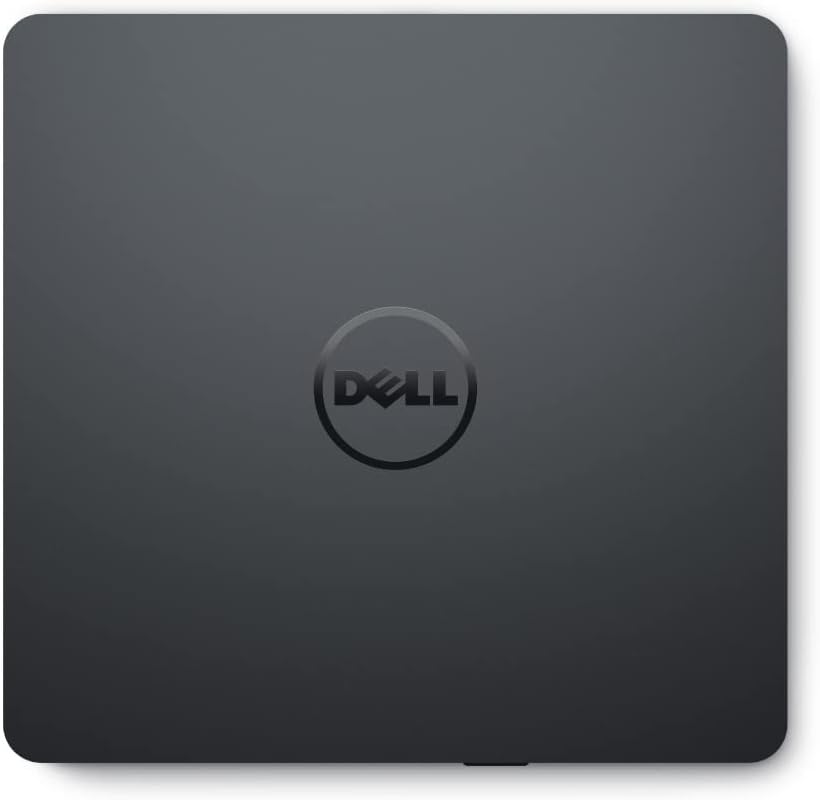
The Dell External USB Slim DVD RW Drive represents a premium option for those seeking dependable performance with a sleek industrial design. With a 4.5-star rating, it reflects strong user satisfaction regarding reliability and ease of use, making it a safe choice for critical tasks like software installation.
We may earn a commission when you buy through this link, at no additional cost to you.
It comes pre-loaded with CyberLink Media Suite which provides immediate tools for burning and playing media without needing to install third-party software manually. This feature adds significant value by streamlining the setup process, and the slim profile ensures it fits seamlessly in any laptop bag or workspace.
While it supports standard optical media efficiently, the lack of advanced interface options like Type-C might be a limitation for newer laptops with only Type-C ports. Additionally, ensuring adequate power on some desktops might require using specific rear USB ports to avoid detection issues.
This drive is best suited for professionals or home users who prioritize reliability and brand trust over additional port features. Its combination of software tools and robust hardware makes it a solid investment for consistent media access.
The pre-loaded Media Suite eliminates the need to download extra software and allows immediate burning and playback upon connection.
The low-profile design keeps it lightweight and compact, ensuring it adds minimal bulk to your travel setup.
We may earn a commission when you buy through this link, at no additional cost to you.
The Rioddas External CD/DVD Drive is engineered for reliability with strong fault tolerance that minimizes freezing or skipping during media playback. Users praise its consistent performance across various disc types, making it a practical choice for those who need stable optical access without frequent interruptions.
We may earn a commission when you buy through this link, at no additional cost to you.
Its physical eject button provides a safety net for media stuck due to software errors, while the enhanced copper mesh technology ensures stable data transmission to reduce read errors. The embedded cable design keeps the setup organized and prevents the common issue of losing the connection cable.
While it does not support ChromeOS or modern tablets which limits versatility for some users, it excels with Windows and Mac systems. The high-speed transfer capabilities allow efficient burning of files, which is essential for users regularly backing up data or installing large software packages.
We recommend this drive for users who prioritize operational stability and ease of use over advanced connectivity features. Its robust construction and thoughtful design details make it a dependable tool for daily computing tasks involving optical media.
The hardware eject button allows disc removal even when the system fails to recognize the drive, preventing media loss or frustration.
Enhanced shielding improves signal integrity during reading and writing, resulting in fewer errors and better performance stability.
We may earn a commission when you buy through this link, at no additional cost to you.
The ORIGBELIE External CD DVD Drive impresses with its ultra-thin 13mm profile making it one of the slimmest options available for portable media access. Weighing only 0.2 kg it fits effortlessly into any laptop sleeve without adding noticeable bulk which is ideal for frequent travelers.
We may earn a commission when you buy through this link, at no additional cost to you.
It supports both USB 3.0 and Type-C interfaces ensuring broad compatibility with modern hardware. Noise reduction and shock resistance features help maintain quiet operation and durability, while the included storage bag provides an extra layer of protection against scratches during transit.
Some users may need to use an included power cable on low-power USB ports to ensure reliable operation, which adds a minor step to setup. Additionally it lacks support for Blu-ray discs limiting its use for high-definition media playback but excels with standard DVDs and CDs.
We recommend this drive for users who prioritize portability and compact design in their external peripherals. Its lightweight build combined with reliable connectivity makes it a convenient accessory for maintaining optical media access on the go.
The thin profile ensures it barely adds weight to your bag making it perfect for daily commuting or business travel.
A dedicated bag keeps the drive safe from scratches and provides a convenient place to store the data cable together.
We may earn a commission when you buy through this link, at no additional cost to you.
The HP Inc. USB External DVDRW Drive leverages the reputation of HP for quality and reliability making it a trustworthy choice for users seeking a no-nonsense optical drive. It offers consistent performance for standard DVD and CD operations without requiring complex setup or additional software drivers.
We may earn a commission when you buy through this link, at no additional cost to you.
Its compact design ensures it fits easily on desks or in bags while providing solid read and write capabilities for various disc formats. Users appreciate the seamless integration with HP laptops as well as other brands ensuring broad compatibility across different desktop and laptop systems.
While it does not include extra features like card readers or advanced interfaces, it performs its core function effectively and reliably. The higher price compared to budget options reflects the build quality and brand support which can be worth the investment for professional environments.
We recommend this drive for users who prioritize brand trust and long-term reliability over additional features. It serves well as a standard solution for installing software or accessing older media files on modern Windows 11 systems.
Choosing a reputable manufacturer like HP provides confidence in product durability and customer support options if issues arise.
The straightforward plug and play functionality means you can start using it immediately without technical configuration steps.
We may earn a commission when you buy through this link, at no additional cost to you.
The ASUS ZenDrive Black stands out with its support for M-Disc which allows for archival quality media storage that can last longer than standard discs. This feature makes it valuable for users needing reliable long-term data storage or backup solutions without relying on cloud services.
We may earn a commission when you buy through this link, at no additional cost to you.
It includes USB 2.0 and Type-C cables ensuring compatibility with various systems and includes Nero BackItUp software which adds value for users managing Android devices. The 13mm slim profile ensures it remains portable while the encryption feature offers added security for sensitive files on discs.
Although the USB 2.0 connection limits maximum transfer speeds compared to USB 3.0 models it remains sufficient for most standard burning and reading tasks. The focus on archival storage and security features adds a unique advantage for professionals and users with specific storage needs.
We recommend this drive for users who need archival capabilities or enhanced security features not found on standard drives. The combination of M-Disc support and bundled software makes it a specialized tool for specific data management tasks.
M-Disc support allows you to store data on discs designed to last decades providing a reliable offline backup method.
The built-in encryption functionality helps protect sensitive information stored on discs from unauthorized access.
We may earn a commission when you buy through this link, at no additional cost to you.
This Portable External USB DVD Drive is designed to work across a broad range of systems making it an ideal choice for mixed device environments. With support for Windows Linux and all versions of Mac OS it ensures you can use one drive for multiple devices without compatibility issues.
We may earn a commission when you buy through this link, at no additional cost to you.
The pure-copper-knitted-net technology minimizes resistance and improves data transmission stability ensuring reliable performance even with older discs. Intelligent burning technology optimizes the process for different disc types reducing errors and improving the success rate of write operations across various formats.
While it lacks Type-C connectivity which may limit use with newer ultra-slim laptops the standard USB design remains reliable for most setups. The embedded cable design keeps things organized though some users may prefer detachable cables for easier replacement if damage occurs.
We recommend this drive for users with diverse computing needs who want a versatile optical solution. Its robust construction and broad system support make it a practical choice for offices or homes with varied hardware configurations.
The copper-knitted-net shield protects against interference ensuring consistent data speeds and fewer read errors during operation.
Optimized burning processes adjust to different disc types which helps achieve better results even with lower quality media.
We may earn a commission when you buy through this link, at no additional cost to you.
The Dell Slim DW316 is designed specifically to serve as a reliable optical drive replacement for select Dell laptop models ensuring seamless integration with existing systems. Its high 4.7-star rating indicates strong satisfaction among users who need a guaranteed compatible solution without worrying about hardware mismatches.
We may earn a commission when you buy through this link, at no additional cost to you.
It supports DVD-RAM and standard DVD formats offering robust performance for data storage and media playback needs. The USB 2.0 connection provides sufficient speed for most typical tasks though it may lag behind newer USB 3.0 drives for large file transfers.
While this model is optimized for Dell users it may not offer the broadest compatibility for other brands or newer systems with Type-C requirements. However for those matching the specific model list it delivers a straightforward replacement that restores optical functionality efficiently.
We recommend this drive for Dell owners seeking a direct replacement or an official external option. Its proven compatibility and reliability make it a safe choice for maintaining optical media access on specific business or home laptop configurations.
Designed specifically for certain Dell models this drive ensures perfect fit and function without needing drivers or complex setup steps.
The high user rating reflects consistent performance and few hardware issues making it a dependable long-term peripheral solution.
We may earn a commission when you buy through this link, at no additional cost to you.
Selecting the right external DVD drive involves evaluating several key factors beyond just price. Understanding your specific needs and how the hardware interacts with your system will ensure you get a reliable tool for media access and data management.
Modern external DVD drives typically use USB 3.0 or Type-C interfaces to ensure fast data transfer rates. USB 3.0 provides speeds up to 5Gbps which is ten times faster than USB 2.0 and significantly reduces wait times when burning or reading large files. Type-C connectors are becoming standard on newer laptops making them essential for compatibility with devices that lack traditional USB-A ports.
Always check the USB ports available on your Windows 11 device and choose a drive that matches them to avoid needing extra adapters or hubs that might reduce performance or add clutter.
Most drives are designed to work across Windows 10 and 11 Linux and macOS but it is important to verify specific OS support. Some models may not support newer Mac versions without additional software or settings adjustments especially for Apple Silicon chips like M1 or M2.
Ensure the product page explicitly states Windows 11 compatibility and check for any driver requirements to avoid installation headaches after purchase.
If you plan to travel frequently choose a drive with a slim and lightweight design that fits easily in a laptop bag. Look for integrated cable designs where the USB cable is built into the drive body as this eliminates the risk of losing separate cables during travel.
A portable drive should also have a durable build and protective casing to withstand minor bumps or scratches while being carried in a backpack or briefcase.
While most drives support standard CD and DVD formats such as DVD+R DVD-R CD-R and CD-RW some models lack support for Blu-ray discs. If you need to play or burn high-definition content ensure the drive specifies Blu-ray capability though these are generally more expensive.
Also note that most external drives do not support Blu-ray due to licensing and hardware constraints so confirm your specific media needs before buying.
Some drives come with extra features like built-in card readers for SD or TF cards or USB hub ports to connect other devices. These can reduce the number of peripherals you need but may add complexity or reduce performance for core optical tasks.
Consider whether you need these extra functions or if a dedicated external DVD drive would offer better reliability and simpler usage for your workflow.
Most external DVD drives draw power directly from the USB port which means they do not need a separate power adapter. However some models or setups may require extra power especially on older laptops or low-power USB ports which can lead to detection issues.
Look for drives that include an auxiliary power cable or check user reviews for mentions of power problems to ensure stable operation on your specific computer.
A reliable warranty can protect you from manufacturing defects and ensure long-term usability of your drive. Many brands offer one to three-year warranties with varying levels of customer support so compare these policies when choosing between models.
Read return policies and support contact details to confirm you can get help easily if the drive stops working shortly after purchase.
External drives are subject to physical stress from travel and frequent use so a robust build is essential for longevity. Look for models with metal or high-quality plastic casings and internal shock absorption technology to protect the drive mechanism from damage.
A durable drive will maintain performance longer and reduce the risk of disc jams or read errors caused by physical wear and tear over time.
To begin using your external DVD drive simply connect the USB cable to your Windows 11 computer and wait for the system to detect it. Most modern drives are plug-and-play so you will not need to install additional drivers unless specified by the manufacturer. Once detected the drive will appear in File Explorer where you can access it like any other storage device.
Always insert discs gently to avoid damaging the tray mechanism and ensure the label side of the disc faces up when loading. For desktop computers it is recommended to connect the drive to a rear USB port as they typically provide more stable power compared to front panel ports. If the drive is not recognized try restarting your computer or using a different USB port to resolve connection issues.
Keep the drive clean by wiping it with a dry cloth and storing it in a protective case when not in use. Avoid exposing the drive to extreme temperatures or moisture as these can damage internal components. Periodically update your Windows 11 system to ensure compatibility and check for firmware updates from the manufacturer to improve performance and fix bugs.
Most external DVD drives are plug-and-play and do not require manual driver installation on Windows 11. The operating system will automatically detect the drive and configure it for use. However checking the manufacturer website for any specific driver updates is recommended for optimal performance.
Yes most external DVD drives are compatible with Mac computers running recent versions of macOS. You may need to insert a disc before connecting the drive on some systems to ensure proper detection. VLC media player is often recommended for playback on Mac since the built-in DVD player is deprecated.
Standard external DVD drives support formats like CD-ROM CD-R CD-RW DVD-ROM DVD-R DVD+R DVD-RW and DVD+RW. Most do not support Blu-ray discs unless explicitly stated as a Blu-ray drive. Always verify supported formats in the product specifications before purchasing to match your needs.
Most external DVD drives draw sufficient power from the USB port so a separate power source is not needed. If you experience issues such as the drive not being recognized connecting to a rear USB port or using an included auxiliary power cable can help resolve power shortages.
Desktop PCs may not supply enough power through front USB ports causing detection issues. Try connecting to a rear USB port directly on the motherboard for more stable power. Restarting the computer or testing the drive on a different machine can also help identify if the issue is hardware or software related.
Windows 11 does not include a native DVD player so you will need third-party software like VLC Media Player to play DVD movies. Some drives come with bundled software like CyberLink Media Suite to handle playback and burning tasks immediately after connection.
We explored ten top-rated external DVD drives suitable for Windows 11 users ranging from budget-friendly options to premium models with advanced features. Each product offers a balance of performance compatibility and portability to meet different needs whether for home media access or professional data tasks.
Prioritize connection type and system compatibility when making your choice to ensure the drive works seamlessly with your specific setup. Consider whether you need extra features like card readers or archival storage capabilities versus a simple reliable solution for basic optical media access.
Remember that availability and pricing may change frequently so verify current details and customer reviews before finalizing your purchase. Choosing the right external DVD drive will extend the life of your laptop and ensure you can continue to use optical media for years to come.