
havit HV-F2056 Laptop Cooling Pad
4.4Editor score
Ultra-portable slim design
Three ultra-quiet fans
Ergonomic stand with heights
Keeping your MSI gaming laptop cool is essential for maintaining peak performance during intense gaming sessions. A dedicated cooling fan helps dissipate heat efficiently, preventing thermal throttling and extending the lifespan of your valuable hardware investment.
We have compared ten top-rated cooling pads specifically suited for MSI laptops, evaluating factors like fan speed, airflow design, noise levels, and build quality. Our analysis focuses on real-world usability and compatibility with various MSI models to ensure you find the right fit.
Each pick highlights unique strengths such as smart temperature control, ergonomic design, or robust construction. Prices and availability change frequently so be sure to check current listings before making your final decision to secure the best value available today.
4.4Editor score

4.4Editor score

4.5Editor score
As an Amazon Associate we earn from qualifying purchases.
This side-by-side comparison highlights the key specifications and strengths of each cooling solution to help you quickly identify the model that best matches your specific MSI laptop needs and usage patterns.



The Razer Laptop Cooling Pad Adaptive Smart stands out as a top-tier solution for MSI gaming laptops, boasting an intelligent fan control system that adapts to workload changes. With a strong 4.4 rating users appreciate its ability to keep systems cool without manual intervention.
We may earn a commission when you buy through this link, at no additional cost to you.
Its airtight pressure chamber ensures that all airflow generated by the 140 mm brushless fan reaches the laptop vents directly reducing CPU and GPU temperatures effectively. The inclusion of magnetic frames allows seamless compatibility across different laptop sizes from 14 to 18 inches ensuring a secure fit every time.
While the performance is exceptional some users may find the reliance on Razer Synapse for custom fan curves a slight inconvenience if they prefer standalone control. Additionally the higher cost compared to basic cooling pads might deter budget-conscious buyers despite the value provided.
This cooling pad is ideal for enthusiasts who demand precise thermal management and want to maximize their MSI laptop performance during long gaming sessions. If you value smart technology and premium build quality this model delivers reliable results worth the investment.
The system automatically adjusts fan speeds based on real-time temperature settings ensuring optimal cooling without user input.
Three magnetic frames provide a custom fit for various laptop sizes maximizing airflow efficiency across different devices.
We may earn a commission when you buy through this link, at no additional cost to you.
The havit HV-F2056 offers exceptional value for users seeking a simple yet effective cooling solution for MSI laptops. With a 4.4 rating it is praised for its portability and quiet operation making it suitable for travel and home use alike.
We may earn a commission when you buy through this link, at no additional cost to you.
Its slim and lightweight design allows you to protect your investment wherever you go while the three ultra-quiet fans create a noise-free environment ideal for focused work or gaming. The ergonomic stand doubles as a carrying surface with two adjustable height settings enhancing comfort during extended sessions.
Although it lacks advanced features like RGB lighting or software control its core functionality remains reliable and efficient. The only limitation is its size compatibility focusing primarily on 15.6 to 17 inch laptops which might not suit larger models.
Buyers looking for a cost-effective and portable cooling option will find this pad meets their needs without unnecessary extras. It is an excellent entry-level choice for anyone wanting to improve airflow and reduce heat on their MSI laptop.
The slim and light profile makes it easy to carry in a backpack ensuring your laptop stays cool on the move.
Two height settings allow you to adjust the screen angle for better posture and reduced strain over time.
We may earn a commission when you buy through this link, at no additional cost to you.
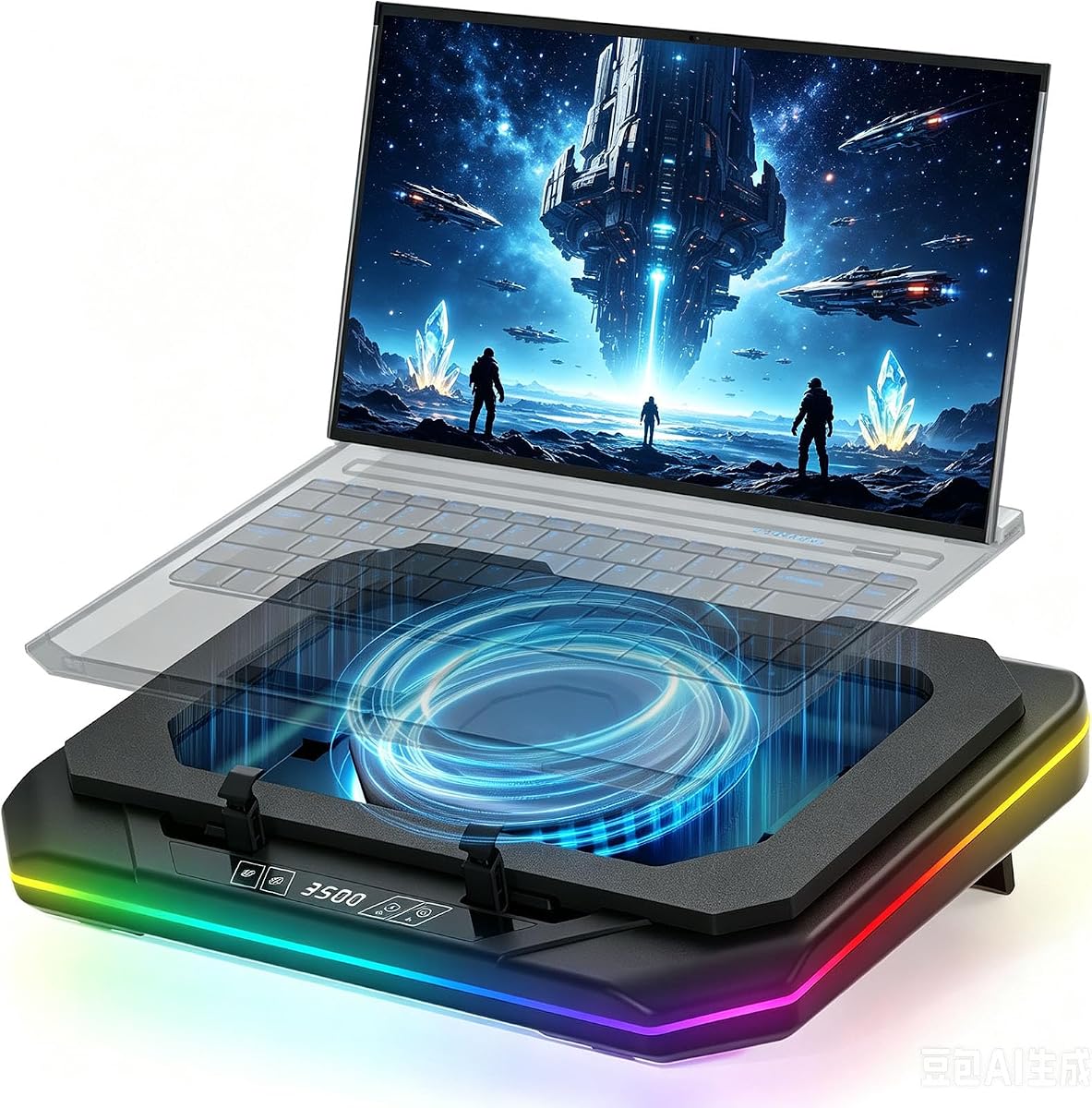
This cooling pad is specifically designed for MSI Raider models delivering impressive thermal performance with a powerful turbofan capable of spinning up to 3500 RPM. Rated 5.0 by users it promises rapid heat dissipation reducing CPU and GPU temperatures significantly within minutes of use.
We may earn a commission when you buy through this link, at no additional cost to you.
The sealed wind pressure design and retractable side panels ensure that cool air is directed efficiently into the laptop intakes preventing slipping and improving overall stability. Additional features like an RGB light strip and USB hub add aesthetic appeal and convenience for connecting peripherals easily.
Users should note that the high-speed turbofan can generate noise levels up to 60 dB at maximum speed which might be disruptive in quiet environments. Proper setup is crucial as leaving it under a hot laptop without turning it on could hinder heat dissipation.
If you own a large MSI Raider laptop and prioritize raw cooling power over silence this pad is an outstanding choice. Its tailored design and robust features make it a strong contender for serious gamers facing demanding workloads.
The turbofan reduces temperatures by up to 40 degrees in 90 seconds providing quick relief during intense gaming sessions.
A dense dust filtration mesh seals out particles at the origin ensuring your laptop requires less frequent cleaning.
We may earn a commission when you buy through this link, at no additional cost to you.
Tailored for MSI Vector and Creator laptops this cooling pad offers a specialized solution that addresses the unique ventilation needs of these high-performance machines. With a perfect 5.0 rating users highlight its effectiveness in reducing temperatures and improving overall system stability during heavy use.
We may earn a commission when you buy through this link, at no additional cost to you.
The powerful turbofan and sealed wind pressure design ensure that airflow is maximized for efficient cooling while the RGB light strip adds a gaming atmosphere to your setup. Its ability to support laptops from 14 to 18 inches provides flexibility beyond the specific models it targets.
Potential buyers should be aware that the fan speed can lead to noticeable noise levels up to 60 dB which may require balancing with quiet settings during non-gaming hours. Careful attention to usage timing ensures optimal performance and prevents heat buildup when not actively cooling.
Owners of MSI Vector laptops will find this pad delivers precise thermal relief that general cooling pads might not achieve. Its dedicated design and robust features make it a reliable tool for maintaining peak performance during extended gaming or creative tasks.
Designed specifically for Vector and Creator series laptops ensuring a custom fit that maximizes airflow efficiency.
A 12V adapter provides sufficient power to run the fan at full strength without draining the laptop battery.
We may earn a commission when you buy through this link, at no additional cost to you.
The Kootek Cooling Pad utilizes five built-in fans to provide wide-area coverage ensuring that heat is dissipated evenly across the bottom of your MSI laptop. Rated 4.4 by users it is appreciated for its quiet operation and versatile height adjustments that promote comfortable typing and viewing angles.
We may earn a commission when you buy through this link, at no additional cost to you.
Its dual USB hub allows you to connect additional peripherals while the two switches give you control over which fans run to balance noise and cooling. The ergonomic design serves as a sturdy stand with six height settings making it a practical addition to any workstation.
While the fan control is straightforward it lacks advanced software features found in more premium models. This simplicity may be a drawback for users seeking granular customization but works well for general cooling needs.
This cooling stand is an excellent choice for those who need flexible positioning and reliable airflow without complicated setup. It is a solid all-rounder that combines comfort with effective cooling for a wide range of laptop sizes.
Five fans ranging from 2.76 to 4.72 inches ensure comprehensive cooling across different laptop layouts and sizes.
Six adjustable height settings let you find the perfect typing angle to reduce neck and back strain during use.
We may earn a commission when you buy through this link, at no additional cost to you.
With nine dedicated cooling fans the ChillCore pad offers maximum airflow coverage designed to tackle even the most demanding thermal loads on large MSI laptops. Its 4.2 rating reflects strong performance and features like an LCD display that shows current fan speed for easy monitoring.
We may earn a commission when you buy through this link, at no additional cost to you.
The cooling pad includes eight height stands to customize your viewing angle and ten RGB modes to enhance your gaming aesthetic. Despite having multiple fans the design claims whisper-quiet operation thanks to added capacitor components that reduce noise during normal use.
The sheer number of fans might lead to bulkier dimensions and potential complexity in setup for some users. However the detailed control via touch buttons and intuitive interface makes managing the cooling settings straightforward.
If you own a large laptop and prioritize fan count and visual customization this pad stands out as a feature-rich option. It delivers robust cooling with a focus on user-friendly controls and adjustable height for comfort.
The readout displays current fan speed clearly allowing for precise adjustments without guessing or software dependency.
Ten RGB modes let you set lighting effects that match your gaming setup and create a cool atmosphere.
We may earn a commission when you buy through this link, at no additional cost to you.
The llano V12 Ultra introduces intelligent AI temperature control that auto-adjusts fan speeds based on workload ensuring consistent performance without manual tweaking. With a 4.5 rating users appreciate its ability to cut CPU and GPU temperatures by up to 22 degrees in 90 seconds effectively preventing overheating.
We may earn a commission when you buy through this link, at no additional cost to you.
Its turbo-pressure cooling system uses a memory-foam edge seal to direct airflow precisely into bottom intakes while the removable dust filter simplifies maintenance and protects internal components. The ergonomic design offers three adjustable tilt options to promote better posture during long sessions.
Premium features come with a higher price tag and the requirement to download specific software for full control which may deter casual users. However for those seeking automated efficiency and high-performance cooling the benefits outweigh the initial setup effort.
This pad is ideal for advanced users who want smart management and proven thermal results for their MSI laptop. Its combination of intelligent software and robust hardware makes it a top choice for demanding workloads.
Three smart modes auto-adjust fan speed to match your workload ensuring optimal cooling at all times.
Lab-tested results show a significant temperature drop thanks to pressurized airflow into bottom laptop intakes.
We may earn a commission when you buy through this link, at no additional cost to you.
This llano V12 model delivers strong cooling performance with a 5.5-inch turbo booster fan that reduces temperatures by up to 44 degrees in just 90 seconds. Rated 4.4 by users it is praised for its user-friendly design and controllable RGB lighting that enhances the gaming aesthetic.
We may earn a commission when you buy through this link, at no additional cost to you.
The scroll wheel allows precise instant adjustments to airflow while the memory function remembers your RGB settings to avoid repeated selection. Integrated dust filtration protects internal components extending the lifespan of both the cooler and your expensive gaming laptop.
While the cooling power is robust the USB ports are designed for peripherals only and do not support charging devices which limits versatility. Additionally the scroll wheel requires familiarity to adjust settings quickly compared to simple buttons.
Buyers looking for a balance of performance and ergonomic controls will find this pad meets their needs well. Its focus on temperature reduction and customizable lighting makes it a strong choice for immersive gaming setups.
The scroll wheel provides instant airflow adjustment allowing you to find the perfect balance between cooling and noise.
High-density removable dust filter captures debris preventing buildup and extending the device lifespan.
We may earn a commission when you buy through this link, at no additional cost to you.
This cooling pad focuses on quiet efficiency with a patented fan design that cools up to 20 degrees while running as low as 35 dBA. Rated 4.5 by users it supports laptops from 12 to 19 inches and offers two modes to seal airflow or work as an active heat sink.
We may earn a commission when you buy through this link, at no additional cost to you.
The spring-loaded bracket automatically grips your laptop ensuring stability while the adjustable angles improve posture and typing comfort. RGB lighting with memory and a touch LED panel make adjustments easy and add visual flair without noise.
Note that a USB power adapter is not included for full turbo power which might require an extra purchase depending on your current setup. However for those who value silence the design ensures low sound levels without sacrificing cooling performance.
Ideal for noise-sensitive users this pad delivers effective cooling with a focus on quiet operation and universal fit. It is a practical choice for anyone wanting a versatile and ergonomic solution for their MSI or MacBook laptop.
Fan speeds are optimized to run as low as 35 dBA ensuring a peaceful environment even during intense cooling.
Two modes let you seal airflow for gaming laptops or use as a heat sink for ultrabooks and MacBooks.
We may earn a commission when you buy through this link, at no additional cost to you.
Designed for large gaming laptops up to 21 inches this llano V12 cooler delivers rapid cooling with a 5.5-inch turbo external fan that reduces CPU and GPU temps by 44 degrees in 90 seconds. Rated 4.4 by users it is known for its sturdy build and universal compatibility.
We may earn a commission when you buy through this link, at no additional cost to you.
Features like a real-time LED display for fan speed and touch-sensitive buttons allow instant adjustments between noise and efficiency. The package even includes an additional dust filter and a large mouse pad enhancing the overall value and convenience.
Due to its robust design and large fan it is heavier and bulkier than portable models which might limit travel convenience. The higher price reflects the advanced cooling power and included accessories making it a worthwhile investment for stationary setups.
Owners of large MSI laptops will appreciate the stability and cooling capacity this model provides. It is a comprehensive solution for those who prioritize performance and convenience in a single package.
LED display shows accurate fan speed in real time helping you manage performance and noise levels easily.
Includes an extra dust filter and mouse pad providing added value beyond basic cooling performance.
We may earn a commission when you buy through this link, at no additional cost to you.
Choosing the right cooling solution requires evaluating key factors like airflow design, noise levels, and compatibility with your specific laptop model.
Look for cooling pads with high-speed fans capable of generating strong airflow. Faster RPMs generally translate to better heat dissipation but can increase noise levels.
Prioritize models with pressurized airflow designs to ensure cool air reaches internal components effectively.
Decibel ratings indicate how loud a cooling pad will be. Silent fans are ideal for shared spaces while high-performance fans may be louder.
Select a model that balances cooling power with acceptable noise for your environment.
An adjustable stand reduces neck and shoulder strain by elevating the screen to a comfortable viewing angle.
Check for multiple height settings and sturdy non-slip pads to ensure stability during use.
Ensure the cooling pad supports your specific laptop size from 12 to 19 inches. Some models are designed for MSI specific series.
Verify that dimensions and cutouts align with your laptop's intake vents.
Extra USB hubs allow you to connect peripherals without occupying laptop ports. RGB lighting can enhance aesthetics but is not essential.
Advanced features like dust filters and software control add convenience and protection for your device.
Durable materials like reinforced chassis and high-density dust filters extend the lifespan of the cooler and laptop.
Choose a design that feels sturdy and can support the weight of heavy gaming laptops.
High-power adapters ensure the fans run at full speed without drawing power from your laptop battery.
Check whether USB-C or USB-A power options are available for flexibility in connectivity.
Slim and lightweight pads are easier to carry for travel while bulkier models offer better cooling performance.
Weigh your needs between mobility and raw cooling power before making a decision.
Place the cooling pad on a flat stable surface and ensure your laptop sits securely on top. Align the vents so airflow enters your device intake directly.
Plug the power adapter into a wall outlet and connect the USB hub to your laptop to power the fans. Turn them on before starting high-load tasks.
Clean the dust filters regularly with a soft cloth to maintain airflow efficiency. Store the pad in a dry place when not in use.
No cooling fans are designed to protect your laptop by preventing overheating and thermal throttling. Just ensure proper alignment with vents to maximize airflow efficiency safely.
Check the product specifications for compatible screen sizes. Ensure your laptop model matches the dimensions supported by the pad for secure placement.
By lowering internal temperatures cooling pads allow laptop fans to run at lower speeds which can reduce overall system noise levels significantly.
Yes most cooling pads are designed to be used simultaneously with the charging adapter ensuring uninterrupted power during gaming sessions.
It is recommended to clean the dust filters once a month to prevent buildup and maintain optimal airflow for consistent cooling performance.
Most support a range of sizes but some are optimized for specific models. Always verify the size compatibility before purchasing to ensure a proper fit.
They improve performance by preventing thermal throttling. When components stay cooler they can sustain higher speeds for longer periods.
Higher RPMs between 2000 and 3500 offer better cooling but may be louder. Choose based on your need for silence or maximum thermal relief.
We have reviewed ten excellent cooling solutions tailored for MSI gaming laptops ranging from budget-friendly options to premium smart models.
Prioritize airflow efficiency and ergonomic comfort to ensure your laptop stays cool during long gaming sessions without compromising posture.
Remember to check current availability and product details before purchasing to secure the best fit for your specific setup today.