
NexiGo N60
4.3Editor score
1080P Full HD
Privacy Cover
Plug and Play
Finding the right external webcam for your Mac can significantly improve your video call experience. Whether you are working from home or streaming content, a high-quality camera ensures you look professional and clear. The market offers many options with varying features tailored to different needs.
We have evaluated ten top-rated webcams specifically for Mac compatibility and performance. Our analysis covers resolution, autofocus capabilities, microphone quality, and build design. Each product was assessed based on user feedback and technical specifications to ensure reliability.
Each pick highlights unique strengths to help you decide based on your budget and requirements. Please note that availability and pricing can change frequently so always check current listings before purchasing. This guide aims to simplify your search for the perfect webcam for your setup.
4.3Editor score

4.6Editor score

4.6Editor score
As an Amazon Associate we earn from qualifying purchases.
The following table provides a side-by-side overview of all ten webcams. It highlights key specifications like resolution, field of view, and microphone type to help you compare features quickly without reading through lengthy descriptions for each item.




The Acer 4K Webcam stands out as a top contender for Mac users seeking professional quality. With a rating of 4.6 it offers true 4K resolution powered by a Sony sensor. This combination ensures sharp images and excellent color accuracy even in varied lighting conditions.
We may earn a commission when you buy through this link, at no additional cost to you.
Its all-metal unibody design provides durability and a sleek look that complements Apple devices. The Phase Detection Autofocus keeps your face sharp during movement which is rare at this price point. Dual mics capture clear audio reducing the need for external microphones in most scenarios.
While it is more expensive than standard HD webcams the investment pays off in image fidelity. The privacy cover is robust and magnetically secured so it stays in place when not in use. Some users may need a USB-C adapter depending on their Mac model but setup remains simple.
This webcam is ideal for professionals who prioritize video quality and reliability. If you need a camera that looks great and performs consistently for meetings or streaming this is a strong choice. It balances premium features with a reasonable price for the performance delivered.
The Sony 1/2 sensor captures more light resulting in better low-light performance and true-to-life colors for your video calls.
A magnetic privacy cover ensures your lens is physically blocked when not in use providing peace of mind during breaks.
We may earn a commission when you buy through this link, at no additional cost to you.
The Anker PowerConf C200 delivers strong performance for everyday video conferencing needs. Rated at 4.4 it provides 2K resolution which is a sweet spot between quality and bandwidth usage. Low-light correction ensures you remain visible even in dimly lit home offices.
We may earn a commission when you buy through this link, at no additional cost to you.
AI noise cancellation is a standout feature that filters out background noise so your voice comes through clearly. The customizable viewing angles allow you to frame your shot perfectly using the Anker software. A sliding privacy cover adds a layer of security when the camera is idle.
While the build is mostly plastic it feels sturdy enough for regular use. The software integration requires setup but offers useful control over your video settings. It is a reliable option for those who want more than basic HD without paying for 4K capabilities.
If you need a webcam that handles audio well and offers flexible framing this is a great pick. It suits remote workers who attend frequent meetings and need clear communication tools. The price point makes it accessible for many users upgrading from older models.
Advanced AI noise cancellation removes background sounds like typing or traffic ensuring your voice is the focus of the call.
Customizable viewing angles let you choose between 65 78 or 95 degrees to suit different desk setups and room sizes.
We may earn a commission when you buy through this link, at no additional cost to you.
The EMEET C960 offers genuine 4K quality at a price that rivals many HD models. With a 4.5 rating it features a real 4K sensor avoiding fake upscaling used by competitors. PDAF focus keeps your image sharp and stable during online meetings and lectures.
We may earn a commission when you buy through this link, at no additional cost to you.
Dual omnidirectional mics ensure clear audio pickup from various directions without distortion. The 73 degree field of view frames you well without showing too much background clutter. A privacy cover is included adding security to this versatile webcam package.
Users must switch to 4K via software as the default is 1080P which might confuse some. However this step ensures compatibility and bandwidth efficiency when needed. The tripod thread allows for flexible mounting beyond just clip-on use which is a nice touch.
This is the best choice for budget-conscious users who do not want to compromise on resolution. It suits educators and streamers who need high detail without breaking the bank. Check the software setup to unlock the full potential of this affordable 4K option.
A genuine 4K sensor captures more detail than upscaled HD cameras providing sharper visuals for professional presentations.
A built-in tripod thread allows you to mount the webcam on a stand for optimal height and angle positioning.
We may earn a commission when you buy through this link, at no additional cost to you.
The NexiGo N60 is an excellent entry-level webcam for Mac users on a tight budget. Rated at 4.3 it provides Full HD 1080P video which is sufficient for most standard calls and conferencing. It connects easily via USB without requiring drivers or complex setup steps.
We may earn a commission when you buy through this link, at no additional cost to you.
A built-in noise-cancelling microphone reduces ambient noise so your voice remains clear to others. The privacy cover slides over the lens to protect your privacy when the camera is not active. It works with a wide range of operating systems including macOS versions.
Fixed focus means the image might not be as sharp when you move or lean in during calls. The plastic build is functional but not premium. However for the price it delivers solid performance for casual users who need a basic webcam quickly.
Choose this if you want a simple no-fuss camera for occasional meetings. It is a cost-effective solution for students or remote workers upgrading from a built-in laptop camera. Just ensure your lighting is decent since low-light performance is average on this model.
At a low price point it delivers reliable 1080P video quality that meets the needs of everyday video conferencing tasks.
Plug and play functionality means you can start video calling within minutes of unboxing without installing any software.
We may earn a commission when you buy through this link, at no additional cost to you.
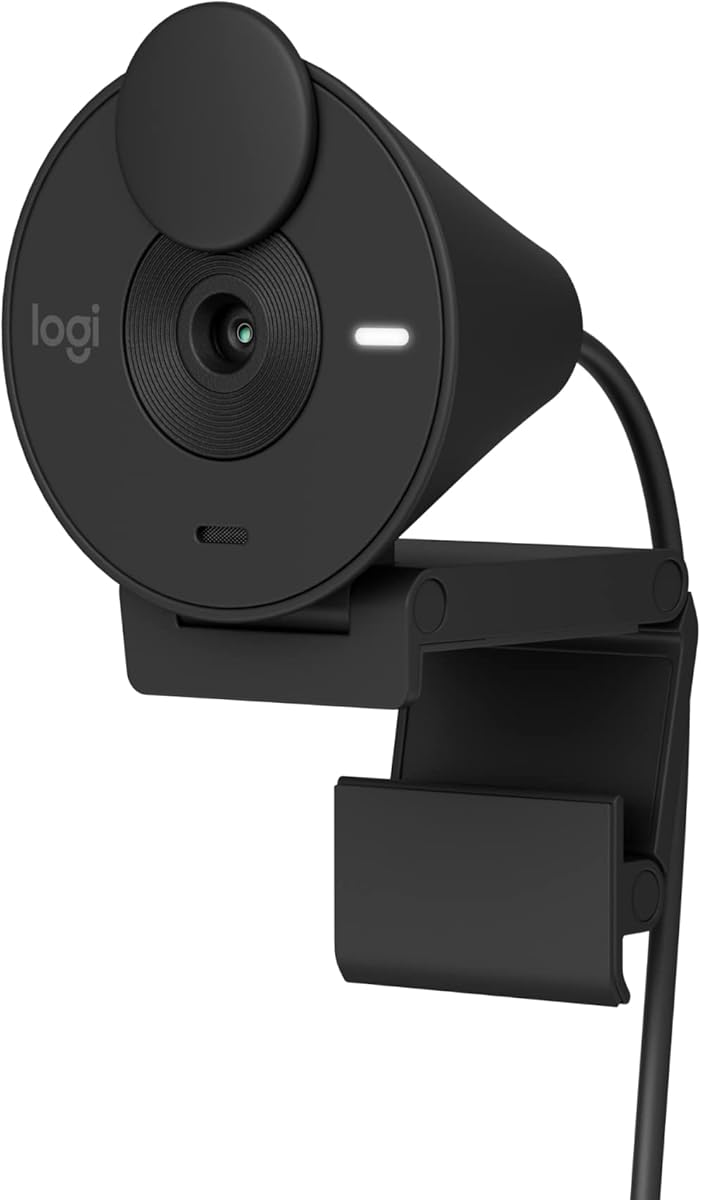
The Logitech Brio 100 offers a modern design that complements Apple aesthetics with its white finish. With a 4.4 rating it delivers 1080p video clarity suitable for professional streaming and meetings. RightLight technology adjusts brightness to reduce shadows on your face automatically.
We may earn a commission when you buy through this link, at no additional cost to you.
It is certified for major apps like Zoom and Teams ensuring seamless integration and reliability. The built-in mic captures audio clearly for most environments. A physical privacy cover lets you slide it closed for quick protection of your lens during downtime.
The mono microphone may lack depth compared to stereo options in dual mic setups. Fixed focus means you need to position yourself carefully for the best image. Despite this the build quality and brand reputation make it a trustworthy option for office setups.
This webcam is ideal for users who value design and brand reliability. It fits well in professional environments where a clean look is important. If you prioritize easy setup and certified compatibility with your favorite apps this is a solid recommendation.
RightLight boosts brightness and reduces shadows automatically ensuring you look your best regardless of lighting conditions.
Made with minimum 34 percent post-consumer recycled plastic it supports sustainability goals without sacrificing performance.
We may earn a commission when you buy through this link, at no additional cost to you.
The Logitech Brio 301 provides reliable performance with certifications for Zoom Microsoft Teams and Google Meet. Rated at 4.4 it features 1080p resolution and RightLight 2 technology for better visibility in low light. This ensures you look clear and professional during every call.
We may earn a commission when you buy through this link, at no additional cost to you.
A mono noise reduction mic helps suppress background sounds effectively. The privacy shutter spins to block the lens which is quick and convenient. It is made with significant recycled plastic appealing to environmentally conscious users who still need quality video tools.
The Logi Tune app allows for customization of color and image quality which adds flexibility. However the mono audio is a limitation for larger meetings. It is a straightforward choice for users who want certified compatibility and privacy without complexity.
Select this webcam if you need guaranteed compatibility with enterprise tools. It suits business users who want simplicity and trust in their video hardware. The recycled materials and privacy features make it a responsible choice for modern offices.
Certified for major platforms ensures seamless integration and reliability for enterprise-grade video conferencing needs.
Logi Tune app lets you adjust color and image quality to match your specific environment and preferences easily.
We may earn a commission when you buy through this link, at no additional cost to you.
The Logitech C920e is designed specifically for enterprise environments with Zoom and Teams certification. With a 4.6 rating it delivers 1080p video with a 78-degree field of view for balanced framing. Dual omnidirectional microphones capture clear audio from up to one meter away.
We may earn a commission when you buy through this link, at no additional cost to you.
An attachable privacy screen flips up or down to control lens visibility. The sturdy clip fits various monitors or laptops while tripod threads offer mounting flexibility. Sync device management software helps IT teams ensure devices stay updated and functioning properly.
Fixed focus means you must position yourself correctly for sharp images. The build is slightly heavier but durable for office use. It is a robust solution for companies needing reliable and secure video collaboration tools across their workforce.
This model is perfect for business deployments where IT control and reliability are key. Individual users will also appreciate the high audio quality and privacy features. It is a dependable choice for serious professional use cases requiring consistent performance.
Certified for Zoom and Teams with device management software ensures reliability and control for business deployments.
Two omnidirectional microphones capture natural sound clearly from up to one meter away for effective communication.
We may earn a commission when you buy through this link, at no additional cost to you.
The Logitech C922x is a pro-grade webcam offering 1080p at 30fps or 720p at 60fps for smoother motion. Rated 4.6 it features HD light correction and autofocus for sharp and vibrant visuals. Stereo audio with dual mics ensures natural sound during recorded videos.
We may earn a commission when you buy through this link, at no additional cost to you.
It includes a three-month XSplit VCam license for background removal without a green screen. This is a premium feature for streamers and content creators needing more control. The auto focus keeps your image clear even when you move around during calls.
The lack of a privacy shutter is a drawback compared to other models at this price. You will need a separate solution for privacy. However the performance and software capabilities justify the cost for those serious about production quality.
Choose this if you need high-quality video for streaming or recorded content. It is ideal for professionals who want smooth motion and better audio. The XSplit license adds value for creators who want to customize their background easily.
Switch between 1080p at 30fps or 720p at 60fps to balance quality and motion smoothness based on your needs.
Included XSplit VCam license enables background removal without a green screen for polished streaming setups.
We may earn a commission when you buy through this link, at no additional cost to you.
The Logitech C920S combines HD autofocus with a privacy shutter for balanced performance. Rated 4.6 it delivers Full HD 1080p video and recording with vibrant colors. Stereo audio with dual mics captures natural sound during calls and recorded videos.
We may earn a commission when you buy through this link, at no additional cost to you.
Privacy shutter ensures you control when the lens is visible. The glass lens provides crisp detail in various environments. It works with almost any major video calling app ensuring versatility for personal and professional use.
It lacks the 60fps mode found in higher-end models but performs well for standard calls. The shutter adds value and peace of mind. This is a reliable choice for users who want solid performance without extra complexity.
Select this webcam for a balance of features and price. It suits general users who need good video and privacy in one package. The trusted brand ensures support and quality consistency over time.
A snug privacy shutter puts you in control of the lens ensuring peace of mind when not on camera.
Glass lens and full HD mean your recorded videos are crisp and vibrantly colored for professional output.
We may earn a commission when you buy through this link, at no additional cost to you.
The second Acer 4K Webcam in this list focuses on portability with its compact and lightweight design. Rated 4.4 it features a Sony 1/2 sensor and PDAF for crisp clear 4K video. Dual high-sensitivity digital mics capture voice clearly up to 2.5 meters away.
We may earn a commission when you buy through this link, at no additional cost to you.
Its small size makes it easy to carry for mobile workers. The magnetic privacy cover snaps securely to keep the lens safe. Fast cooling ensures reliable performance even during long streaming sessions or meetings.
It requires a USB-A connection which may need an adapter for newer Macs. The aluminum body helps with heat dissipation effectively. This model is great for those who travel frequently but still demand high-quality video.
Choose this if you need a portable 4K camera that fits in a bag. It balances power and weight well for on-the-go users. The magnetic cover and sensor quality make it a smart pick for travelers.
At just 57 grams it is ultra-portable letting you take HD video calls and recordings anywhere easily.
All-aluminum body ensures fast heat dissipation for reliable performance during long streaming sessions.
We may earn a commission when you buy through this link, at no additional cost to you.
Choosing the right webcam involves considering several technical factors. This guide breaks down the key elements to help you make an informed decision.
Resolution determines how sharp your video looks on screen. Higher resolutions like 4K provide more detail than 1080p but require more bandwidth. For professional meetings 1080p is often sufficient but 4K is better for streaming.
Autofocus keeps your image sharp when you move. Phase Detection Autofocus is faster and more accurate than standard autofocus. Without it your face may blur when you lean in or adjust your position.
A built-in microphone should capture clear audio without background noise. Dual microphones usually provide better stereo sound than mono. If audio is critical consider an external mic instead.
Field of view controls how much of the room is visible. Wider angles like 90 degrees are good for groups but narrower angles like 78 degrees focus better on a single person. Choose based on your setup.
Cameras with better sensors perform better in dim lighting. Technologies like light correction or HDR adjust exposure automatically. Look for models with larger sensors for clearer images in darker rooms.
Privacy covers or shutters provide physical security for your lens. Some models offer sliding covers while others use magnetic or flip mechanisms. This adds peace of mind when you are not on camera.
Most webcams use USB-A but modern Macs use USB-C. Ensure you have the right adapter for your specific Mac model. A reliable connection is essential for consistent video streaming without lag.
Check if the webcam has a clip for monitors or a tripod mount. Some models offer adjustable angles which help position the lens at eye level. Flexibility in mounting ensures a better viewing angle.
Connect your webcam to a USB port and allow macOS to recognize the device automatically. Install any necessary software if the webcam requires advanced settings adjustments for best performance.
Clean the lens gently with a microfiber cloth to remove dust and fingerprints. Avoid using harsh chemicals that could damage the optical coating. Ensure the camera is at eye level for a natural and flattering perspective.
Adjust lighting to face your window or use a desk lamp to reduce shadows. Regularly update the webcam drivers and software to maintain compatibility and security. Store the camera in a protective case when not in use.
Yes all ten webcams listed are compatible with macOS. Most are plug and play requiring no additional drivers. Check the specific macOS version in the product details to ensure full support before purchasing.
Many webcams use USB-A connectors so you may need a USB-C to USB-A adapter for newer Macs. Some models include an adapter in the box but check the product listing before buying to confirm.
Models like the Logitech C922x and Acer 4K Webcam feature stereo dual mics that deliver clearer audio. If audio is critical a separate external microphone often provides better results than any built-in mic.
Yes most of these webcams support streaming platforms like Zoom Teams Twitch and YouTube. The Logitech C922x and Acer 4K models are particularly suited for streaming due to higher resolution and better lighting handling.
Most models include a privacy cover or shutter to protect your lens. The Acer and Logitech models specifically feature slide or flip shutters. Verify this feature in the product specs before buying.
Use a soft microfiber cloth to gently wipe the lens. Avoid harsh chemicals that could damage the coating. Store the camera in a protective case when not in use to prevent dust accumulation.
The Acer 4K Webcam stands out for its premium features while the NexiGo N60 offers value on a budget. Choosing the right webcam depends on your specific needs for resolution audio and design.
Prioritize autofocus and light correction for the best visual experience during calls. Ensure the webcam fits your desk setup with appropriate mounting options for comfort and reliability.
Prices and availability change frequently so always check current listings on Amazon before purchasing. Keep your software updated to maintain full compatibility with macOS.